RS-1_instruction manual.pdf - 第878页
Pa r t 2 Det ai l ed Des c r i pti on o f Ea c h Fu nc ti on Chapte r 1 1 S el f - diagnosis Func ti on 11 - 20 The s et head i s m oved ont o the v acuum cal ibr ati on and the p r ess uri zed b reak statu s i s m easur…
Part 2 Detailed Description of Each Function Chapter 11 Self-diagnosis Function
11-19
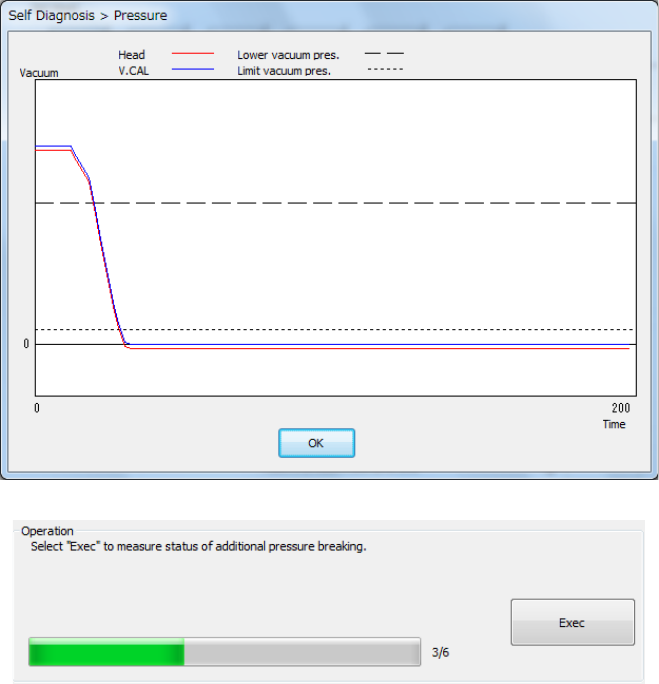
The set head is moved onto the vacuum calibration and the attained vacuum status is
measured 3 times.
The set head is moved onto the vacuum calibration and the natural break status is measured 3
times.
- The mean values between the 2nd and 3rd measurements are displayed.
- The graph of the pressure value displayed after measurement shows the data of the 3rd
measurement.
- Press <Exec>.
Part 2 Detailed Description of Each Function Chapter 11 Self-diagnosis Function
11-20
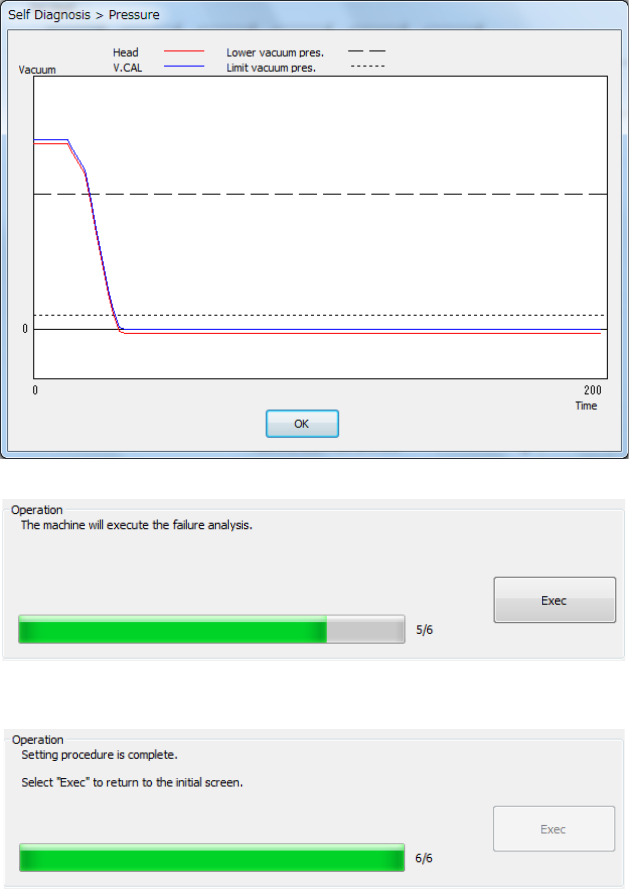
The set head is moved onto the vacuum calibration and the pressurized break status is
measured 3 times.
- The mean values between the 2nd and 3rd measurements are displayed.
- The graph of the pressure value displayed after measurement shows the data of the 3rd
measurement.
- Press <Exec>.
Part 2 Detailed Description of Each Function Chapter 11 Self-diagnosis Function
11-21
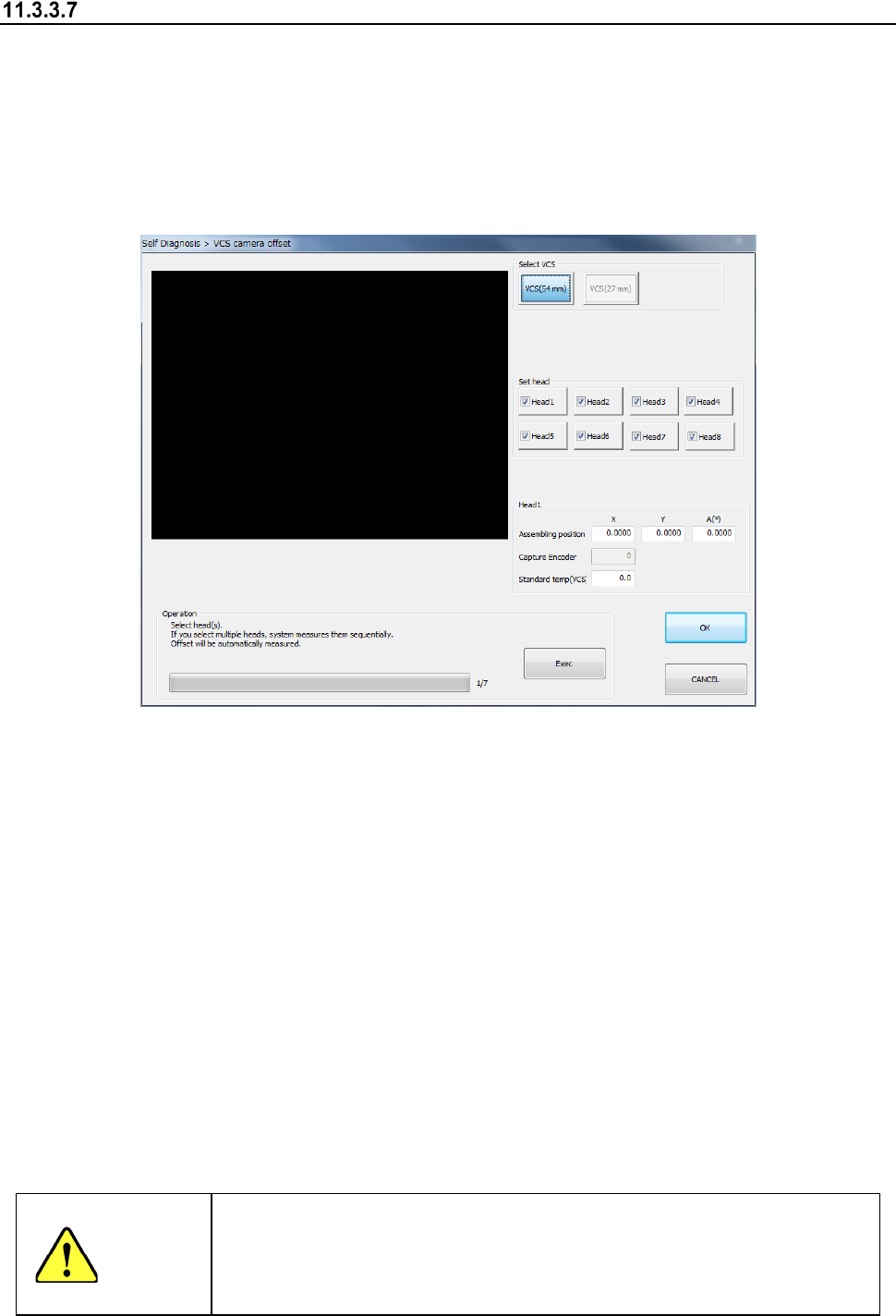
VCS camera offset
When you select the [VCS offset] command from the “Self Check” menu, the “VCS camera offset”
dialog box appears on the screen.
This screen allows you to set an offset value viewed from the designed position of each VCS
camera.
Reset an offset value only if a component recognized with a VCS is placed at a position shifted
from the regulated position in a certain direction.
A bare chip is used to set a VCS camera offset.
(1) Select VCS
Select a VCS to be set with the corresponding radio button displayed in the “Select VCS”
column.
(2) Head nozzle selection
Select a head to be measured with the corresponding check box.
You can select two or more heads to be measured at the same time.
(3) Assembling position/angle (Head 1)
The values saved with the MS Parameter and the set results are displayed here.
(4) Operation
1) Progress bar
The progress of measurement is displayed with this bar. When measurement finishes, it
indicates “100 %.”
2) <Exec> button
When you press the <Exec> button, each head unit moves to the waiting position to start
measurement.
See the following subsection “How to set” for details.
WARNING
When you press the <Exec> button, the axes start moving.
Before pressing the <Exec> button, be sure to check to see if there is no
one who is operating inside the machine. To prevent injuries, do not put a
hand inside the machine or close your face or head to the machine while
the machine is operating.