RS-1_instruction manual.pdf - 第957页
Part 2 D etaile d Descript ion of E ach Functi on Chapter 12 Handling th e Optional Device s 12 - 73 12.12.2 Operations 12.12.2.1 Machine Setup Select [Dev ice enable] – [ Option devic e enable] on the machi ne setup scr…
Part 2 Detailed Description of Each Function Chapter 12 Handling the Optional Devices
12-72
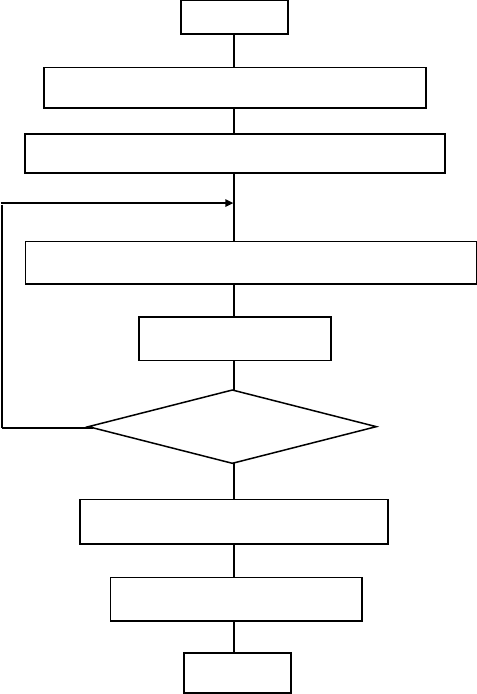
(5) Procedure of a continuous verification check.
1) Picking up of a target component (sequential pick-up)
2) Position correction with a recognition device
3) Move to the measurement position on the CVS unit
4) Measurement of the resistance, the capacitance of a capacitor and the polarity
If simultaneous measurement can not be performed, repeat 3) and 4)
5) Discarding/returning of a component
6) Decision of acceptance
Start
Sequential pick-up of target components
Position correction with a recognition device
Move to the measurement position on the CVS unit
Finish checking all
components?
Decision of acceptance
End
Measurement
Discarding/returning of
Part 2 Detailed Description of Each Function Chapter 12 Handling the Optional Devices
12-73
12.12.2 Operations
12.12.2.1 Machine Setup
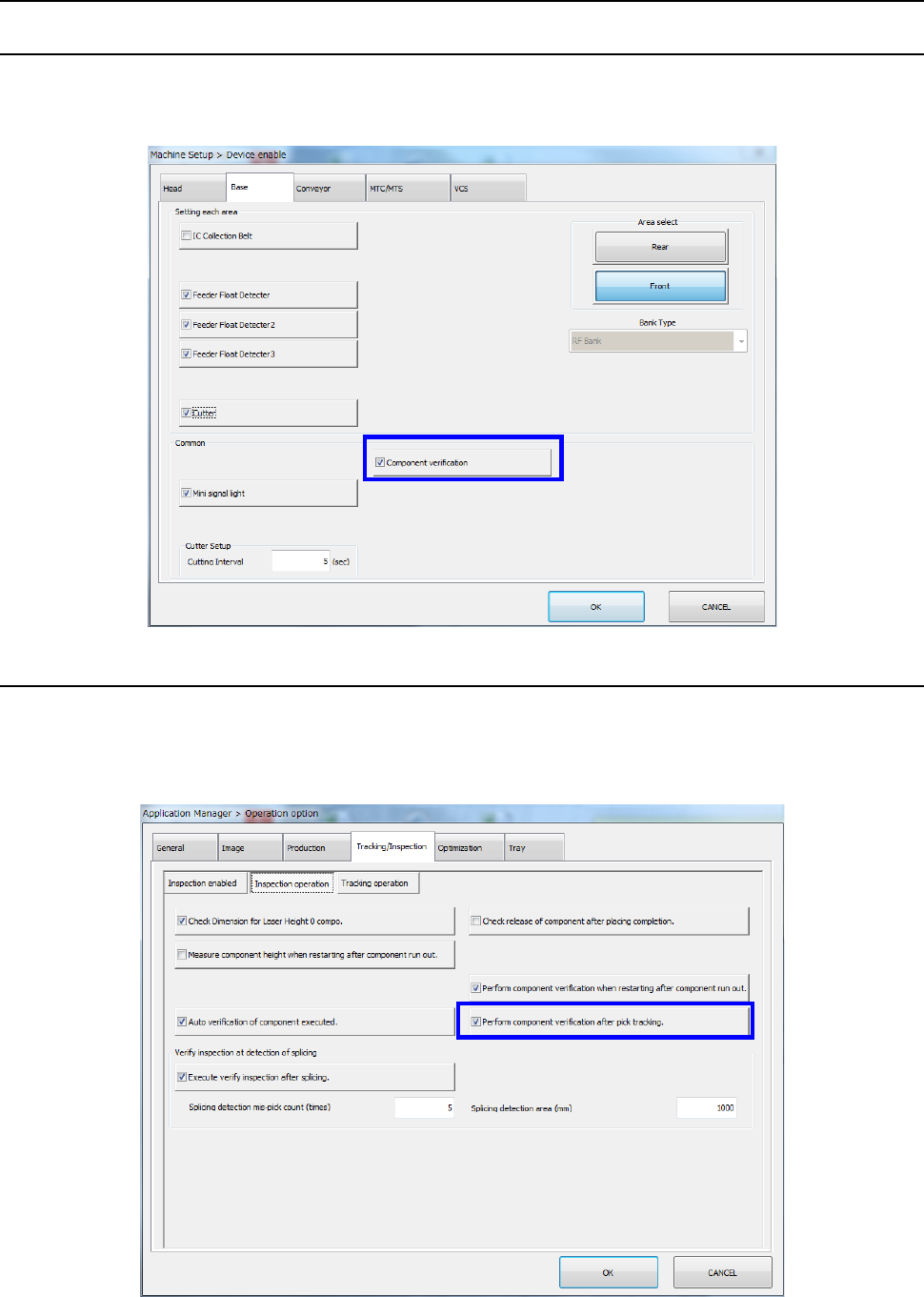
Select [Device enable] – [Option device enable] on the machine setup screen and make sure that
[Component verification] is checked off by the [Option device enable] tab.
For the setting method, refer to the Section 8.3.1.2 "Option Device Enable"
12.12.2.2 Setting the Operation options
(1) Performing component verification after tracking a component pick-up operation
Select [Machine setting] – [Operation option] in the menu and select [Inspection operation]
from the “Tracking/inspection” tab. Then, make sure that [Verify inspection after pick
tracking] is checked off.
Part 2 Detailed Description of Each Function Chapter 12 Handling the Optional Devices
12-74
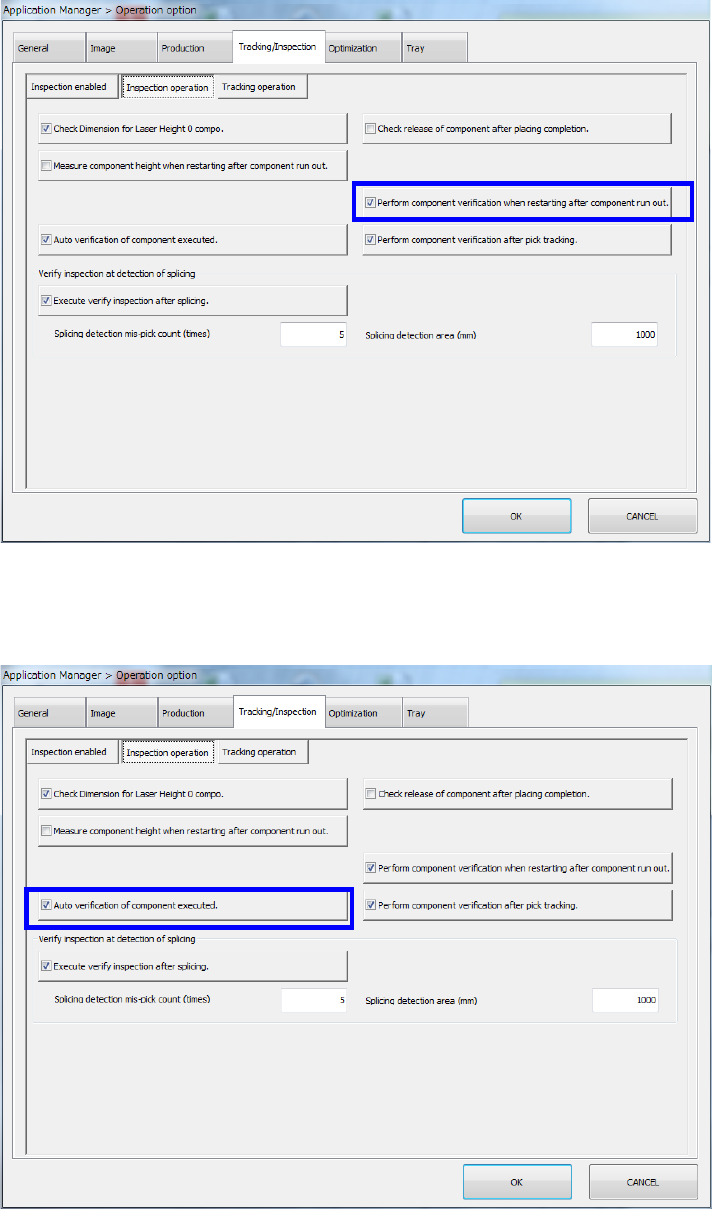
(2) Performing component verification when the system restarts after components run out
Make sure that [Perform component verification when restarting after component run out] is
checked off in the same way as (1).
(3) Auto verification of component executed
Make sure that [Auto verification of component executed] is checked off in the same away as
(1) and (2).