RS-1_instruction manual.pdf - 第853页
Pa r t 2 Det ai l ed Des c r i pti on o f Ea c h Fu nc ti on Chapter 10 M ach i ne Manage m e nt Infor m ation 10 - 40 (2) < Reset > b utton W hen you p res s the < R eset > but ton or p res s [I niti ali ze]…
Part 2 Detailed Description of Each Function Chapter 10 Machine Management Information
10-39
10.4.4 VCS Usage Information
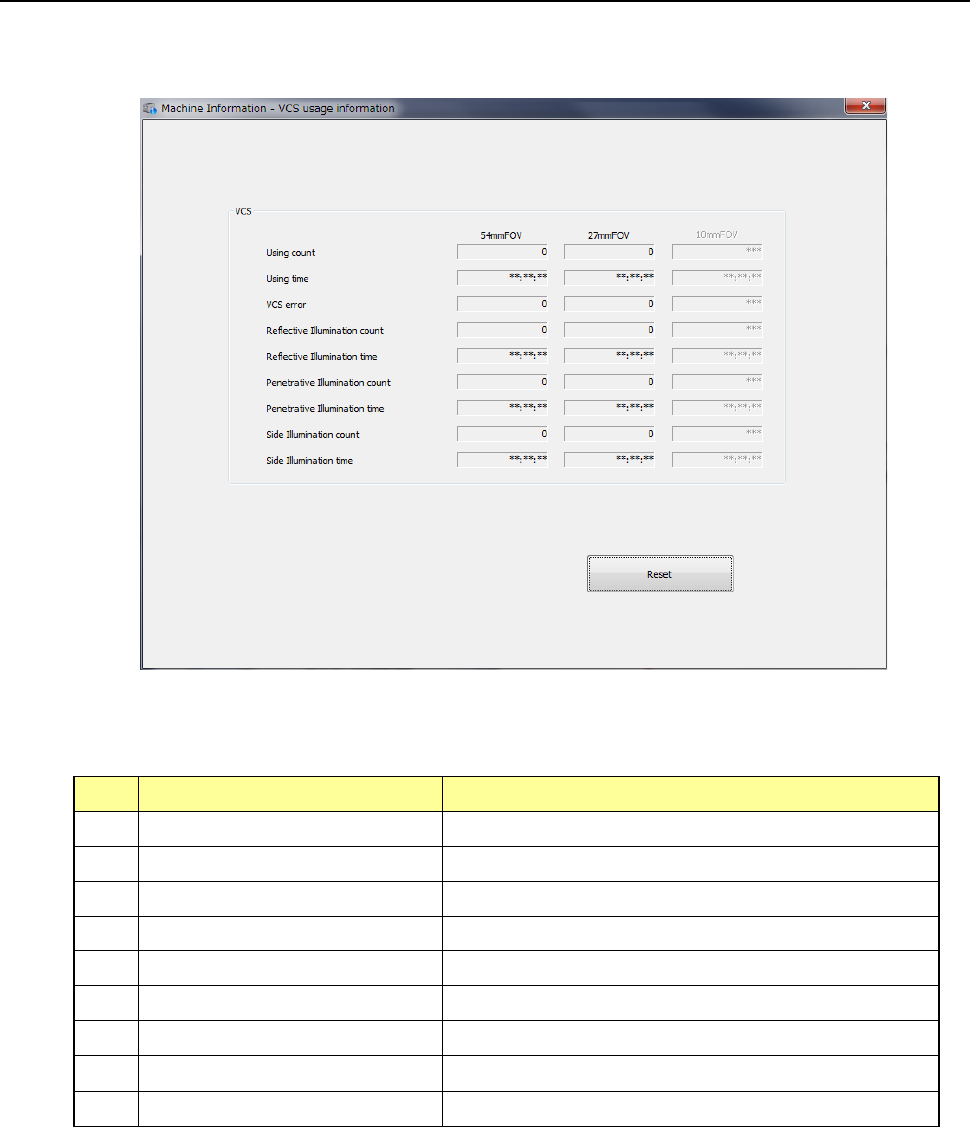
When you select [Recognition/inspection] – [VCS usage information] in the main menu, the VCS
usage information screen appears.
(1) VCS
No.
Item
Description
1 Using count Total of times VCS has been used
2 Using time Total time VCS has been used
3 VCS error count Total of times VCS has made an error
4 Reflective illumination count Total of times reflective illumination has been used
5 Reflective illumination time Total time reflective illumination has been used
6 Penetrative illumination count Total of times penetrative illumination has been used
7 Penetrative illumination time Total time penetrative illumination has been used
8 Side illumination count Total of times side illumination has been used
9 Side illumination time Total time side illumination has been used
Part 2 Detailed Description of Each Function Chapter 10 Machine Management Information
10-40
(2) <Reset> button
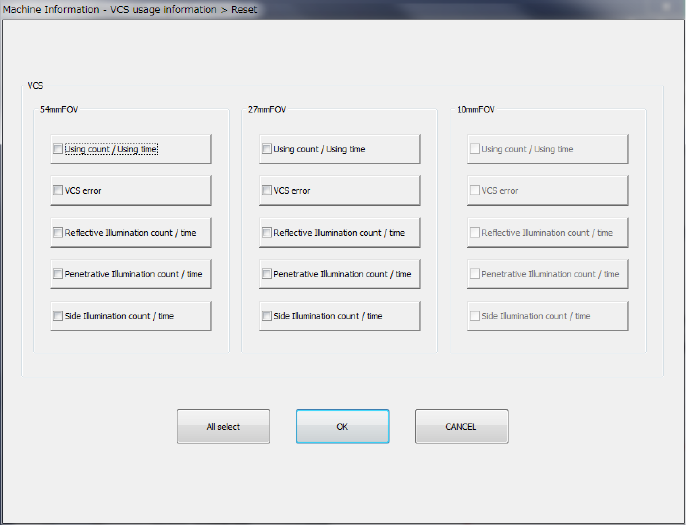
When you press the <Reset> button or press [Initialize] – [Reset] in the main menu, the
following screen appears.
This may be used as an overview of specifics or to clear all contents.
- All check boxes can be selected with <All select>.
- After marking the check boxes of items you wish to reset, press the <OK> button and a
question message appears (Refer to Figure 10-4-3-4-2). Press <OK> and the
designated items are reset and the screen closes.
Press the <CANCEL> button and the data remains as originally displayed without any
reset.
Part 2 Detailed Description of Each Function Chapter 10 Machine Management Information
10-41
10.4.5 Verify usage information
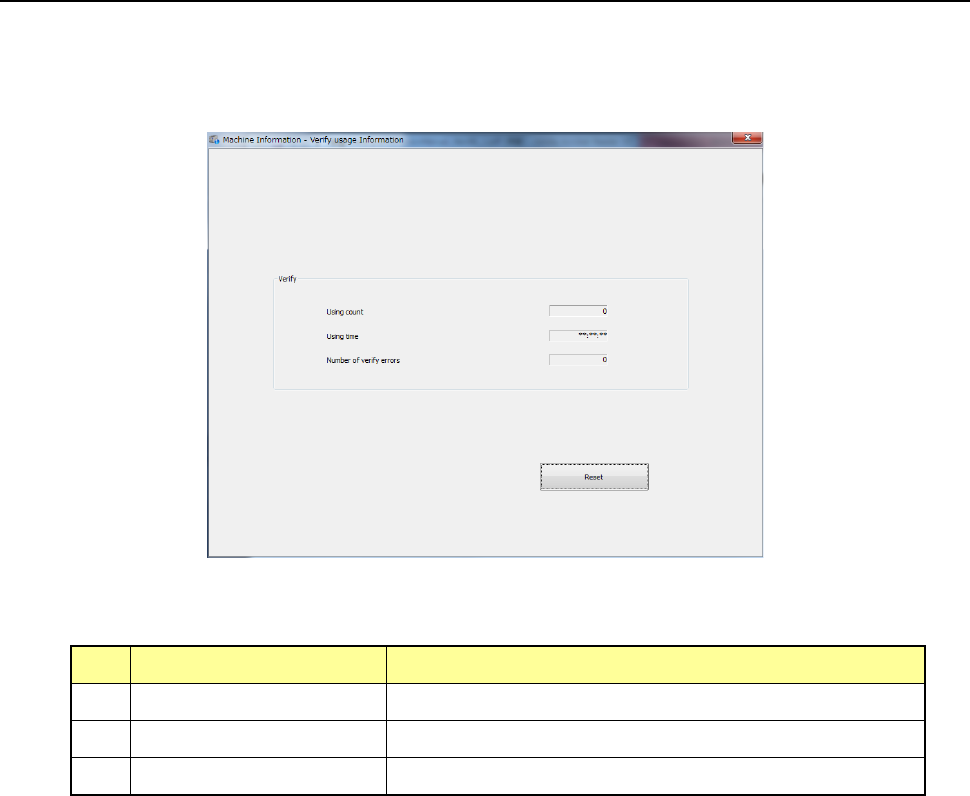
When you select [Recognition/Inspection] – [Verify operation information] in the main menu, the
verify operation information screen appears.
This cannot be selected unless an option setting is performed in MS parameters.
(1) Verify usage Information
No.
Item
Description
1 Using count Displays how many times the verify unit was used totally.
2 Using time Displays the total time the verify unit was used.
3 Number of verify errors Displays how many times a verify error occurred totally.