RS-1_instruction manual.pdf - 第1008页
Part 2 D etaile d Descript ion of E ach Functi on Chapter 12 Handling th e Optional Device s 12 - 124 12.16.8 Program Editor 12.16.8.1 Component data When you se lect [Devi ce enable] – [Head], and then en able the “Man …
Part 2 Detailed Description of Each Function Chapter 12 Handling the Optional Devices
12-123
12.16.7 Machine Information
12.16.7.1 Nozzle usage information
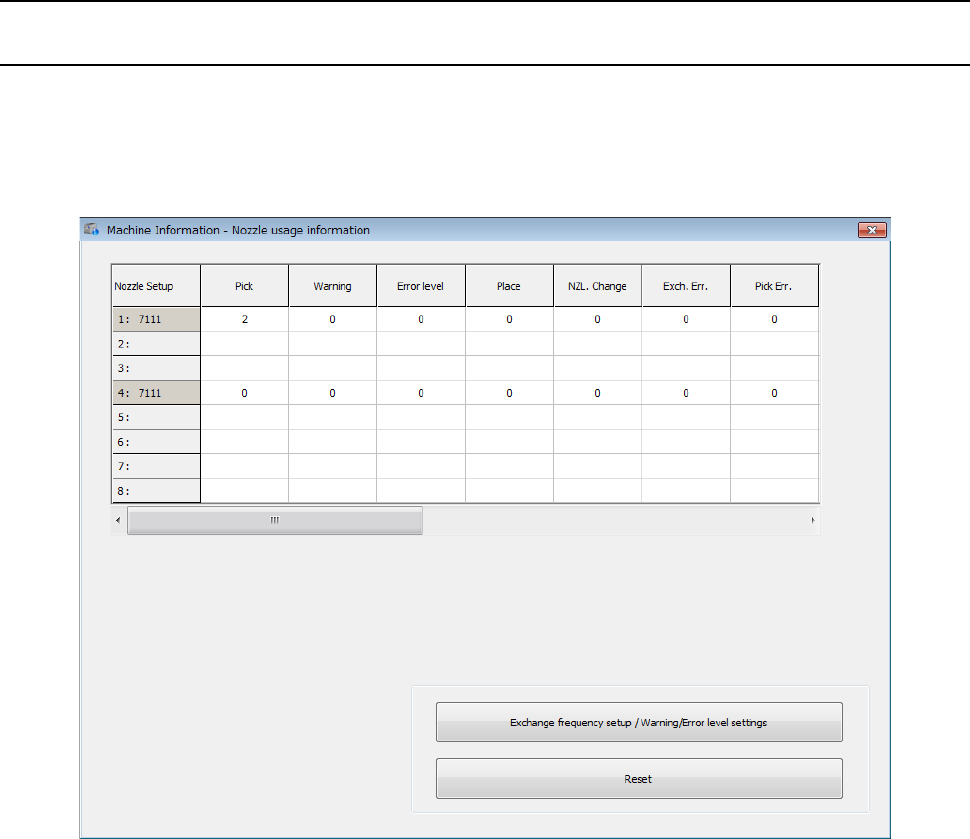
Nozzle usage information is controlled according to ATC numbers and nozzle numbers. When you
select [Device enable] – [Head], and then enable the “Manual nozzle” check box, the “Nozzle usage
information” screen is displayed as shown below.
This screen displays nozzle usage information for each head.
Part 2 Detailed Description of Each Function Chapter 12 Handling the Optional Devices
12-124
12.16.8 Program Editor
12.16.8.1 Component data
When you select [Device enable] – [Head], and then enable the “Manual nozzle” check box, a
nozzle to be attached manually is selected by default in Component data.
12.16.8.2 Measurement/inspection
Be sure to attach a nozzle on a head manually in advance before starting a single or continuous
inspection or a speed check.
12.16.8.3 Teaching
Before starting a teaching operation that uses a head, attach a nozzle on the head manually in
advance.
12.16.8.4 Optimization option
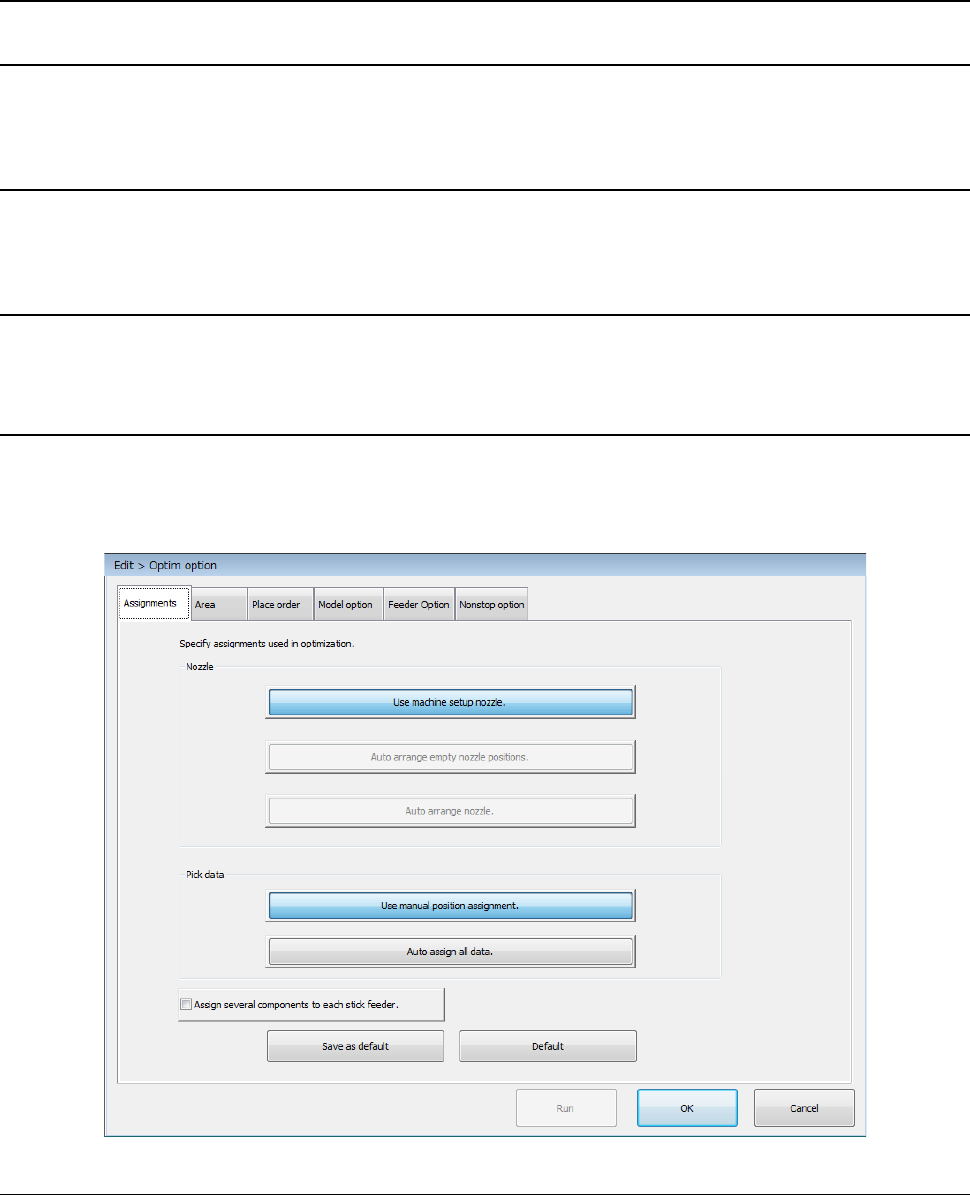
When you select [Device enable] – [Head], and then enable the “Manual nozzle” check box, you can
select only the <Use machine setup nozzle.> button of the menu item “Nozzle” on the “Assignments”
tab invoked from the “Operation option” screen. You cannot set the Optimization function to assign
nozzles automatically.
12.16.8.5 Nozzle layout
When you select [Device enable] – [Head], and then enable the “Manual nozzle” check box, the
system does not display any nozzle layout on the screen.
Part 2 Detailed Description of Each Function Chapter 12 Handling the Optional Devices
12-125
12.16.9 Production
12.16.9.1 Production operation
When you select [Device enable] – [Head], and then enable the “Manual nozzle” check box, the
system cannot produce any PWB with a production program that uses a nozzle other than the nozzle
to be attached manually.
Before starting production, assign nozzles on the “Machine Setup” screen.
12.16.9.2 Support
12.16.9.2.1 Plan support
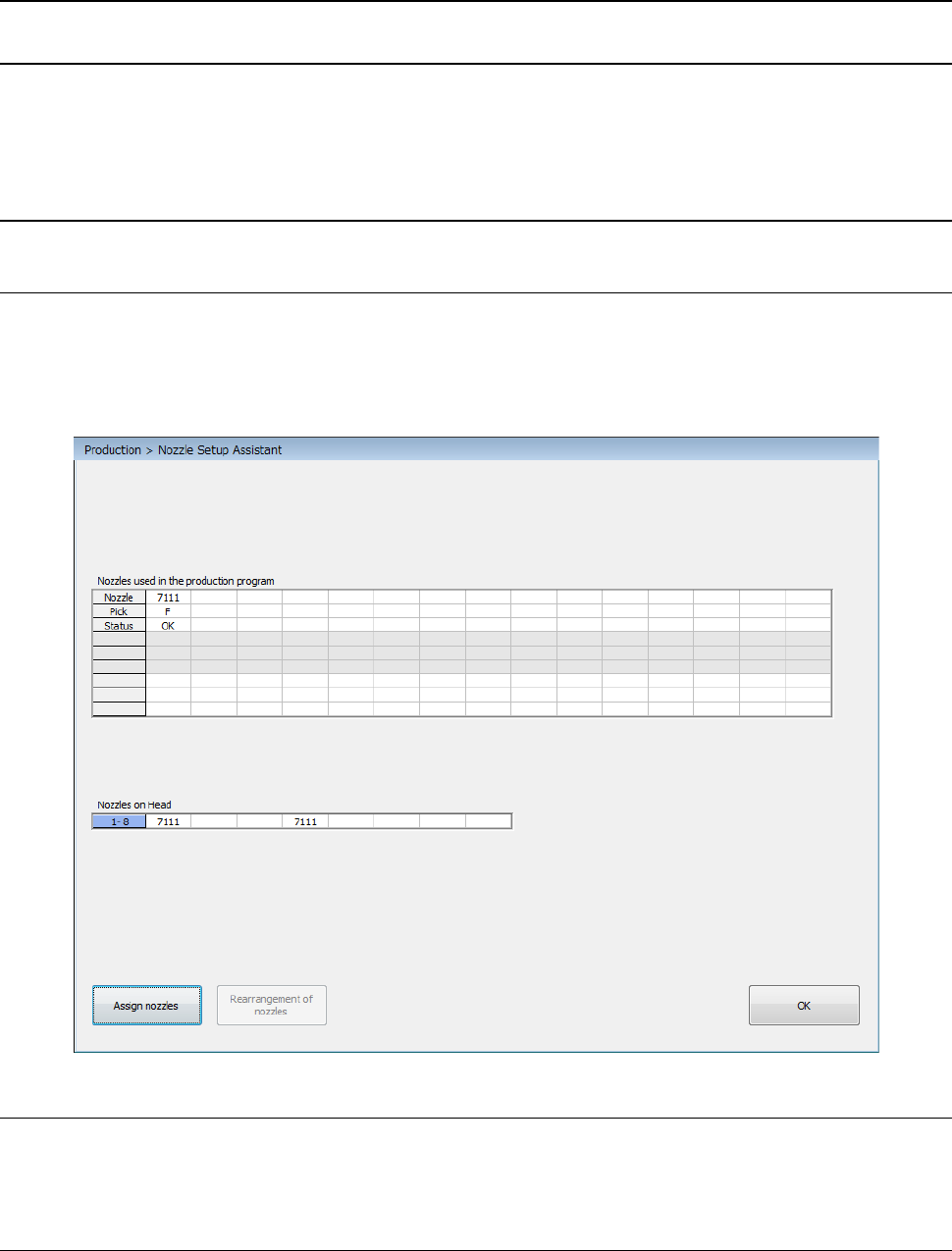
When you select [Device enable] – [Head], and then enable the “Manual nozzle” check box, the
“Nozzle Setup Assistant” screen is displayed as shown below. This screen shows the nozzle
layout specified with a production program and the actual nozzle assignment for heads. If there is
any difference, it is displayed in red.
12.16.9.2.2 General-purpose vision component direction check
Before starting a general-purpose vision component direction check, manually attach a nozzle on a
head.
12.16.9.2.3 Laser height check
Before starting a laser height check, manually attach a nozzle on a head.