RS-1_instruction manual.pdf - 第971页
Part 2 D etaile d Descript ion of E ach Functi on Chapter 12 Handling th e Optional Device s 12 - 87 12.13.6 Production 12.13.6.1 Error handling when PWB production sta rts If the m enu item “ Pick Z down ”/” Place Z dow…
Part 2 Detailed Description of Each Function Chapter 12 Handling the Optional Devices
12-86
12.13.5.2 Editing sub-functions
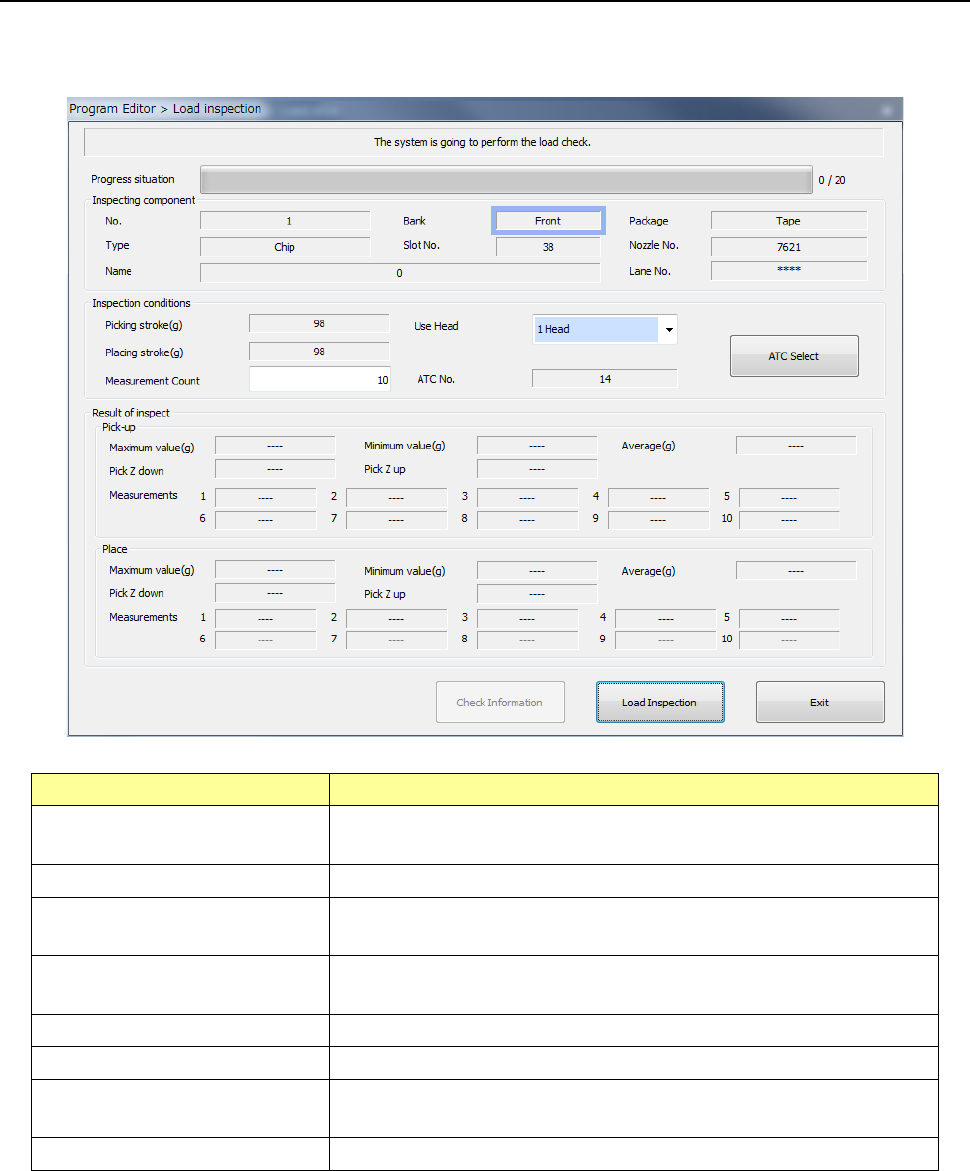
Start up the “Program Editor,” select the “Component” data screen and then [Meas/Insp] command.
Next, select the [Load inspection] command from the displayed menu.
Item
Description
Component being inspected
Displays the detailed data on a component whose load is to be
inspected.
Inspection conditions
Displays the conditions for inspecting load.
Picking stroke (g)
Displays the push-in load value to be applied when the machine is
picking up a component.
Placing stroke (g)
Displays the push-in load value to be applied when the machine is
placing a component on a board.
Use Head
You can select a head to be used to inspect load.
Measurement Count
Specify how many times to inspect load.
ATC No. Displays the ATC No. of the nozzle to be used when the machine
inspects load.
Result of inspect
Displays the load inspection results.
See Section 4.5.7.6 “Load inspection” for details.
Part 2 Detailed Description of Each Function Chapter 12 Handling the Optional Devices
12-87
12.13.6 Production
12.13.6.1 Error handling when PWB production starts
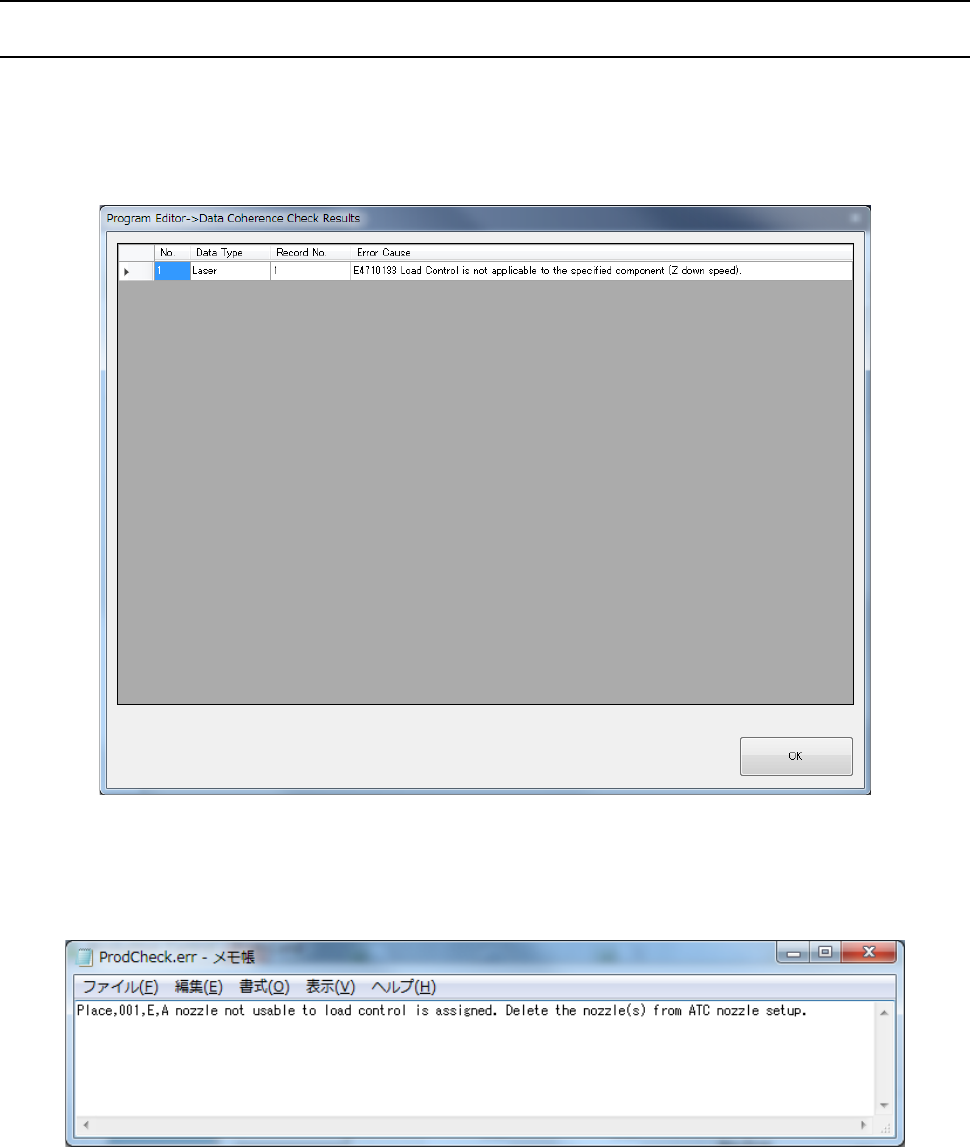
If the menu item “Pick Z down”/”Place Z down” is set to a value other than “FC speed” and a load
value (g) is entered in the “Picking stroke”/”Placing stroke” field, an error is detected with a check to
be run before PWB production. To control load, reset the menu item “Pick Z down”/”Place Z down”
to “FC speed.”
If you try to use a nozzle whose sliding state becomes “NG” in the “Load Cell” field as a result of a
load nozzle check on the “ATC nozzle setup” screen in order to produce a PWB, an error occurs.
Be sure to use a nozzle whose sliding state is “OK” in the “Load Cell” field.
Part 2 Detailed Description of Each Function Chapter 12 Handling the Optional Devices
12-88
12.13.6.2 Error handling during PWB production
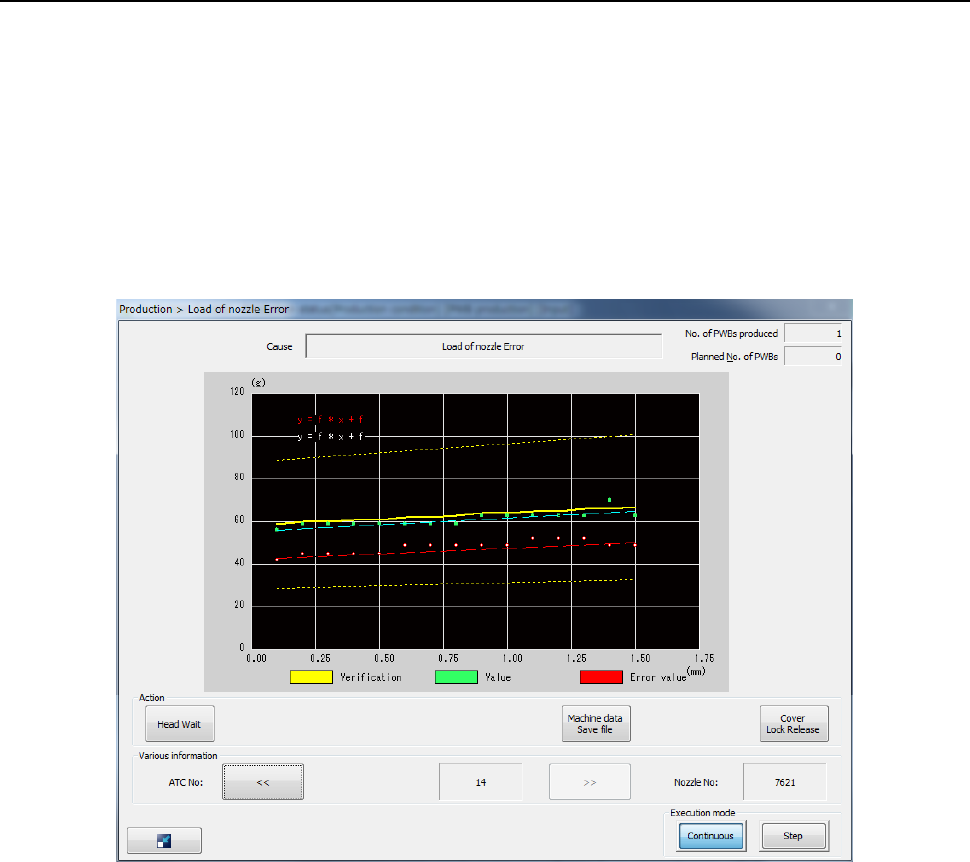
(1) Load check error
When you place a checkmark in the “Check load of nozzle during production” check box on
the “Operation option” screen, the machine runs a load check when PWB production starts or
when a board is loaded to the machine. If an error is detected, the machine stops the
current production temporarily, and displays the load measurement data obtained when the
error occurred, data currently set and a theoretical value onto a graph.
To produce a PWB with using the values calculated with the previous load correction
expression, press the <START> switch.
To abort the production, press the <STOP> switch.