RS-1_instruction manual.pdf - 第625页
Part 1 B asic O pera t ion Chapter 5 Database 5-4 Register 5.1.2 Thi s com mand regis te rs co mpo nent da ta of a pr o ducti on pr ogram in t he da tabas e rec ord by rec ord on the “ Pr ogram Edi tor ” scr een. <Pro…
Part 1 Basic Operation Chapter 5 Database
5-3
(4) Changing the associated component data only without changing a component name
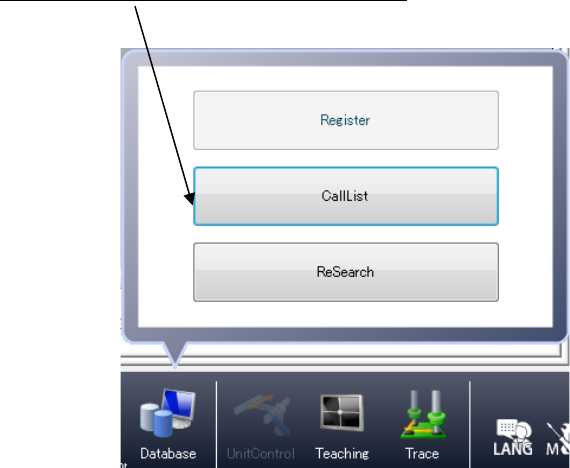
When you execute the [CallList] command on the “Component” data screen, the system
changes the associated component data only.
<Procedure>
① Display the “Component” data screen.
② Select a name of a component whose data is to be changed from the “Component
list.”
③
Click the [Database]/[CallList] commands.
④ Select the name of a component whose data you want to register in the component
data from the component list of the database, and click the <OK> button.
Part 1 Basic Operation Chapter 5 Database
5-4
Register 5.1.2
This command registers component data of a production program in the database record by
record on the “Program Editor” screen.
<Procedure>
1) Open the “Component” data screen with the “Program Editor.”
2) Select a component to be registered (with clicking a line of the desired component on the
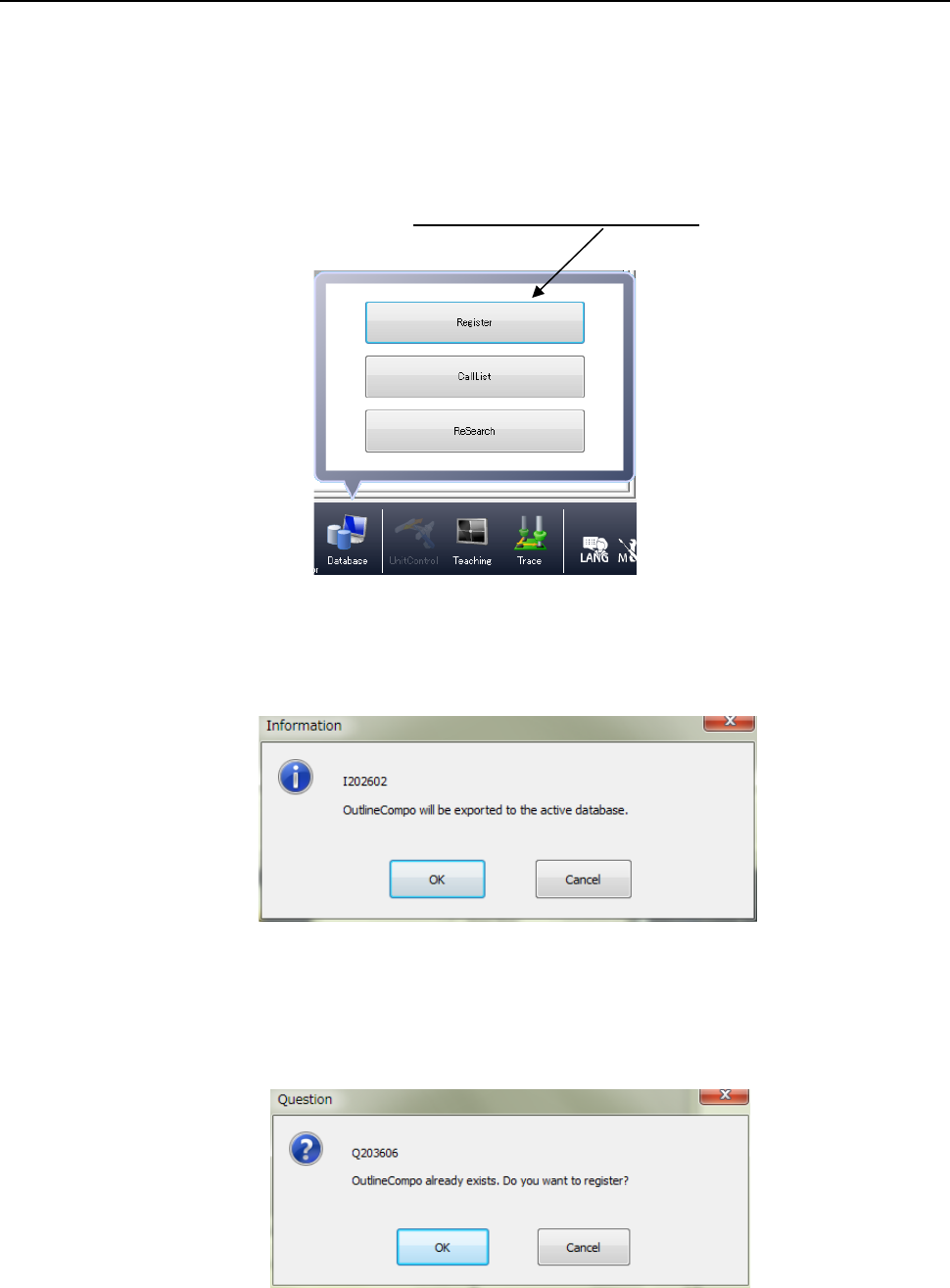
“List” screen, for example), and click the [Database]/[Register] commands.
3) The following dialog box appears on the screen.
When you press the <OK> button, the system registers data in the database.
When a component with the same name is already registered, the following message
dialog appears.
Click <OK> to overwrite the component data; click <Cancel> not to overwrite it.
Part 1 Basic Operation Chapter 5 Database
5-5
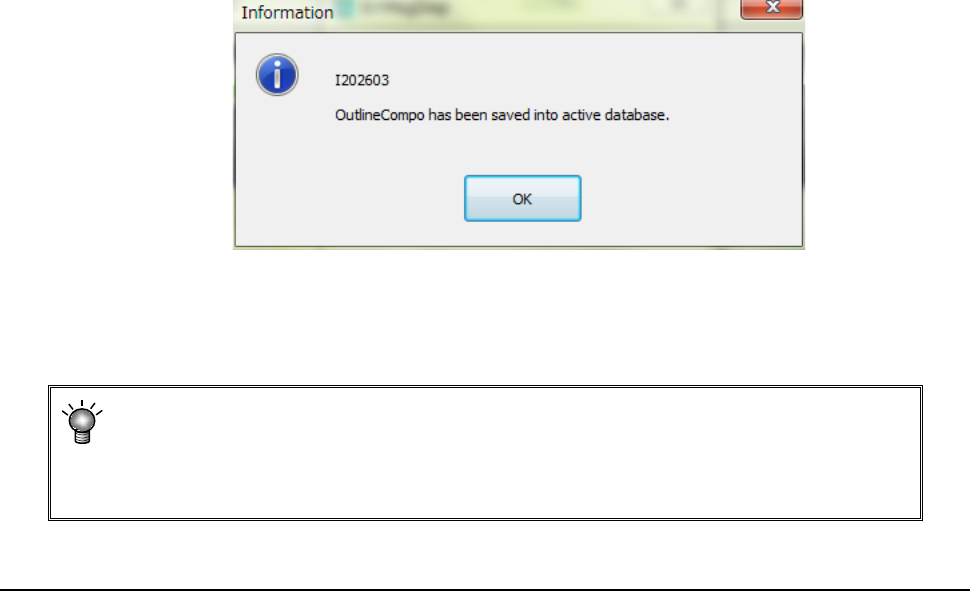
If you select “Yes” for the menu item “Notify when data into DB” on the “Environment
setting” screen, the following message appears on the screen when the system finishes
registering data into the database.
If you select “No” for the menu item “Notify when data into DB” on the “Environment
setting” screen, the “Information” message shown above does not appear on the screen.
• The system registers component data in the database sequentially according to
each component name.
• The database in which the system registers data is the database specified with the
“Environment Setting” (See Section 4.5.5 “Environment setting”).
Call List 5.1.3
When you select the [Database] command from the “Placement data” screen (if any
component name is not entered in the Placement data) or the “Component data” screen, you
can select the [Call List] command. If any component name is entered in the Placement
data, you cannot execute this command.
In this case, this command is dimmed on the “Database” menu.
See Section 5.1.1 “How to Use a Database” for how to execute this command.