RS-1_instruction manual.pdf - 第437页
Part 1 B asic O peration Chapter 4 Cr eating a Produc tion Progra m 4- 102 ⑪ B row se This button d i splay s the “Ball patter n list” d ialog box. Set a ball patter n in the “B all pattern l ist” dialog box. T o set it,…
Part 1 Basic Operation Chapter 4 Creating a Production Program
4-101
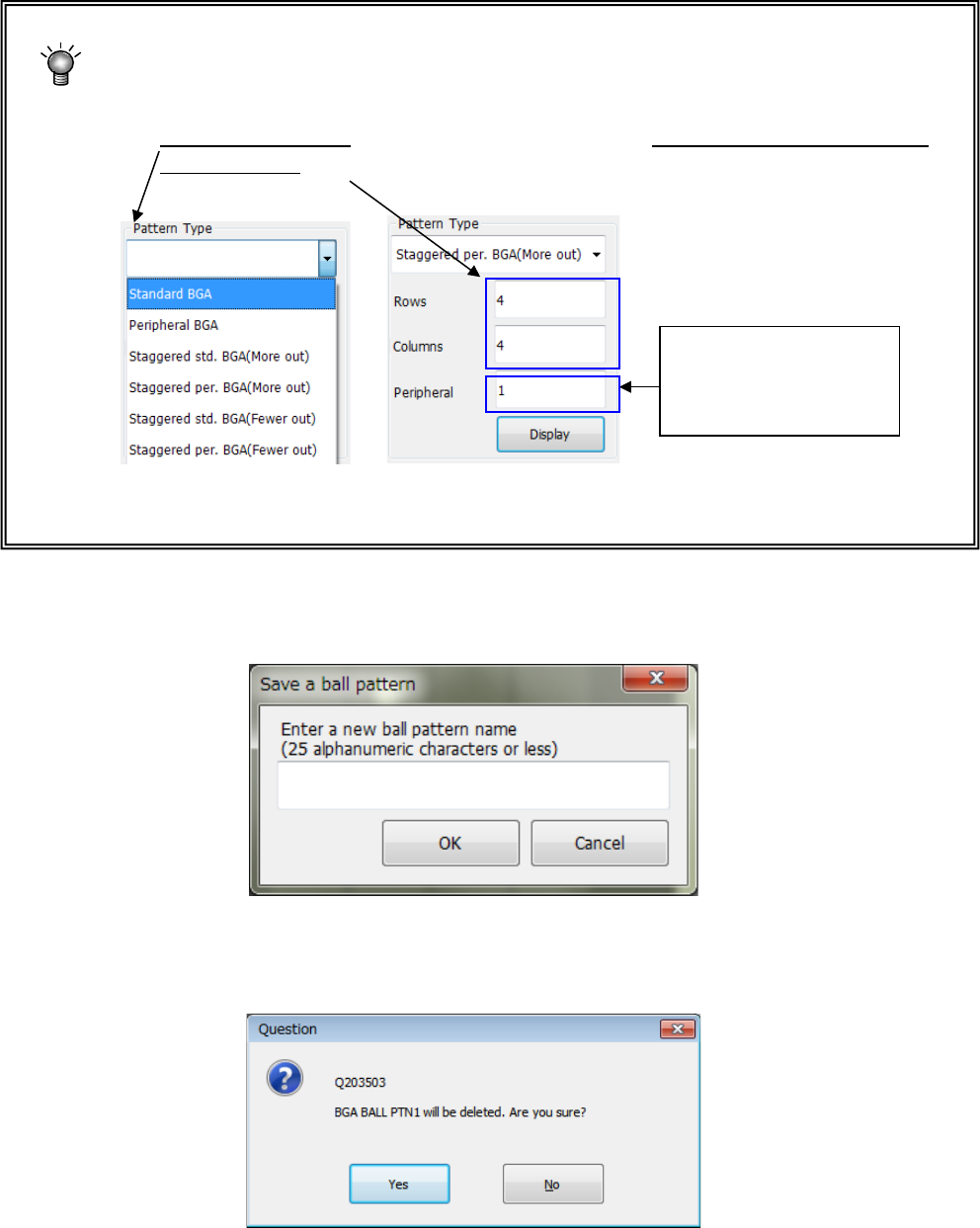
<How to create a new ball pattern>
① Press the <New> button.
② Select a pattern type from the “Pattern Type” list, and enter the number of rows and
that of columns of a new pattern in the “Rows” field and the “Columns” field
respectively.
③ When you press the <Display> button, the selected ball pattern is displayed in the “ball
pattern creating area.” Add and/or delete a ball(s) to edit the pattern.
After creating/editing a ball pattern, press the <Save> button, and then the <OK> button.
When you save a new ball pattern, the dialog box for entering a ball pattern name appears
on the screen.
If you press the <Save> button or <Delete> button, or if you press the <OK> button or the
<Cancel> button after editing the pattern, the confirmation message appears on the screen
(the message shown below appears when you press the <Delete> button).
When you select a
peripheral type, enter the
value set in the “Peripheral
Line” field.
Part 1 Basic Operation Chapter 4 Creating a Production Program
4-102
⑪ Browse
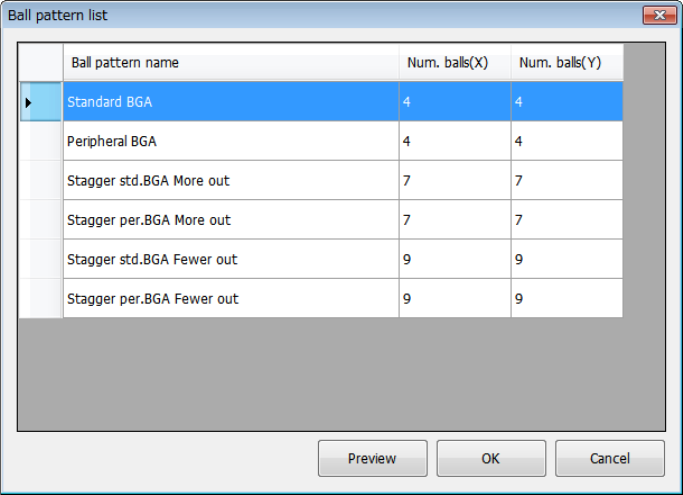
This button displays the “Ball pattern list” dialog box.
Set a ball pattern in the “Ball pattern list” dialog box.
To set it, touch the ball pattern to be set twice quickly, or touch the <OK> button after
selecting a ball pattern. The confirmation dialog box appears on the screen.
Part 1 Basic Operation Chapter 4 Creating a Production Program
4-103
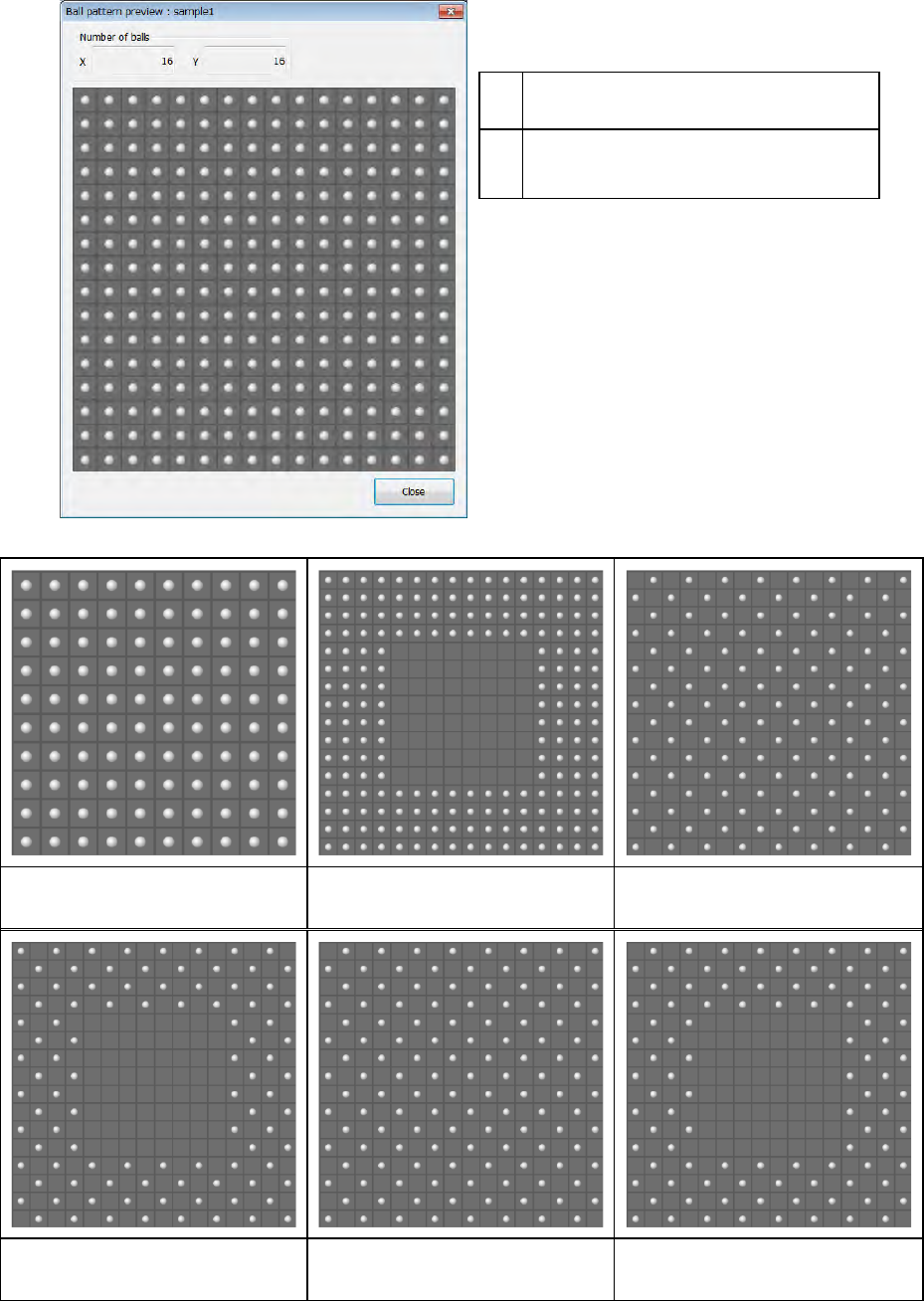
When you select a ball pattern, and then touch the <Preview> button, the selected ball pattern is
previewed.
Number of balls
When you select the <Close> button, the
screen is switched back to the pattern
selection screen.
Standard BGA Peripheral BGA Staggered std. BGA (More out)
Staggered per. BGA (More out) Staggered std. BGA (Fewer out) Staggered per. BGA (Fewer out)
X
Number of columns of balls (number of
balls located in the horizontal direction)
Y
Number of rows of balls (number of balls
located in the vertical direction)