RS-1_instruction manual.pdf - 第1014页
Part 2 D etaile d Descript ion of E ach Functi on Chapter 12 Handling th e Optional Device s 12 - 130 12.17.6 Limitations of the individual nozzle management system (RFID) 12.17.6.1 Associates an RFID with nozzle operati…
Part 2 Detailed Description of Each Function Chapter 12 Handling the Optional Devices
12-129
12.17.5 Machine Information
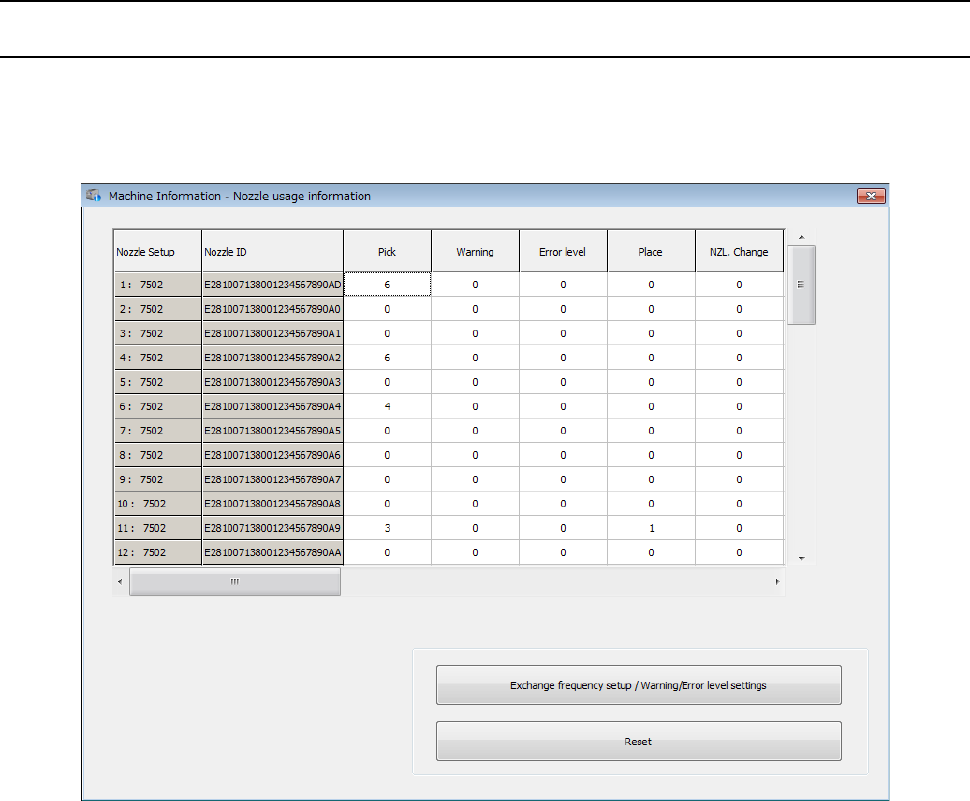
12.17.5.1 Nozzle Usage Information
The nozzle usage information is managed with ATC numbers and nozzle numbers. When you set
an RFID of a nozzle to be used, the “Nozzle Usage Information” is displayed as shown below.
When a nozzle is associated with a nozzle ID, the nozzle ID is displayed also.
Part 2 Detailed Description of Each Function Chapter 12 Handling the Optional Devices
12-130
12.17.6 Limitations of the individual nozzle management system (RFID)
12.17.6.1 Associates an RFID with nozzle operation information
The system associates an RFID with nozzle operation information only when it performs the
following operations. When it performs any other operation, it does not associate an RFID with
nozzle operation information.
① Machine Setup > Nozzle setup
② Return-to-origin > Semi-auto Nozzle Return (applicable only when a nozzle is returned to an
empty ATC hole, and not applicable when it is returned manually.)
③ Production > Plan Support > Nozzle Setup Assistant: When you execute the <Rearrangement
of nozzles> button
When you manually replace a nozzle with another one, be sure to allocate nozzles. If you
do not allocate nozzles, the system does not associate an RFID of each nozzle with nozzle
operation information again.
12.17.6.2 When you replace a nozzle having an RFID with a nozzle not having an RFID
When you replace a nozzle having an RFID with a nozzle not having an RFID, and then perform
nozzle allocation, the system associates the RFID with nozzle operation information on a nozzle
having it only.
12.17.6.3 When you manually attach a nozzle on the machine
The shape of a nozzle that has to be attached on the machine manually is circular, and the nozzle
interferes with the antenna when the antenna reads the RFID. Therefore, the system does not
recognize/associate any RFID with the nozzle operation information.
12.17.6.4 If a nozzle ID is shifted as a result of semi-automatic nozzle return operation
By detecting a nozzle ID with semi-automatic nozzle return operation, you can check the nozzle
returning position. For example, if any other nozzle is already set at the retuning position when
semi-automatic nozzle return operation is performed, the nozzle returning destination may change.
In such a case, the corresponding nozzle ID is shifted, and the different nozzle is set at the position
at which the specified nozzle should be located. Therefore, the system cannot use this nozzle
based on the nozzle allocation.
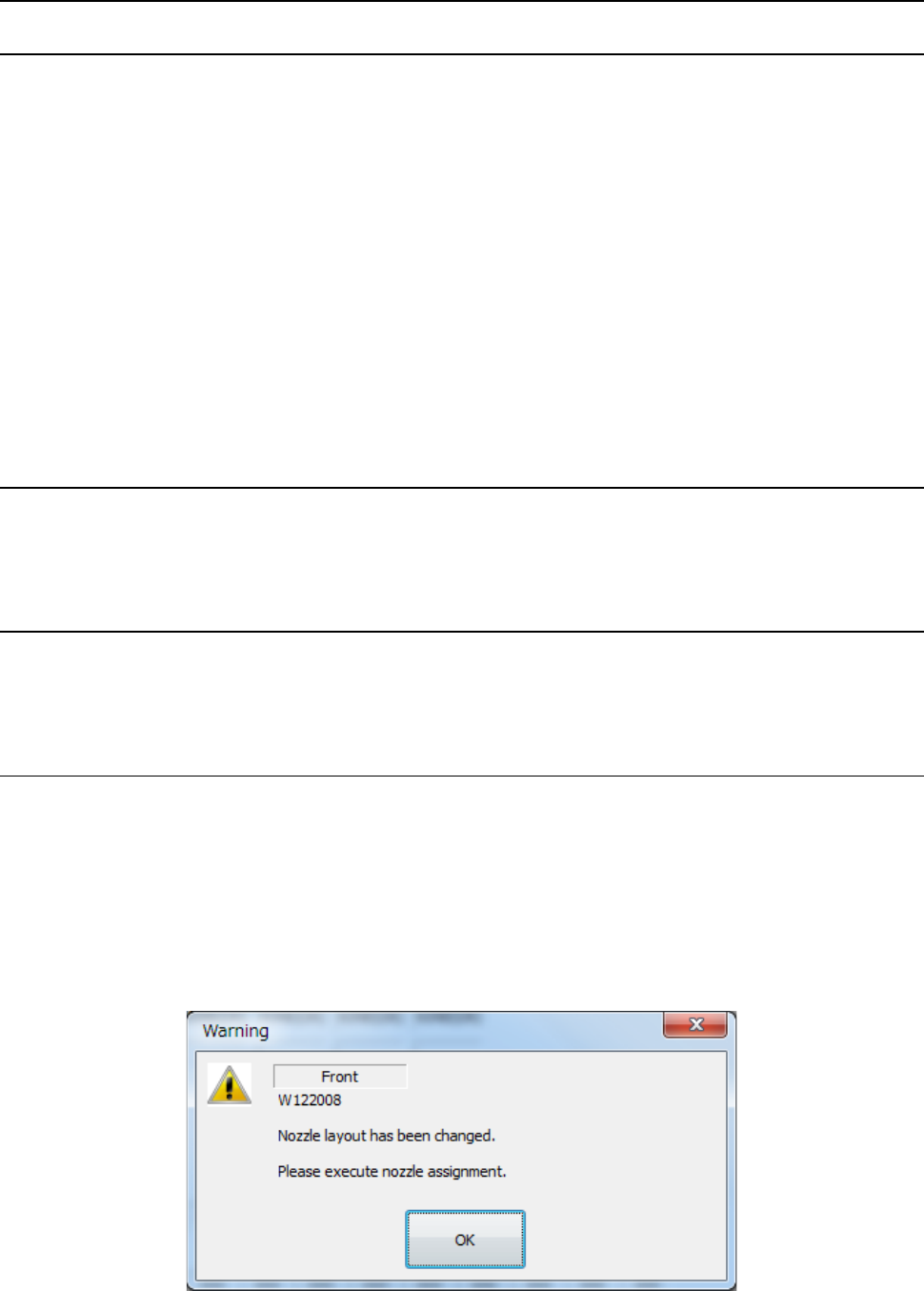
Then, the following message appears on the screen. If any nozzle is moved by semi-automatic
nozzle return operation, allocate the nozzle again.
Part 2 Detailed Description of Each Function Chapter 12 Handling the Optional Devices
12-131
12.17.7 Nozzle operation information file
12.17.7.1 Overview
When you register a nozzle ID at nozzle allocation, a file which is named according to the file
naming “(nozzle number)_(nozzle ID).bin” is created in the folder “D:¥JUKI¥Data¥NozzleManage.”
Operation information of each nozzle is saved in this file, the file is loaded when a nozzle is replaced
with another one, and it restores the nozzle operation information.
12.17.7.2 When the machine starts up
When the main unit starts up, a nozzle operation information file of each nozzle whose ID is
registered and that is allocated is loaded to the system.
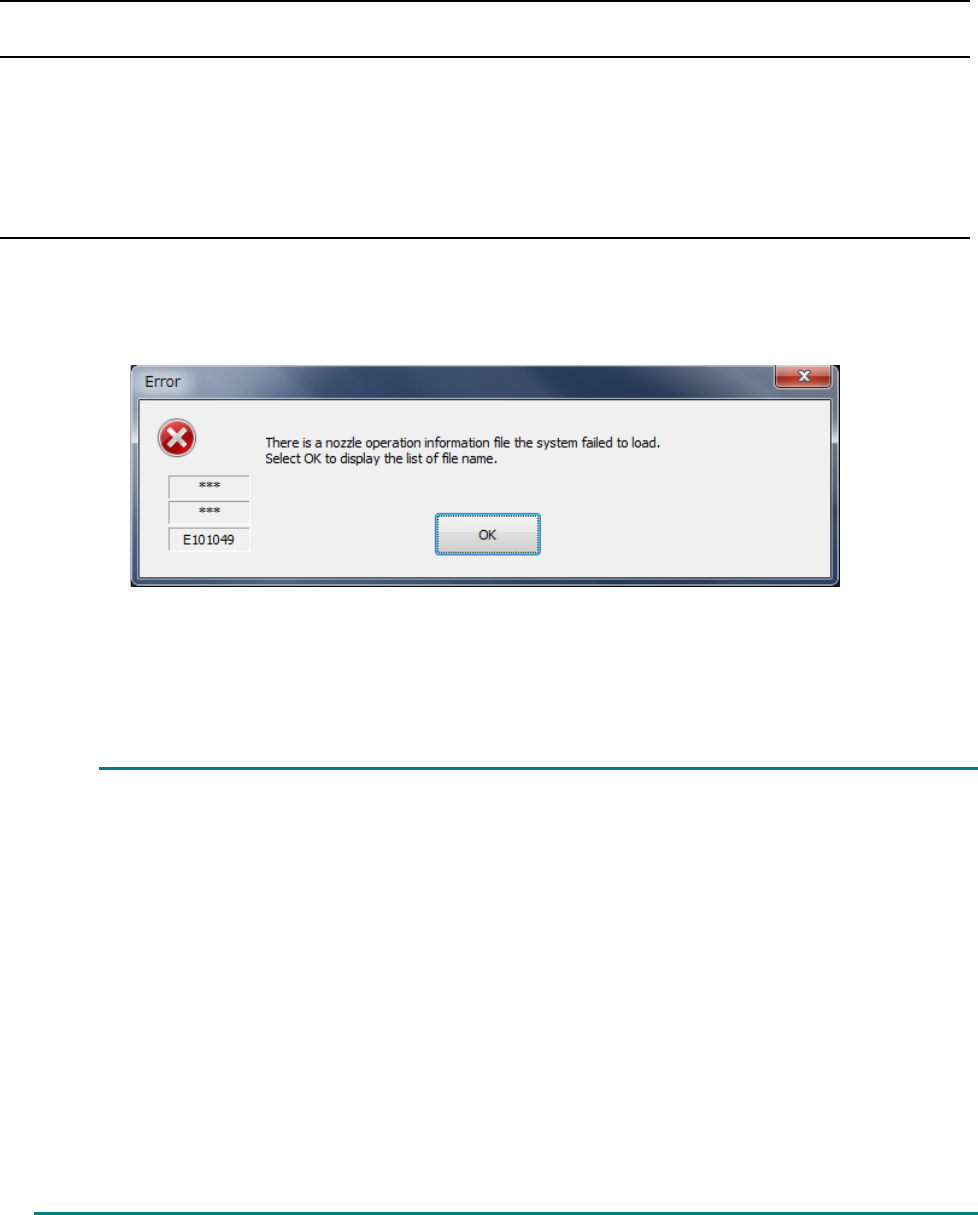
When the main unit starts up, the following message may appear on the screen in some cases.
In this case, any nozzle operation information is not loaded from the file.
When you select<OK>, the name of the nozzle operation information file the system was not able to
read is displayed as a text file. Remove the cause of the file loading failure.
This error may occur due to the followings:
(1) There is no file.
If the file does not exist in the regulated directory even though the corresponding nozzle
ID is already registered at nozzle allocation, an error occurs. Delete nozzle allocation
data, copy the same name file from the backed-
up data or desired one, and then
allocate the nozzle again.
(2) The file is damaged.
If data that does not match the nozzle number and nozzle ID already registered at
nozzle allocation is saved in the file, the file cannot be used.
Delete nozzle allocation data, and then the file. Copy the same name file from the
backed-up data or desired one, and then allocate the nozzle again.
The file may be damaged because the SSD malfunctions also.
If the problem cannot be resolved even after following the instructions above, contact
our service personnel.