RS-1_instruction manual.pdf - 第968页
Part 2 D etaile d Descript ion of E ach Functi on Chapter 12 Handling th e Optional Device s 12 - 84 12.13.5 Program Editor 12.13.5.1 Load control setting When the selected noz zle is to be used to control load, the “ Co…
Part 2 Detailed Description of Each Function Chapter 12 Handling the Optional Devices
12-83
12.13.4 Operation option
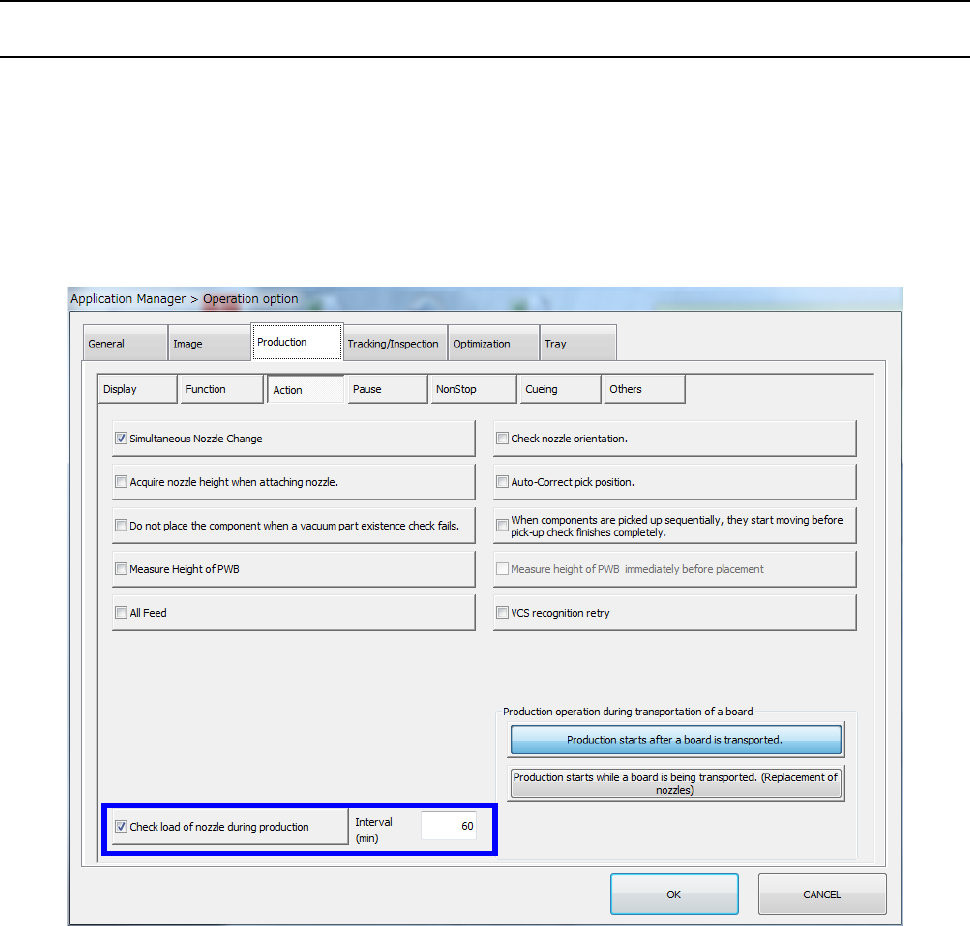
12.13.4.1 Production (Action)
When you select the “Action” tab from the “Production” tab displayed on the “Operation option”
screen, and then place a checkmark in the “Check load of nozzle during production” check box, the
machine reacquires load data of a low load nozzle to be used in PWB production when production
starts and every time the specified time passes (specified in the “Interval” field) during production (to
be precise, when a board is load to the machine).
As a result, the machine can always control load according to a load profile appropriate for the
nozzle condition.
Part 2 Detailed Description of Each Function Chapter 12 Handling the Optional Devices
12-84
12.13.5 Program Editor
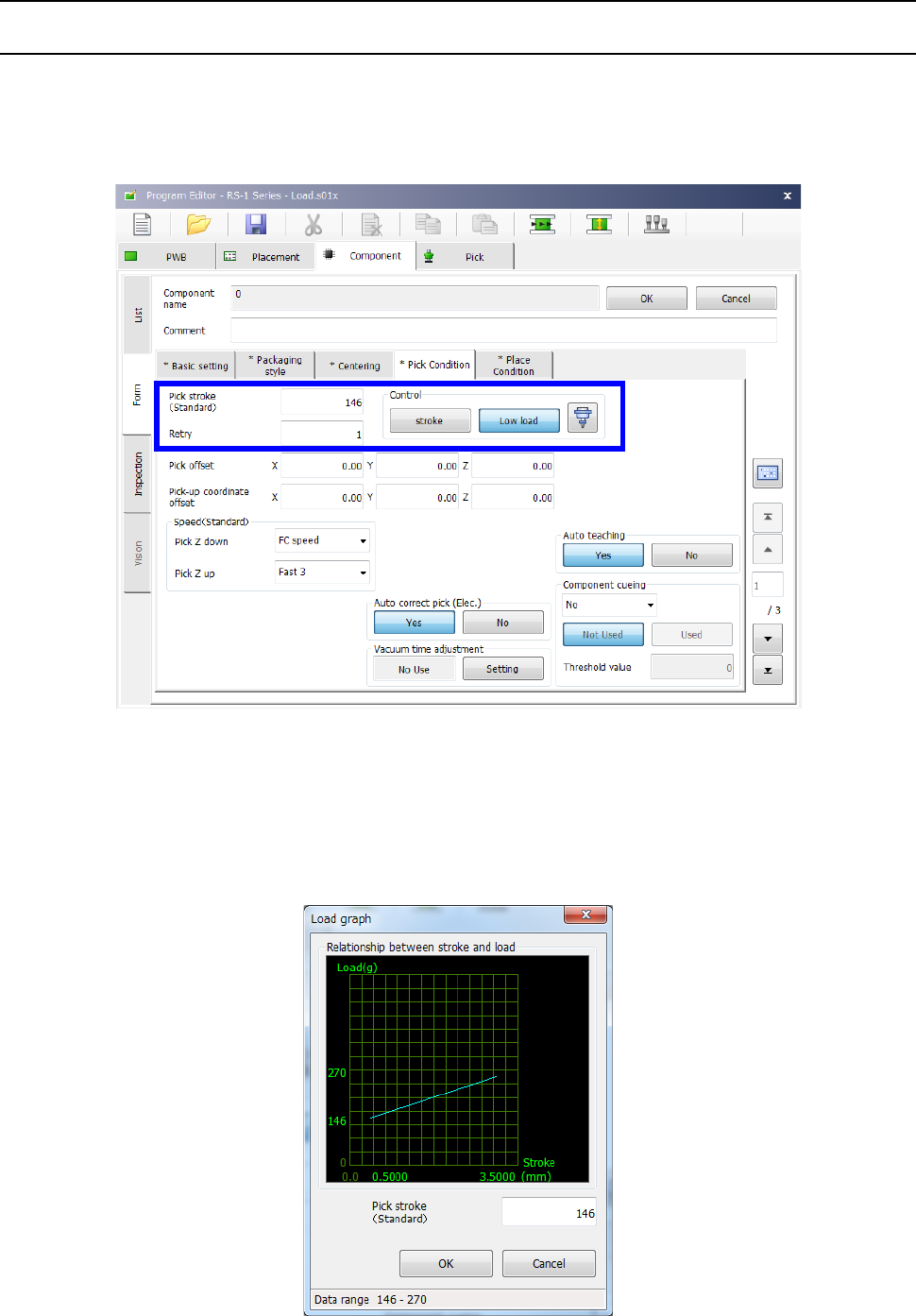
12.13.5.1 Load control setting
When the selected nozzle is to be used to control load, the “Control” button displayed on the “Pick
Condition” tab and the “Place Condition” tab allows you to select whether to control load or not.
When you select the <Low load> button, the input unit for the menu items “Picking stroke” and
“Placing stroke” is changed from “mm” to “g.”
When the selected nozzle is to be used to control low control, the graph button is enabled on the
screen. When you press this graph button, the graph showing the relation between the push-in
amount (stroke) and the load value appears on the screen.
The input lower limit and the input upper limit of the push-in amount (stroke) are displayed on the
horizontal axis.
The input lower limit and the input upper limit of the stroke (load) are displayed on the vertical axis.
Part 2 Detailed Description of Each Function Chapter 12 Handling the Optional Devices
12-85
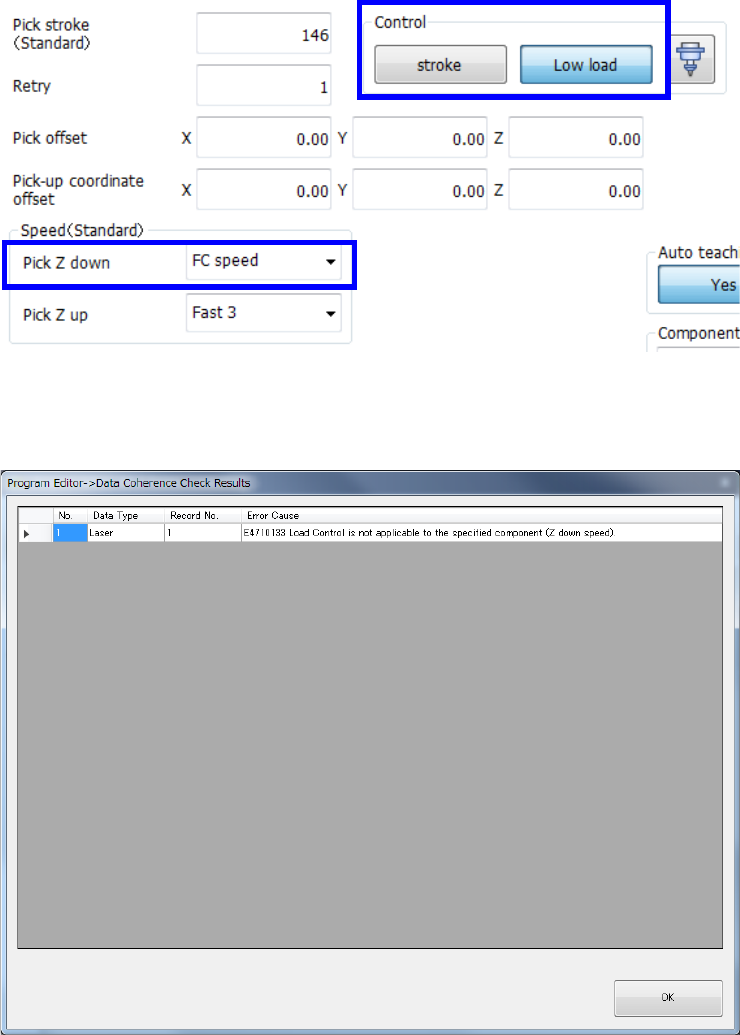
When you select the <Low load> button on the “Pick Condition” tab/the “Place Condition” tab, the
menu item “Pick Z down” /“Place Z down” is set to “FC speed” (Force Control speed).
If the menu item “Pick Z down”/”Place Z down” is set to the speed other than “FC speed” and load is
entered in the “Pick stroke”/”Placing stroke” field in gram, a consistency check causes an error.