RS-1_instruction manual.pdf - 第571页
Part 1 B asic O peration Chapter 4 Cr eating a Produc tion Progra m 4- 236 3) Result of measurem ent of the current com ponent Wh en the syst em finish es measur ing the current com ponent, the follo wing resul t screen …
Part 1 Basic Operation Chapter 4 Creating a Production Program
4-235
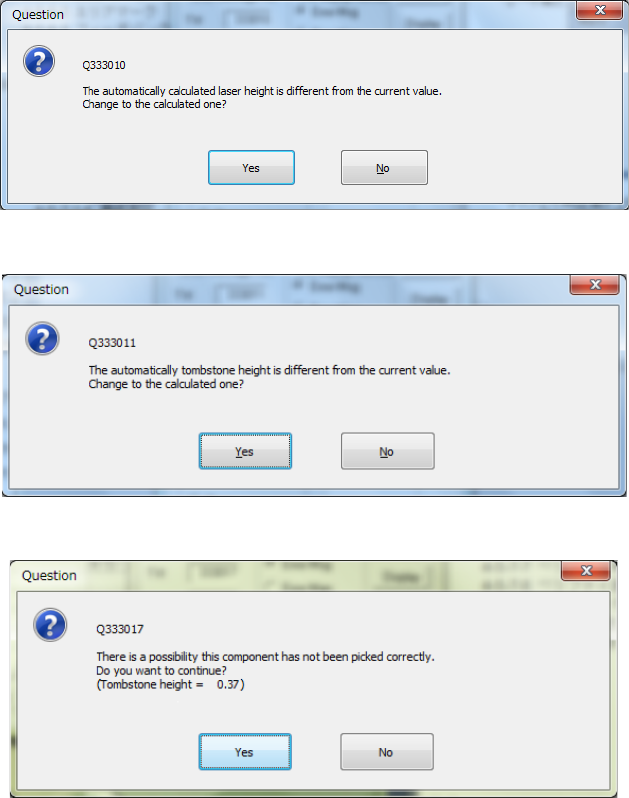
If the laser height that is calculated based on the dimensions is different from the original value, or
if the height that is calculated to judge whether a component is located on its side is different from
the original value, either of the following message appears on the screen.
- Laser height overwrite confirmation
- Tombstone error judging height overwrite confirmation dialog box
When the tombstone error is detected, the following message appears.
Part 1 Basic Operation Chapter 4 Creating a Production Program
4-236
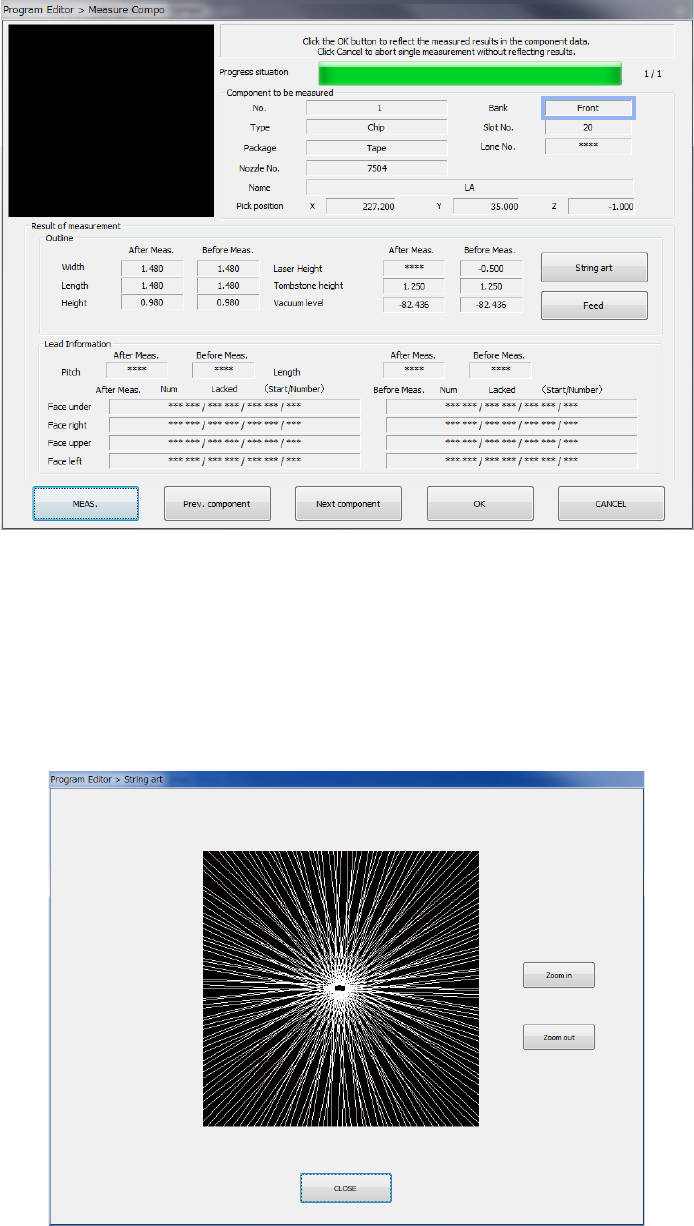
3) Result of measurement of the current component
When the system finishes measuring the current component, the following result screen
appears.
① Component to be measured
Information on the measured component and its pick-up position are displayed here.
② Result of measurement
The values of the component set before measurement and those after measurement are
displayed here. “***” appears in the field of each of the items not measured.
● String art
This button shows the string art based on the results of the SWEEP operation obtained
during measurement.
Part 1 Basic Operation Chapter 4 Creating a Production Program
4-237
(6) Continuous measurement
The system measures all components you specified.
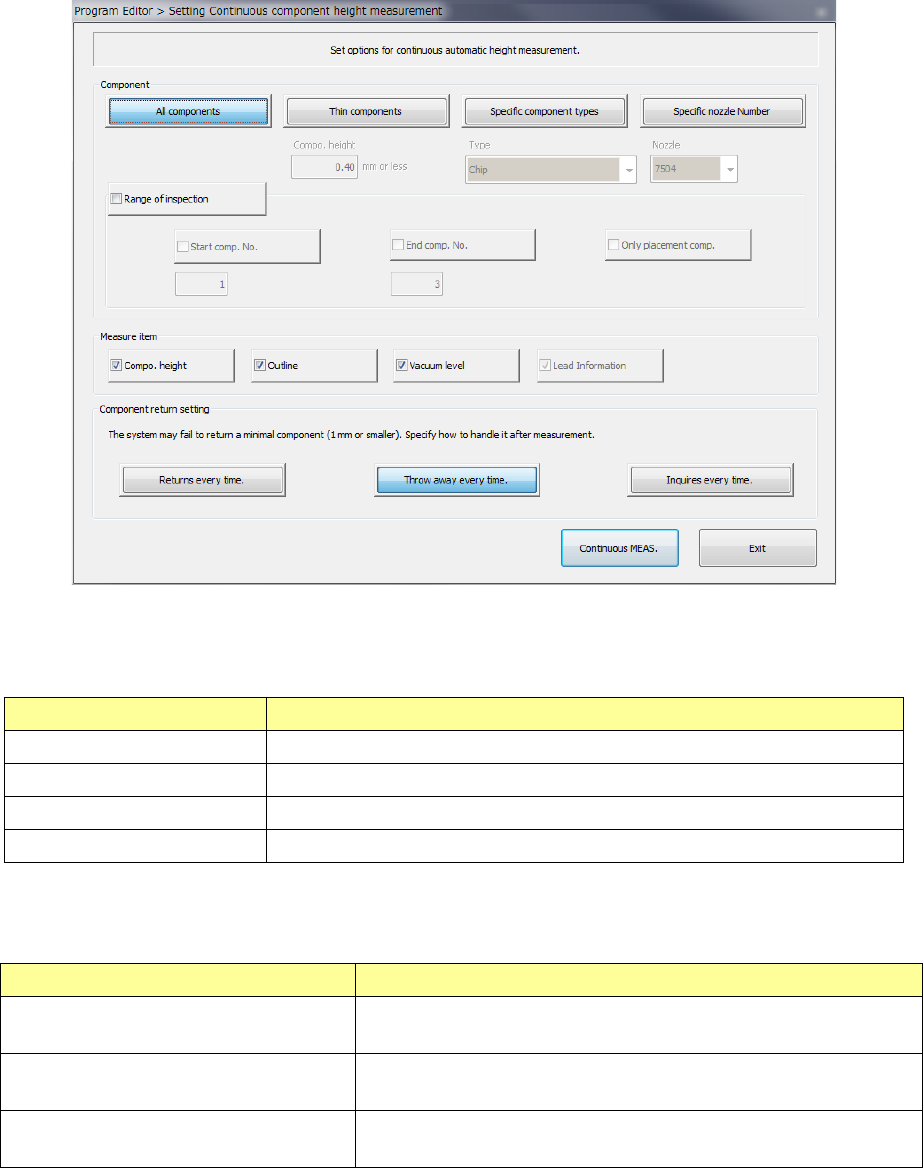
1) Setting the conditions for continuous measurement
When you select the [Machine operation] command from the Program Editor menu, and
then the [All component] command, the following screen appears.
① Component
To measure only components that satisfy the certain conditions among components
specified in the Component data, select the button(s) corresponding to the desired
condition(s), and then set the details.
Condition Overview
All components Measures all Component data.
Thin components Measures only components whose height is the specified value or lower.
Specific component types Measures the specified component type(s) only.
Specific nozzle Number Measures only components that use the specified nozzle.
To specify the range of component numbers to further select components among those
which already satisfy the conditions specified with the buttons above, check off the check
box “Range of inspection” and then specify the range of components to be measured.
Menu item Overview
Start comp. No.(Start component No.) Check off this check box to specify the component data number of
the first component to be measured.。
End comp. No. (End component No.)
Check off this check box to specify the component data number of
the last component to be measured.
Only placement comp.
(Only placement components)
Check off this check box if only components specified in Placement
data are to be measured.
② Measure item
Select the item(s) to be measured. By default, all available items are selected.
The items that can be measured vary depending on the component types.