RS-1_instruction manual.pdf - 第648页
Pa r t 2 D et ai l ed Des c r i pt i o n of Ea c h F unc t i o n Chapte r 6 G e neral - Purpose Vision Co mpone nt 6- 17 Componen t Viewer scr een for th e extende d a rray f orma t 6.3.4 The C omp onent View er sc reen …
Part 2 Detailed Description of Each Function Chapter 6 General-Purpose Vision Component
6-16
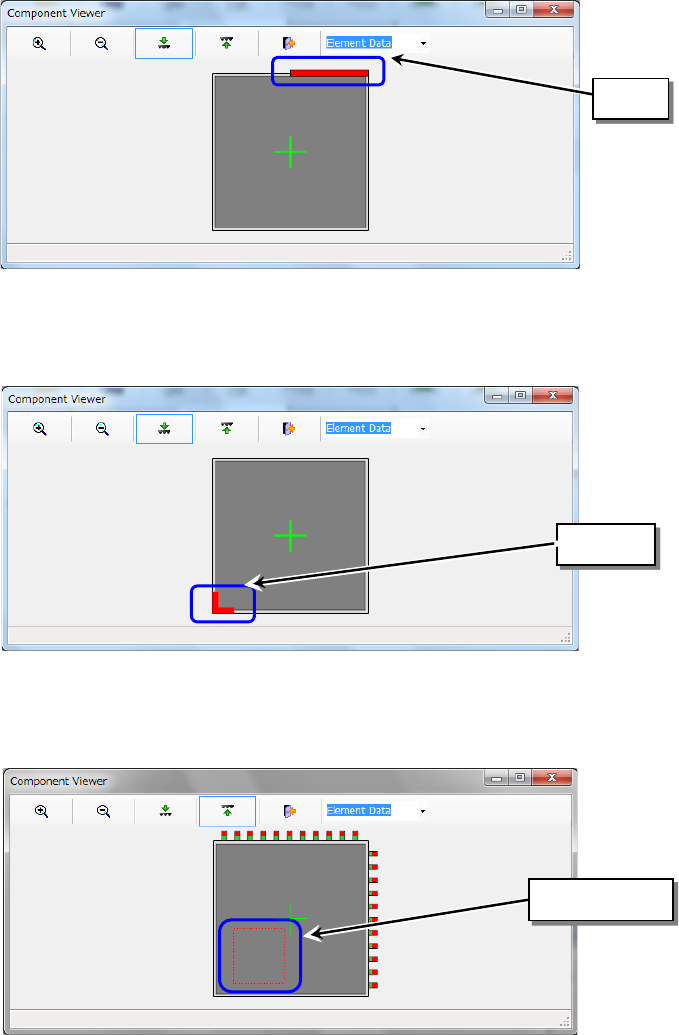
(4) Side element
A side element is indicated as a red line.
(5) Corner element
A corner element is indicated in red.
(6) User definition
A user-defined element is displayed in red.
Side
Corner
User-defined
Part 2 Detailed Description of Each Function Chapter 6 General-Purpose Vision Component
6-17
Component Viewer screen for the extended array format 6.3.4
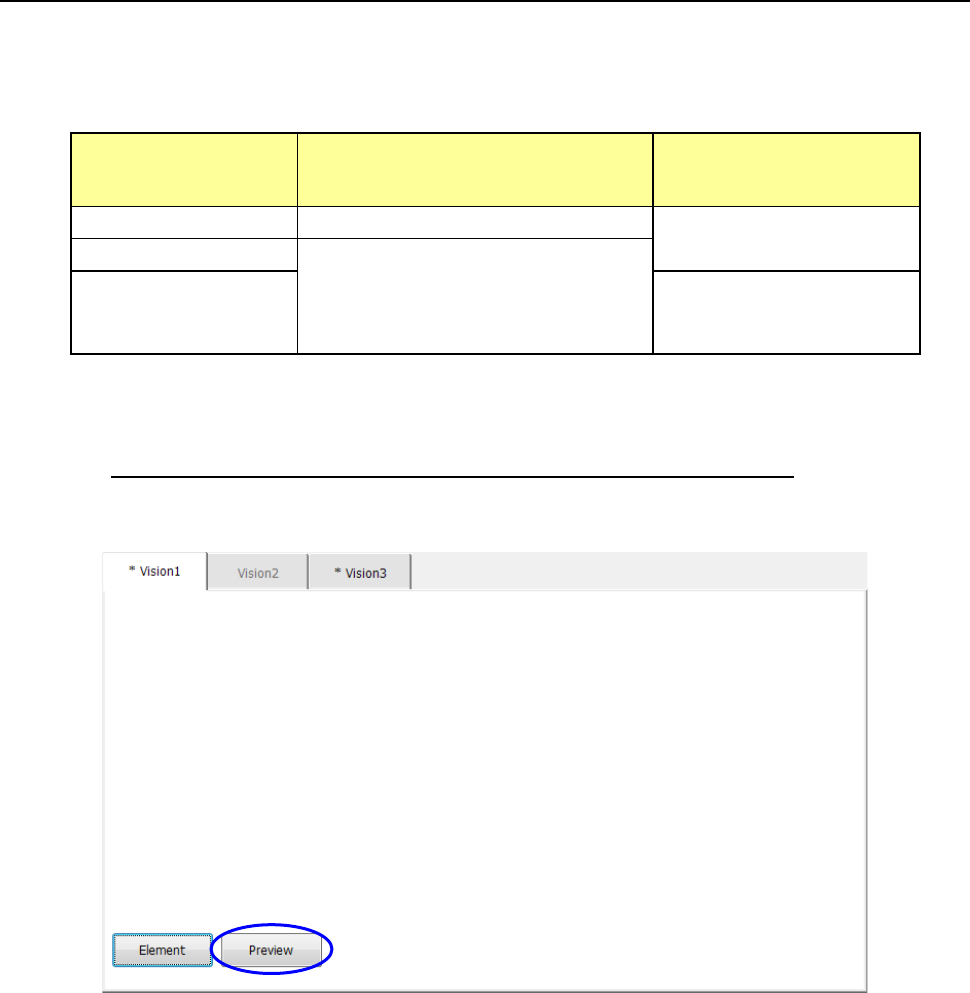
The Component Viewer screen for the extended array format can be invoked from the three
screens shown below. The operation and displayed data vary depending on which screen the
Component Viewer screen is invoked.
Screen from which the
Component Viewer
screen is invoked
Operation other than those of the
Component Viewer
Displayed data
Vision Form screen You have to close the Component Viewer. All extended array data groups
Element Data screen You can add or edit data without closing
the Component Viewer. When you click
the <Compo Viewer> button after adding
or editing data, the system updates the
data and redisplays the screen.
Extended Array screen Only the current extended
array data group
(1) How to invoke the Component Viewer screen
Invoking the Component Viewer screen from the Vision From screen
To u c h the <Preview> button on the “Vision Form” screen.
Part 2 Detailed Description of Each Function Chapter 6 General-Purpose Vision Component
6-18
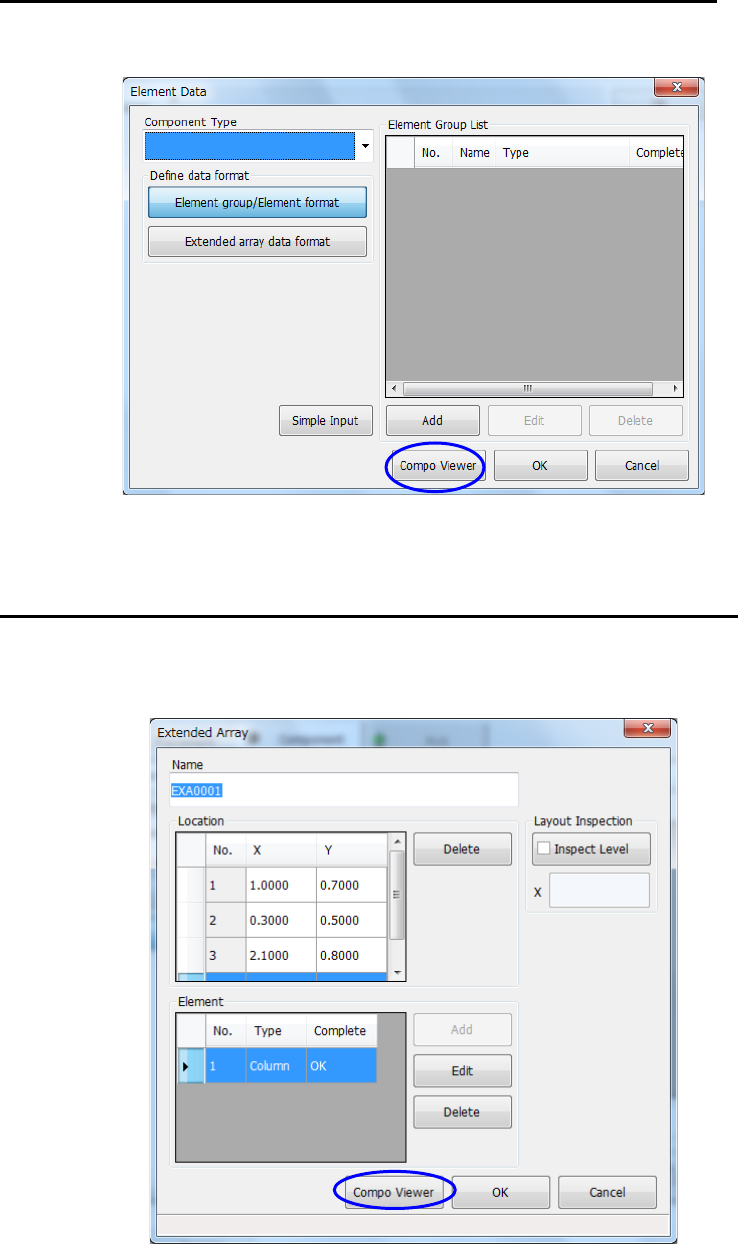
Invoking the Component Viewer screen from the “Element Data” screen
To u c h the <Compo Viewer> button on the “Element Data” screen.
Invoking the Component Viewer screen from the “Extended Array” screen
To u c h the <Compo Viewer> button on the “Extended Array” screen.