RS-1_instruction manual.pdf - 第214页
Part 1 B asic O peration Chapter 2 Pr oduction 2- 103 When you pres s the <Assign nozzle s> button, you c an assign nozz l es to the A TC. See Section 8. 3.2.3 “A TC nozzle setu p” of the Chapter 8 “M achine Setup”…
Part 1 Basic Operation Chapter 2 Production
2-102
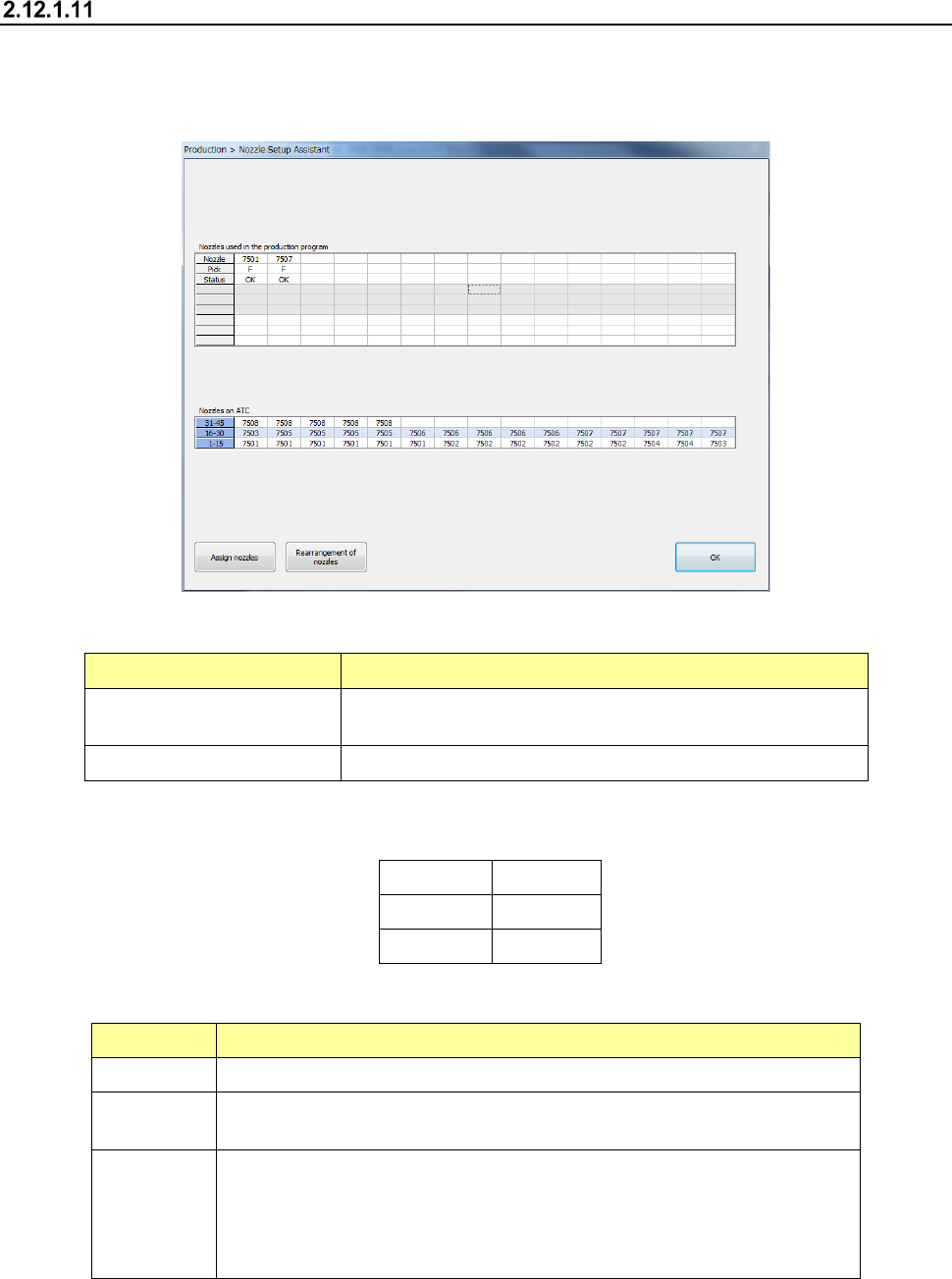
Nozzle Setup Assistant
This button displays the nozzle assignment specified with a production program and the actual
assignment on the ATC.
If there is any difference between these assignments, it is displayed in red on the screen.
(1) Menu items displayed in the table
Item
Description
Nozzles used in the
production program
Displays nozzles used with a production program.
Nozzles on ATC Displays nozzles assigned to the ATC.
The nozzle number, the bank from which components are picked up, and the state of the
nozzle are shown in the table “Nozzles used in the production program.”
Nozzle
7504
Pick F/R
Status OK
(2) Nozzles used in the production program
Item Description
Nozzle Displays the nozzle number used with a production program.
Pick
Feeder bank from which components are picked up
F, R
Status
Displays the nozzle number used with a production program and the status of
the nozzle number on the ATC.
OK: Normal status
ERR: If a nozzle assignment of a production program is not consistent with the
actual assignment to the ATC
Part 1 Basic Operation Chapter 2 Production
2-103
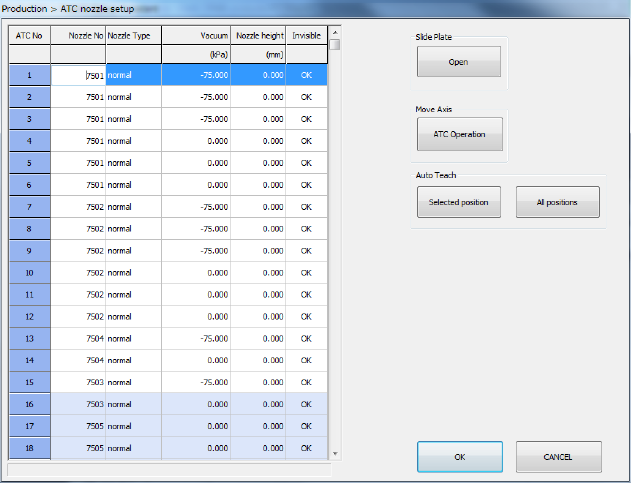
When you press the <Assign nozzles> button, you can assign nozzles to the ATC.
See Section 8.3.2.3 “ATC nozzle setup” of the Chapter 8 “Machine Setup” for details.
Part 1 Basic Operation Chapter 2 Production
2-104
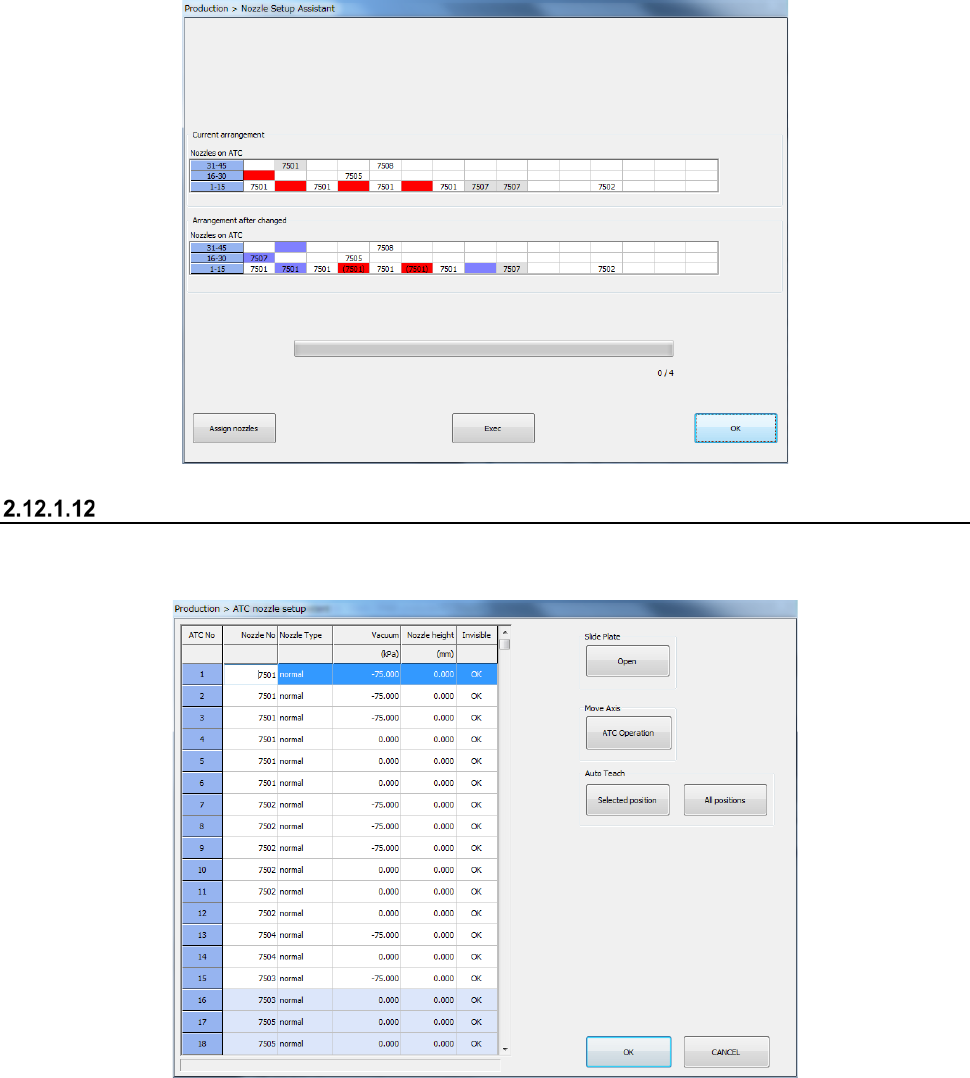
When you press the <Rearrangement of nozzles> button, the system rearranges nozzles on the
ATC optimally.
When you press the <Exec> button on the screen for rearranging nozzles, the system actually
rearranges nozzles.
The current nozzle assignment on the ATC, “Current arrangement” is displayed on the upper section
of the screen. If any nozzle not specified in the optimized nozzle layout is assigned, it is displayed
in red.
The reassignment of nozzles, “Arrangement after change” is displayed on the lower section of the
screen. The position at which nozzles are replaced is displayed in blue. The position at which
nozzles cannot be automatically replaced as instructed according to the optimal layout is displayed
in red. You have to replace the nozzle manually.
ATC Setup
This button assigns a nozzle to the ATC.
See Section 8.3.2.3 “ATC nozzle setup” of Chapter 8 “Machine Setup” for details.