RS-1_instruction manual.pdf - 第857页
Pa r t 2 Det ai l ed Des c r i pti on o f Ea c h Fu nc ti on Chapter 10 M ach i ne Manage m e nt Infor m ation 10 - 44 (2) <Rese t> butto n When yo u pr ess t he [Res et ] b utt on or press [ I niti ali ze] – [Re s…
Part 2 Detailed Description of Each Function Chapter 10 Machine Management Information
10-43
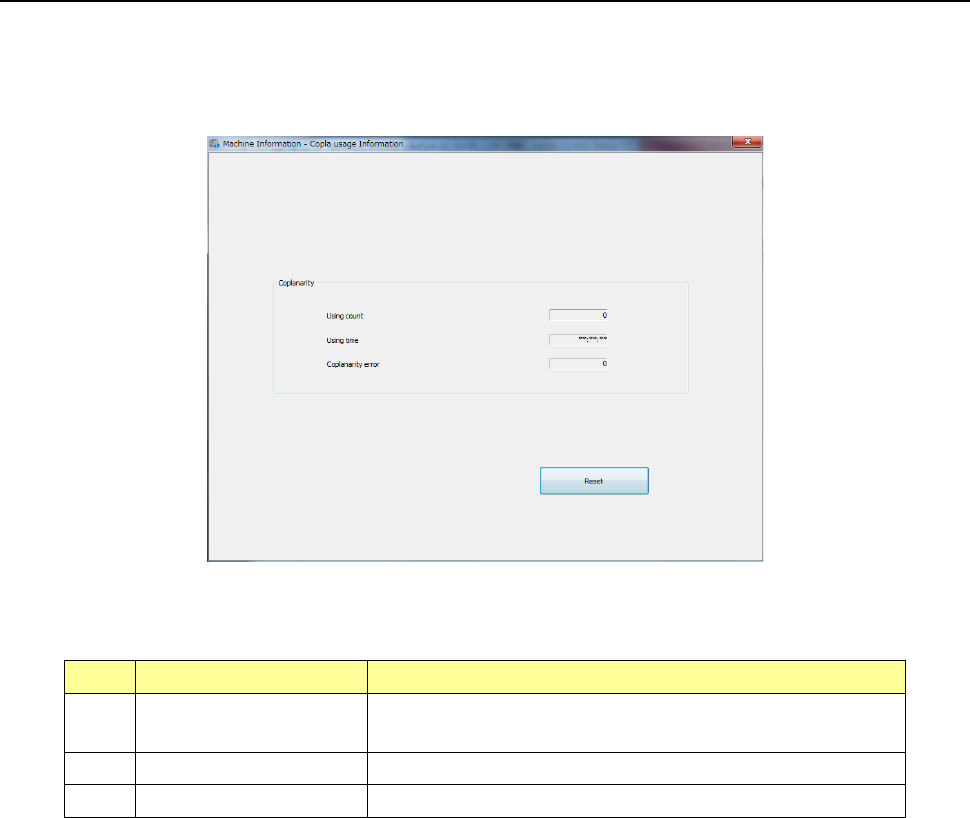
10.4.6 Coplanarity usage Information
When you select the [Recognition/Inspection] command from the main menu, and then the
[Copla usage Information] command, the “Copla usage Information” screen appears.
This screen is displayed only when the coplanarity check function option is attached on the
machine.
(1) Coplanarity
No
Item
Description
1 Using count
Accumulated number of times the coplanarity unit was
used
2
Using time
Accumulated time the coplanarity unit was used
3
Coplanarity error
Accumulated number of times a coplanarity error occurred
Part 2 Detailed Description of Each Function Chapter 10 Machine Management Information
10-44
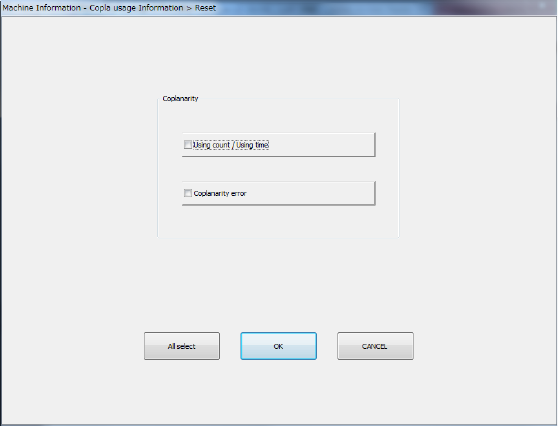
(2) <Reset> button
When you press the [Reset] button or press [Initialize] – [Reset] in the main menu, the
following screen appears.
- The <All select> button allows you to select all check boxes displayed on the
screen.
- When you press the check box of the item whose data you want to reset, and press
the <OK> button, the “Question” dialog box for asking you whether to reset data
appears on the screen. When you press the <OK> button on this “Question”
message, the system resets the checked items of data, and closes the screen.
- When you press the <CANCEL> button, the system does not reset any data and the
current data is still displayed.
Part 2 Detailed Description of Each Function Chapter 10 Machine Management Information
10-45
10.5 Settings
10.5.1 Setup – Operation Information of each nozzle
Refer to “10.3.4 Operation information by nozzle, (3) Exchange frequency setting.”
10.5.2 Setup – Operation Information of each head
Refer to “10.3.5 Operation information by head, (3) Exchange frequency setting.”
10.6 Initialize
10.6.1 Reset
This function is the same as the <Reset> button provided in each screen in 10.4.
10.6.2 Initializing the total device operation results
From the device operation information screen for each device, all the device operation results are
initialized.
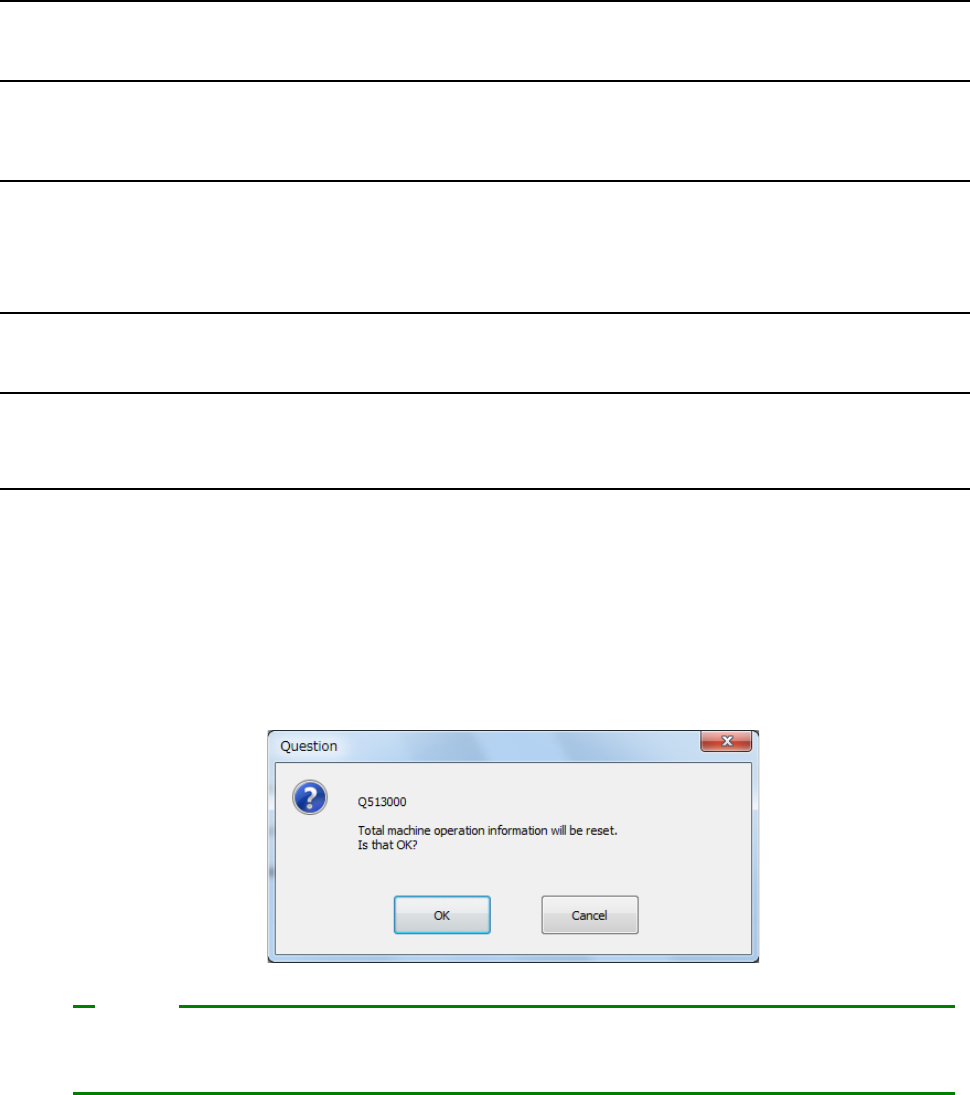
(1) Select [Initialize] – [Initialize total device operation results] in the main menu.
(2) A question message to check total initialization is displayed.
For total initialization, press <OK>.
To cancel a total initialize operation, press <CANCEL>.
[Initialize total device operation information data] permits resetting not only the device operation
information on the screen to be operated but also the operation information of all devices.
Note