RS-1_instruction manual.pdf - 第272页
Part 1 B asic O peration Chapter 2 Pr oduction 2- 161 If the f eeder is insert ed or remo ved When the fee der is remov ed during production, the pr oduction is pa used and the Stop scre en appears as t he feeder m ay in…
Part 1 Basic Operation Chapter 2 Production
2-160
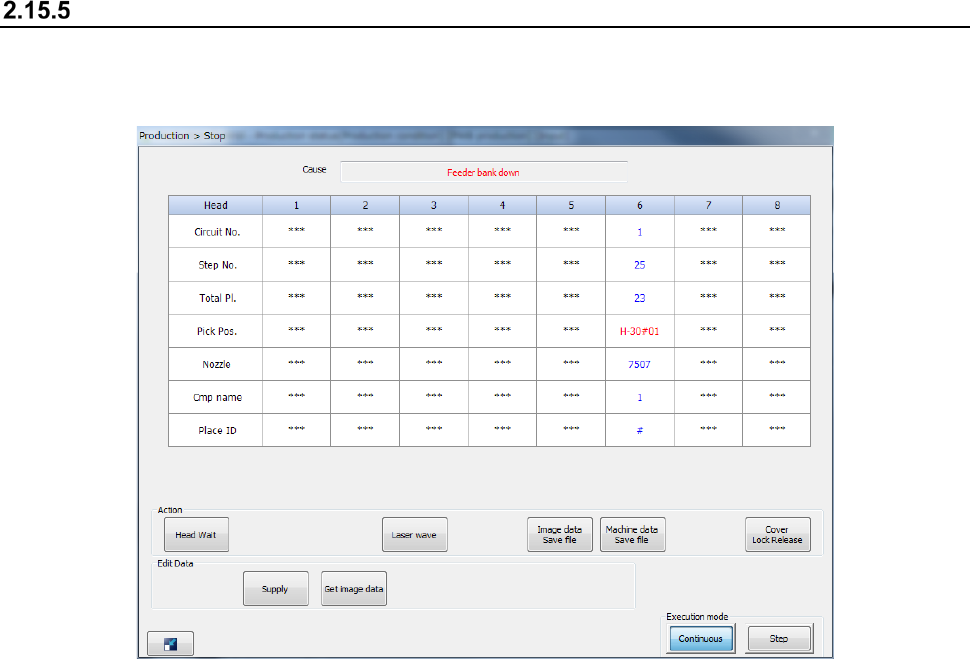
If the feeder bank moves down
When the feeder bank moves down during PWB production, the system stops the current
production temporarily and displays the “Stop” dialog box.
When the feeder bank is moved down, the system cannot start/restart production.
To start/restart production, set the feeder exchange trolley correctly and move up the feeder bank.
Then, press the <START> switch.
Note that when you press the <STOP> button while this dialog box is being displayed, the system
starts aborting the current production.
See Section 2.15.1 “If an error occurs” for details.
Part 1 Basic Operation Chapter 2 Production
2-161
If the feeder is inserted or removed
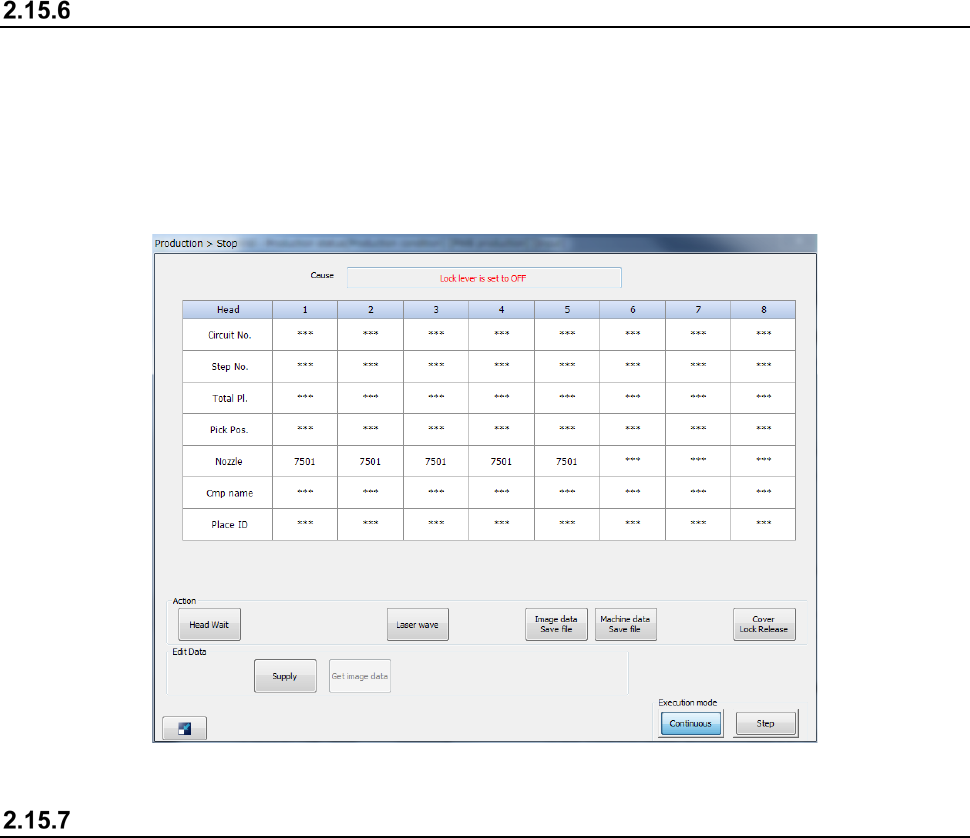
When the feeder is removed during production, the production is paused and the Stop screen
appears as the feeder may interfere with the head during insertion or removal of the feeder.
Note that even though you remove the RF feeder in Feeder insertion/removal mode, the production
is not paused.
See the corresponding description of Section 2.15.12 “Feeder insertion/removal mode” for details of
Feeder insertion/removal mode.
If a feeder floating error is detected
If the system detects a feeder floating error, it immediately aborts the current PWB production due to
this error. If it detects a feeder floating error while the axis is operating, the servo mechanism is
turned off. To restart the suspended PWB production, the servo mechanism has to be locked.
If the system detects a feeder floating error, you cannot restart the suspended production even
though you press the <START> switch.
To restart the suspended production, set the feeder exchange trolley correctly again, and then press
the <START> switch.
See Section 2.15.1 “If an error occurs” for details.
Part 1 Basic Operation Chapter 2 Production
2-162
Component protection
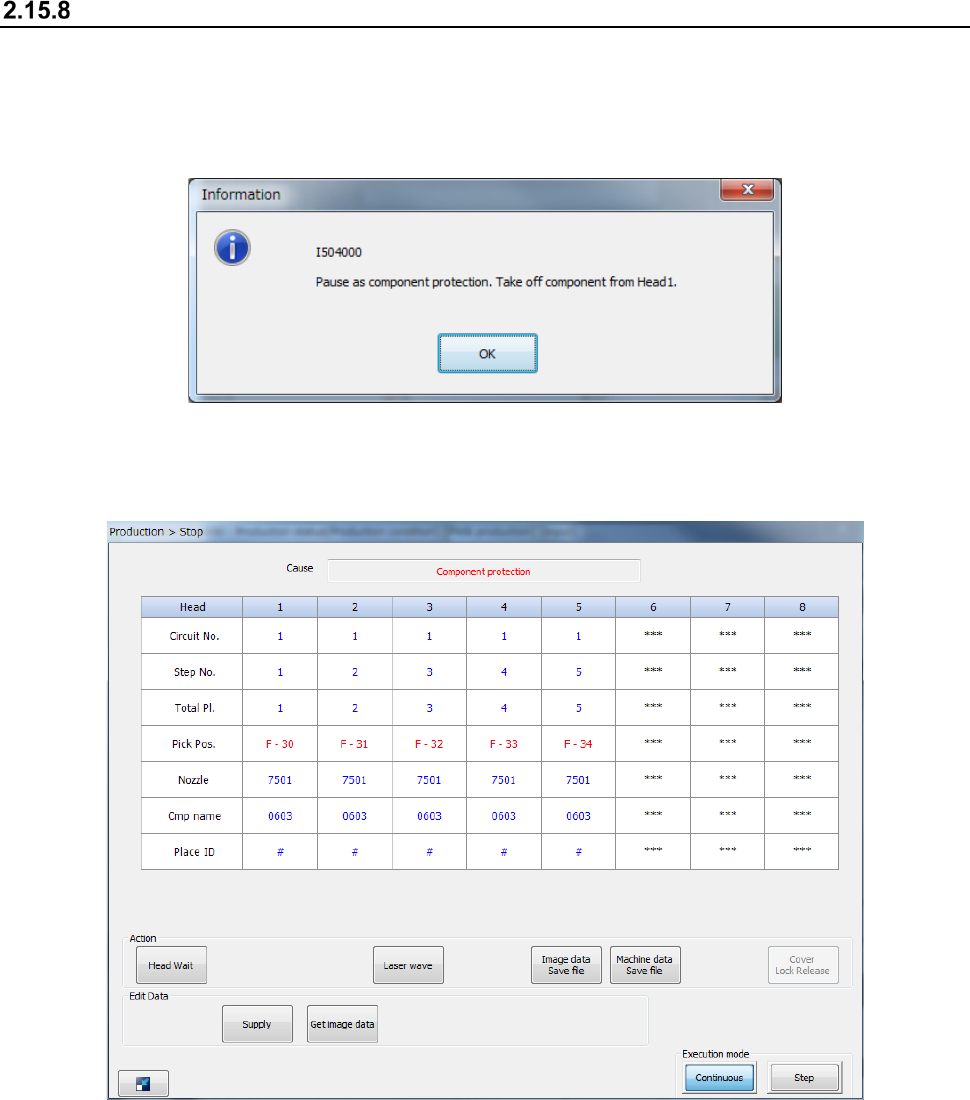
If a recognition error occurs at a component for which “Protect” is specified on the “Component data
(Packaging style)” screen of a production program, the head unit moves to the component
protection position, and then the system displays the “Information” screen on the screen and stops
production temporarily.
When you remove a component picked up with the nozzle with hands, and then press the <OK>
button, the system displays the “Stop” screen.
When you press the <START> switch, the system restarts the suspended production after
discarding the component.
When you press the <STOP> button, the system starts terminating the suspended production.