RS-1_instruction manual.pdf - 第624页
Part 1 B asic O pera t ion Chapter 5 Database 5-3 (4) Changi ng the ass ocia te d com pone nt da ta onl y wit hout c hangi ng a c omp onent name W hen yo u exec ute t he [Cal lLi st ] comm an d on t he “ Com pone nt ” da…
Part 1 Basic Operation Chapter 5 Database
5-2
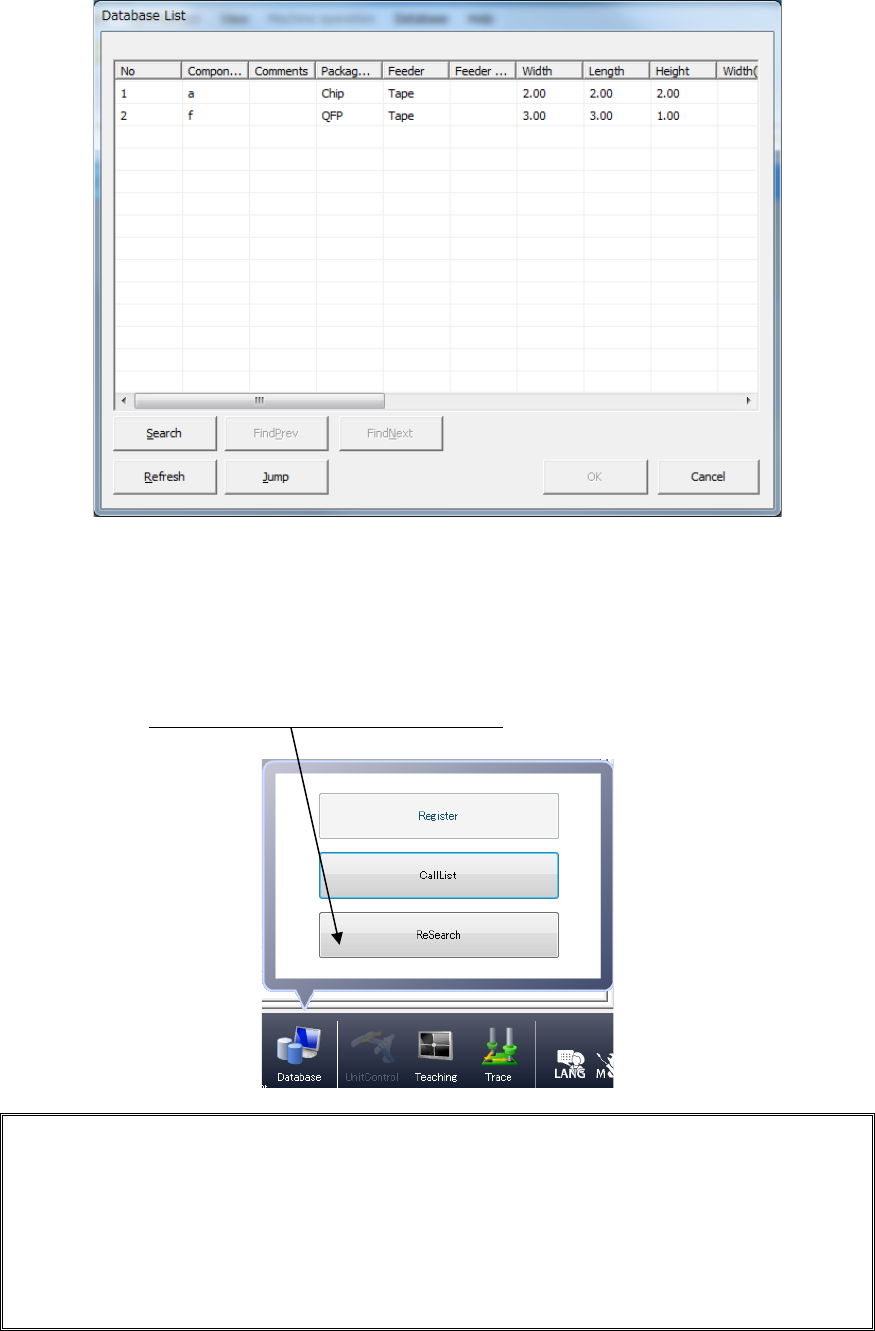
③ The “Database List” appears on the screen. Select the desired component name,
and click the <OK> button.
(3) If the component name has already been registered in the placement data (such as data
converted from CAD data)
If component name(s) registered in the placement data is (are) registered in the
database also, register in the production program all the associated component data
registered in the database by one operation (by using the “ReSearch”* function).
Click the [Database]/[ReSearch] commands.
* ReSearch function:
This function compares a component name registered in a database with that in the
placement data, and invokes the associated component data from the database if it
finds the same component name in both the database and placement data to register
the data in a production program. Once you execute this [ReSearch] command, the
system compares all component names registered in the placement data with those
in the database, and registers (overwrites) the associated component data of a
production program.
Part 1 Basic Operation Chapter 5 Database
5-3
(4) Changing the associated component data only without changing a component name
When you execute the [CallList] command on the “Component” data screen, the system
changes the associated component data only.
<Procedure>
① Display the “Component” data screen.
② Select a name of a component whose data is to be changed from the “Component
list.”
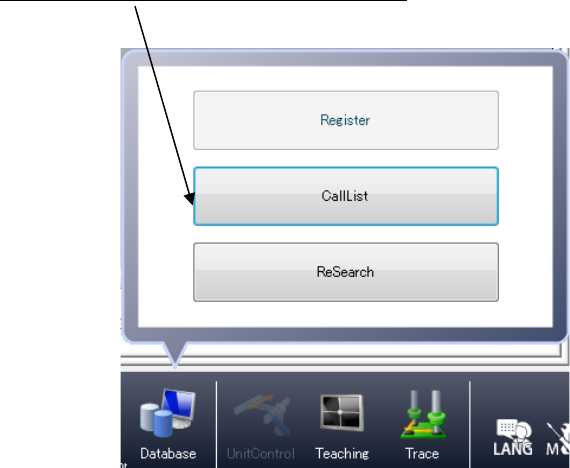
③
Click the [Database]/[CallList] commands.
④ Select the name of a component whose data you want to register in the component
data from the component list of the database, and click the <OK> button.
Part 1 Basic Operation Chapter 5 Database
5-4
Register 5.1.2
This command registers component data of a production program in the database record by
record on the “Program Editor” screen.
<Procedure>
1) Open the “Component” data screen with the “Program Editor.”
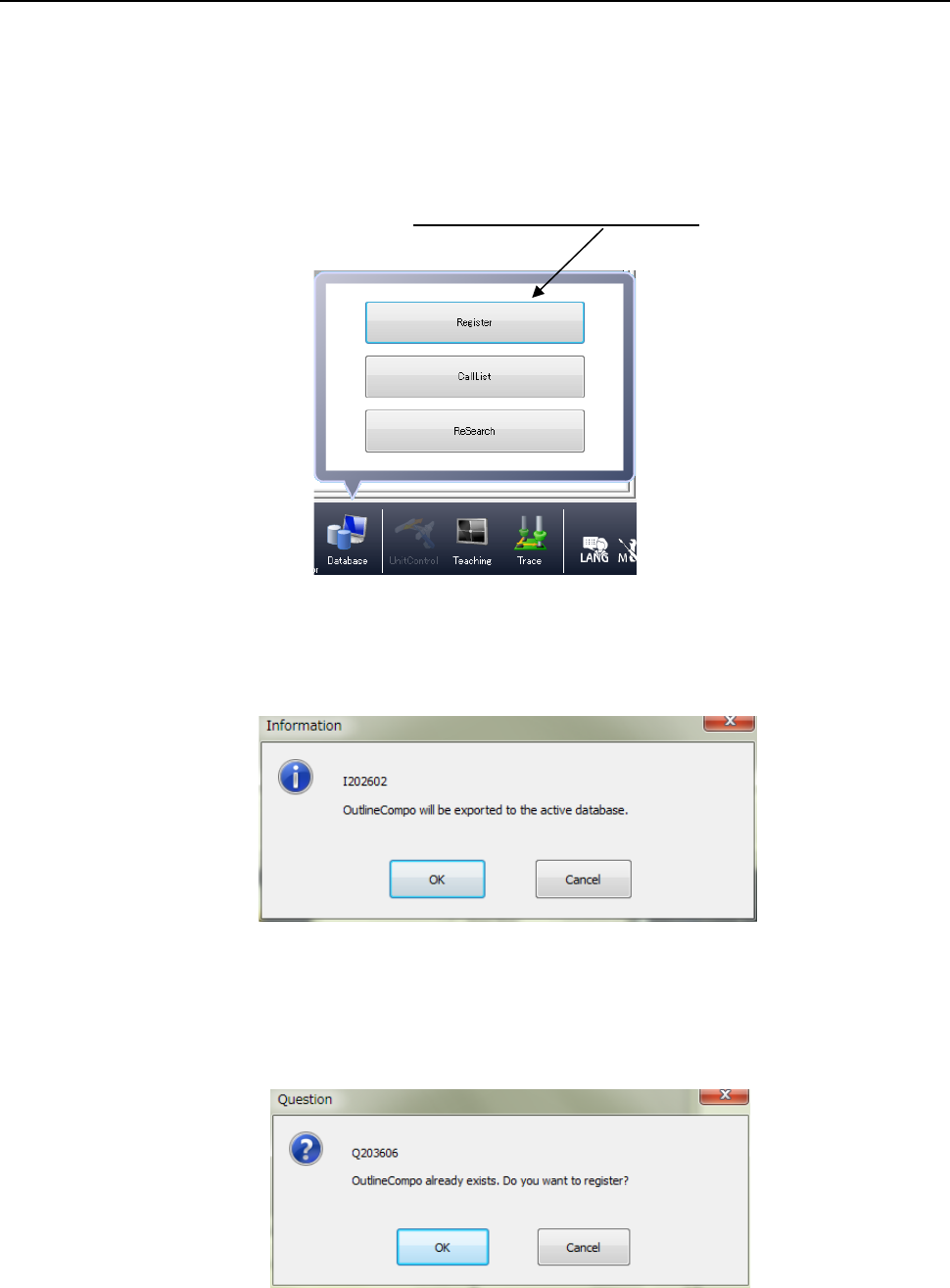
2) Select a component to be registered (with clicking a line of the desired component on the
“List” screen, for example), and click the [Database]/[Register] commands.
3) The following dialog box appears on the screen.
When you press the <OK> button, the system registers data in the database.
When a component with the same name is already registered, the following message
dialog appears.
Click <OK> to overwrite the component data; click <Cancel> not to overwrite it.