RS-1_instruction manual.pdf - 第361页
Part 1 B asic O peration Chapter 4 Cr eating a Produc tion Progra m 4- 26 4.3.3 .4 Circuit Layout Specify the ci rcuit position and angle on this s creen. Only when you select th e “ N on - matrix c ircuit ” radio button…
Part 1 Basic Operation Chapter 4 Creating a Production Program
4-25
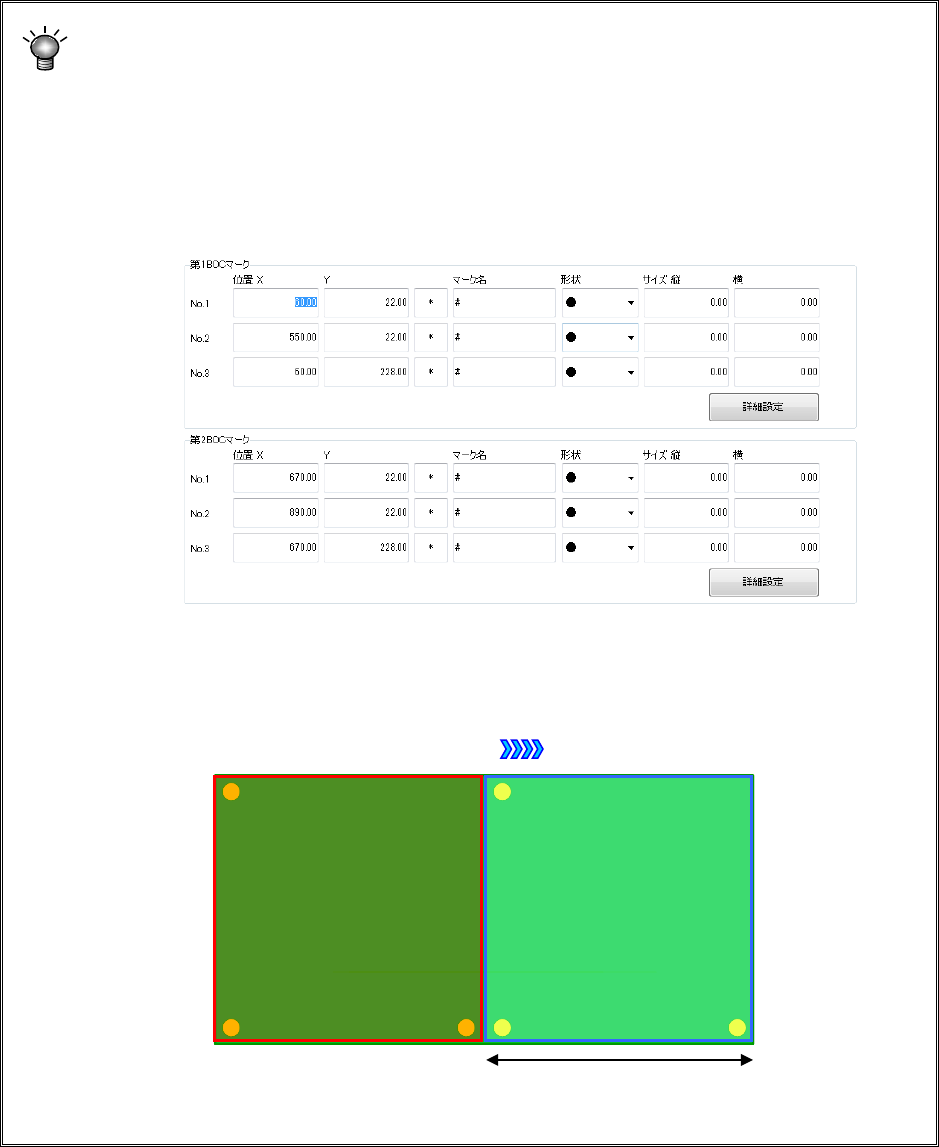
If you use a board whose outer X-dimension exceeds the regulated size (650 mm)
For a board whose outer X-dimension exceeds the regulated size (650 mm), specify a
BOC mark (referred to as the first BOC mark hereinafter) in the range where a
component is to be placed when the board is clamped for the first time and another BOC
mark (referred to as the second BOC mark hereinafter) in the range where a component
is to be placed when the board is clamped for the second time.
Example: For a single-plane PWB that is transferred from left to right and whose size is
900 mm, enter the first BOC mark and the second BOC mark.
Board transport direction
① First component
placement area
② Second
component
placement area
Division position of a long-sized board
Part 1 Basic Operation Chapter 4 Creating a Production Program
4-26
4.3.3.4 Circuit Layout
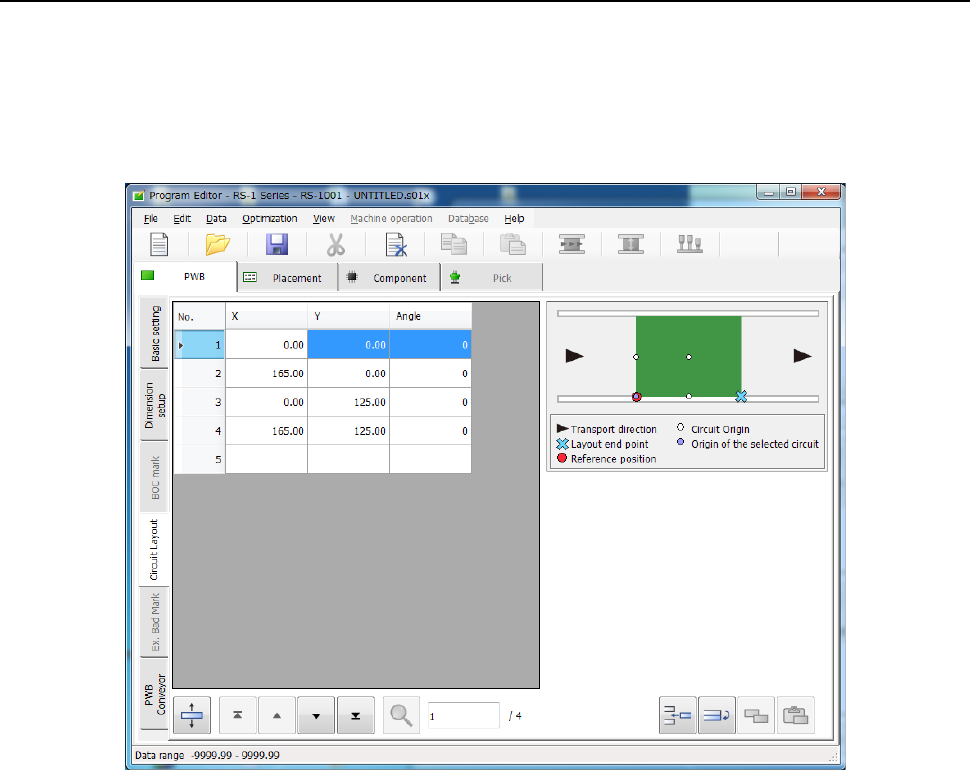
Specify the circuit position and angle on this screen. Only when you select the “Non-matrix circuit”
radio button in the “PWB configuration” column of the “Dimension setup” tab, you can select these
items.
When you select the “Circuit Layout” tab located on the lower left corner of the “Dimension setup”
screen, the following screen appears.
(1) XY
Enter the position of the circuit origin viewed from the board origin.
(2) Angle
Enter the angle of a circuit.
(3) Skip
When you select to skip, the system does not place any component at all placement
positions of the corresponding circuit.
This item is displayed only when you select the <Used> button for the menu item “Circuit to
Be Placed” on the “Basic setting” screen.
Part 1 Basic Operation Chapter 4 Creating a Production Program
4-27
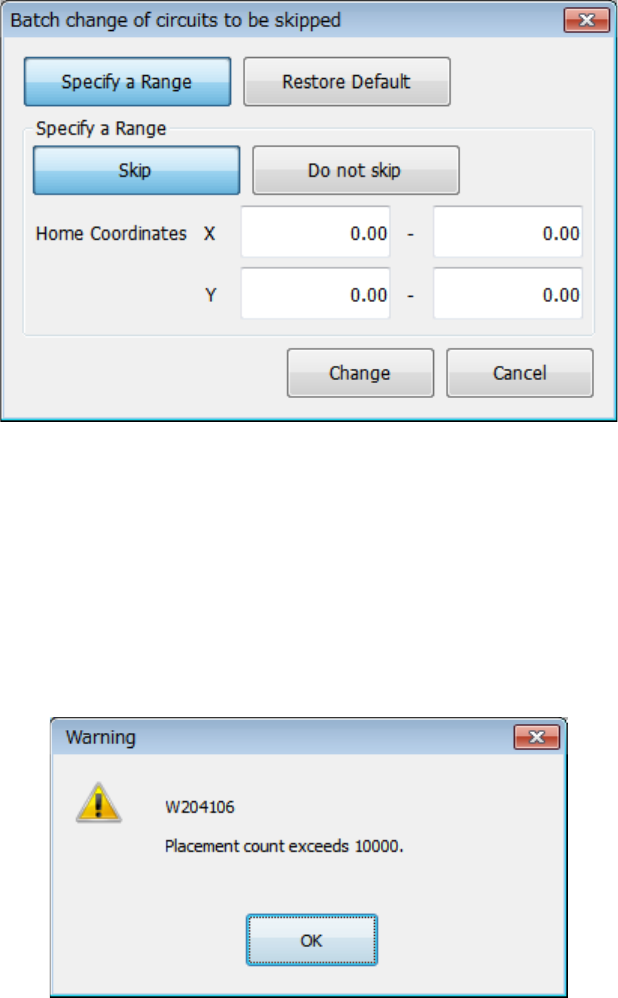
When you select the <Batch change of circuits to be skipped> button, you can specify circuits to
be skipped at a time by specifying the area of circuits to be skipped.
When you press the <Batch change of circuits to be skipped> button, the following screen
appears.
(1) Specify a Range
Specify whether to skip circuits whose origins are located in the area specified with the X
and Y coordinates set in the “Specify a Range” column.
(2) Restore Default
This button changes the skip settings of all circuits to the default settings.
When the total number of placement points exceeds 10,000 even though the number of
circuits is less than the regulated value, the following message appears on the screen.