RS-1_instruction manual.pdf - 第103页
Part 1 B asic O peration Chapter 1 Overv iew of the Machine 1- 85 The syst em gets the err or log fi le you have chec ked off and sav es it. If you chec k on the “ Set ” check box in the “ S et Date ” area of the “ Set C…
Part 1 Basic Operation Chapter 1 Overview of the Machine
1-84
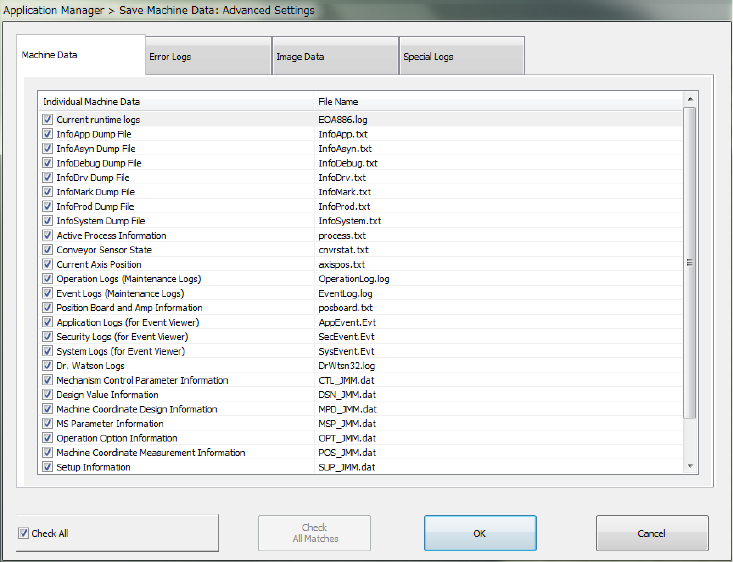
(2) Advanced Settings of Machine Data Acquisition Settings
If you click the <Advanced Settings> button in the “Machine Data Acquisition Settings” area,
you can select more information on items you have checked on in the “Save Machine Data:
Advanced Settings” dialog box to save it.
The system gets the machine data you have checked off and saves it.
If you check off the “Check All” check box, all items displayed in the dialog box are checked on.
If you check off the “Check All” check box, all items are then checked off.
The “Check All” check box is checked off by default.
If you click <OK>, the settings you have made are saved and the “Save Machine Data:
Advanced Settings” dialog box is closed.
If you click <Cancel>, the settings are not saved and the “Save Machine Data: Advanced
Settings” dialog box is closed.
Part 1 Basic Operation Chapter 1 Overview of the Machine
1-85
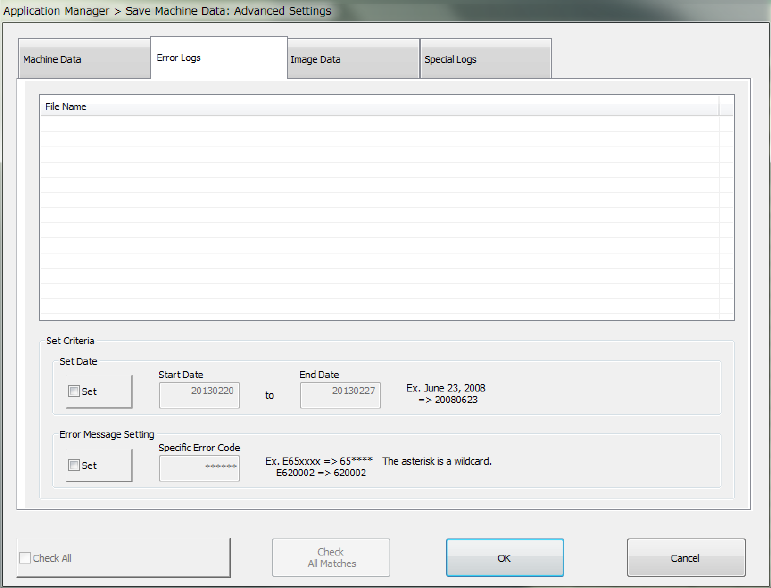
The system gets the error log file you have checked off and saves it.
If you check on the “Set” check box in the “Set Date” area of the “Set Criteria” area, specify a
start date and an end date, and click the <Check All Matches> button, the system checks the
error log files matching with the conditions.
If you check off the “Set” check box in the “Error Message Setting” area of the “Set Criteria” area,
specify a specific error code, and click the <Check All Matches> button, the system checks the
error log files matching with the conditions.
If you click the <Check All Matches> button when the “Set” check boxes in both the “Set Date”
and “Error Message Setting” areas of the “Set Criteria” area are checked, the system checks off
the error logs matching with both conditions.
If you check the “Check All” check box, all items displayed in the dialog box are checked.
If you uncheck the “Check All” check box, all items are then unchecked.
The error log files from now to one week before are checked off by default.
If you click <OK>, the settings you have made are saved and the “Save Machine Data: Advanced
Settings” dialog box is closed.
If you click <Cancel>, the settings are not saved and the “Save Machine Data: Advanced
Settings” dialog box is closed.
Part 1 Basic Operation Chapter 1 Overview of the Machine
1-86
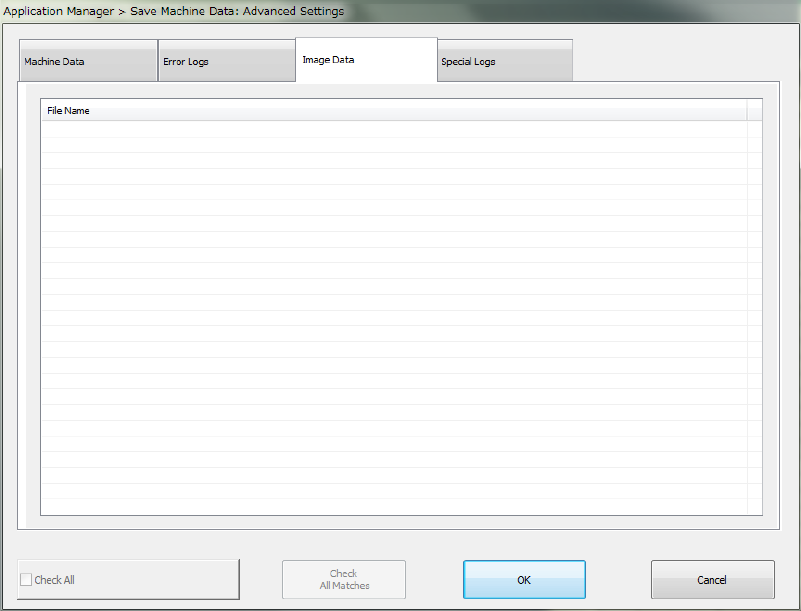
The system gets the image data you have checked off and saves it.
If you check off the “Check All” check box, all items displayed in the dialog box are checked off.
If you uncheck the “Check All” check box, all items are then unchecked.
All image data files are checked on by default.
If you click <OK>, the settings you have made are saved and the “Save Machine Data: Advanced
Settings” dialog box is closed.
If you click <Cancel>, the settings are not saved and the “Save Machine Data: Advanced
Settings” dialog box is closed.