RS-1_instruction manual.pdf - 第622页
Part 1 B asic O pera t ion Chapter 5 Database 5-1 Chap ter 5 Database A “ dat abase ” i s used to regi ster an d coll ect c ompo nent data. A fter yo u re gis ter the cr eat ed c ompon ent d ata i n t he “ dat abas e ,” …
Part 1 Basic Operation Chapter 4 Creating a Production Program
4-286
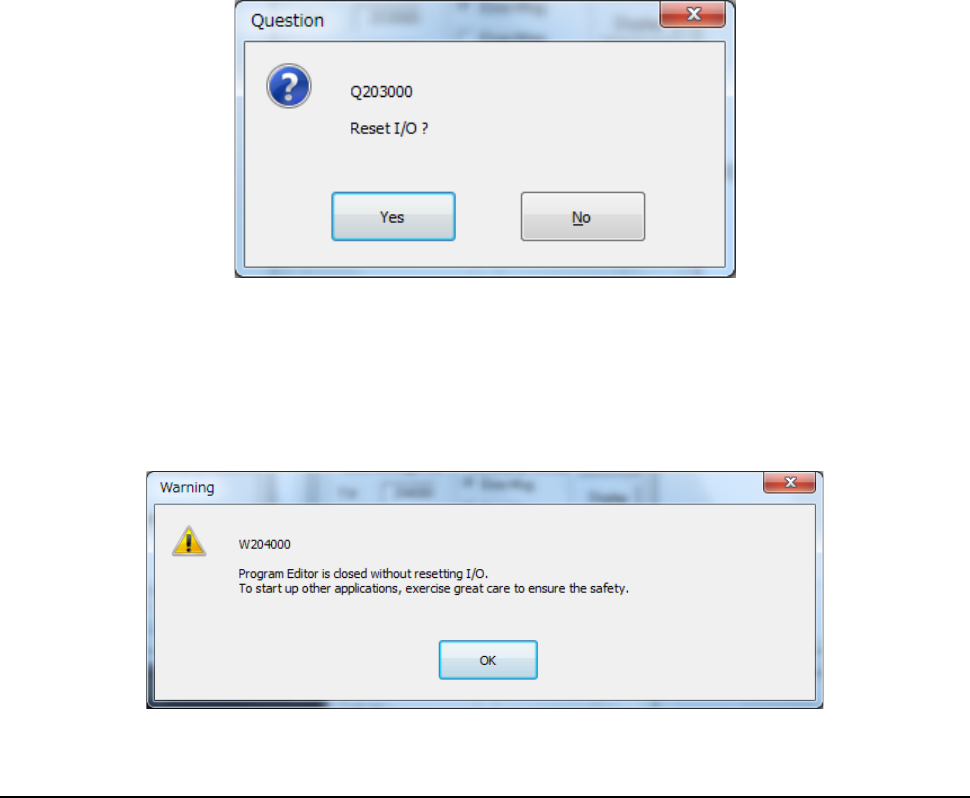
When you quit the Program Editor, the system displays the following “Question” dialog box.
• Yes: After moving each axis in the safe direction, the system quits the Program Editor.
• No: Program editing is terminated without moving each axis in the safety direction.
When you select "No" in the confirmation message for safety direction setting of each I/O, the
following message is displayed.
Part 1 Basic Operation Chapter 5 Database
5-1
Chapter 5 Database
A “database” is used to register and collect component data.
After you register the created component data in the “database,” the system manages the
data by component names.
Once you register component data in the database, you can easily create component data
only by specifying the component name registered in the database when creating a
production program with the Program Editor.
This chapter describes how to use a database mainly.
・ For the operations on a mounter, refer to Chapter 5.1.2.
5.1 Component Database
How to Use a Database 5.1.1
After starting up the Program Editor, use a database to create component data.
(1) If you know a component name
If the name of a component whose data you want to create is registered in the database,
enter the component name on the “Placement” data screen.
The system will register the data created for the component in the production program
that is being created.
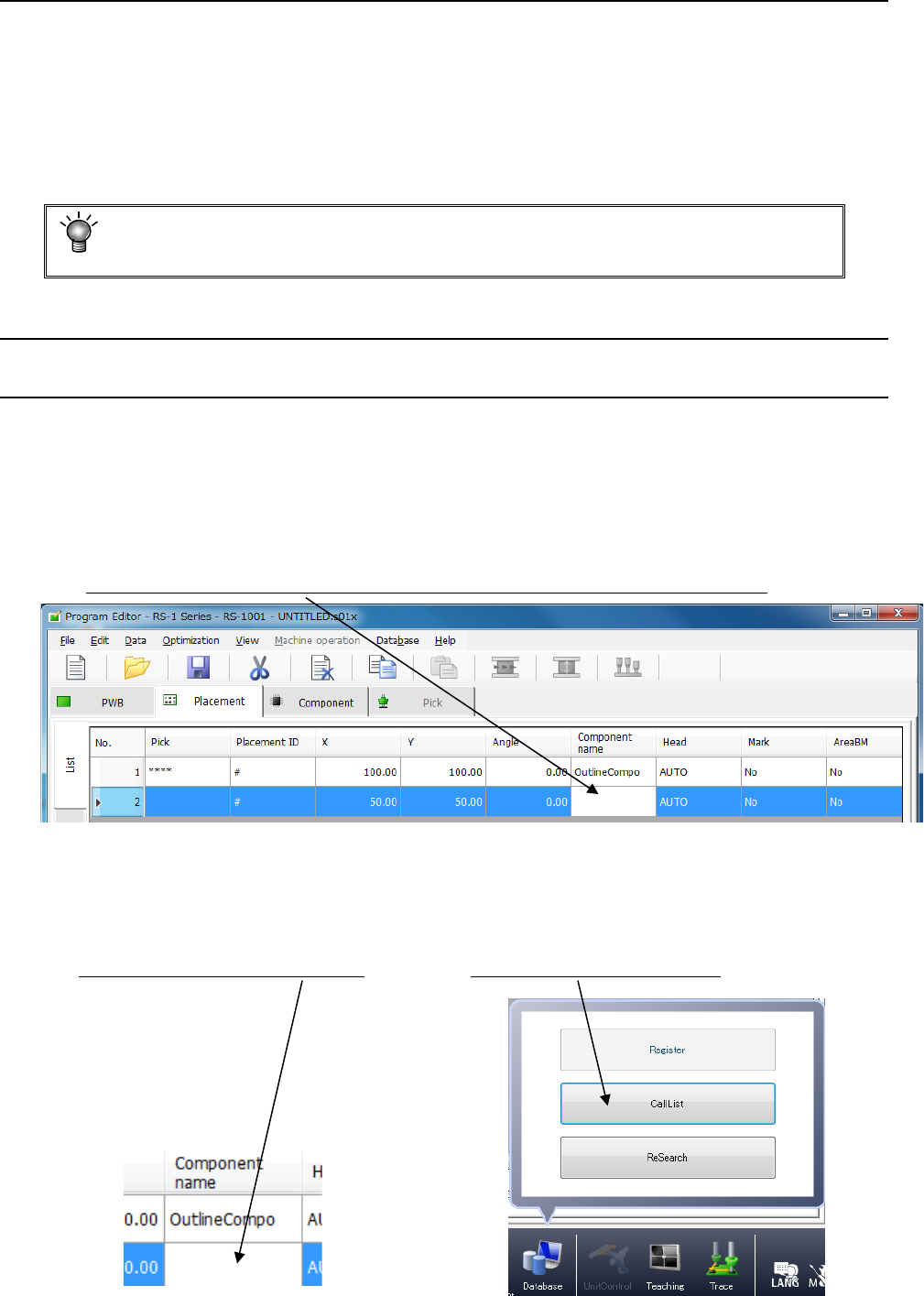
Enter the component name here. The corresponding component data is created completely.
(2) If you do not know a component name
Display the database list, and select a component name you are to register from the list
(this is the “CallList” function).
<Procedure>
① Click a blank “Component name” field. ② Click the [Database]/[CallList] commands.
Part 1 Basic Operation Chapter 5 Database
5-2
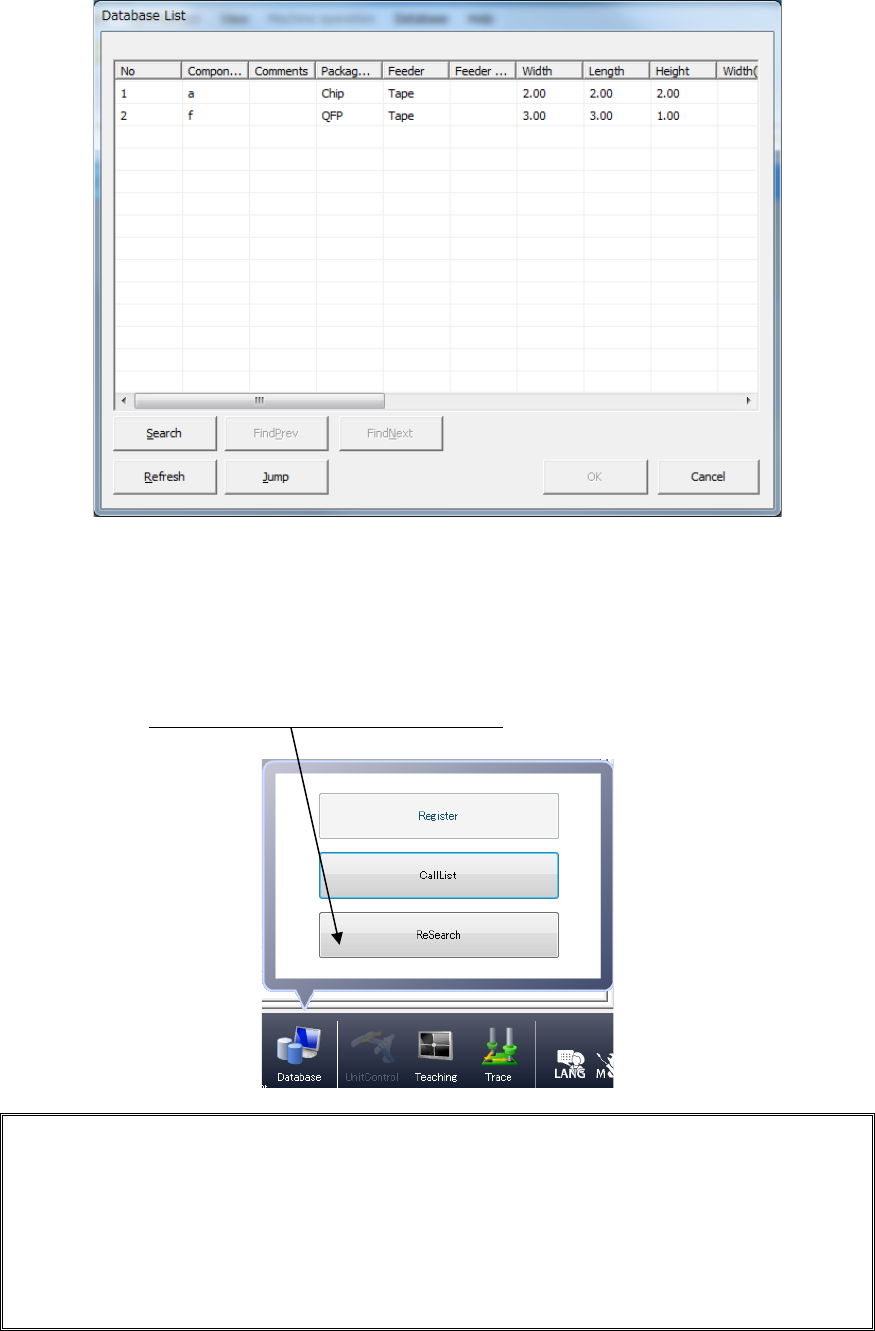
③ The “Database List” appears on the screen. Select the desired component name,
and click the <OK> button.
(3) If the component name has already been registered in the placement data (such as data
converted from CAD data)
If component name(s) registered in the placement data is (are) registered in the
database also, register in the production program all the associated component data
registered in the database by one operation (by using the “ReSearch”* function).
Click the [Database]/[ReSearch] commands.
* ReSearch function:
This function compares a component name registered in a database with that in the
placement data, and invokes the associated component data from the database if it
finds the same component name in both the database and placement data to register
the data in a production program. Once you execute this [ReSearch] command, the
system compares all component names registered in the placement data with those
in the database, and registers (overwrites) the associated component data of a
production program.