RS-1_instruction manual.pdf - 第448页
Part 1 B asic O peration Chapter 4 Cr eating a Produc tion Progra m 4- 113 The “Contro l 2” tab and th e “Control 3” tab are scree ns that allow you to set t he data on lights us ed to recognize a c omponent with a VC S …

Part 1 Basic Operation Chapter 4 Creating a Production Program
4-112
The conditions for recognizing divided images of a component vary depending on component
types.
VCS
54mmFOV (54-mm field
of view)
27mmFOV 10mmFOV
Split
Recognition
X×Y
1×2
2×1
1×3 2×2
1×2
2×1
1×3 2×2
1×2
2×1
2×2
Component
type
Square chip × × × × × × × ×
Elec. Cap. (aluminum
electrolytic capacitor)
× × × × × × × ×
GaAsFET × × × × × × × ×
SOP ○ × ○ ○ × ○ × ×
HSOP × × × × × × × ×
SOJ × × × × × × × ×
PLCC(QFJ) × × × × × × × ×
PQFP(BQFP) ○ × ○ ○ × ○ × ×
TSOP ○ × ○ ○ × ○ × ×
TSOP2 ○ × ○ ○ × ○ × ×
BGA *1 ○ × ○ ○ × ○ × ×
FBGA *1 ○ × ○ ○ × ○ ○ ○
Outline recog.
(outline-recognition
component)
○ ○ ○ × × × × ×
GNRL. Vision
(general-purpose vision
component)
○ ○ ○ ○ ○ ○ ○* 2 ○* 2
CONN (unidirectional
lead connector)
○ ○ × ○ ○ × × ×
CON2 (bidirectional
lead connector)
○ ○ × ○ ○ × × ×
CONZ (Z-lead
connector)
○ ○ × ○ ○ × × ×
CONX (extended-lead
connector)
× × × × × × × ×
SKT-J (J-lead socket) × × × × × × × ×
SKT-G (gull-wing
socket)
× × × × × × × ×
SKT-B (socket with a
bumper)
× × × × × × × ×
QFN × × × × × × × ×
*1 For BGA and FBGA components, the split recognition may vary depending on the
recognition type. The split recognition is applicable only when the components are all balls
or all lands.
*2 Split recognition of a general-purpose vision component with the 10-mm field of view
supports a ball component only.
Part 1 Basic Operation Chapter 4 Creating a Production Program
4-113
The “Control 2” tab and the “Control 3” tab are screens that allow you to set the data on lights used
to recognize a component with a VCS in details.
These tabs are displayed as shown below according to selection of the “Light type” of the vision
control data.
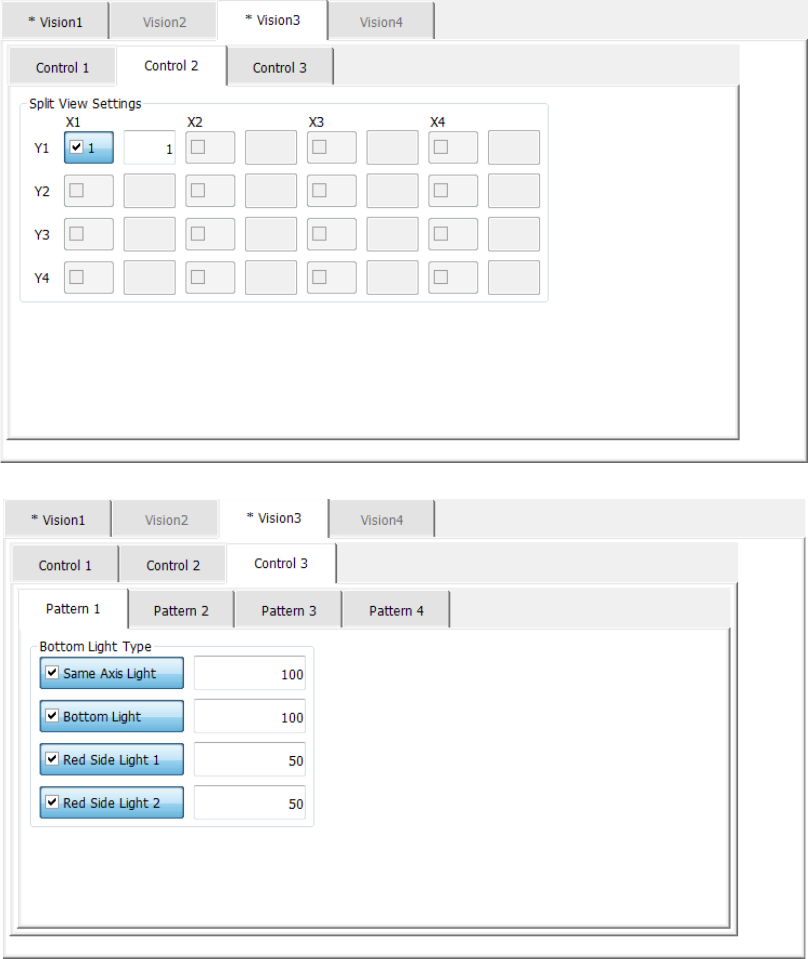
1) For the bottom light
The light control data (bottom light) screen allows you to set the input value of the bottom
light.
The light control data (bottom light) screen is shown below.
Part 1 Basic Operation Chapter 4 Creating a Production Program
4-114
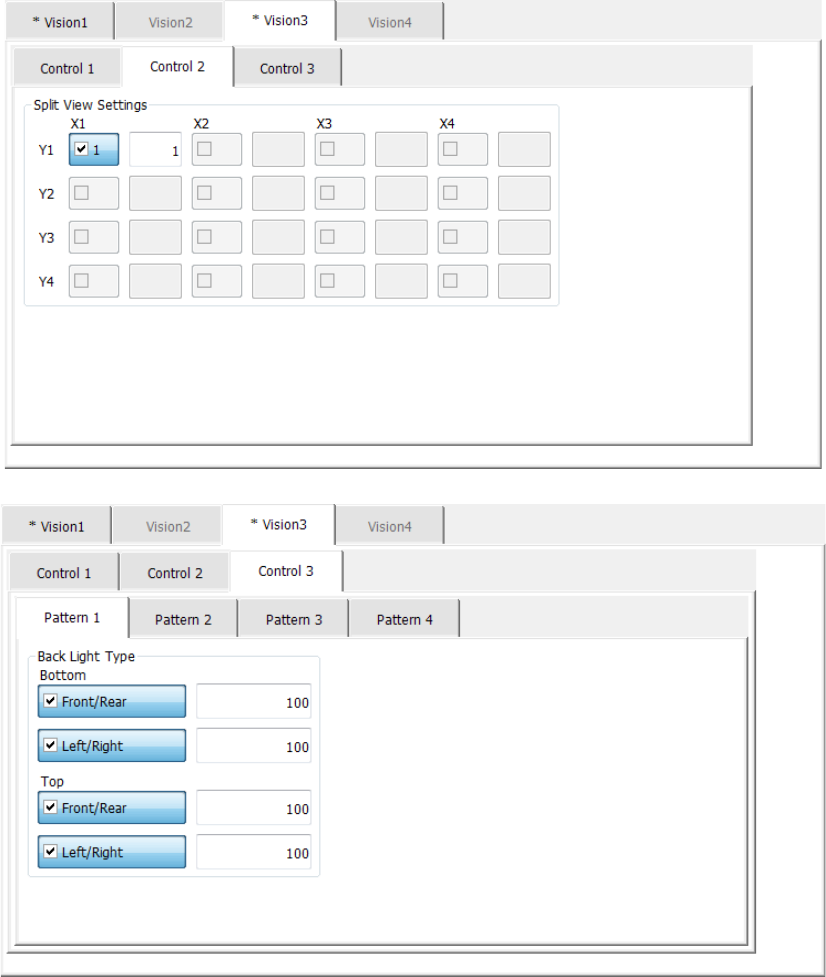
2) For the back light
The light control data (back light) screen allows you to set the input value of the back light.
The light control data (back light) screen is shown below.