RS-1_instruction manual.pdf - 第655页
Pa r t 2 D et ai l ed Des c r i pt i o n of Ea c h F unc t i o n Chapte r 6 G e neral - Purpose Vision Co mpone nt 6- 24 (3) Lead Pr oper ty Selec t th e lead t ype, and ent er the dim ensions of a l ead. (4) Edi ting an…
Part 2 Detailed Description of Each Function Chapter 6 General-Purpose Vision Component
6-23
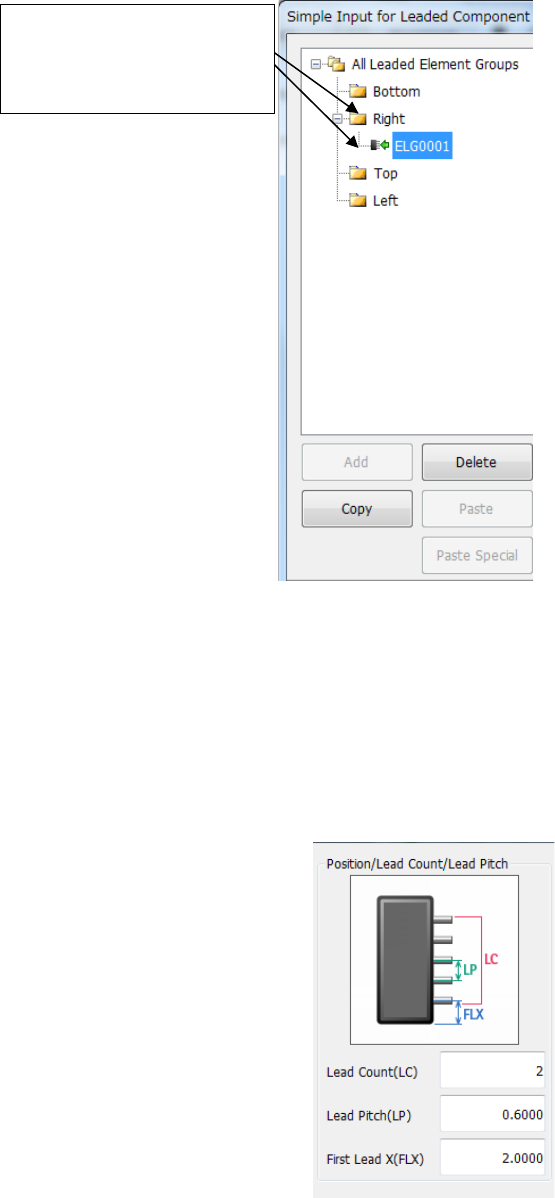
(1) “All Leaded Element Groups” list
You can perform an operation similar with that of Windows Explorer on the “All Leaded
Element Groups” list.
(2) Position/Lead Count/Lead Pitch
• Lead Count (LC) : Number of leads in the group
• Lead Pitch (LP) : Distance from the center of one lead to that of the next lead
• First Lead X (FLX) : Distance from a corner (in the farthest outer region) to the first
element
When you click [+], [+]
changes to [-] and the defined
element groups are displayed
at the lead positions.
Part 2 Detailed Description of Each Function Chapter 6 General-Purpose Vision Component
6-24
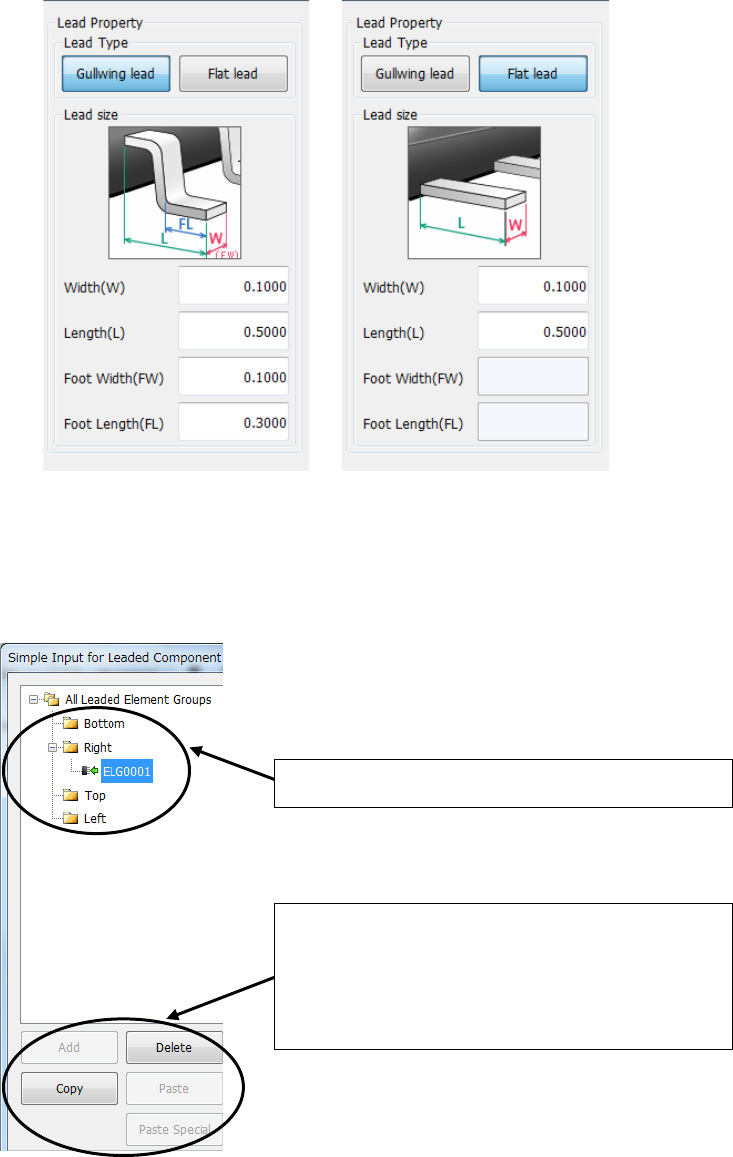
(3) Lead Property
Select the lead type, and enter the dimensions of a lead.
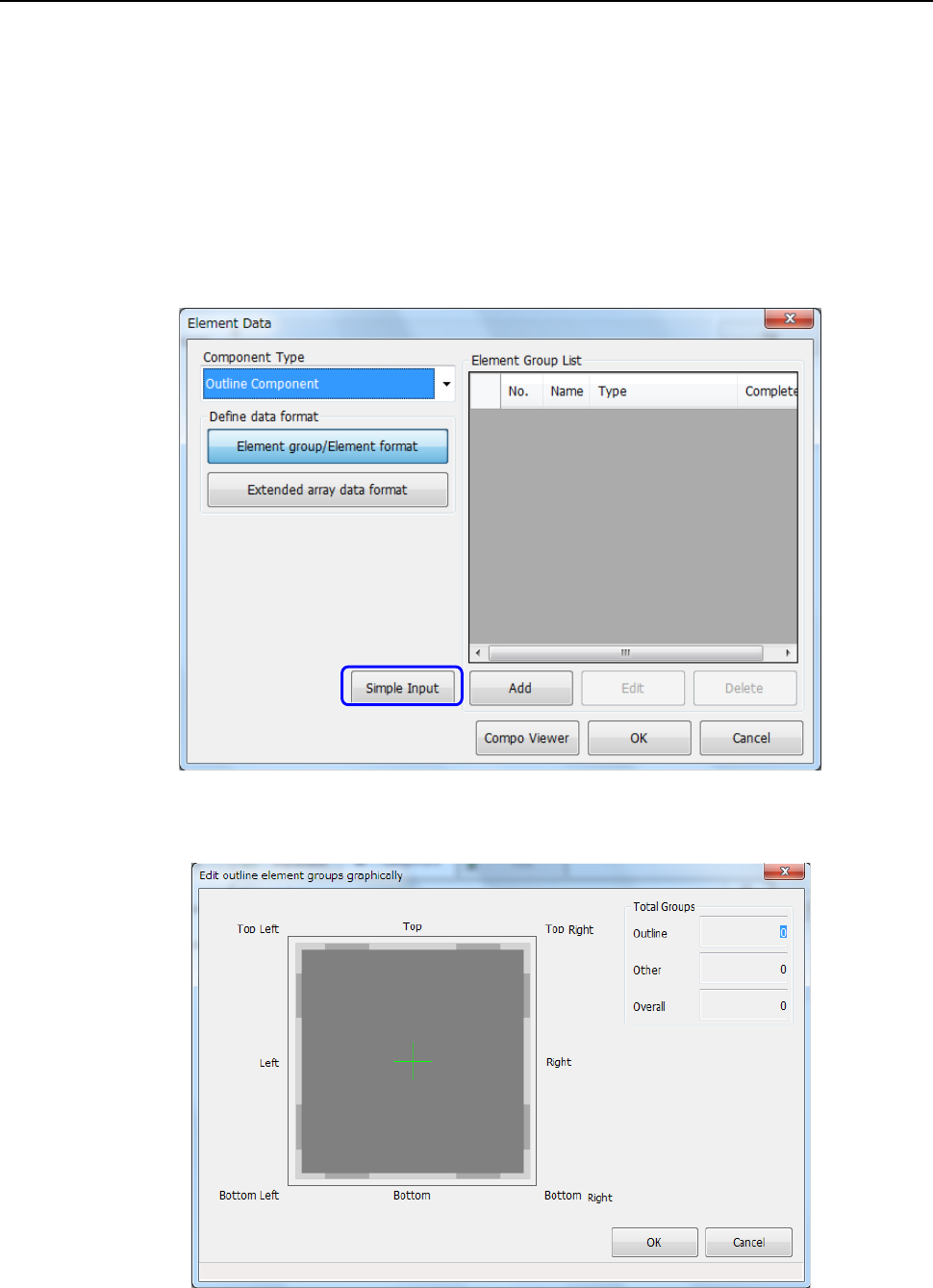
(4) Editing an element group
You can add, delete and/or copy an element group on the “All Leaded Element Groups” list.
Each operation is similar with that of Windows Explorer.
① Select a folder to be added, deleted or copied.
② Click the corresponding button: <Add>, <Delete>
and <Copy> to add, delete or copy an element
group.
When you click the <Copy> button, you have to
click the <Paste> or <Paste Special> button also.
Part 2 Detailed Description of Each Function Chapter 6 General-Purpose Vision Component
6-25
How to create data on an outline recognition component 6.4.4
You can enter data on an outline recognition component (only “corner” or “side” element) with
Simple Input.
Note that all element groups should be at a corner or side, and the maximum number of element
groups is “4.”
(1) Starting up the “Edit outline element groups graphically” dialog box
① Select “Outline component” in the “Component Type” field on the “Element Data” screen,
and click the <Simple Input> button.
② The “Edit outline element groups graphically” dialog box appears on the screen.