RS-1_instruction manual.pdf - 第980页
Part 2 D etaile d Descript ion of E ach Functi on Chapter 12 Handling th e Optional Device s 12 - 96 2) Select the “ Unit setting ” icon from the “ M achine Set up ” screen menu, an d then the “ Coplanarit y . ” Specify …
Part 2 Detailed Description of Each Function Chapter 12 Handling the Optional Devices
12-95
12.14.4 Machine Setup
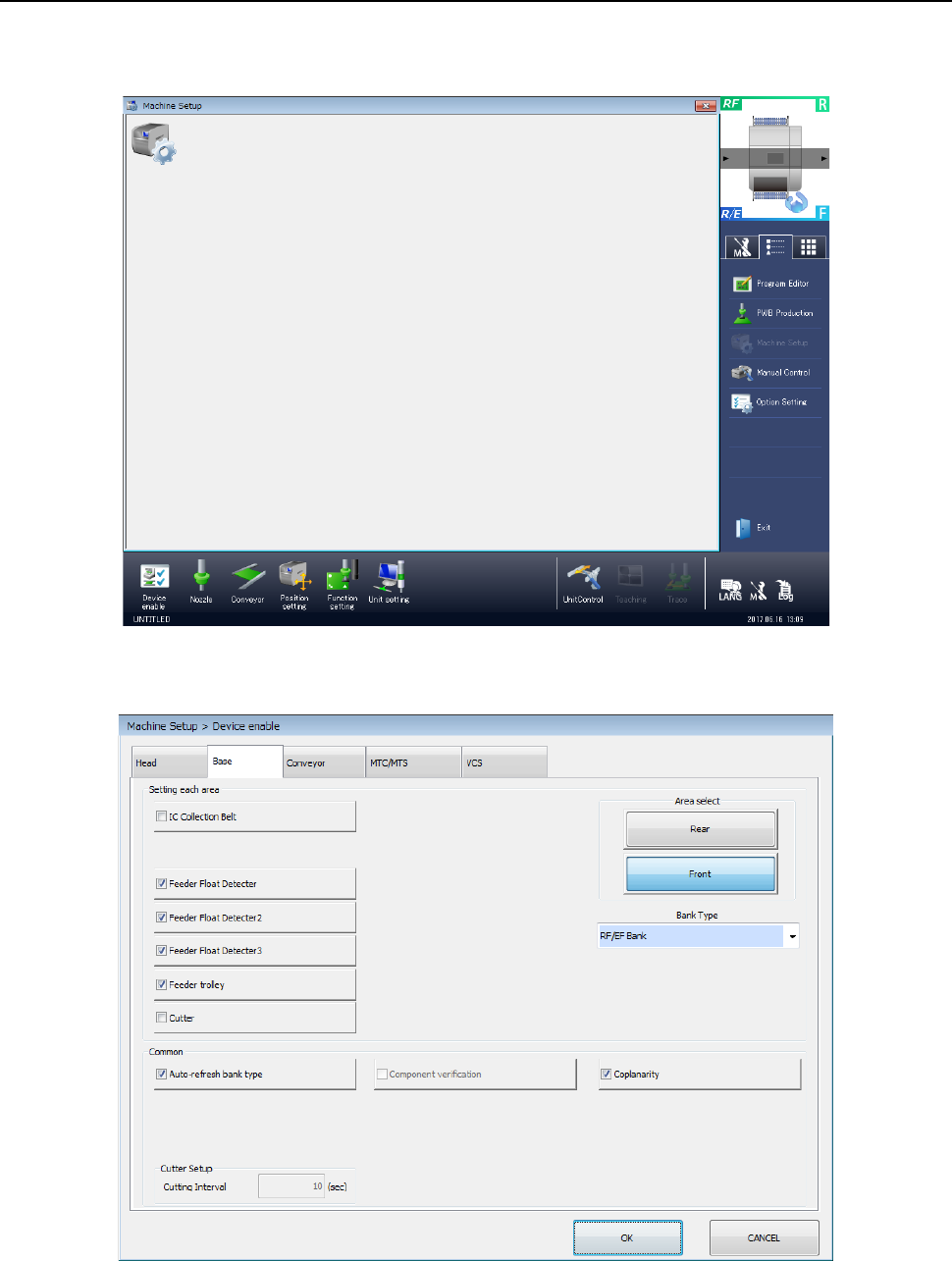
To run a coplanarity check, you have to make the necessary settings on the “Machine Setup”
screen.
Start up the “Machine Setup” utility.
1) Select the “Device enable” icon from the “Machine Setup” screen menu, and then the “Base”
tab on the displayed screen.
Place a checkmark in the “Coplanarity” check box.
When you place a check mark in this check box, the coplanarity unit is enabled.
Part 2 Detailed Description of Each Function Chapter 12 Handling the Optional Devices
12-96
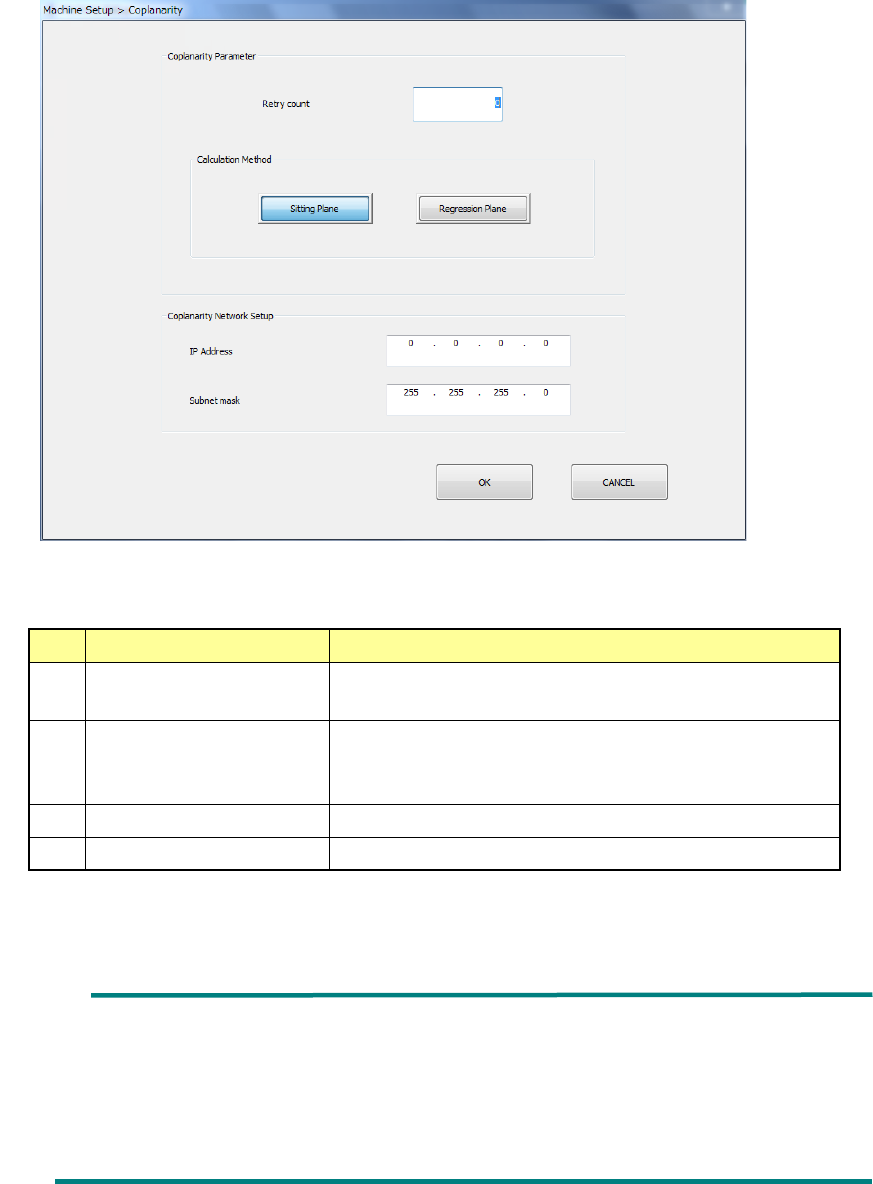
2) Select the “Unit setting” icon from the “Machine Setup” screen menu, and then the
“Coplanarity.”
Specify the menu items “Retry count” and the “Calculation Method.”
No.
Item
Description
1 Retry count Specify how many times to repeat the operation to
obtain coplanarity parameters.
2
Calculation Method
Select the method for calculating the reference plane,
“Sitting Plane” (three-point method) or “Regression
Plane” (least-square method).
3
IP Address
Set the IP address assigned to the coplanarity unit.
4
Subnet mask
Set the subnet mask assigned to the coplanarity unit.
* See Section 8.3.6.8 “Coplanarity” for details
Ball component: Coplanarity is calculated with the least-square
method regardless of the setting of the reference
plane in the “Calculation Method” column.
Unidirectional connector: Only colinearity is calculated with the least-square
method regardless of the setting of the reference
plane in the “Calculation Method” column.
Part 2 Detailed Description of Each Function Chapter 12 Handling the Optional Devices
12-97
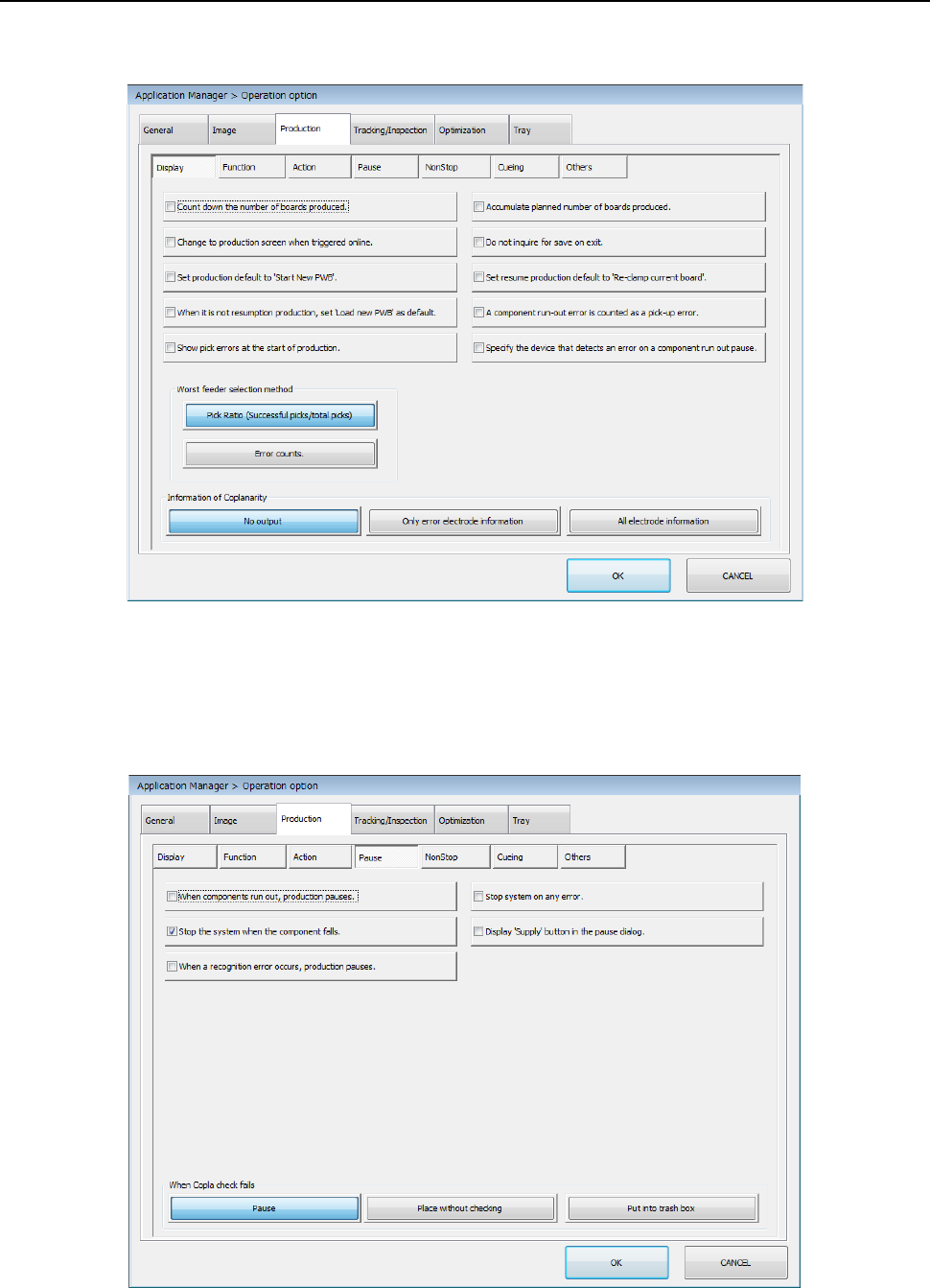
12.14.5 Operation option
Select the “Machine Setup” icon from the menu, and then the [Operation option] command to open
the “Operation option” screen. Next, select the “Production” tab, and then the “Display” tab.
Make a setting of each item.
* See Section 7.4.1 “Display” for details.
Select the “Machine Setup” icon from the menu, and then the [Operation option] command to open
the “Operation option” screen. Next, select the “Production” tab, and then the “Pause” tab.
Make a setting of each item.
* See Section 7.4.4 “Pause” for details.