RS-1_instruction manual.pdf - 第365页
Part 1 B asic O peration Chapter 4 Cr eating a Produc tion Progra m 4- 30 ♦ Mul ti - circuit matrix The order of circuits is t he X - dire ction pitch/ Y - direction pitch f rom the reference circu it. ♦ Mul ti - cir cui…
Part 1 Basic Operation Chapter 4 Creating a Production Program
4-29
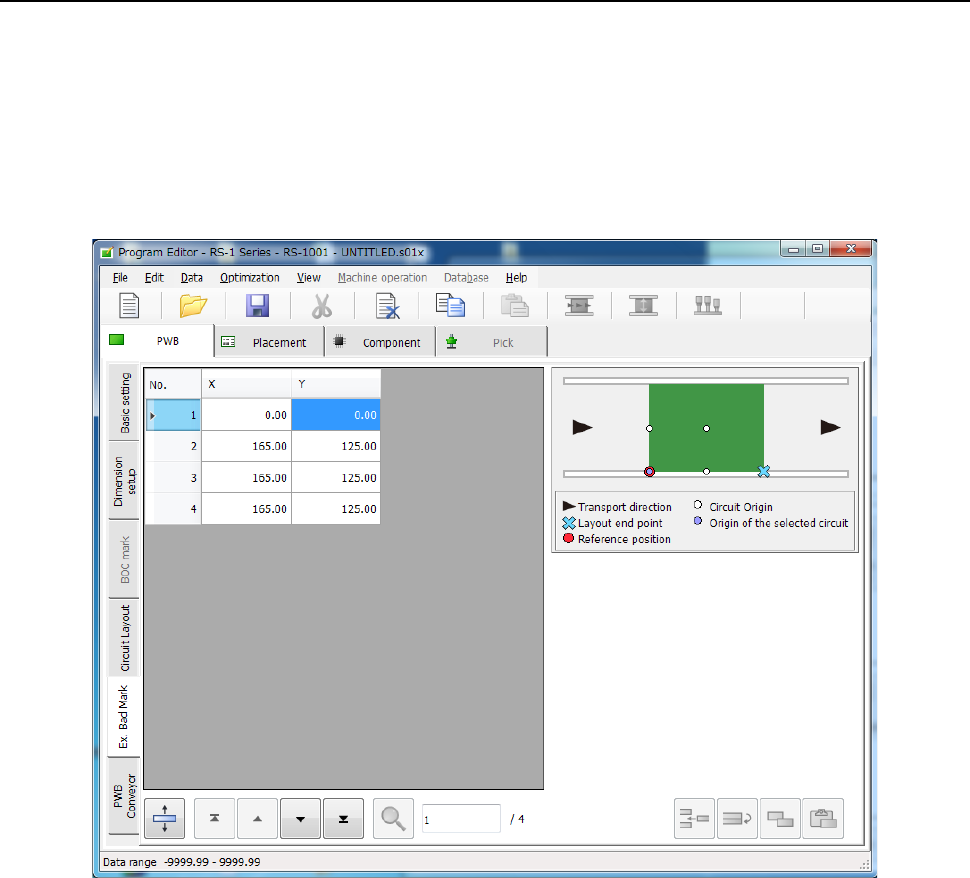
4.3.3.5 “Ex. Bad Mark” screen
For the extended bad mark, enter the "bad mark" position for each circuit from the "PWB reference
position."
Use this mark when the head moving distance for recognition is shortened or a mark cannot be
created in the circuit.
When you use an extended bad mark, enter the coordinates of a bad mark on each circuit.
When you select the “Ex. Bad Mark” tab displayed on the lower left of each “PWB” data screen,
the following screen appears.
Part 1 Basic Operation Chapter 4 Creating a Production Program
4-30
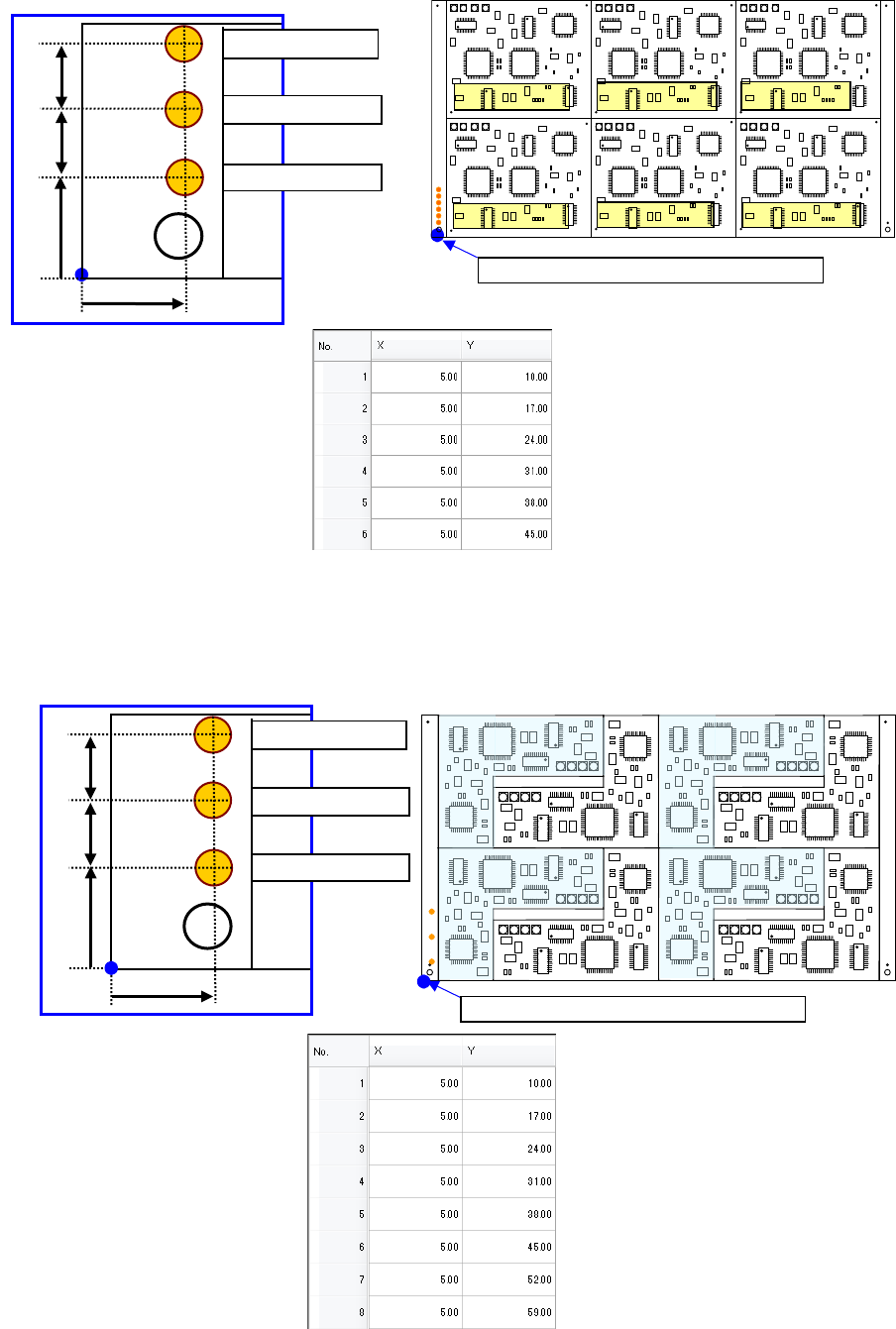
♦ Multi-circuit matrix
The order of circuits is the X-direction pitch/Y-direction pitch from the reference circuit.
♦ Multi-circuit non-matrix
The order of circuits set by circuit arrangement is used.
Circuit No.4
PWB position reference [PWB origin]
Circuit No.1
Circuit No.2
Circuit No.3
Circuit No.5
Circuit No.6
For circuit No.1
For circuit No.3
10mm
7mm
For circuit No.3
5mm
7mm
PWB position reference [PWB origin]
For circuit No.1
For circuit No.3
10mm
7mm
For circuit No.2
7mm
5mm
Part 1 Basic Operation Chapter 4 Creating a Production Program
4-31
4.3.3.6 PWB Conveyor
This tab allows you to make the detailed settings of the conveyor and the support table.
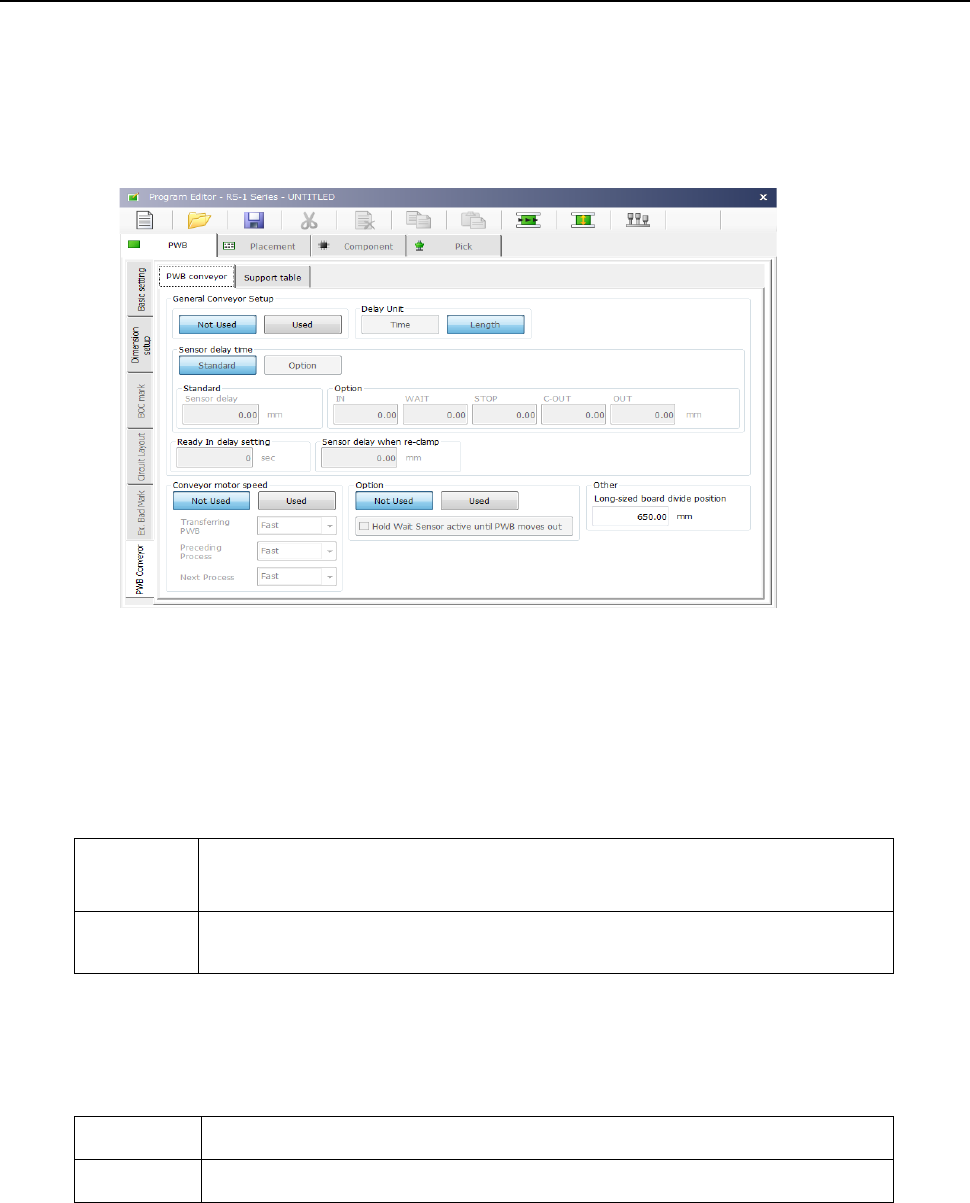
The “PWB Conveyor” screen consists of the “PWB conveyor” tab and the “Support table” tab.
(1) “PWB conveyor” tab
When you select the “PWB Conveyor” tab located at the lower left corner of each “PWB” data
screen, the following screen appears.
The “PWB conveyor” tab consists of the “General Conveyor Setup” group, the “Conveyor motor
speed” group, the “Option” group and the “Other” group.
1) “General Conveyor Setup” group
① Not Used/Used
Select whether to use the data set in the “General Conveyor Setup” group or not.
Not Used
Select this button when you do not use the data in the “General Conveyor
Setup” group.
The system operates according to the settings of the main unit.
Used
Select this button when you use the data in the “General Conveyor Setup”
group.
② Delay Unit
Select the unit for the delay time of the conveyor sensor, “Time” (ms: 1/1000 second) or
“Length” (mm).
Time Select this button to set the unit of the delay time to 1/1000 second (ms).
Length Select this button to set the unit of the delay time to mm.