RS-1_instruction manual.pdf - 第631页
Pa r t 2 D et ail ed D es cr i pti o n of Ea c h F unc t i o n Part 2 Detailed Descripti on of Each Function Chap ter 6 Ge ner al - P urp ose V isi on C om pone nt ................................ . 6-1 Chap ter 7 Op era…
Part 1 Basic Operation Chapter 5 Database
5-9
ReSearch 5.1.4
This [ReSearch] command re-searches the database or permanent information for
Component data, Pick data of a production program to update data of the program.
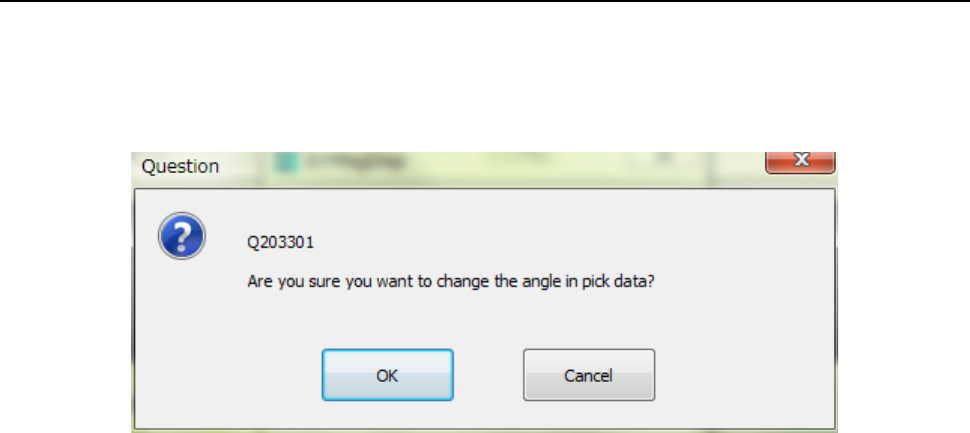
When you click the [ReSearch] command, the message like the one shown below appears
on the screen.
- When you select the <OK> button, the system updates all component pick-up angles.
- When you select the <Cancel> button, the system does not update the angle(s) set in the
Pick data.

Part 2 Detailed Description of Each Function
Part 2 Detailed Description of Each Function
Chapter 6 General-Purpose Vision Component ................................. 6-1
Chapter 7 Operation Option ............................................................... 7-1
Chapter 8 Machine Setup ................................................................... 8-1
Chapter 9 Manual Control................................................................... 9-1
Chapter 10 Machine Management Information .................................. 10-1
Chapter 11 Self-diagnosis Function ................................................... 11-1
Chapter 12 Handling the Optional Devices ........................................ 12-1
Chapter 13 Supplementary Information
for Creating a Production Program.................... 13-1
Part 2 Detailed Description of Each Function Chapter 6 General-Purpose Vision Component
6-1
Chapter 6 General-Purpose Vision Component
General-Purpose Vision Components 6.1
Overview of a general-purpose vision component 6.1.1
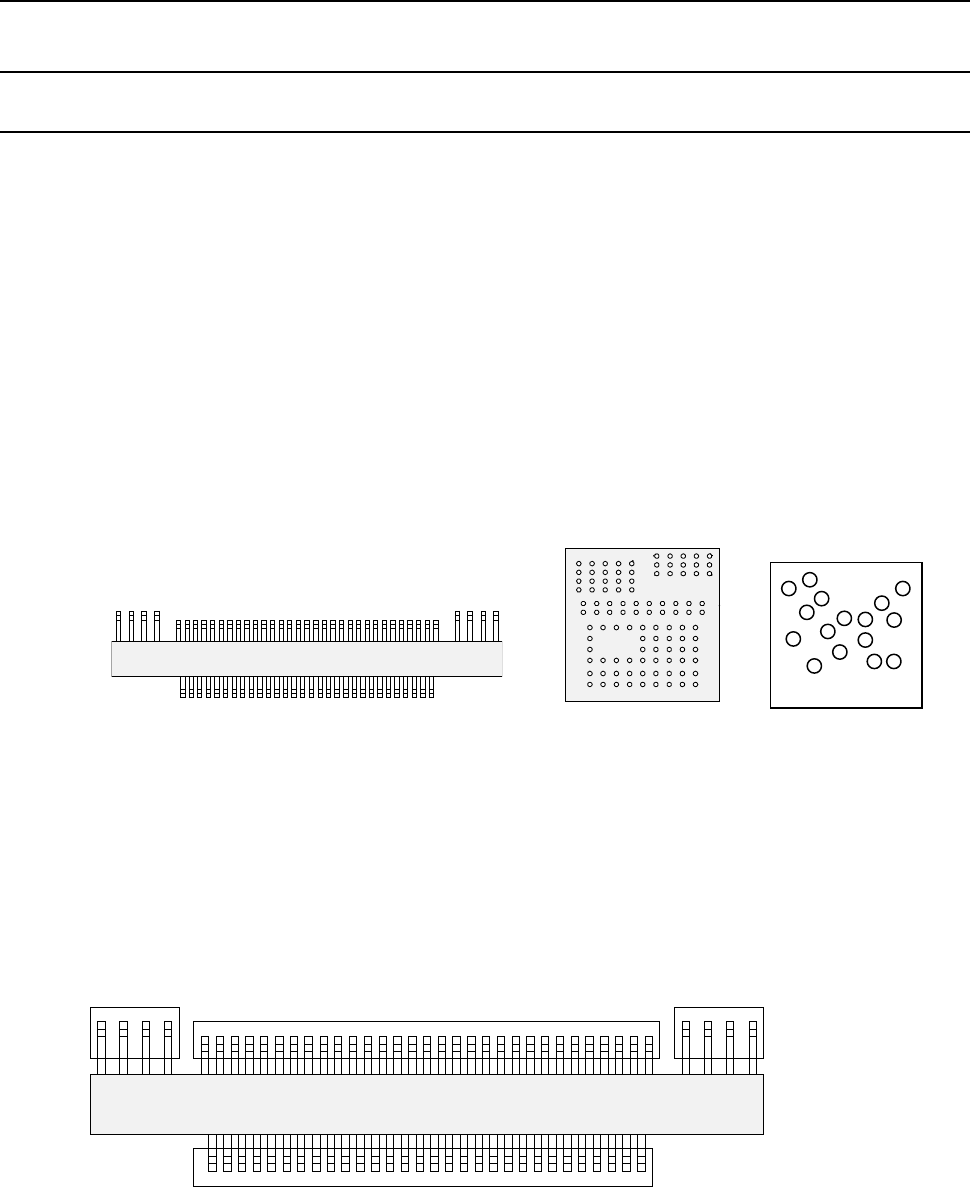
The following types of components are handled as a general-purpose vision component
- Components having multi-pitch leads, components having various sized leads, and
components having leads at not-regulated positions (these components are called
“multi-lead” components.)
- Area array components having two or more arrays (called “complex array components.)
- Components having balls/lands on not-regulated positions (called “random component”.)
- Components having a side or corner (outline-recognition components)
• The components above are classified into the following sub-component types:
− Multi-lead component: Lead component group
− Complex array component and random array components: Ball component group
− Outline-recognition component: Outline-recognition component group
A group of the same recognition elements is called an “element group.” In other words, an
element indicates a lead or a ball, and an element group indicates a group of elements of the
same size (leads or balls).
For a general-purpose vision component, a group of elements that are arranged in the same
manner is handled as one element group. By defining each element group, the system can
obtain the center of the component. A general-purpose vision component shown in Figure
consists of four element groups.
ボール部品類(複合アレイ部品
)
リード部品類(マルチリード部品)
Ball component group
(Complex array component)
Lead component group (Multi-lead component)
トップビュー
Fourth element group
Third element group
Second element group
First element group
Top view
Top view
Bottom view
ランダム配置部品
Random component