RS-1_instruction manual.pdf - 第1045页
Pa r t 2 D et ail ed Des c r i p ti on of Each Function C hapter 1 3 Supp l em en t ar y I nf o rm ati on f or C r eating a Production P rogra m 13 - 22 Getting a mai nten ance l og 13.7.2 Get a m ai ntenanc e l og (op e…
Part 2 Detailed Description of Each Function Chapter 13 Supplementary Information for
Creating a Production Program
13-21
Log tool 13.7
For making a failure analysis, this function records the operation status of the equipment and
stores its result as a file.
If any trouble occurs, get its log (error occurrence history) by the following operations.
Please get the log at once upon occurrence of trouble because the log may not be overwritten if
another operation is continuously performed.
Getting a run time log 13.7.1
A log of the running program is got.
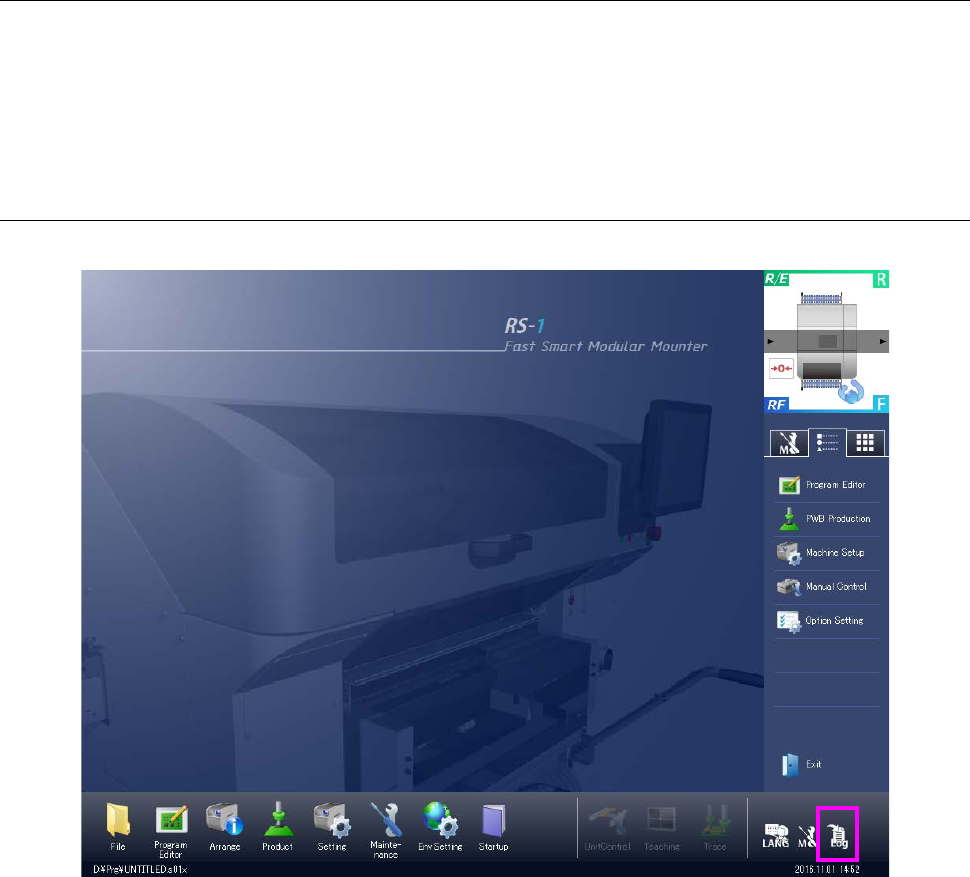
Get log:
Saves a run time log. This log is saved under ¥LOG¥Save according to the following naming
rule.
YYMMDDHHMMSS.log
YY: Year (2 lower digits) MM: Month DD: Day HH: Hour MM: Minute SS: Second
Part 2 Detailed Description of Each Function Chapter 13 Supplementary Information for
Creating a Production Program
13-22
Getting a maintenance log 13.7.2
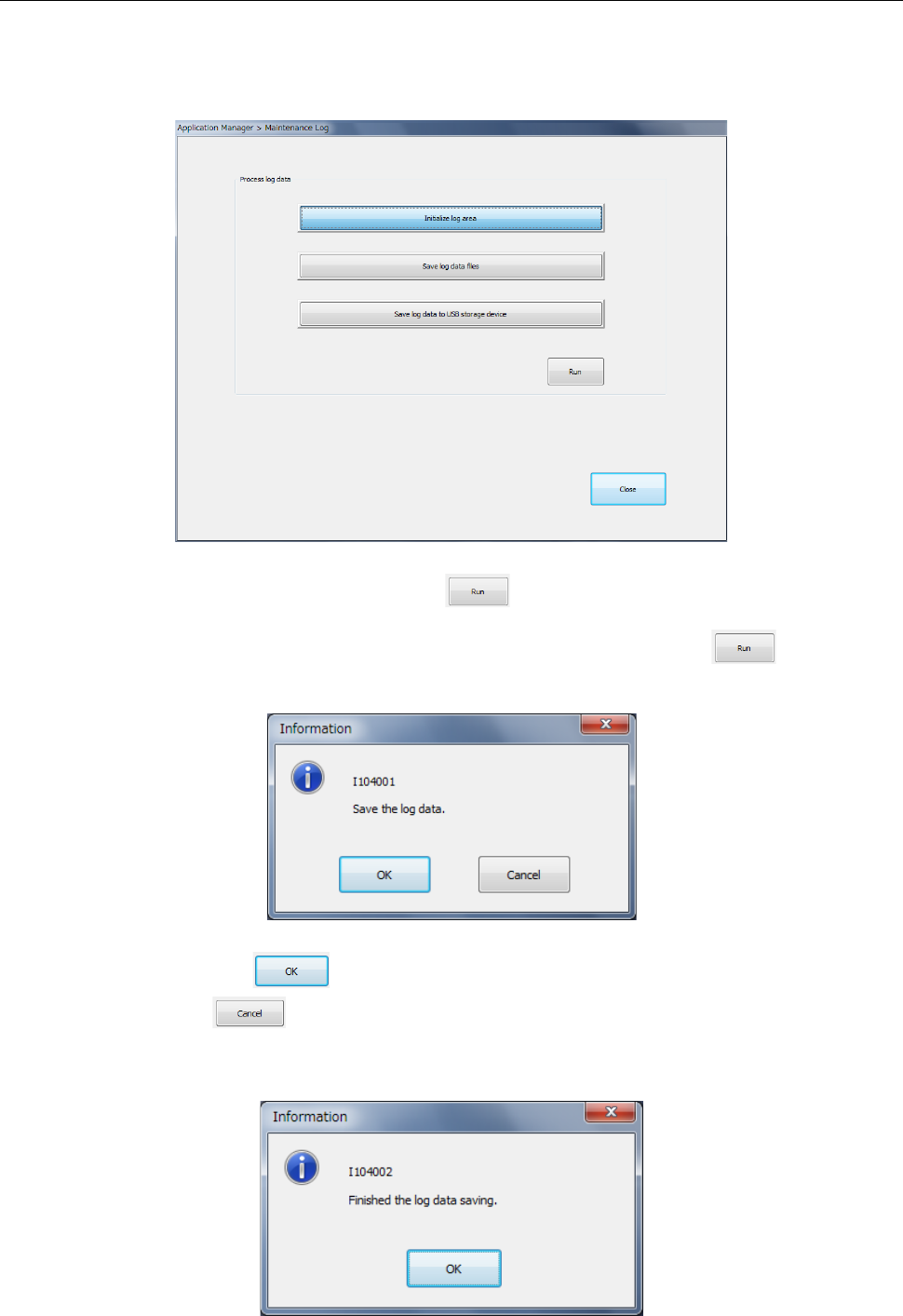
Get a maintenance log (operation log/event log).
Select [Maintenance log] in the “Maintenance” menu.
The log is initialized or saved into a file.
Select <Initialize log area> and press the button. Then, the contents of the existing
log are cleared.
Select <Save log data files> or <Save log data into USB> and press the button.
Then, the verification message is displayed.
When you press the button, saving is executed.
If you press the button, the data is not saved and the system is returned to the
previous status. After saving is completed, a message is displayed
(Folder for saving a log: D:¥JUKI¥LOG¥MaintLog)

Appendix
Glossary ........................................................... A-1