RS-1_instruction manual.pdf - 第811页
Part 2 D etaile d Descript ion of E ach Functi on Chapter 9 M anual Control 9- 39 9.6.8 Cutter control When you se lect [Other ] – [ Cutter control] in the menu, t he cutter cont rol dialo g appears. Select an oper ation…
Part 2 Detailed Description of Each Function Chapter 9 Manual Control
9-38
9.6.7 Component verification
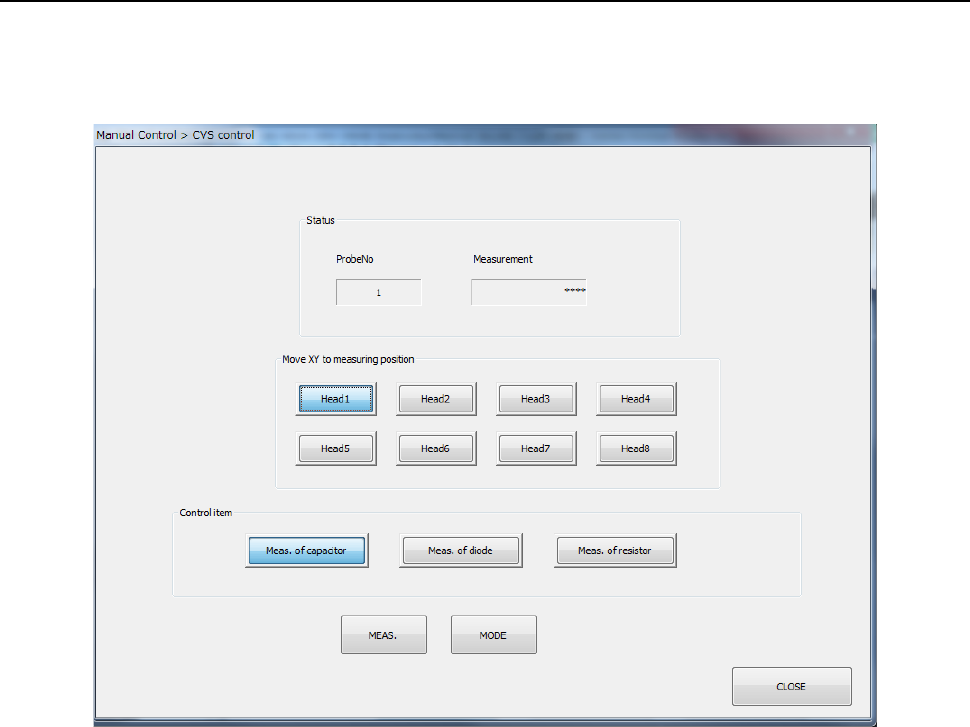
When you select the [CVS control] command from the “Other” menu, the dialog box for indicating
the servo condition appears on the screen.
This dialog box is displayed only when the machine is equipped with a CVS option.
(1) Status
The measurement result is displayed here after measurement finishes.
(2) Move XY to measuring position
The head specified with one of these buttons is moved in the XY direction.
(3) Control item
Select the desired control item with the corresponding radio button.
1) Meas. Capacitor
The capacity of a capacitor component is measured. Press the [MEAS.] button and
the [MODE] button for control.
2) Meas. of diode
The polarity of a diode component is measured. Press the [MEAS.] button and the
[MODE] button for control.
3) Meas. of resistor
The resistance value of the resistor component is measured. Press the [MEAS.]
button and the [MODE] button for control.
Part 2 Detailed Description of Each Function Chapter 9 Manual Control
9-39
9.6.8 Cutter control
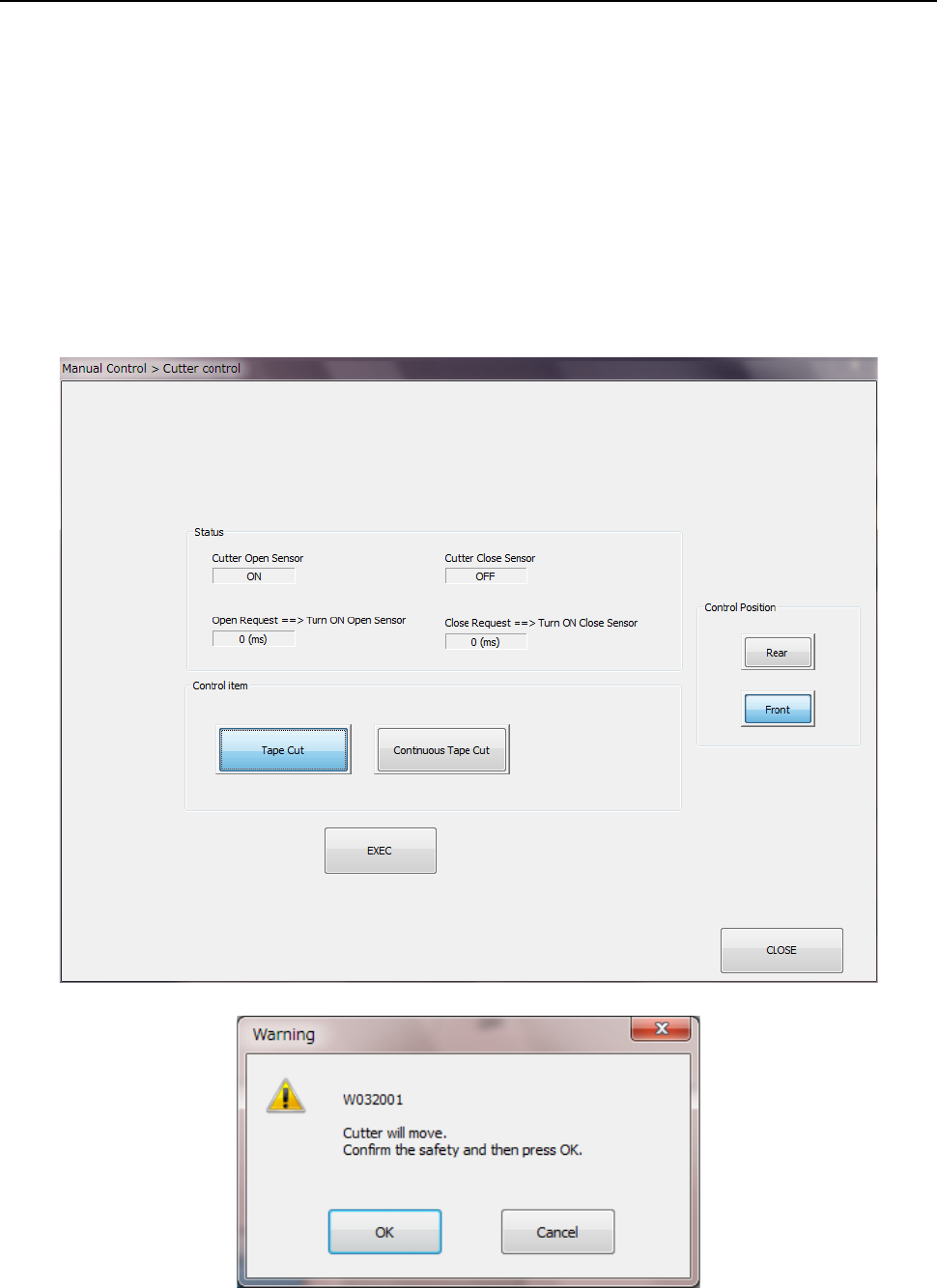
When you select [Other] – [Cutter control] in the menu, the cutter control dialog appears. Select
an operation by the radio button (“Tape cut” or “Continuous tape cut”) of the control item and press
the <EXEC> button. When you press the <EXEC> button, the inquiry dialog is displayed. Them,
press the <OK> button to start the operation.
The sensor status of the cutter unit and the sensor reaction time are displayed in the status
display.
To stop the continuous tape cut operation, press the <Stop> button.
Any cutter operation cannot be performed under the following conditions:
- When the cover of the main unit opens,
- When the main unit is stopping in emergency situations and/or
- When the MTS is stopping in emergency situations.
Part 2 Detailed Description of Each Function Chapter 9 Manual Control
9-40
9.6.9 VCS control
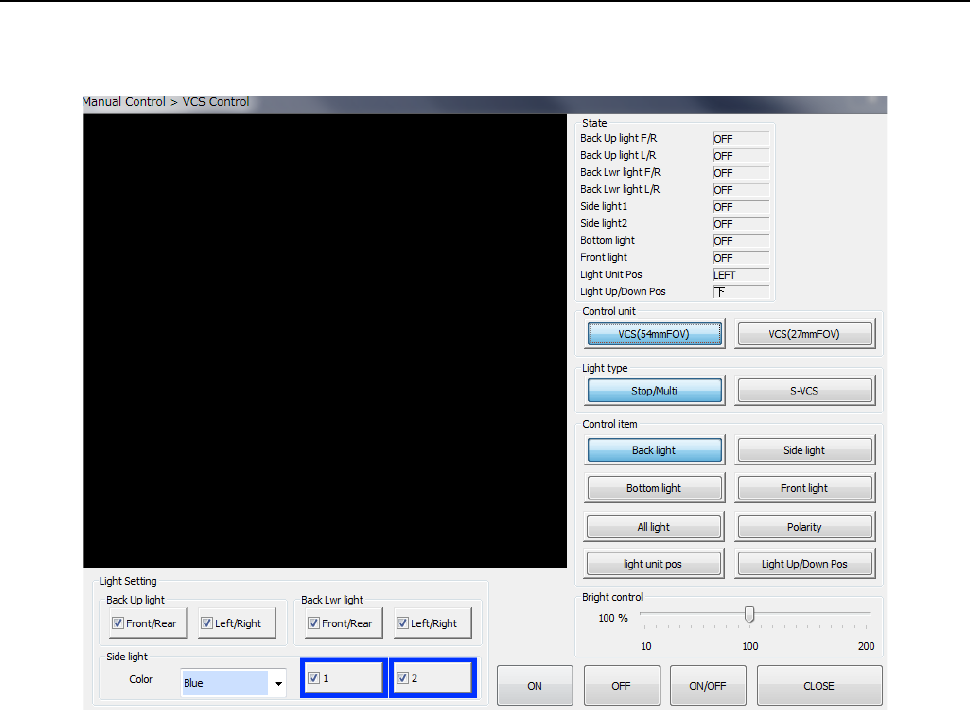
When you select [Image] – [VCS control] in the menu, the “VCS control” dialog appears. You can
select any desired bank-side unit control by the “Select device” button.
(1) Status
The status of each unit is displayed at completion of control.
(2) Control unit
Select a control target by radio button.
You cannot select any unit that is set (not mounted) by MS parameter. This has no effect
on the setting by “Device enable” in Machine setup.
(3) Light type
Select a light type by radio button. The light type to be controlled and the brightness vary
depending on the light type.