RS-1_instruction manual.pdf - 第167页
Part 1 B asic O peration Chapter 2 Pr oduction 2- 56 No. Menu item Description 1 Head Shows the he ad number . 2 T otal pick ed Shows how m any times the he ad picked up com ponents. (“Cmp. picked” + “Pick Error”) 3 Cmp.…
Part 1 Basic Operation Chapter 2 Production
2-55
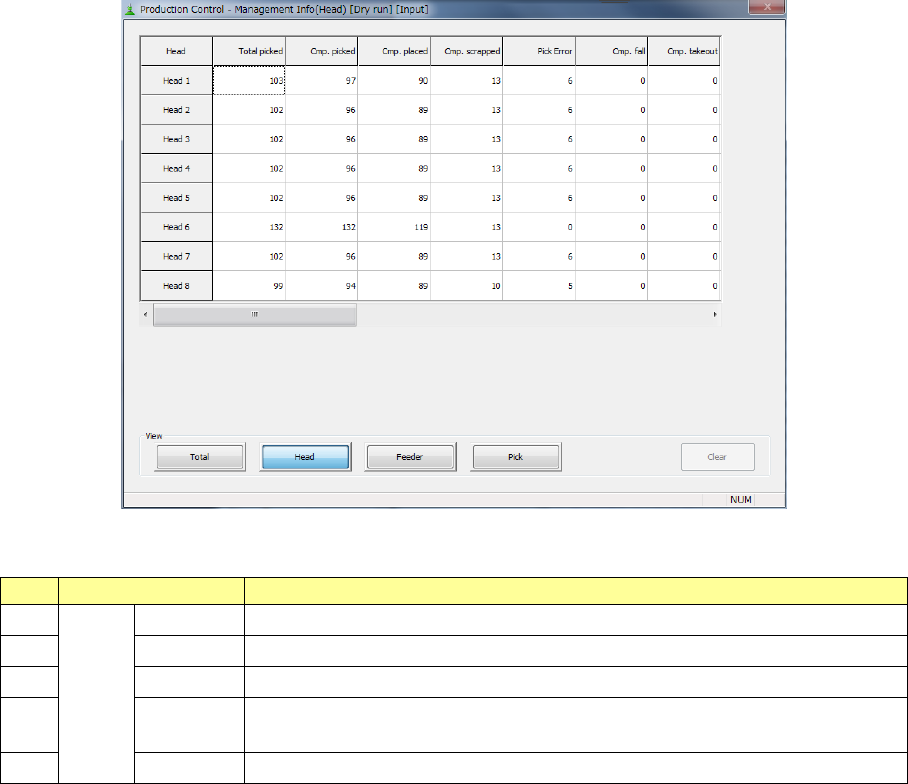
2) Management Info (Head)
The production management information per head is displayed.
“View” allows you to change the displayed management information.
No.
Menu item
Description
1
View
Tot al
Shows the total management information.
2
Head
Shows the production management information per head.
3 Feeder Shows the production management information per feeder.
4
Pick Sorts the component pick-up rates at each component supplied position and
shows them.
5
Clear
Clears the production management information.
Part 1 Basic Operation Chapter 2 Production
2-56
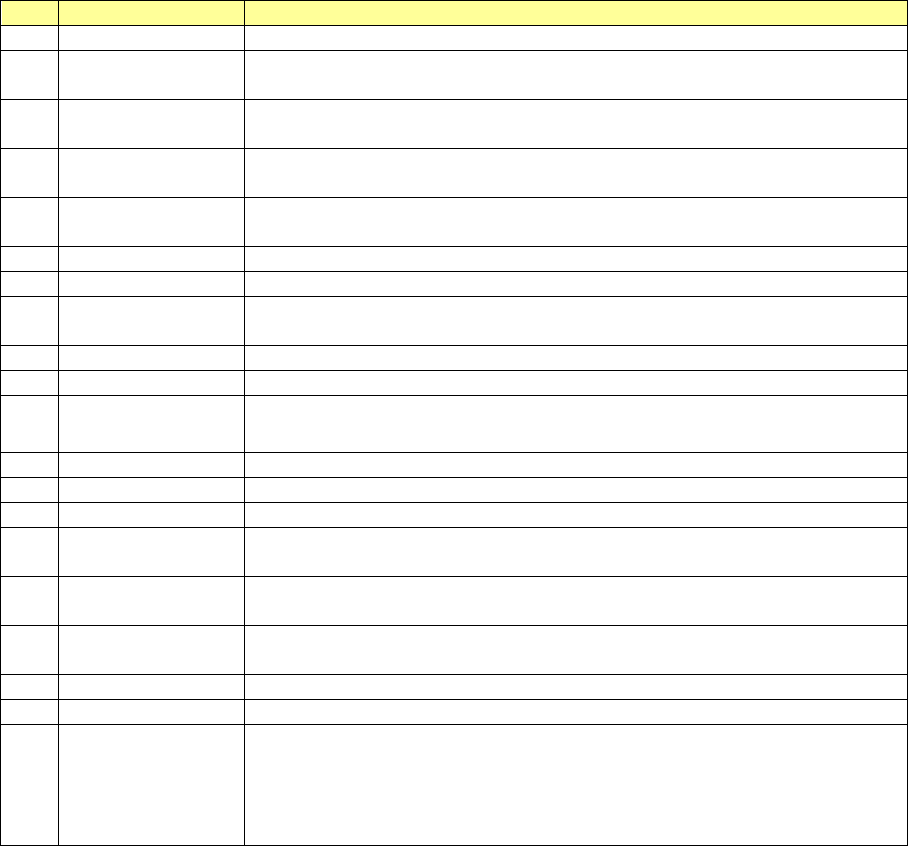
No.
Menu item
Description
1
Head
Shows the head number.
2 Total picked
Shows how many times the head picked up components.
(“Cmp. picked” + “Pick Error”)
3 Cmp. picked
Shows the number of components that were picked up with the head
successfully.
4 Cmp. placed
Shows the number of components that were placed on boards with the head
successfully.
5 Cmp. scrapped
Shows the number of components that were lost with the head.
(“Total picked” – “Cmp. placed”)
6
Pick Error
Shows how many times the head failed to pick up a component.
7
Cmp. fall
Shows how many picked components fell until they were placed on boards.
8 Cmp. takeout
Number of components taken back when components are placed and the nozzle
is raised.
9
LA recognition
Shows how many times a laser recognition retry over error occurred at the head.
10
Irregular dimensions
Shows how many times the system detected an irregularly shaped component.
11 Tombstone
Shows how many times the system judged that a component picked up by the
head stood on its side.
12
Posture
Shows how many times a component posture error occurred.
13
Laser angle error
Shows how many times a laser angle error occurred.
14
Vision Recog.
Shows how many times an image recognition error occurred.
15 Copla error
Shows the number of components whose lead float error or ball height error was
detected with the coplanarity unit.
16 Verify error
Shows how many times the system judged that a verify error, an SOT error or a
component direction error occurred.
17 Lead
Shows how many times the system judged that a lead bend error occurred during
component recognition.
18
Wrong Pick Pos
Shows how many times a wrong pick position error occurred.
19
Cmp. Remove
Shows how many times components were discarded.
20 Other error
Shows how many times the system judged that an error other than those above
occurred.
On RS-1/1R, count as other errors in the following cases.
- Vision Under the multi recognition, the bottom of the component can not be
within the recognition height range.
Part 1 Basic Operation Chapter 2 Production
2-57
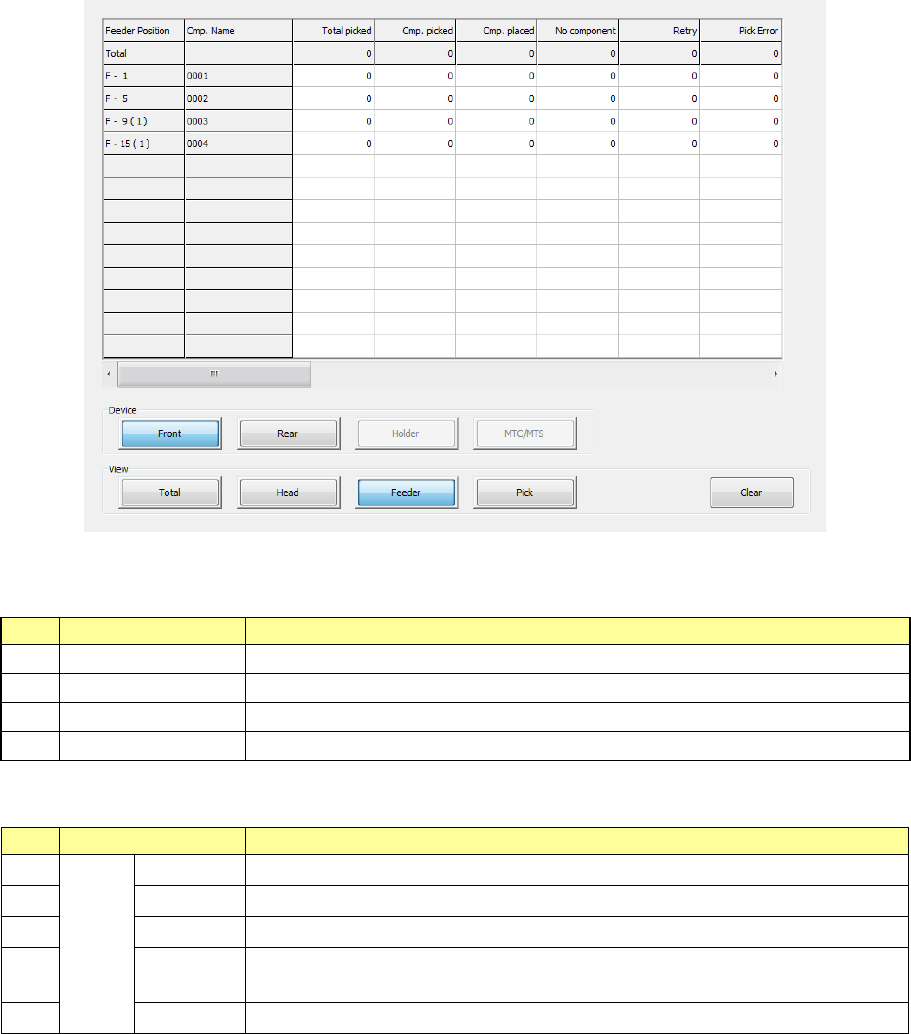
3) Management Info (Feeder)
The production management information per feeder is displayed.
When you select “Front” as the “View Bank,” the following screen appears.
“View Bank” allows you to select a bank on which a component is located to be displayed in the list
of the screen.
No.
Menu item
Description
1
Front
Shows only components set on the front bank.
2
Rear
Shows only components set on the rear bank.
3
Holder
Shows only components set on the holder or the DTS.
4
MTC/MTS
Shows only components set on the MTC or the MTS.
“View” allows you to change the displayed management information.
No.
Menu item
Description
1
View
Tot al Shows the total management information.
2
Head
Shows the production management information per head.
3
Feeder
Shows the production management information per feeder.
4
Pick Sorts the component pick-up rates at each component supplied position and
shows them.
5
Clear
Clears the production management information.