RS-1_instruction manual.pdf - 第271页
Part 1 B asic O peration Chapter 2 Pr oduction 2- 160 If the f eeder bank mo ves down When the fee der bank mo ves down during PWB pr oductio n, the system stops the c urrent production t emporari l y an d displays t he …
Part 1 Basic Operation Chapter 2 Production
2-159
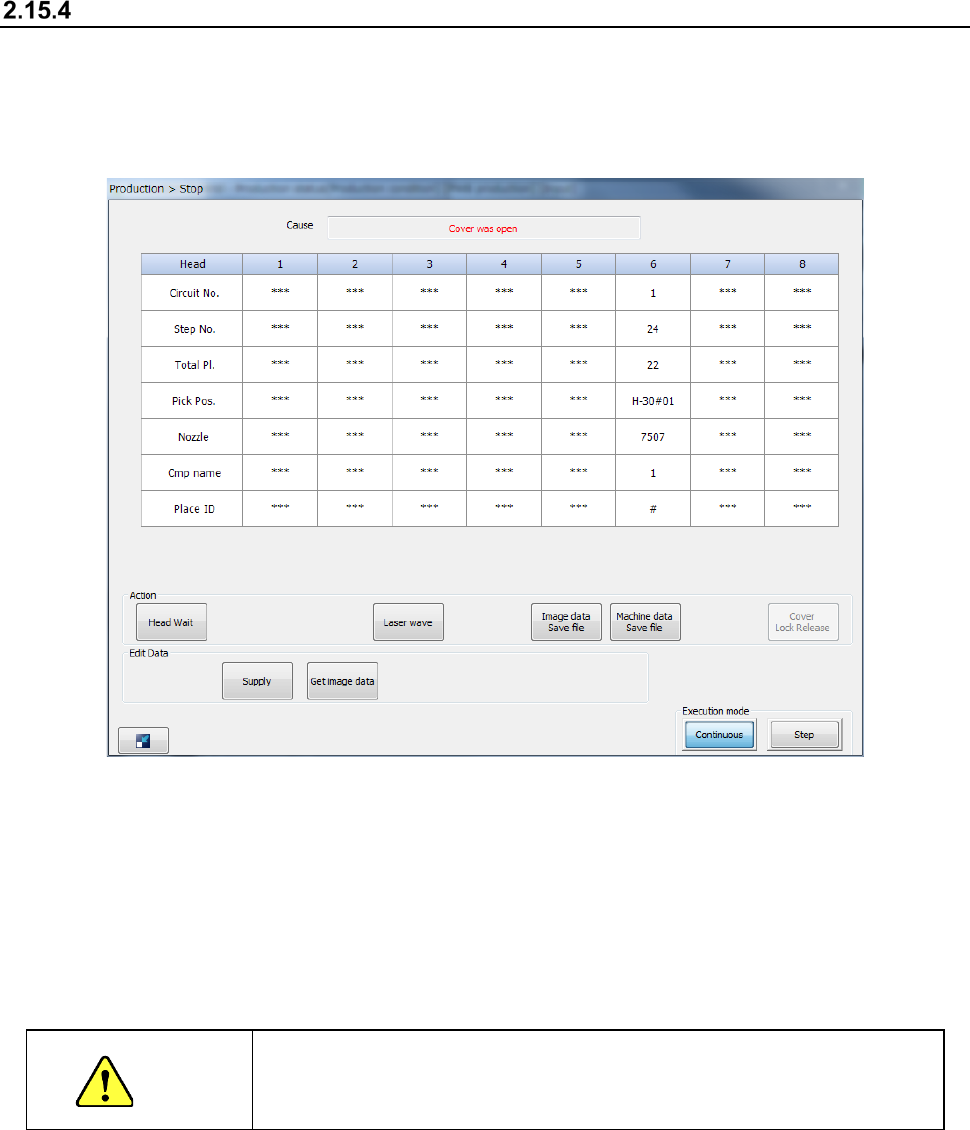
If the cover is opened (“Cover was open” error)
The protection cover is locked during PWB production in User mode, and you cannot open the
protection cover.
When you open the protection cover during PWB production in Maintenance mode, the following
“Stop” screen appears, and the system is put in the Pause state.
When you press the <START> switch while the protection cover is opened in Maintenance mode,
the system restarts the suspended production at low speed. You cannot restart the suspended
production while the protection cover is opened in User mode.
When you press the <STOP> switch, the system displays the message for aborting the production
to abort the current PWB production.
See Section 2.15.1 “If an error occurs” for details.
CAUTION
PWB production with the protection cover open is very dangerous.
Never put your hand or face in the machine nor move either one closer
to the machine.
Part 1 Basic Operation Chapter 2 Production
2-160
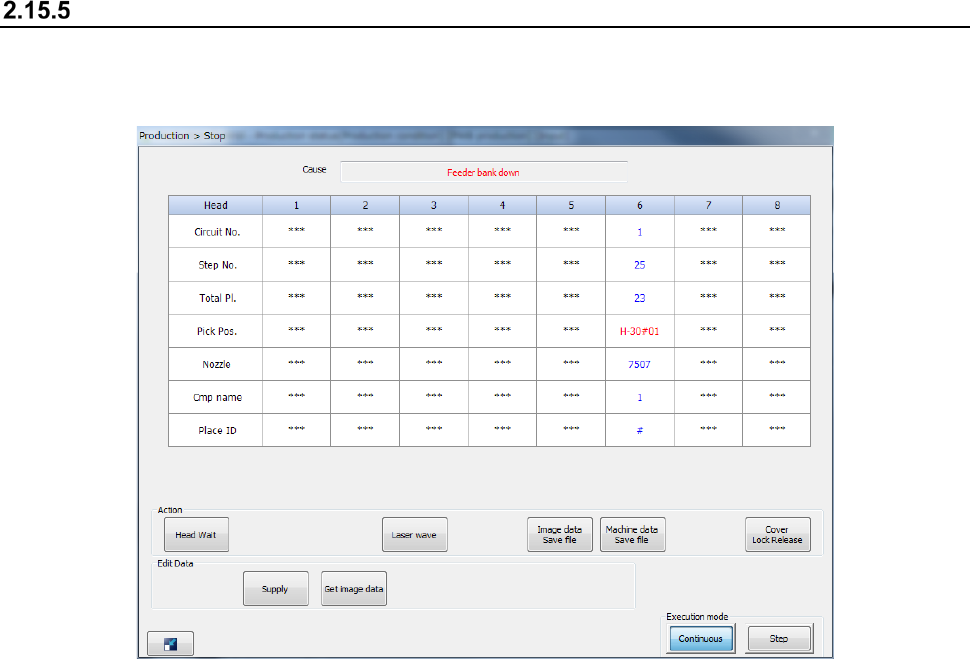
If the feeder bank moves down
When the feeder bank moves down during PWB production, the system stops the current
production temporarily and displays the “Stop” dialog box.
When the feeder bank is moved down, the system cannot start/restart production.
To start/restart production, set the feeder exchange trolley correctly and move up the feeder bank.
Then, press the <START> switch.
Note that when you press the <STOP> button while this dialog box is being displayed, the system
starts aborting the current production.
See Section 2.15.1 “If an error occurs” for details.
Part 1 Basic Operation Chapter 2 Production
2-161
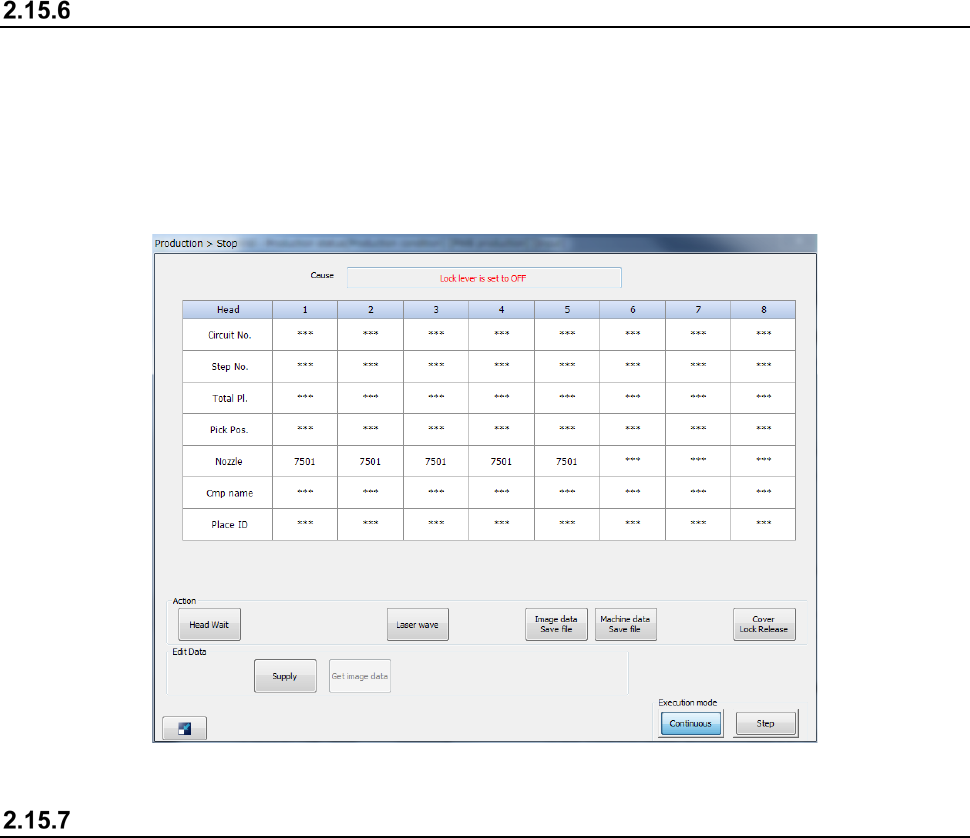
If the feeder is inserted or removed
When the feeder is removed during production, the production is paused and the Stop screen
appears as the feeder may interfere with the head during insertion or removal of the feeder.
Note that even though you remove the RF feeder in Feeder insertion/removal mode, the production
is not paused.
See the corresponding description of Section 2.15.12 “Feeder insertion/removal mode” for details of
Feeder insertion/removal mode.
If a feeder floating error is detected
If the system detects a feeder floating error, it immediately aborts the current PWB production due to
this error. If it detects a feeder floating error while the axis is operating, the servo mechanism is
turned off. To restart the suspended PWB production, the servo mechanism has to be locked.
If the system detects a feeder floating error, you cannot restart the suspended production even
though you press the <START> switch.
To restart the suspended production, set the feeder exchange trolley correctly again, and then press
the <START> switch.
See Section 2.15.1 “If an error occurs” for details.