RS-1_instruction manual.pdf - 第130页
Part 1 B asic O peration Chapter 2 Pr oduction 2- 19 - Pass- t hroug h mode When you clic k the <STO P> button, t he Pas s - Thro ugh mode is term inated, and the current s creen is switched t o the Pass - Th rough…
Part 1 Basic Operation Chapter 2 Production
2-18
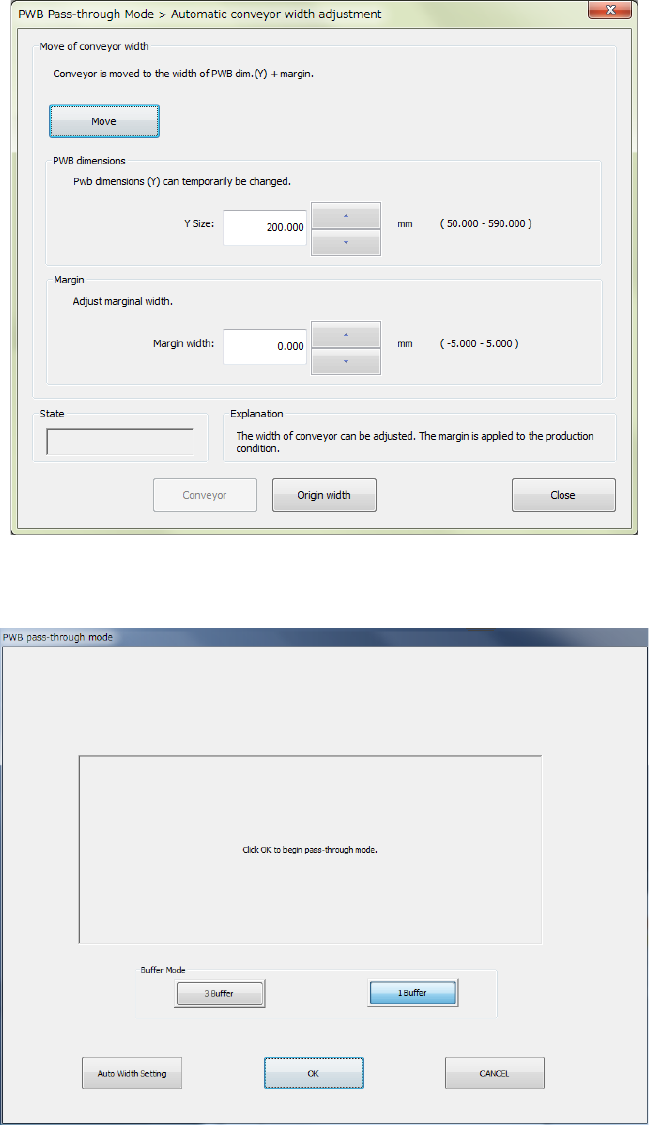
When you select the <Yes> button, the “Automatic conveyor width adjustment” screen appears.
The <Move> button allows you to adjust the conveyor width.
After you adjust the conveyor width, or after you press the <No> button on the “Information” dialog
box, the Pass-Through mode start screen appears.
When you click a desired buffer mode from between <3 Buffer> and <1 Buffer> and click the <OK>
button, the following screen appears, and the conveyor belt starts rotating when a PWB reaches the
sensor of the conveyor.
When you select the <Auto Width Setting> button, the “Automatic conveyor width adjustment”
screen appears to allow you to change the conveyor width.
Part 1 Basic Operation Chapter 2 Production
2-19
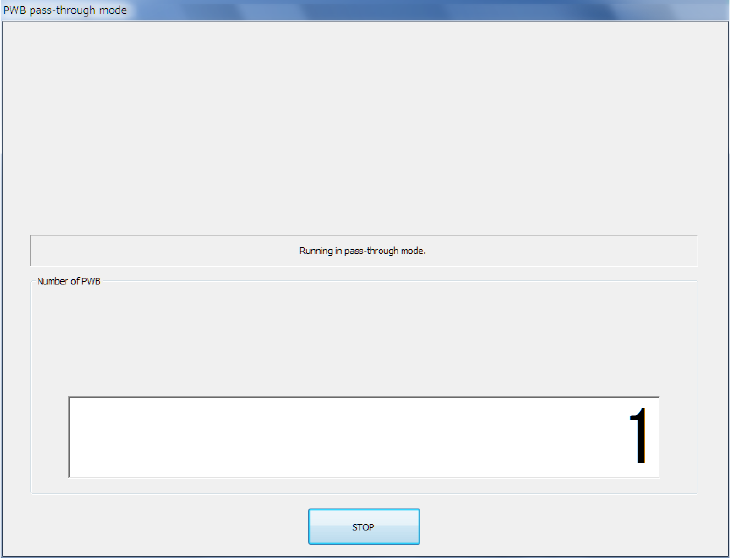
- Pass-through mode
When you click the <STOP> button, the Pass-Through mode is terminated, and the current screen
is switched to the Pass-Through mode start screen. In this case, if you start Pass-Through mode
again, the number of PWBs that have passed through is accumulated.
Part 1 Basic Operation Chapter 2 Production
2-20
2.6 File Operations
You have to open a production program file to produce PWBs.
You can save data that you changed on the “Production” screen or production management
information also.
Opening a file (to load a file)
This function loads a production program file already created into the system.
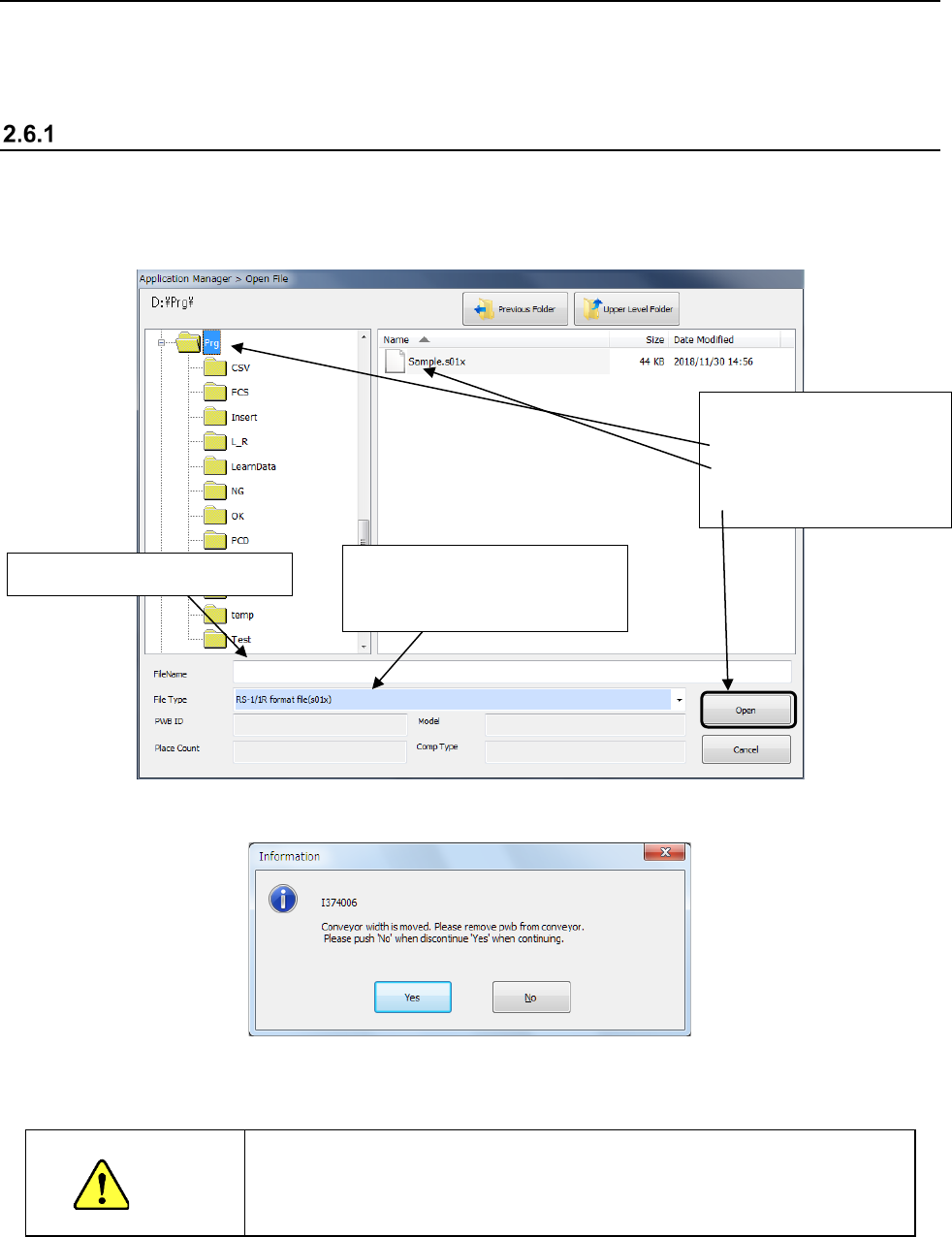
When you click the “File” button on the menu, then the [Open] command, the following dialog box
appears on the screen.
Select the desired file, and click the <Open> button. The selected file is loaded into the system.
Next, the following message appears on the screen.
When you click the <Yes> button, the “Automatic conveyor width adjustment” screen appears.
CAUTION
When you select the <Move> button on the “Automatic conveyor width
adjustment” screen, the conveyor starts operating. Be sure to check
to see if there is no substance on the conveyor movable section before
selecting this button.
* See Section 2.12.1.2 “Automatic PWB width adjustment” for details of an automatic PWB
width adjustment device.
<Procedure>
① Select a folder.
② Select a file.
③ Click the <Open> button.
The selected file name appears here.
To open a file created with another
machine, specify the model name
(file format) here.