RS-1_instruction manual.pdf - 第806页
Part 2 D etaile d Descript ion of E ach Functi on Chapter 9 M anual Control 9- 34 9.6.4 Other sen sors When you se lect [Other ] – [Other sensor ] in the m enu, t he other sensor d i alog appe ars. The status o f each se…
Part 2 Detailed Description of Each Function Chapter 9 Manual Control
9-33
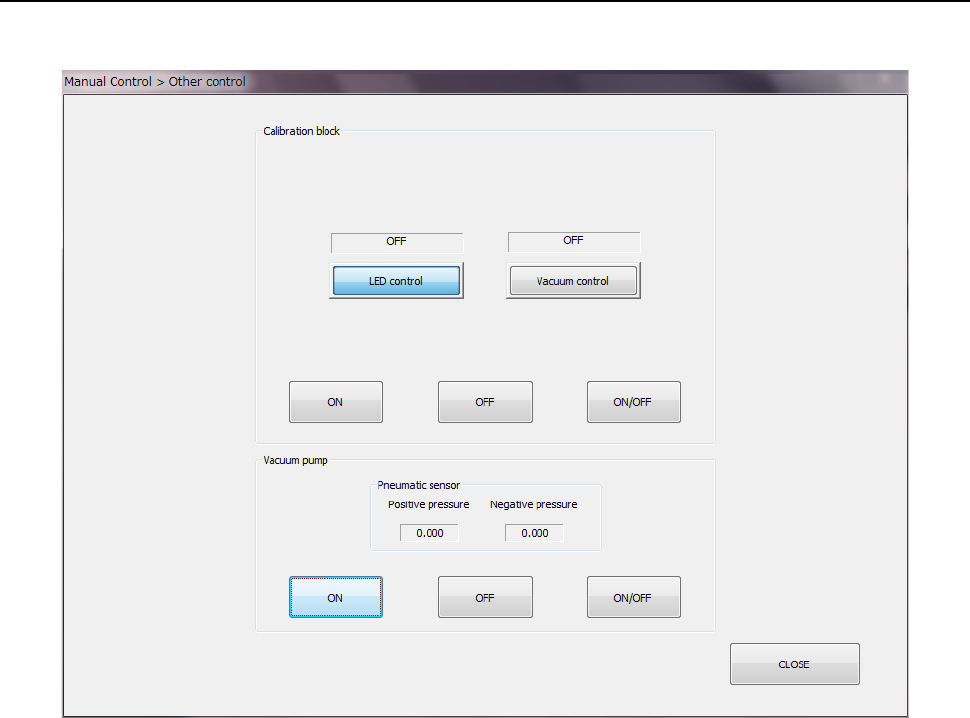
9.6.3 Other control
When you select [Other] – [Other control] in the menu, the other control dialog appears.
(1) Calibration block
Select a control item by radio button and press the <ON> button, <OFF> button, or
<ON/OFF> button on the “Calibration block” side for control.
1) LED control
The LED ON/OFF operation is controlled.
2) Vacuum control
The vacuum ON/OFF operation is controlled.
(2) Vacuum pump
Press the <ON> button, <OFF> button, or <ON/OFF> button on the “Vacuum pump”
“Ejector” side for control.
Part 2 Detailed Description of Each Function Chapter 9 Manual Control
9-34
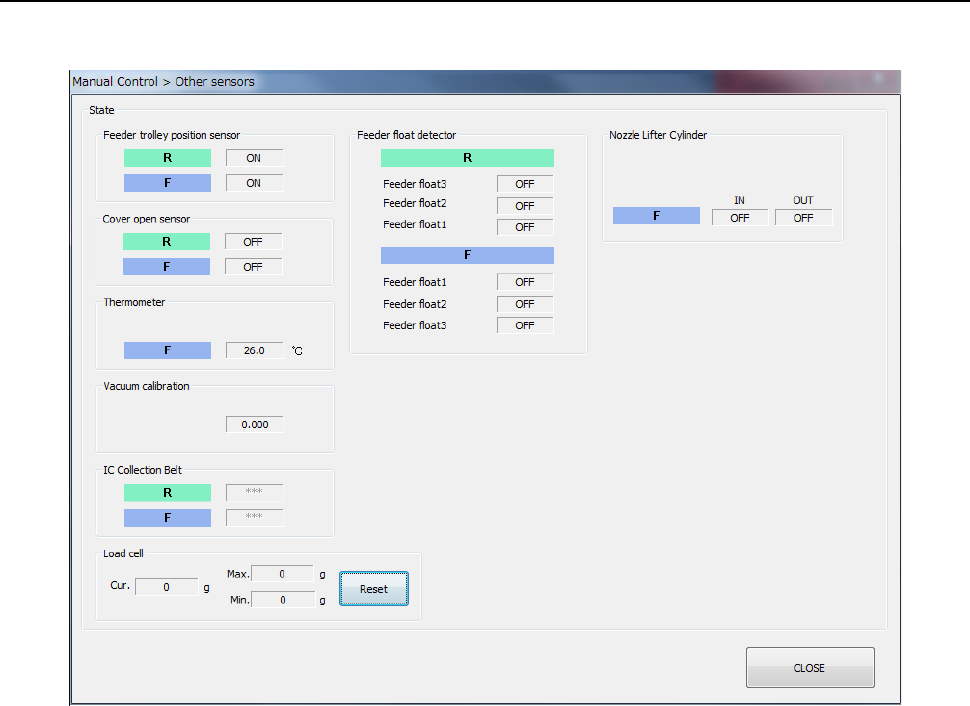
9.6.4 Other sensors
When you select [Other] – [Other sensor] in the menu, the other sensor dialog appears.
The status of each sensor is displayed.
This has no effect on the setting in “Device enable” in Machine setup.
(The status of a sensor that is not checked off (not used) is also displayed.)
In the sensor status display, the status is read and displayed continuously.
Part 2 Detailed Description of Each Function Chapter 9 Manual Control
9-35
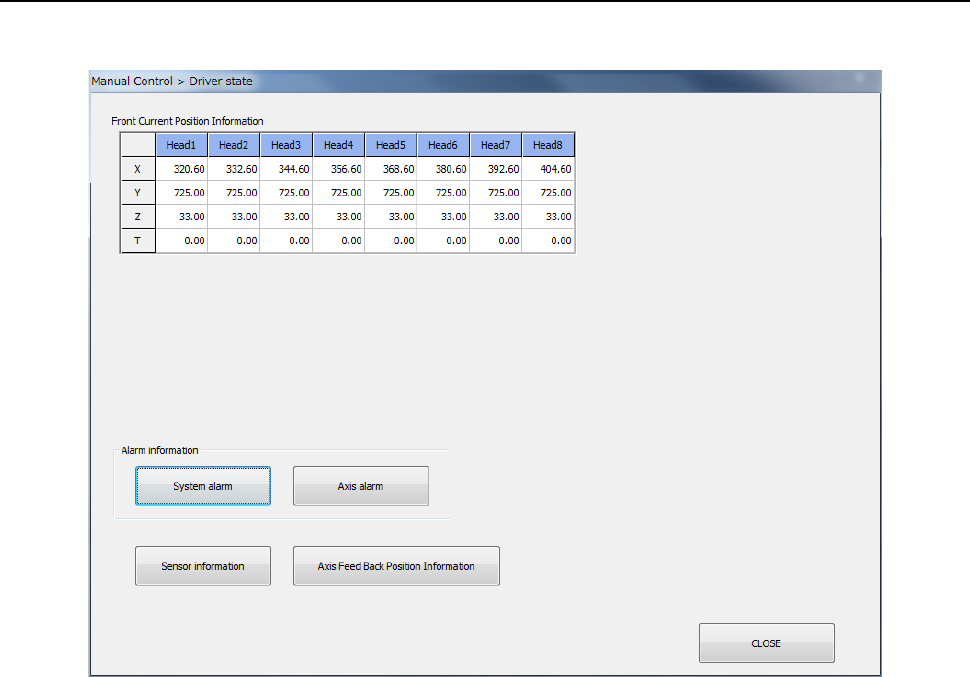
9.6.5 Driver status
When you select [Other] – [Driver status] in the menu, the driver status dialog appears.
(1) Current position information
The coordinates of the current position of each axis and its rotation angle are displayed.
This has no effect on the setting in “Device enable” in Machine setup. The status of units
that are not checked off (not used) is also displayed.
(2) Sensor information
When you press the <Sensor information> button, the sensor information is displayed. Its
details will be described later.
(3) Axis feedback position information
When you press the <Axis feedback position information> button, the axis feedback position
information is displayed. Its details will be described later.