RS-1_instruction manual.pdf - 第450页
Part 1 B asic O peration Chapter 4 Cr eating a Produc tion Progra m 4- 115 3) For the side light The light cont rol data (sid e l ight) sc reen allo ws you to set the input value of t he side light . The light cont rol d…
Part 1 Basic Operation Chapter 4 Creating a Production Program
4-114
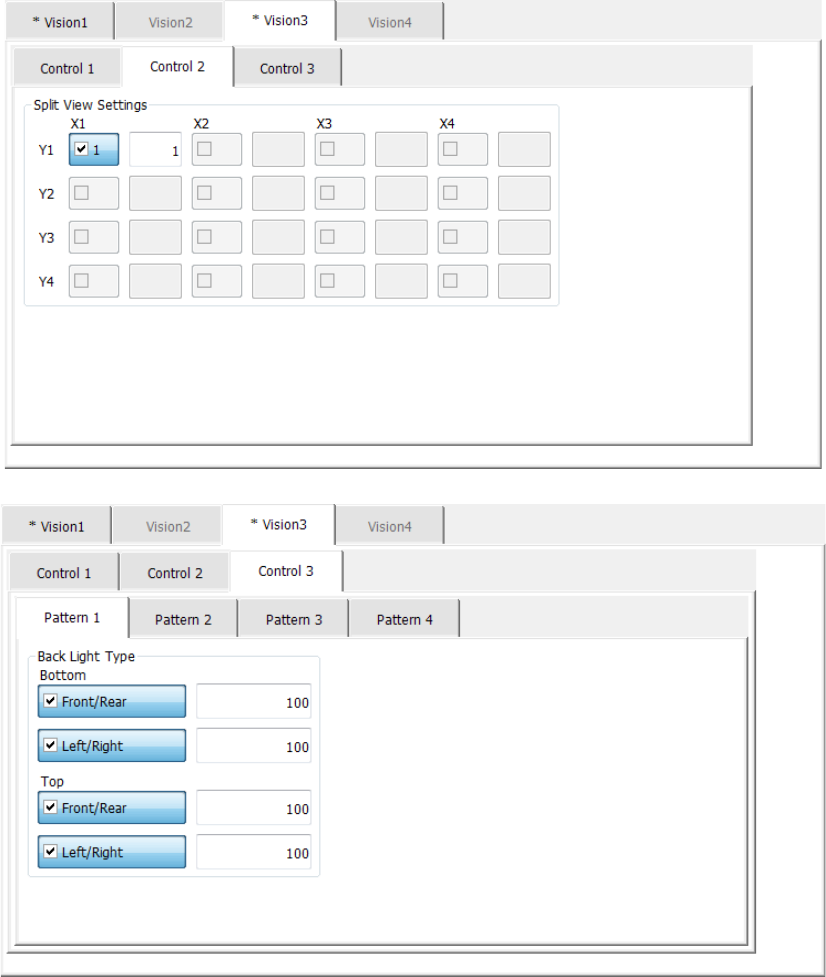
2) For the back light
The light control data (back light) screen allows you to set the input value of the back light.
The light control data (back light) screen is shown below.
Part 1 Basic Operation Chapter 4 Creating a Production Program
4-115
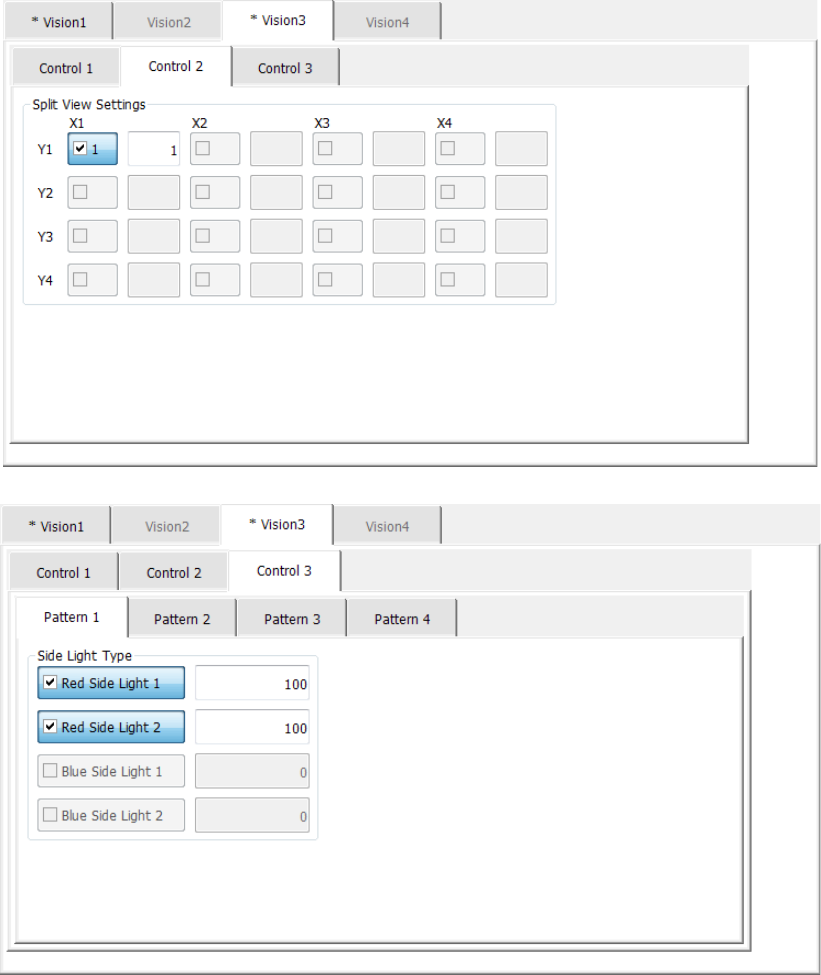
3) For the side light
The light control data (side light) screen allows you to set the input value of the side light.
The light control data (side light) screen is shown below.
When you select “Side lights” as the “Light type” and “Red” as the “Light style,” the “Blue
Side Light” check boxes are disabled. In the same manner, when you select “Blue” as the
“Light style,” the “Red Side Light” check boxes are disabled.
When you select the <OK> button, the settings of the light control data are enabled.
When you select the <Cancel> button, the settings of the light control data are disabled.

Part 1 Basic Operation Chapter 4 Creating a Production Program
4-116
The menu items displayed on the “Control 2” tab and those on the “Control 3” tab are shown
in the table below.
Menu items Description
“Split View Settings” check boxes
Select the corresponding check box for dividing an image of a
component in the desired way.
“Split View Settings” light patterns Enter the light pattern number.
Light pattern check box
Select a check box when you use the light enabled according the
settings of the “Light type” and “Light style.”
- For the bottom light
You can select the check boxes: “Same Axis Light,” “Bottom Light,”
“Red Side Light 1” and “Red Side Light 2.”
- For the back light
You can select the check boxes: “Front/Rear” and “Left/Right” on
the “Bottom” and “Front/Rear” and “Left/Right” on the “Top.”
- For the side light
You can select the check boxes: “Red Side Light 1,” Red Side
Light 2,” “Blue Side Light 1” and “Blue Side Light 2.”
Light pattern control level
Enter the control level of the light enabled according to the settings of the
“Light type” and the “Light style.”
The input range is from 10 to 200 %.