RS-1_instruction manual.pdf - 第617页
Part 1 B asic O peration Chapter 4 Cr eating a Produc tion Progra m 4- 282 7) Recognizing a bad m ark with the OCC (if the syste m fails to obta in a thresho ld value) If the syst em fails to obta in a thresho l d valu e…
Part 1 Basic Operation Chapter 4 Creating a Production Program
4-281
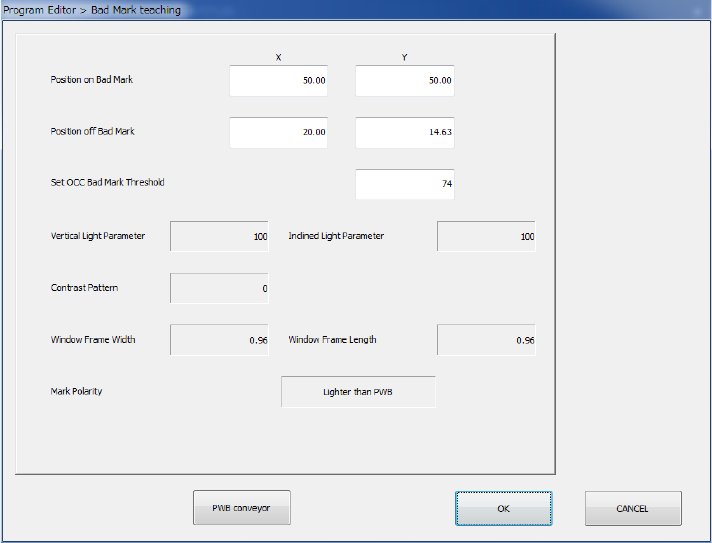
6) Result of teaching of a bad mark
A threshold value is obtained and each setting value for recognizing a bad mark is displayed
on the screen with teaching operation that recognizes a bad mark with the OCC.
For the menu item “Set OCC Bad Mark Threshold” field on the “Bad Mark teaching” screen,
the system recognizes a “Position on Bad Mark” and a “Position off Bad Mark” by teaching
operation to obtain a threshold value. Then, values obtained during this recognition
operation are entered in the following fields: “Vertical Light Parameter,” “Inclined Light
Parameter,” “Contrast Pattern,” “Window Frame (Width, Length)” and “Mark Polarity.”
Part 1 Basic Operation Chapter 4 Creating a Production Program
4-282
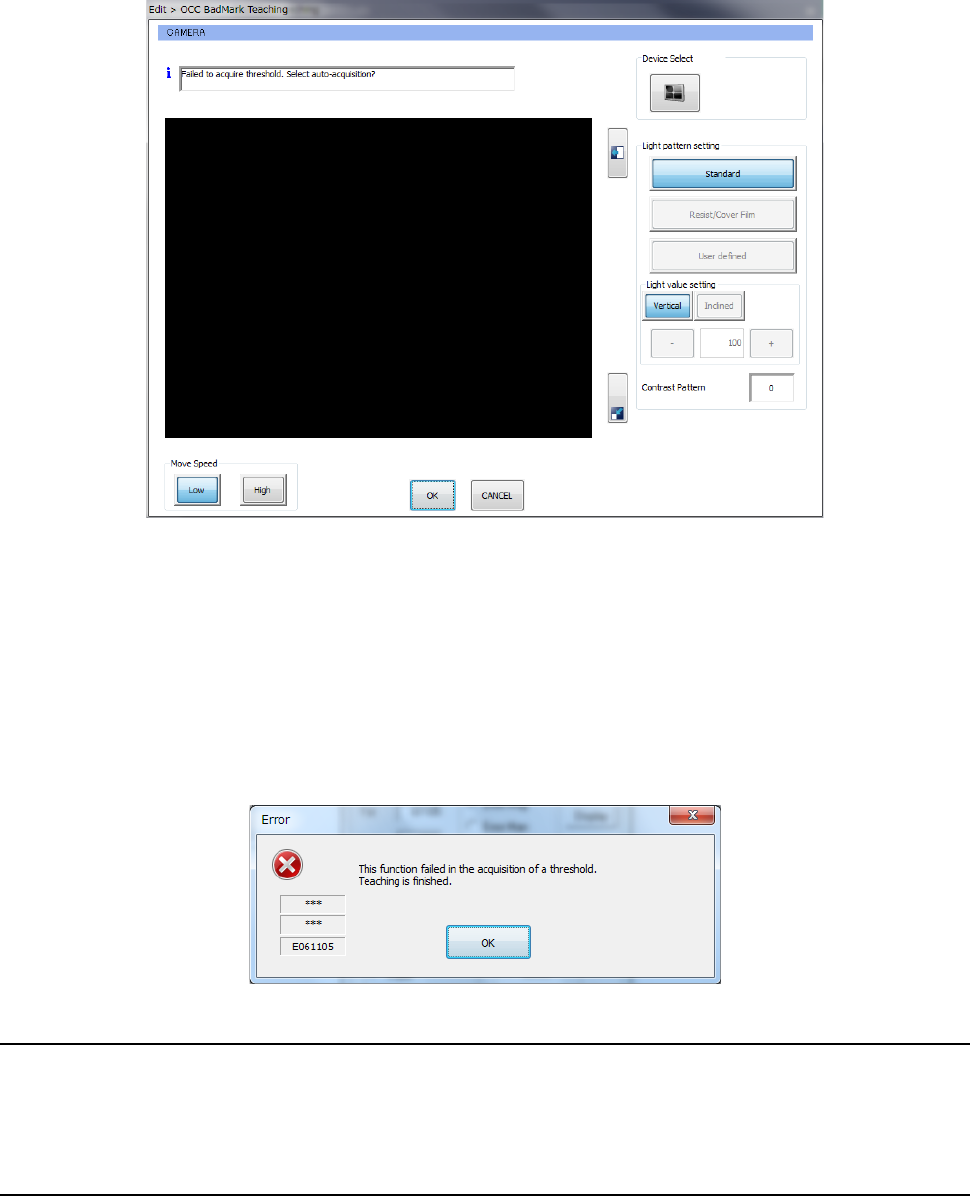
7) Recognizing a bad mark with the OCC (if the system fails to obtain a threshold value)
If the system fails to obtain a threshold value during teaching to recognize a bad mark with
the OCC, the message “Failed to acquire threshold Select auto-acquisition?” appears on
the screen.
① When you press the <OK> button, the system tries to obtain a threshold value
again.
② When you press the <CANCEL> button, the system finishes obtaining a threshold
value.
8) If the system fails to recognize a bad mark with the OCC (to obtain a threshold value
automatically)
If the system fails to recognize a bad mark to obtain a threshold value automatically
during teaching, the following message appears on the screen.
4.5.7.8 Single verification (option)
This command attaches the specified component on the head and compares information on the
resistor, the capacitor and the polarity set in a program (Component data) with the actual one to
check them. See Section 2.12.3 “Verify check (optional)” for details.
4.5.7.9 Continuous verification (option)
This command attaches the component that satisfies the specified conditions on the head and
compares information on the resistor, the capacitor and the polarity set in a program (Component
data) with the actual one to check them. See Section 2.12.3 “Verify check (optional)” for details.
Part 1 Basic Operation Chapter 4 Creating a Production Program
4-283
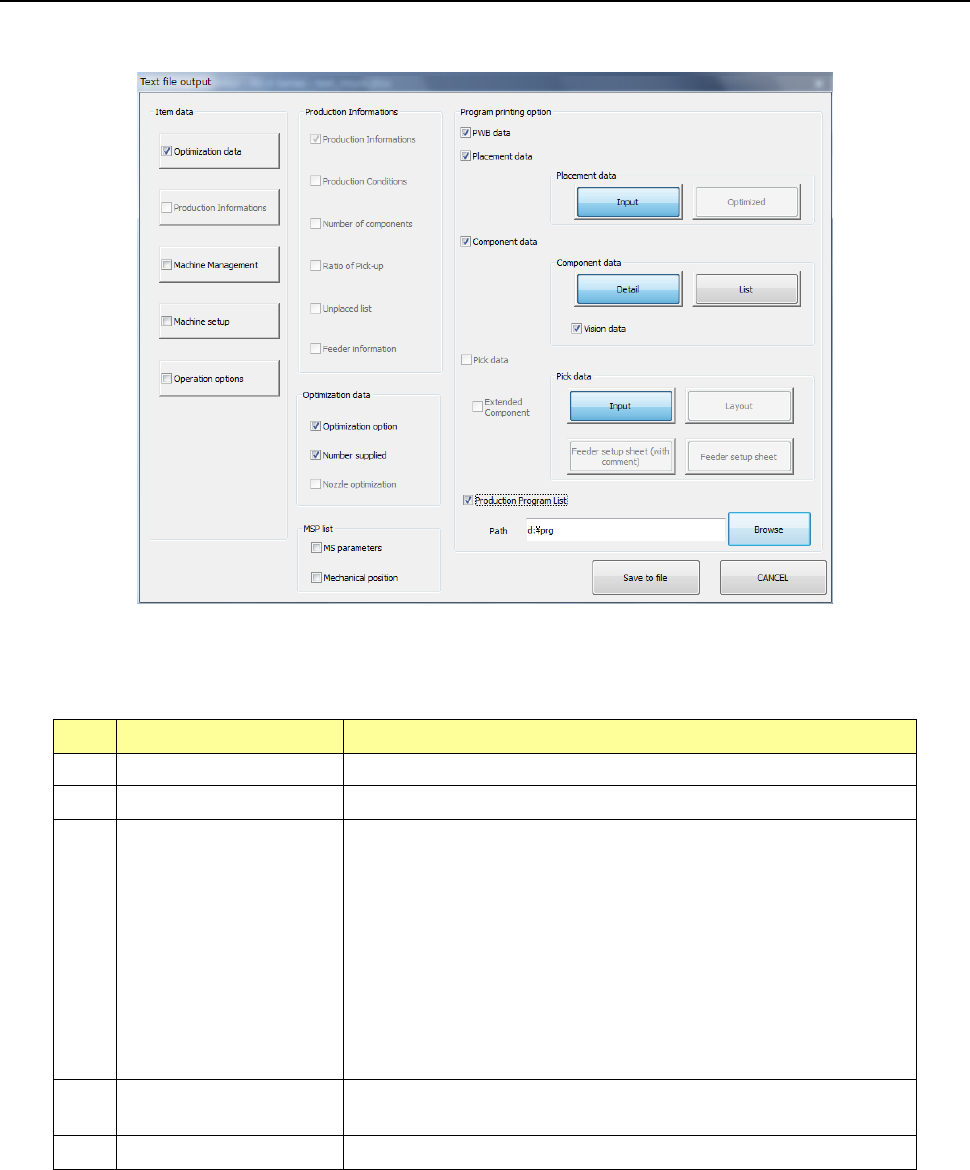
4.6 Save to file
When you select the “File” button from the menu, and then the [Save to file] command, the “Text
file output” main dialog box opens.
(1) Item data
Select item data to be output with checking the corresponding button.
No. Item Description
1 Optimization data Outputs optimization data.
2 Production Information Outputs the production management information.
3 Machine Management
Outputs the operation condition of the following devices:
- Machine operation information
- Each nozzle operation information
- Each head operation information
- Light operation information
- Other devices operation information
- Application operation information
- Recognition/inspection information
4 Machine setup
Outputs information on the setting made with the machine
independently.
5 Operation options Outputs the settings of the Operation options.