RS-1_instruction manual.pdf - 第93页
Part 1 B asic O peration Chapter 1 Overv iew of the Machine 1- 75 ③ At th is poin t, the “ Questi on ” dialog b ox appears o n the scree n if any product ion program is not saved yet. (See Sectio n 1. 9 .1 “ New ” for t …
Part 1 Basic Operation Chapter 1 Overview of the Machine
1-74
Operating a File
This section describes how to operate the “File” menu.
This Section describes the items other than “management of control data.”
See Section 13.2 “Managing the Control Data” for “management of control data.”
New
To create a new file, select the “File” button from the main menu, and then the [New] command.
The system initializes production program data.
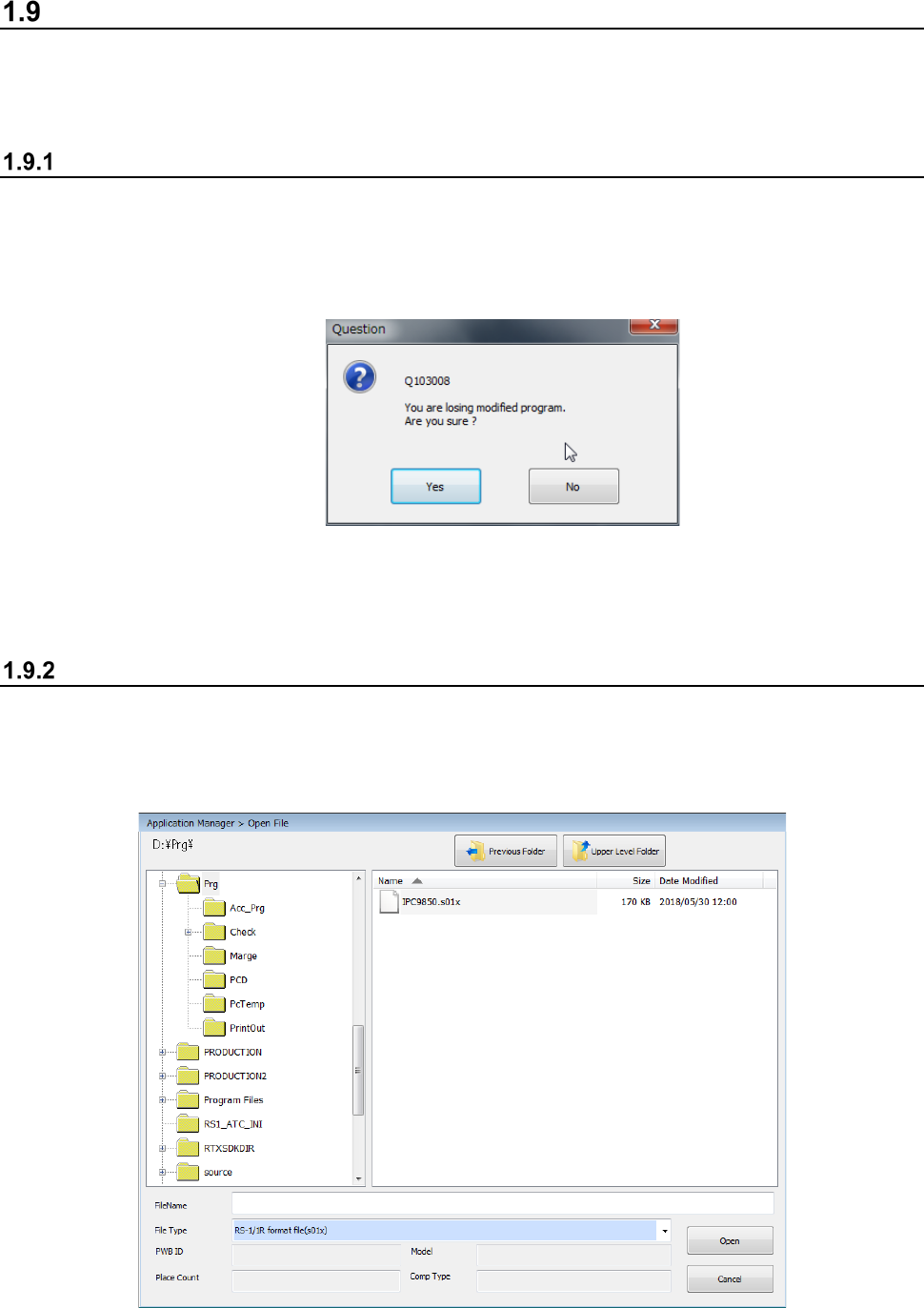
If there is any production program not saved yet, the system displays the inquiry dialog box as
shown below.
When you click the <Yes> button, the system initializes production program data without saving
any file. When you click the <No> button, the system interrupts the current process, and
redisplays the Desktop screen.
Open (Load a file)
This command loads a production program file already created into the system.
<Procedure>
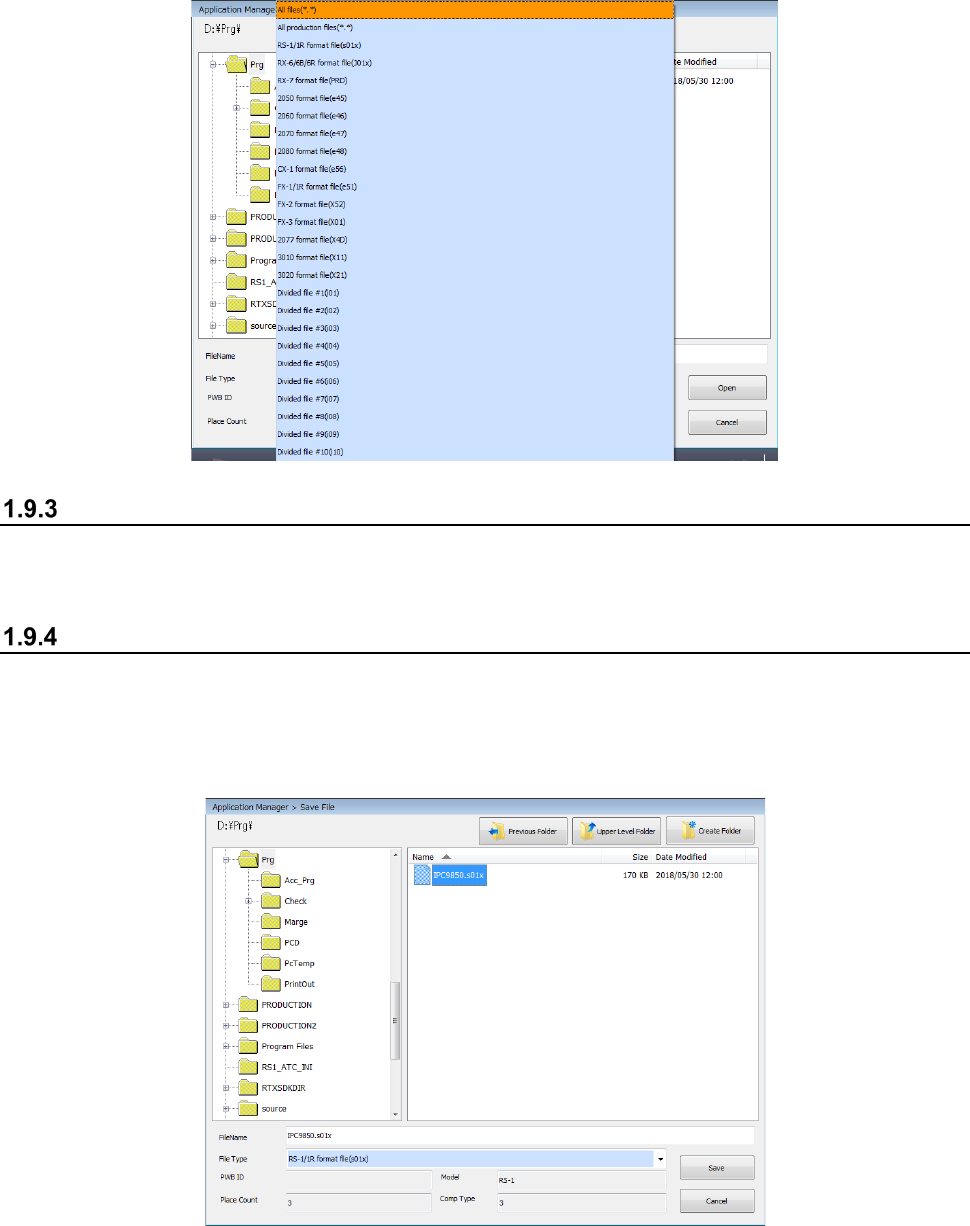
① Select the “File” button from the main menu, and then the [Open] command.
② Select the desired file from the “Open File” dialog box, and click the <Open> button.
Part 1 Basic Operation Chapter 1 Overview of the Machine
1-75
③ At this point, the “Question” dialog box appears on the screen if any production program is
not saved yet.(See Section 1.9.1 “New” for the screen to be displayed.)
To read the production program of another model, select the "File Type," specify the file name, and
then click the <Open> button.
Save
This command overwrites a created production program.
Select the “File” button from the main menu, and then the [Save] command.
Save as
Select this command to save the edited production program in another folder or rename and save it.
<Procedure>
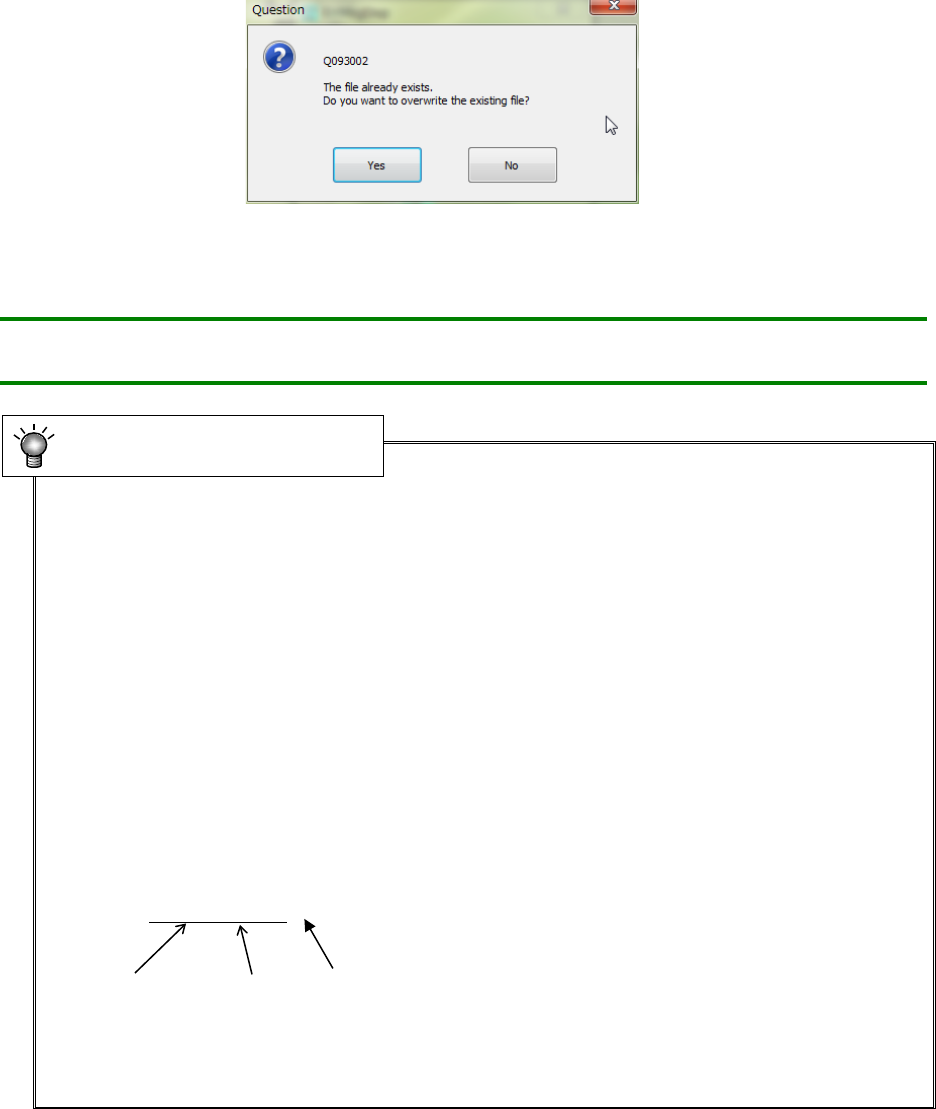
① Select the “File” button from the main menu, and then the [Save as] command.
② Specify the folder and file name on the “Save File” dialog box, and click the <Save> button.
Part 1 Basic Operation Chapter 1 Overview of the Machine
1-76
When you specify the production program already existing, the system displays the overwrite
confirmation message on the screen.
To save the production program by another model type, select the "Files Type," specify the file
name, and then click the <Open> button.
Note: You can specify a long file name or Japanese file name as long as you follow
the conventions of Windows
•
Program name
The specified program name is used to store a file in the storage device.
Therefore, specify a program name that Windows allows as a file name.
Note that extensions are reserved by each model, and automatically assigned to a file.
You cannot change the extension.
* UNTITLED
A program name “UNTITLED” is a reserved word that is automatically assigned to a program
when the Program Editor starts up. When you select the [New] command from the menu bar,
the system automatically initializes a program name to this name.
When you try to save an “UNTITLED” file, the “Save File” dialog box appears on the screen.
Name the file.
•
Extension
An extension is three alphanumeric characters appended to the end of a file name together with
a period (.) to specify the file format.
Example: JUKIPRG.S01x
File name Period Extension
The system creates an extension automatically.
For the models and types that allow file reading and saving, see Section 13.4 “File Format of a
Production Program.”
Program name and extension