RS-1_instruction manual.pdf - 第488页
Part 1 B asic O peration Chapter 4 Cr eating a Produc tion Progra m 4- 153 Data enter ed on the “ Insp ection 2 ” tab of the “ Comp onent ” data screen is d i spl ayed on the scr een. Enter the des ired value f or each i…
Part 1 Basic Operation Chapter 4 Creating a Production Program
4-152
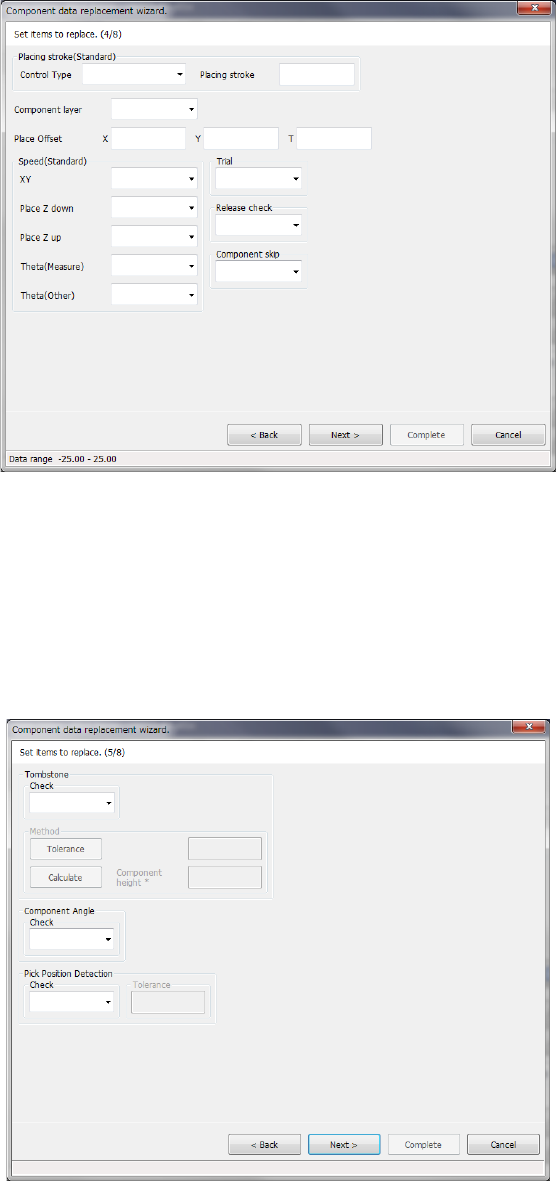
Data entered on the “Place Condition” tab of the “Component” data screen is displayed on the
screen.
Enter the desired value for each item.
The input range is displayed on the bottom of the dialog box.
When you select the <Back> button, the screen is switched back to the previous screen.
When you select the <Next> button, the screen is switched back to the next screen.
When you select the <Cancel> button, the system aborts the current processing, and then closes
the dialog box.
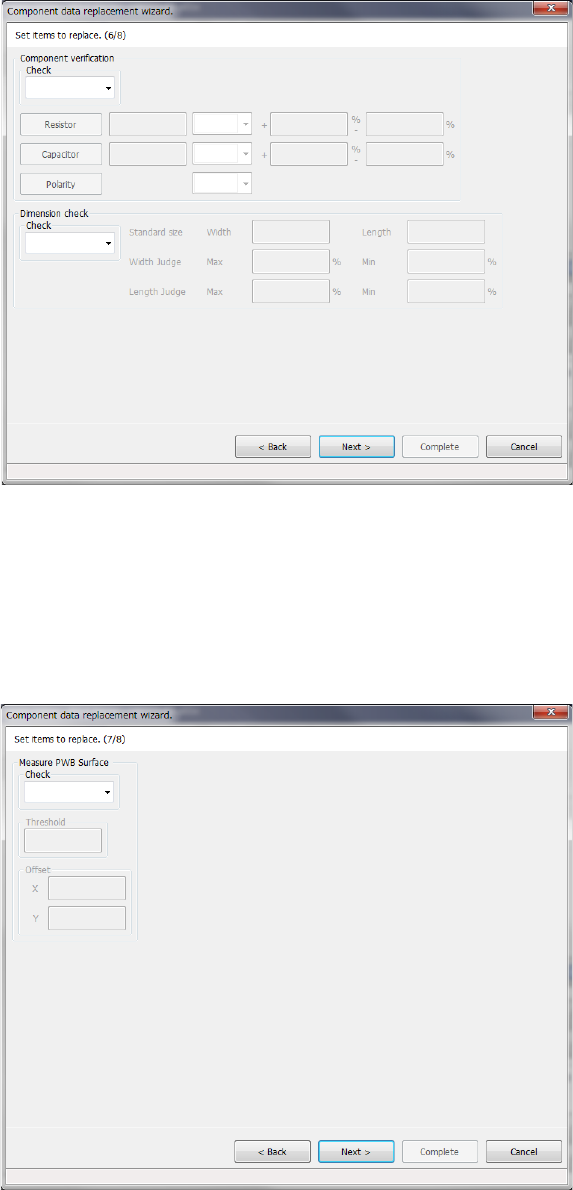
Data entered on the “Inspection 1” tab of the “Component” data screen is displayed on the screen.
Enter the desired value for each item.
The input range is displayed on the bottom of the dialog box.
When you select the <Back> button, the screen is switched back to the previous screen.
When you select the <Next> button, the screen is switched back to the next screen.
When you select the <Cancel> button, the system aborts the current processing, and then closes
the dialog box.
Part 1 Basic Operation Chapter 4 Creating a Production Program
4-153
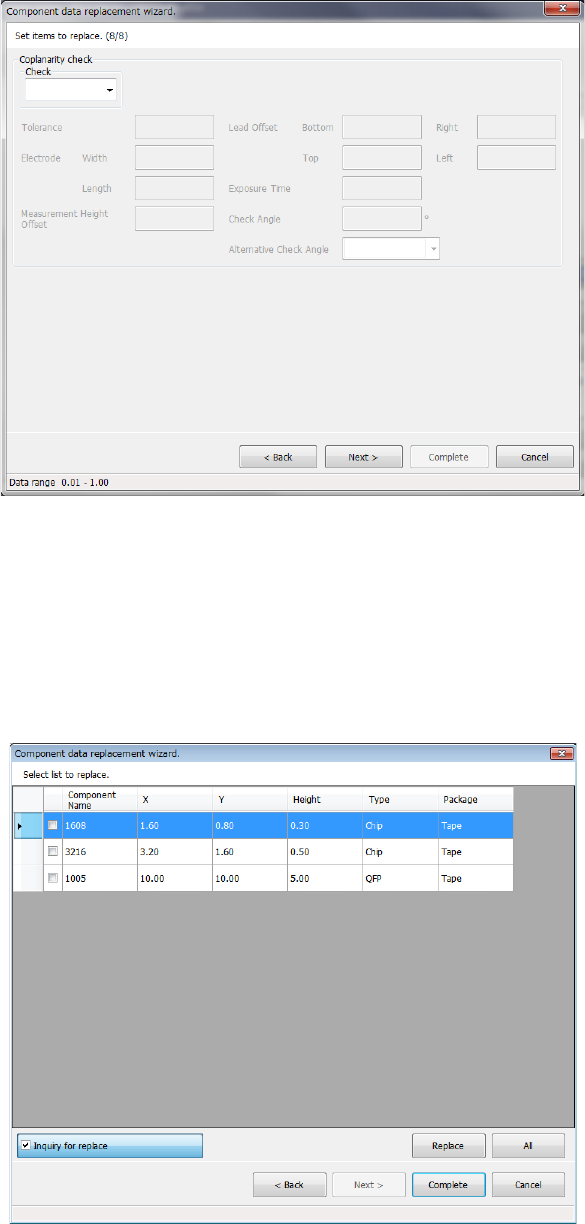
Data entered on the “Inspection 2” tab of the “Component” data screen is displayed on the screen.
Enter the desired value for each item.
The input range is displayed on the bottom of the dialog box.
When you select the <Back> button, the screen is switched back to the previous screen.
When you select the <Next> button, the screen is switched back to the next screen.
When you select the <Cancel> button, the system aborts the current processing, and then closes
the dialog box.
Data entered on the “Inspection 3” tab of the “Component” data screen is displayed on the screen.
Enter the desired value for each item.
The input range is displayed on the bottom of the dialog box.
When you select the <Back> button, the screen is switched back to the previous screen.
When you select the <Next> button, the screen is switched back to the next screen.
When you select the <Cancel> button, the system aborts the current processing, and then closes
the dialog box.
Part 1 Basic Operation Chapter 4 Creating a Production Program
4-154
Data entered on the “Inspection 4” tab of the “Component” data screen is displayed on the screen.
Enter the desired value for each item.
The input range is displayed on the bottom of the dialog box.
When you select the <Back> button, the screen is switched back to the previous screen.
When you select the <Next> button, the screen is switched back to the next screen.
When you select the <Cancel> button, the system aborts the current processing, and then closes
the dialog box.
Data you have entered appears on the screen.
The <Replace> button replaces the specified data items of the selected record one by one.
The <All> button replaces the specified data items of all data records.