RS-1_instruction manual.pdf - 第762页
Part 2 D etaile d Descript ion of E ach Functi on Chapter 8 Machine Set up 8- 54 Verification When you se lect the [V erif ication ] co mmand, the f ollowing screen appe ars. (1) S etting i tems No. Setting ite m Descrip…
Part 2 Detailed Description of Each Function Chapter 8 Machine Setup
8-53
Coplanarity
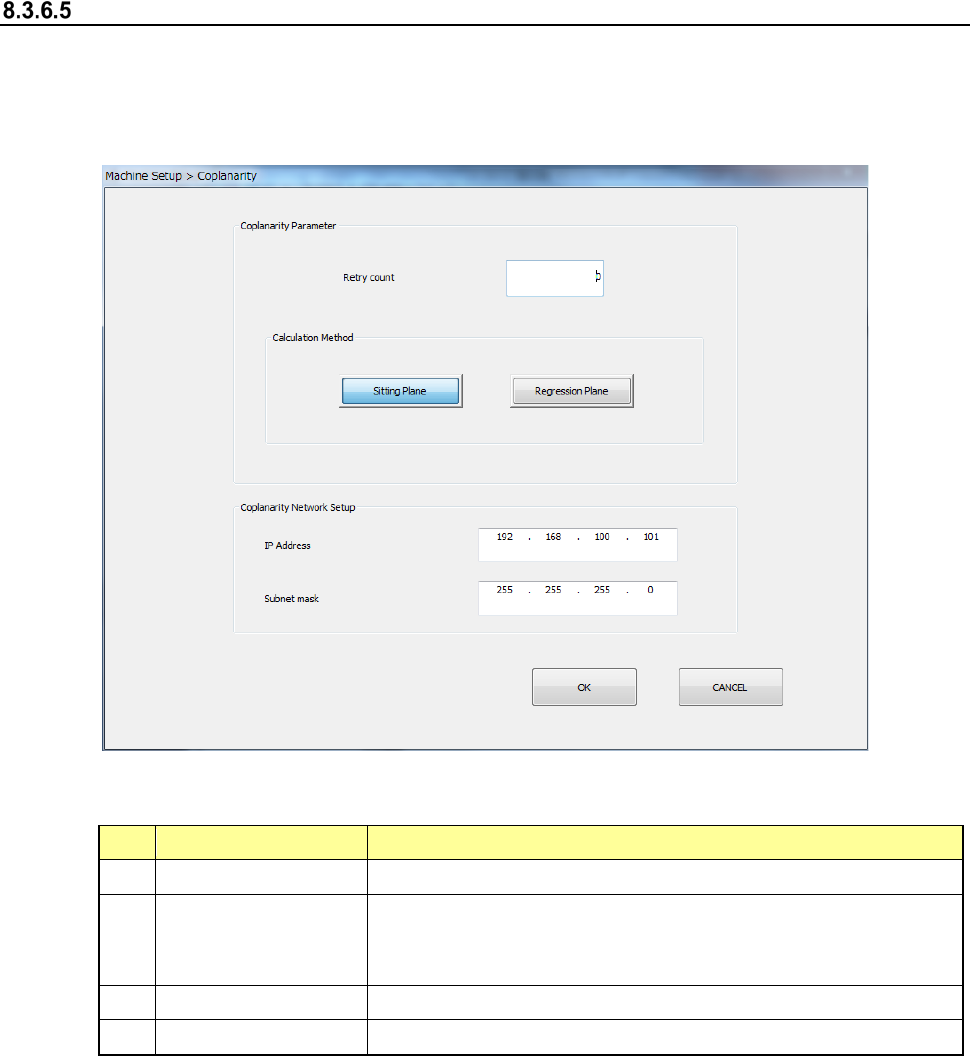
When you select the [Coplanarity] command, the following screen appears.
This screen allows you to set the coplanarity parameters: the number of retries (in the “Retry
count” field) and the method for calculating the reference plane (in the “Calculation Method”
column).
(1) Setting items
No.
Setting item
Description
1
Retry count
Enter the number of retries. You can enter a value from 0 to 10.
2
Calculation Method
Select the method for calculating the reference plane, “Sitting
Plane” (three-point method) or “Regression Plane” (least square
method).
3
IP Address
Set the IP address assigned to the coplanarity unit.
4
Subnet mask
Set the subnet mask assigned to the coplanarity unit.
Part 2 Detailed Description of Each Function Chapter 8 Machine Setup
8-54
Verification
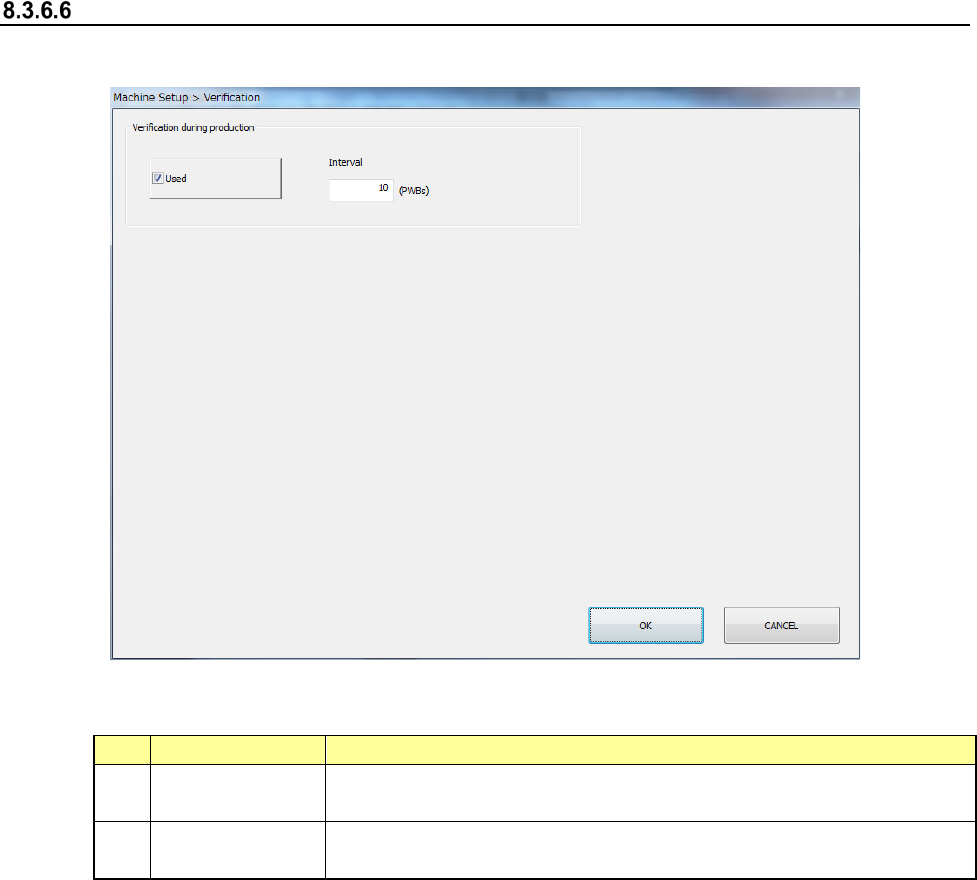
When you select the [Verification] command, the following screen appears.
(1) Setting items
No.
Setting item
Description
1
Used
Executes a verify check every time the number of PWBs you specify
in the “Interval” field are produced during PWB production.
2
Interval
Specifies the number of PWBs for executing a verify check during
PWB production.

Part 2 Detailed Description of Each Function Chapter 8 Machine Setup
8-55
8.4 Simple control
When you select “Simple control” from the Operation area of the Manual control, the Machine
setup, or the Self-calibration, the following main screen of the “Simple Control” opens.
The main screen is provided with the “Head control,” “Unit 1” and “Unit 2” tabs. The “Head
control” tab allows you to move a control unit specified with the <Select Device> button, the
<Control Unit> button, or the <Axis kind> button, control air of a head nozzle, control the OCC
lighting, and/or control the HMS sensor.
The “Unit 1” tab permits controlling the ATC, support table, cover lock, and conveyor.
The “Unit 2” tab permits MTS control.