RS-1_instruction manual.pdf - 第803页
Part 2 D etaile d Descript ion of E ach Functi on Chapter 9 M anual Control 9- 31 (4) Control button Control is exec uted by the control butt on. The control button d isplay v aries depending on the co ntrol i tem. 1) Pl…
Part 2 Detailed Description of Each Function Chapter 9 Manual Control
9-30
9.6 Others
9.6.1 ATC control
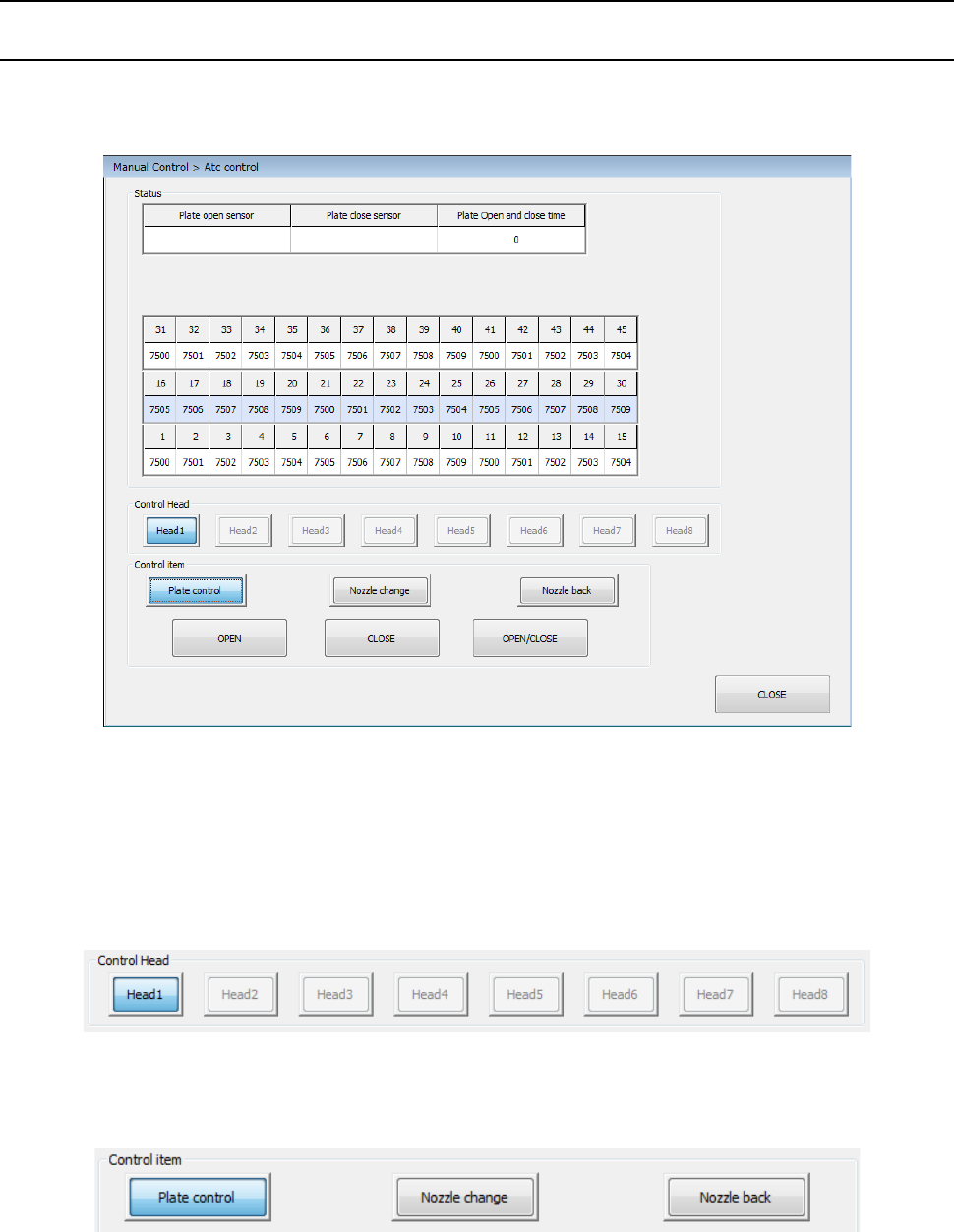
When you select [Other] – [ATC control] in the menu, the ATC control dialog appears.
The unit control of each band can be selected by the device select button.
(1) Status
The status of each unit is displayed at completion of control.
(2) Control Head
Select a head to be controlled by radio button. This has no effect on “Device enable” in
Machine setup.
(3) Control item
Select a control item by radio button.
Part 2 Detailed Description of Each Function Chapter 9 Manual Control
9-31
(4) Control button
Control is executed by the control button. The control button display varies depending on
the control item.
1) Plate control
The open/close operation of the ATC slide plate is controlled.
Control the open/close operation by pressing the <OPEN> button, <CLOSE> button, or
<OPEN/CLOSE> button when the control item “Slide plate control” is selected.
2) Nozzle change
The nozzle is changed.
This change is controlled by pressing the <EXEC>button when the control item “Nozzle
change” is selected.
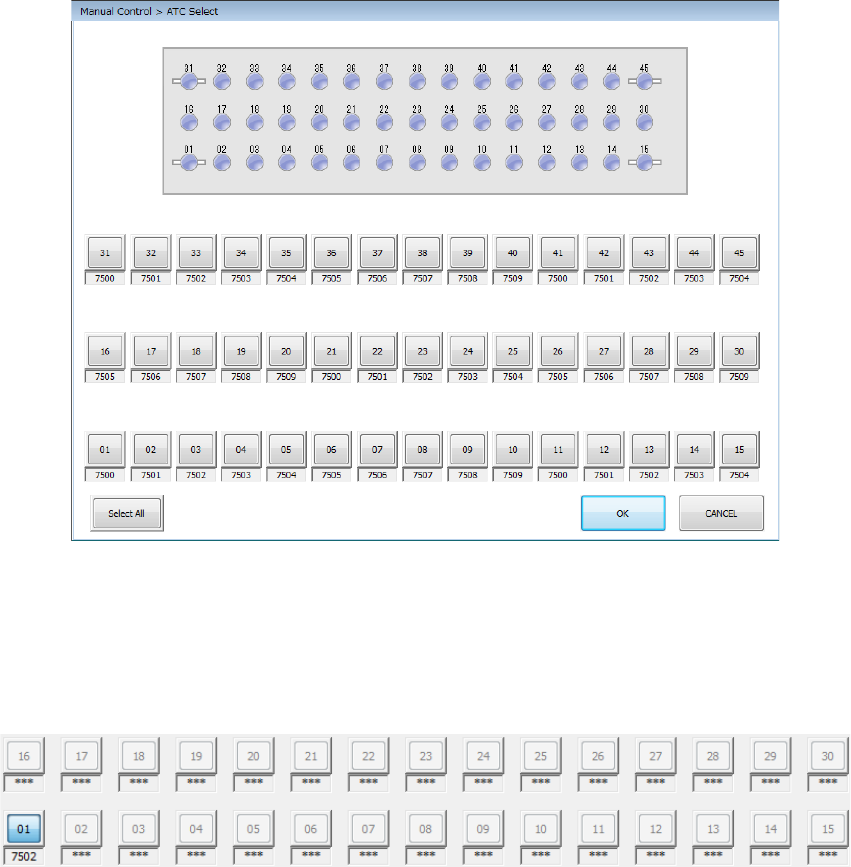
When you press the <Select All> button, all the selectable ATC numbers are selected.
When you press the <OK> button, the nozzle is taken out from the selected ATC.
If a nozzle is already provided in the specified head, the nozzle is returned to the ATC.
After the nozzle is normally installed, the corresponding ATC cell is displayed in color by the
head unit.
3) Nozzle back
The nozzle is returned to the ATC. Select the control item “Nozzle back” and press the
<EXEC> button for control.
Part 2 Detailed Description of Each Function Chapter 9 Manual Control
9-32
9.6.2 Signal light control
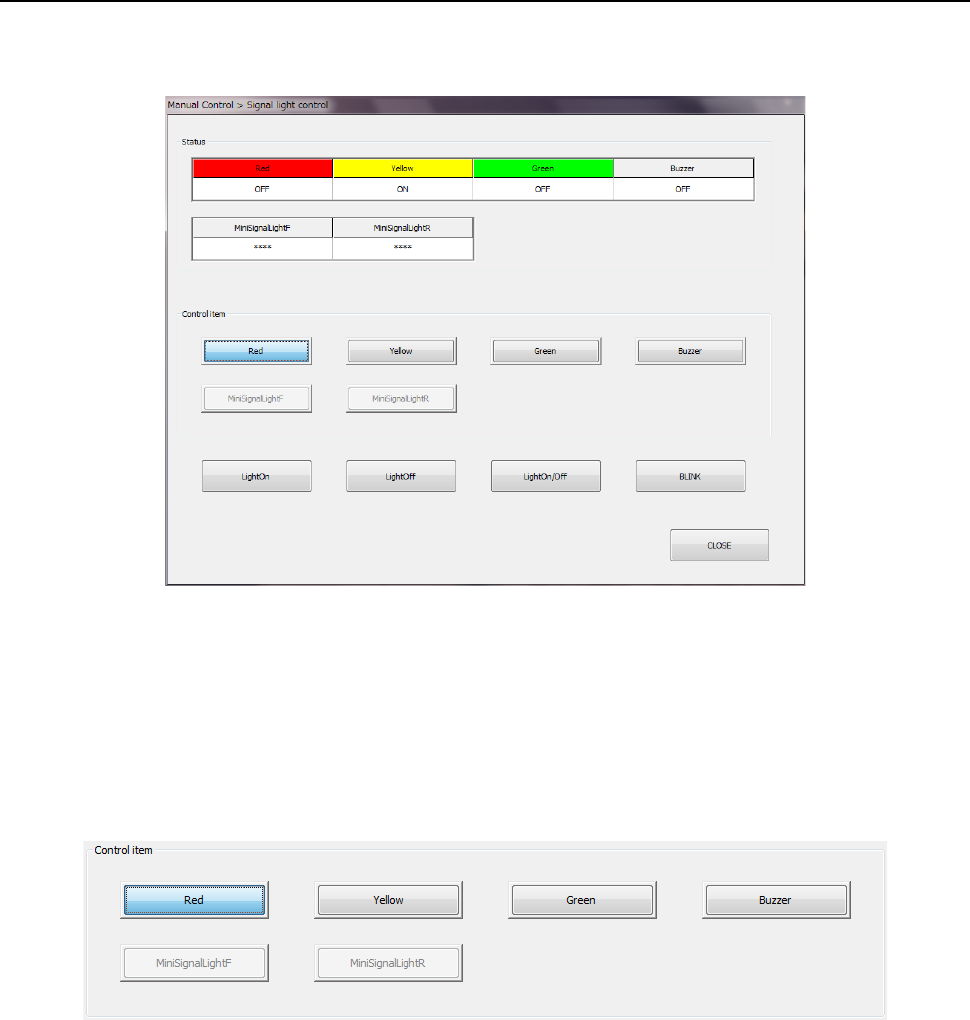
When you select [Other] – [Signal light control] in the menu, the “Signal light control” dialog
appears.
(1) Status
The status of each unit is displayed at completion of control.
(2) Control item
Select a control item by radio button. “Mini signal light” cannot be selected unless it is
checked off in the option settings of the MS parameters.
This has no effect on the setting in “Device enable” in Machine setup.
1) Red/Yellow/Green
The light ON/Light Off/BLINK of each color of the signal light is controlled.
Select <Light On> button, <Light Off> button, <Light On/Off> button, or <BLINK> button
for control.
2) Buzzer
The ON/OFF operation of the buzzer is controlled.
Press the <ON> button, <OFF> button, or <ON/OFF> button for control.
3) Mini signal light (front/rear)
The light ON/light OFF operation of each mini signal light is controlled.
Select <Light On> button, <Light Off> button, or <Light On/Off> button for control.