RS-1_instruction manual.pdf - 第890页
Part 2 D etaile d Descript ion of E ach Functi on Chapter 12 Handling th e Optional Device s 12 -6 Clamp Clamp rele asing (8) Operate the lock r elease l ever of the f eeder to clam p the feeder on the feeder setup stand…
Part 2 Detailed Description of Each Function Chapter 12 Handling the Optional Devices
12-5
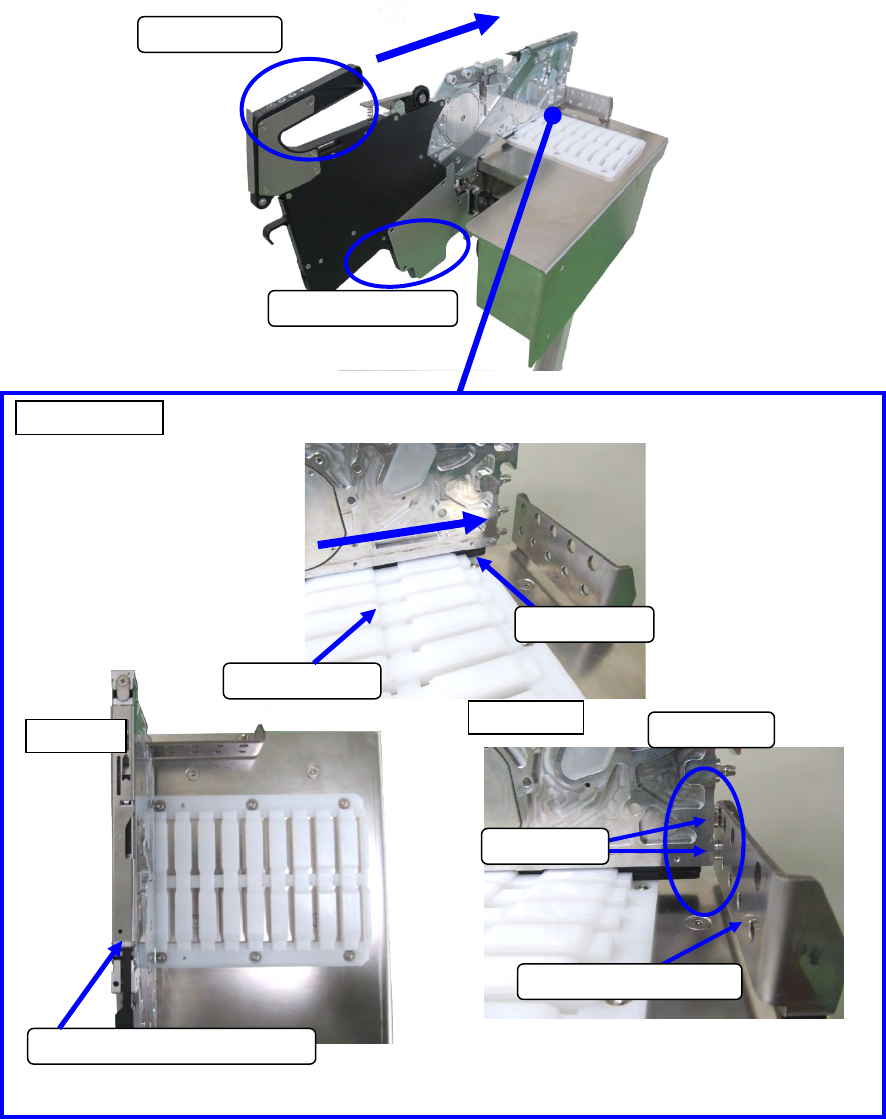
(7) Check to see if the edge of the slide rail was surely inserted in the work base, and insert the
tape feeder.
Grasp the grip
Support with hands
Use the left end lane.
Top view
Work base
Enlarged view
Slide rail
Side view
Contact
Guide pin F
Positioning plate
Part 2 Detailed Description of Each Function Chapter 12 Handling the Optional Devices
12-6
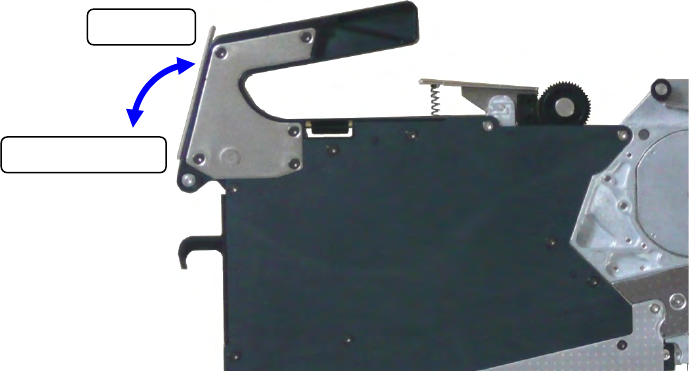
Clamp
Clamp releasing
(8) Operate the lock release lever of the feeder to clamp the feeder on the feeder setup stand for
electric feeder at the position where the guide pin F is in contact with the positioning plate.
Part 2 Detailed Description of Each Function Chapter 12 Handling the Optional Devices
12-7
12.1.2 EF series Electric tape feeder
When you attach an attachment on the RF/EF bank, you can use an EF series electric feeder with
the machine.
12.1.2.1 RF_ETF_ATTACHMENT (40169273)
When you use an EF series electric feeder, attach it on the RF/EF bank.
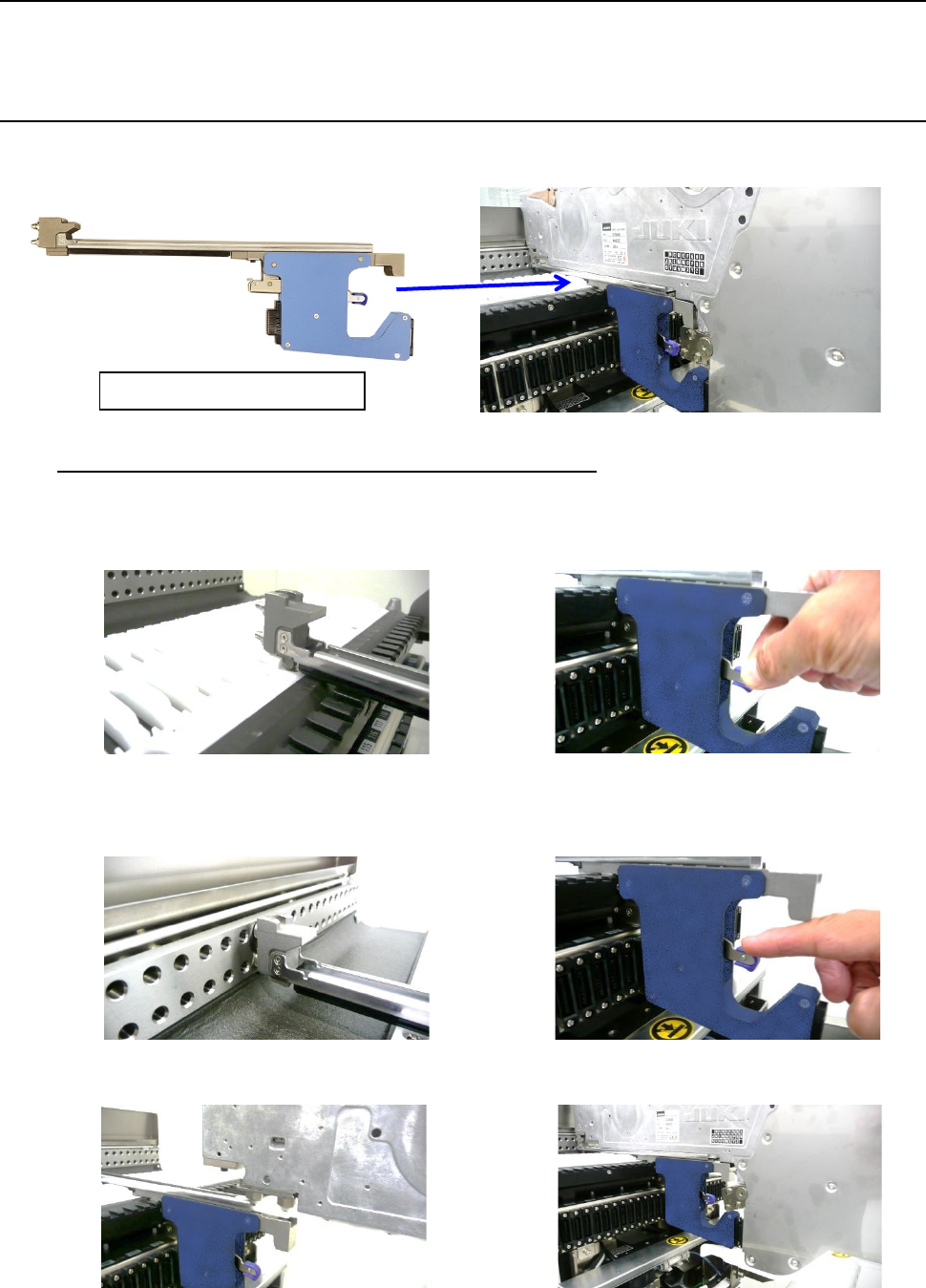
How to Use the Attachment for EF Series Electric Feeder
(1) Insert the slide rail of the attachment into the lane of the RF/EF bank. Then, raise the lock
release lever to open the clamp.
(2) Insert the guide pin to the fixing plate until it hits the end. Then lower the lock release lever to
clamp it. (Now, the attachment has been mounted.)
(3) Insert the slide rail of the EF series electric feeder into the lane of the attachment.
RF_ETF_ATTACHMENT