RS-1_instruction manual.pdf - 第174页
Part 1 B asic O peration Chapter 2 Pr oduction 2- 63 2) List Using lists, t he lower half portion of the “Elect ric feeder check” scree n shows the conditi on of the feeder us ed for the current pr oduction pro gram. (No…
Part 1 Basic Operation Chapter 2 Production
2-62
1) Image view
Using images, the upper half portion of the “Electric feeder check” screen shows the condition
of the feeder used for the current production program.
(Note: A feeder with the skip designation or actually not used for the production as specified
in the production conditions is not displayed on the image view.)
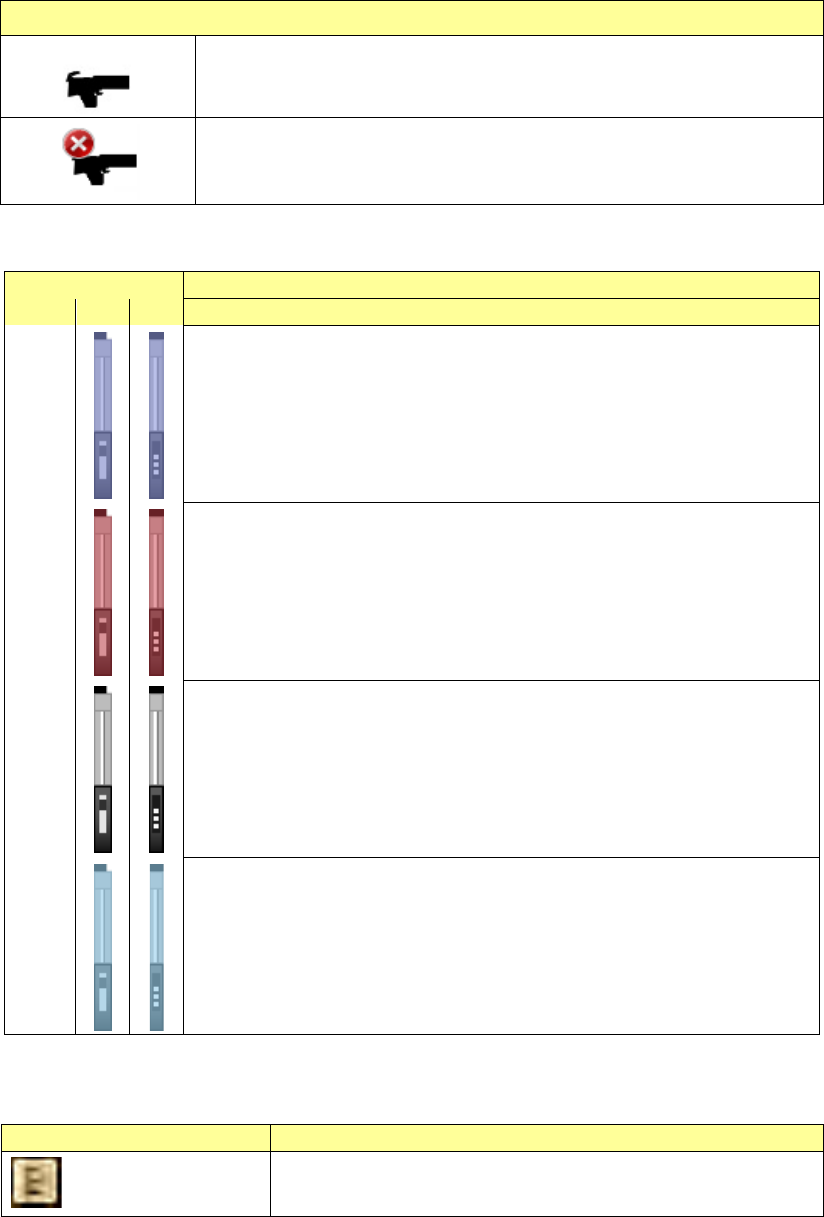
The bank type is displayed as shown in the table below.
Bank status
The production bank matches the connected bank.
The production bank does not match the connected bank.
* If the program does not match the bank, you cannot start production.
Electric feeder-setting mistake conditions are shown in different colors.
Feeder color
Description
EF
RF
Blue
Electric feeder is mounted that all of the component, feeder type, feed pitch,
and other items are correct.
Red
Electric feeder, in which an error occurs, is mounted.
Review the component, feeder type, or feed pitch, etc.
Additionally, if the bank is different from that in the production program or
setup, or mounted actually, the feeder is shown in red.
Gray
Electric feeder, which is set in the production program, but not loaded (i.e. not
connected), is mounted.
Light
blue
A feeder selected on the list is mounted.
When you click the feeder image displayed on the screen to select it, the
corresponding feeder is selected on the list also.
Additionally, if the component run-out condition is notified, the icon is overlap-displayed
on relevant feeder.
Icon
Description
:Component run-out
This icon is overlap-displayed on the feeder, in which the
component run-out occurs.
Part 1 Basic Operation Chapter 2 Production
2-63
2) List
Using lists, the lower half portion of the “Electric feeder check” screen shows the condition of
the feeder used for the current production program.
(Note: A feeder with the skip designation or actually not used for the production as specified
in the production conditions is not displayed in the list.)
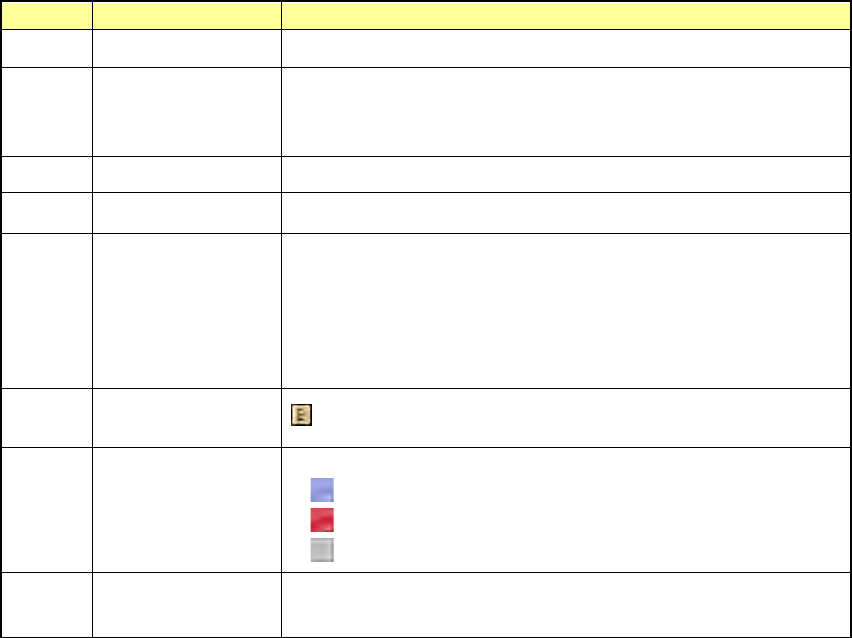
No.
Item
Contents
1
No.
Shows the feeder No.
2
Pick Pos.
Shows the pickup position in the format “Bank-Hole position: Lane
No.”.
The lane No. is not shown if the lane display is not needed.
3
Comp Name
Shows the component name specified in the production program.
4
Package
Shows the feeder package specified in the production program.
5
Feeder type
Shows the feeder type specified in the production program.
Each feeder type is displayed as follows.
Electric feeder: E xxxx,
Electric feeder (RF): RF xxxx,
Electric Stick feeder: E Stick xxxx,
6
Component run-out
mark
: Shown if the component run-out occurs.
7
Icons for showing an
Electric feeder
mounting mistake
check
Shows the electric feeder-setting mistake status.
: Electric feeder OK
: Electric feeder NG
: Electric feeder unloaded
8
Error Details
Shows error details if the electric feeder-setting mistake occurs.
For details, see the list of error details shown below.
Part 1 Basic Operation Chapter 2 Production
2-64
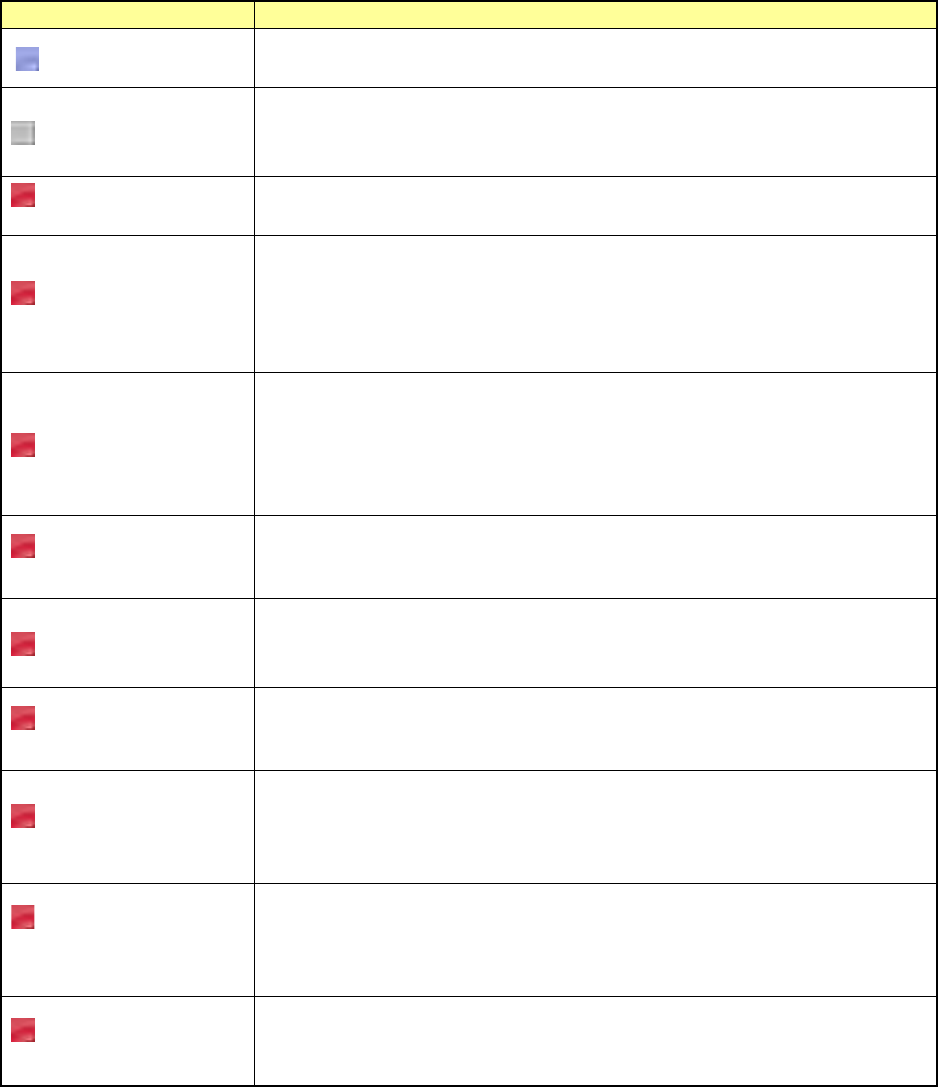
<Error Details>
Error
Contents
No display
The electric feeder is specified in the production program and the electric feeder is
correctly mounted on the electric feeder bank.
Unloaded
This error is shown if the electric feeder is specified in the production program, but
the electric feeder is not mounted on the electric feeder bank.
Mount the electric feeder on the electric feeder bank.
Electric feeder bank is
not connected.
This error is shown if the electric feeder is specified in the production program, but
the electric feeder bank is not connected. Mount the electric feeder bank.
Feeder type is
different.
This error is shown if the electric feeder is specified in the production program, but
an electric feeder with a different feeder type is mounted on the electric feeder
bank.
The currently mounted electric feeder type is also shown.
Mount an electric feeder with the feeder type meeting the production program.
Tape pitch is different.
This error is shown if the electric feeder is specified in the production program, but
an electric feeder with a different tape pitch is mounted on the electric feeder bank.
The component tape pitch (PRG:xxx) specified in the production program and the
tape pitch (ETF:xxx) of the currently mounted electric feeder are also shown.
Mount an electric feeder with the tape pitch meeting the production program.
Panel switch is being
operated.
This error is shown if the electric feeder is specified in the production program and
the electric feeder mounted on the electric feeder bank is operated with the panel
switch. Finish the operation of the operation switch.
Tension error
This error is shown if the electric feeder is specified in the production program and
the tension error occurs in the electric feeder mounted on the electric feeder bank.
Adjust the tension of the electric feeder.
Power voltage drop
error
This error is shown if the electric feeder is specified in the production program and
the power voltage drop error occurs in the electric feeder mounted on the electric
feeder bank. Adjust the power voltage of the electric feeder.
Feeder origin return is
not completed.
This error is shown if the electric feeder is specified in the production program and
the origin return of the electric feeder mounted on the electric feeder bank is not
completed.
Perform the origin return of the electric feeder.
Loss of
synchronization occurs
in the feeder.
This error is shown if the electric feeder is specified in the production program and
loss of synchronization occurs in the electric feeder mounted on the electric feeder
bank.
Reset the electric feeder, and return it to the origin.
Feeder is returning to
its origin.
This error is shown if the electric feeder is specified in the production program and
the electric feeder mounted on the electric feeder bank performs the origin return.
Wait until the origin return operation of the electric feeder is completed.