RS-1_instruction manual.pdf - 第555页
Part 1 B asic O peration Chapter 4 Cr eating a Produc tion Progra m 4- 220 operation. c) The measurement value i s taken. This choice allo ws you to save the va l ue meas ured by the HMS into Pick data by asking whether …
Part 1 Basic Operation Chapter 4 Creating a Production Program
4-219
2) Auto-teaching
a) Run Auto-teaching
The system automatically teaches a component pick-up position.
b) Check for Parallel Pick Range
The system checks whether two or more components can be picked up simultaneously.
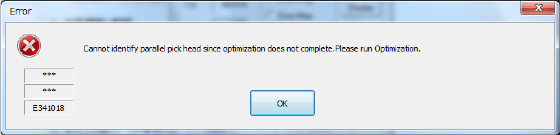
You have to execute the Optimization utility in advance. If you do not execute the
Optimization utility yet before pressing this button, the error message appears on the
screen that asks you to execute the Optimization utility.
3) Feed method
a) Automatic feed
Each pickup position is caught by camera or HMS at certain intervals. The camera stops for
the time of period specified with the “Automatic feed interval” slider bar described below,
then moves to the next position.
• Automatic feed interval:
Use this slider bar to adjust the stop time. You can set an interval from 0.1 second (100 ms)
to 20 seconds.
b) Manual feed
The operation is stopped at each pick position.
The operation is stopped at the current position until the user performs any operation.
When the <Prev> button is pressed on the pick position camera tracking screen, the
operation is returned to the previous pick-up position. When the <START> switch is
pressed, the operation goes to the next pick-up position.
4) Tracking order
a) In order of component data
Enter the tracking range from the starting point to the ending point by component data No.
By default, all components are to be tracked.
b) The order of feeder layout
Specify the position to be tracked in bank units.
c) Feeders automatically taught are excluded.
When you set this check box to ON, the camera tracks a component pick-up position on
feeders except for the feeders automatically taught, and then tracks the component pick-up
height.
d) Invalid feeder is excluded.
When you set this check box to ON, the camera tracks component pick-up from feeders that
are not set to be skipped with Placement data, Component data, and/or Pick data, and then
tracks the component pick-up height.
5) Action of each points ("Pick height tracking")
You can specify an action to be taken after moving to each tracking point.
a) Trace stops if there is a difference of the measurement value.
When a difference between the detected value measured by HMS and the pickup height
value set in the pick data exceeds the allowable range set in the “Difference judgment value”
field, a message is displayed and the operation is stopped.
Set the upper limit/lower limit range of (Difference judgment value)( +/-) by the slider bar.
b) Trace stops if it is not possible to measure.
If the HMS cannot measure the pick-up height (for example, because there is no component
at the measured pick-up position), the message appears on the screen to stop the tracking
Part 1 Basic Operation Chapter 4 Creating a Production Program
4-220
operation.
c) The measurement value is taken.
This choice allows you to save the value measured by the HMS into Pick data by asking
whether to save it at each position.
d) Position confirm by OCC.
The pick-up position is displayed with an image shot with the camera only for the period of
time set with the “Automatic feed interval.”
(2) Executing the bank mark alignment operation
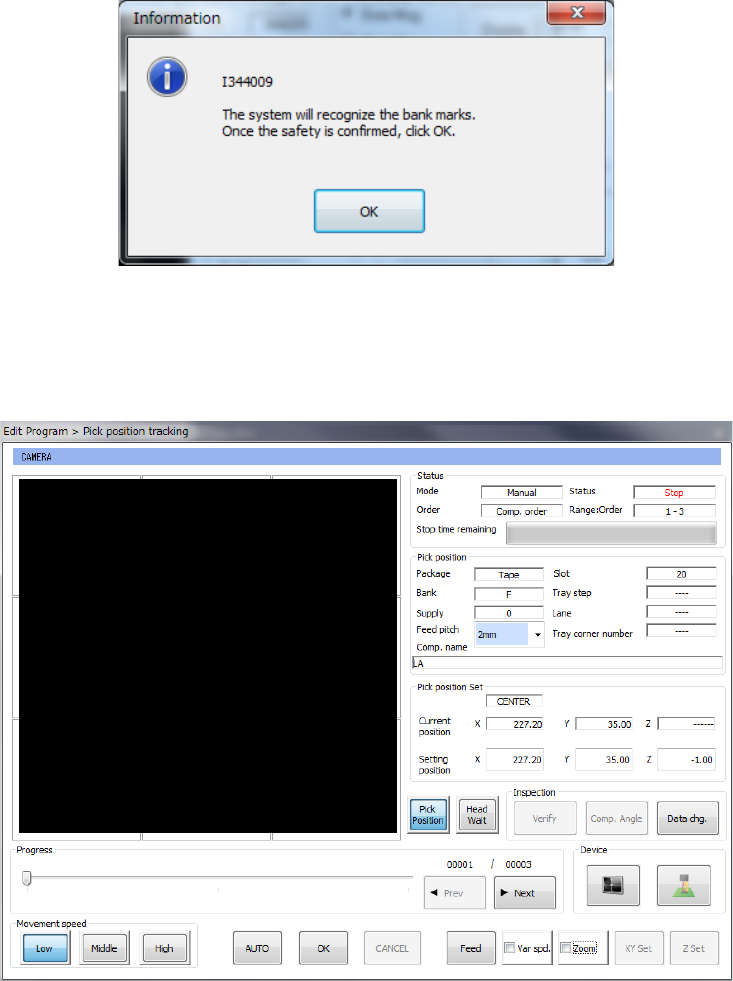
If the bank mark recognition is set on the Setup menu, the system recognizes a bank mark to
improve the precision of the component pick-up position before the camera or HMS moves to each
feeder bank. The following dialog box appears on the screen. Press the <OK> button.
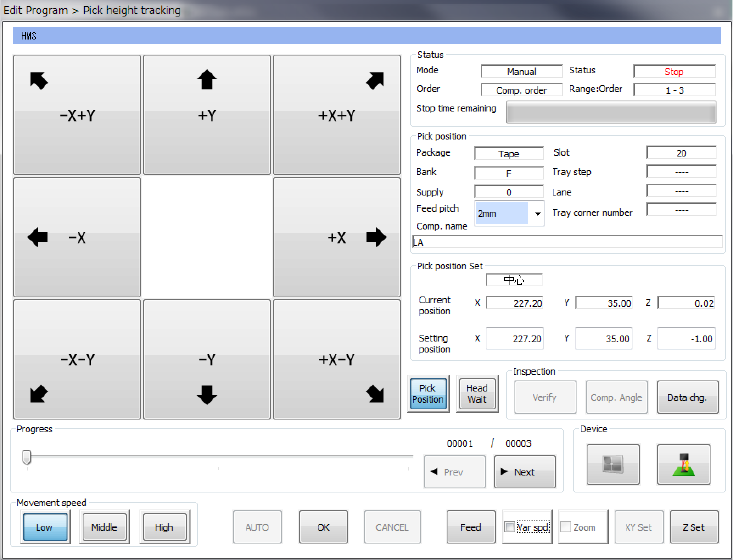
(3) While the camera is tracking a component pick-up position/the HMS is tracking component height
After the camera tracks the pick-up poison/height or when it is tracking each pick-up position, the
screen like the one shown below appears.
Part 1 Basic Operation Chapter 4 Creating a Production Program
4-221
While the camera is tracking each component pick-up height, the screen like the one shown below
appears.
1) Status
a) Mode
“Manual” or “Automatic” which is set with the radio button “Feed method” appears here.
b) Order
“Feeder order” or “Cmp order” appears here as specified with the “Order and Range” radio
button.
c) Range
As the range to execute tracking, both starting component No. and ending component No.
are displayed.
d) Status
“Operating” indicates that the axis is moving. “Pause” indicates that the axis pauses
temporally in Automatic Feed mode. “Stop” indicates that the axis is stopped manually or
intentionally. “Waiting” indicates that the axis is moving to the safety position.
e) Stop time remaining
The progress bar indicates the remaining stop time in Automatic Feed mode.