RS-1_instruction manual.pdf - 第513页
Part 1 B asic O peration Chapter 4 Cr eating a Produc tion Progra m 4- 178 (1) T eaching w ith a camera 1) D evi ce Sel ec t T o switch a device used to perform teaching to another one, press the corr espondi ng device i…
Part 1 Basic Operation Chapter 4 Creating a Production Program
4-177
4.5.4 Teaching
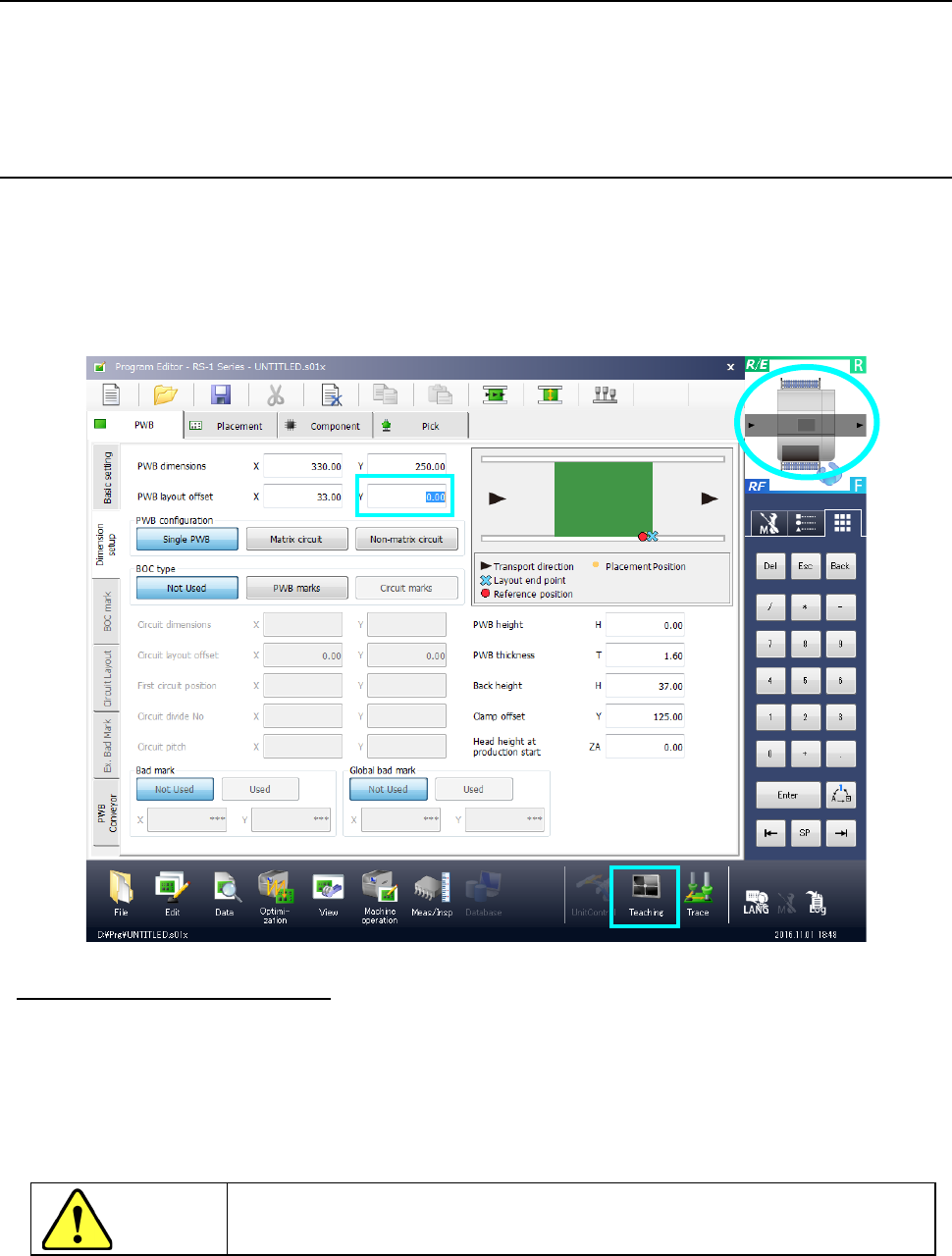
Teaching is an operation for adjusting mainly a position such as a component placement position
while monitoring its image.
As teaching types, coordinate teaching and mark recognition teaching are available.
Use a touch panel to perform a teaching operation.
4.5.4.1 Teaching a coordinate
To start teaching a coordinate, move the cursor to the position of data to be taught, and then select
the “Teaching” button displayed the in the Operation area. The system displays the coordinates
teaching screen on which the teaching device required for the selected teaching item is already
selected. When you teach data with a camera, the image shot with the camera appears on the
screen (by superimposing). Even though you press the “Teaching” button on the screen that
does not have any items to be taught, the system does not start teaching.
◆ Origin return of electric feeder
If you teach pick-up coordinates of the electric feeder, the origin return of the electric feeder is
operated when the teaching is started.
When you mount an electric feeder and locks it while the teaching screen is displayed, the origin
return is then started.
Additionally, you cannot press the <OK> button unless the origin return of the electric feeder is
completed.
CAUTION
To avoid a risk of injury, do not put your hands inside the machine or move
your face or head close the machine while the system is teaching data.
Part 1 Basic Operation Chapter 4 Creating a Production Program
4-178
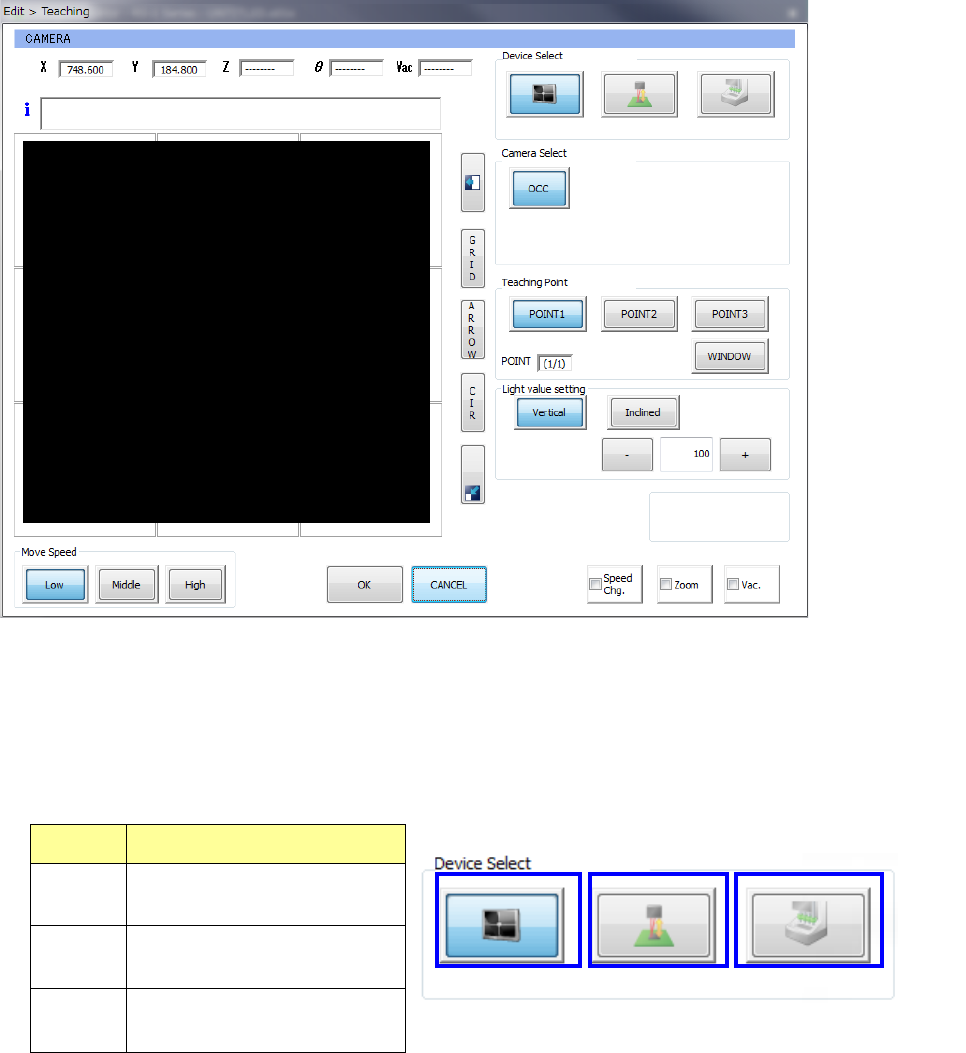
(1) Teaching with a camera
1) Device Select
To switch a device used to perform teaching to another one, press the corresponding device
icon button.
When you specify a teaching device to be used, the specified teaching device moves to the
coordinates displayed at the present.
No. Teaching device
1 Camera
2 HMS
3 Head device
2) Camera Select
Specify a camera to be used for a teaching operation.
③
①
②
Part 1 Basic Operation Chapter 4 Creating a Production Program
4-179
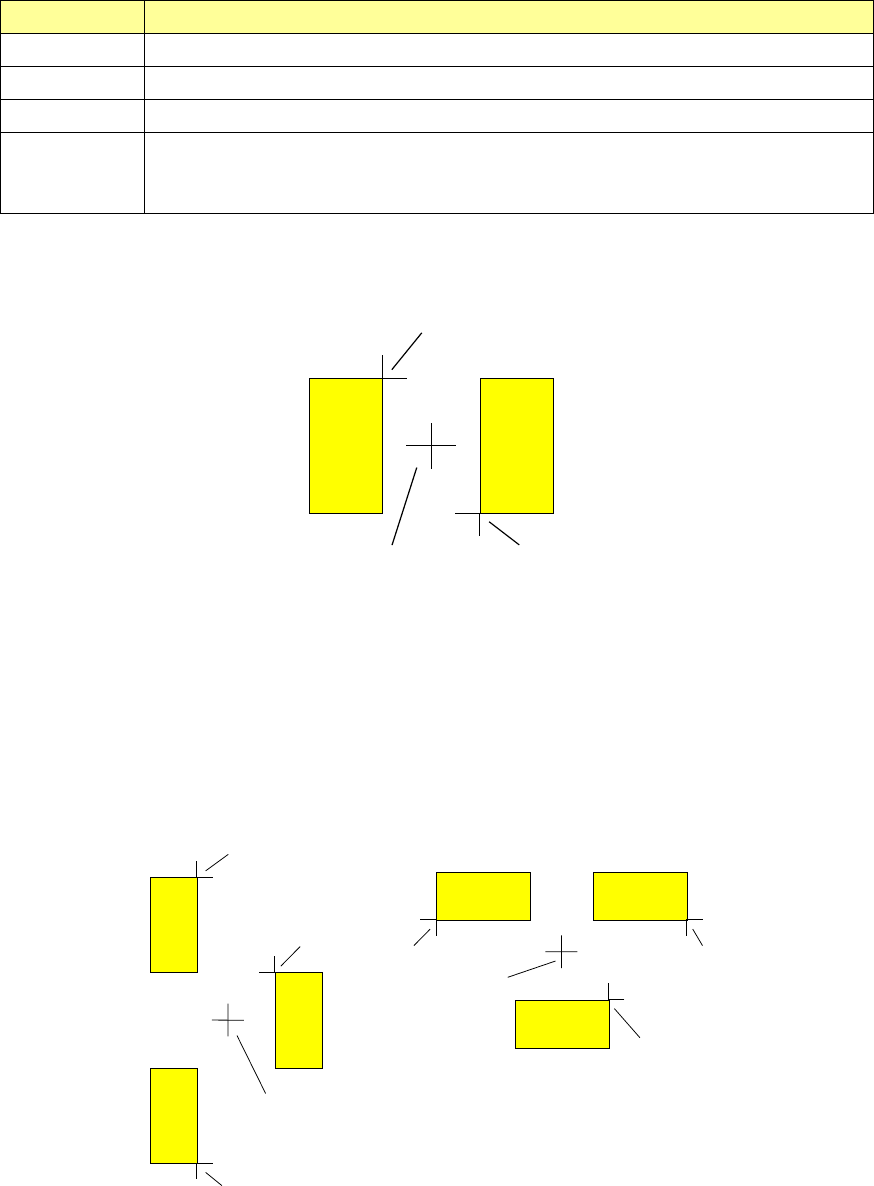
3) Teaching Point
Point Overview
POINT1 The coordinates to be taught are those of the current position.
POINT2 The coordinates to be taught are those of a point midway between two teaching points.
POINT3 The coordinates to be taught are those of a point midway among three teaching points.
WINDOW
The coordinates to be taught are those of the center of the cursor that was used to teach
the coordinates of the upper left corner and those of the lower right corner of the window
cursor.
① How to teach the “POINT2” or “POINT3”
a) How to teach coordinates with POINT2
A
BC
Enter the two points, A and B in the figure above, and determine the middle point (point C) of
these two points A and B to handle the coordinates of the point C as the taught coordinates.
b) How to teach coordinates with POINT3
Enter three points A, B and C, and handle the coordinates of a point D as the taught
coordinates.
(The X coordinate of the point D should be the midpoint between the point A or B and the
point C, and the Y coordinate should be the midpoint between the points A and B.)
B
A
C
D
C
B
A
D1
Pad of a PWB