RS-1_instruction manual.pdf - 第279页
Part 1 B asic O peration Chapter 2 Pr oduction 2- 168 2.17 Non - stop Oper ation (Op tion) This is a mechanis m for improving t he operation rat e of the machine by conti nuing PWB production without stopp ing the machin…
Part 1 Basic Operation Chapter 2 Production
2-167
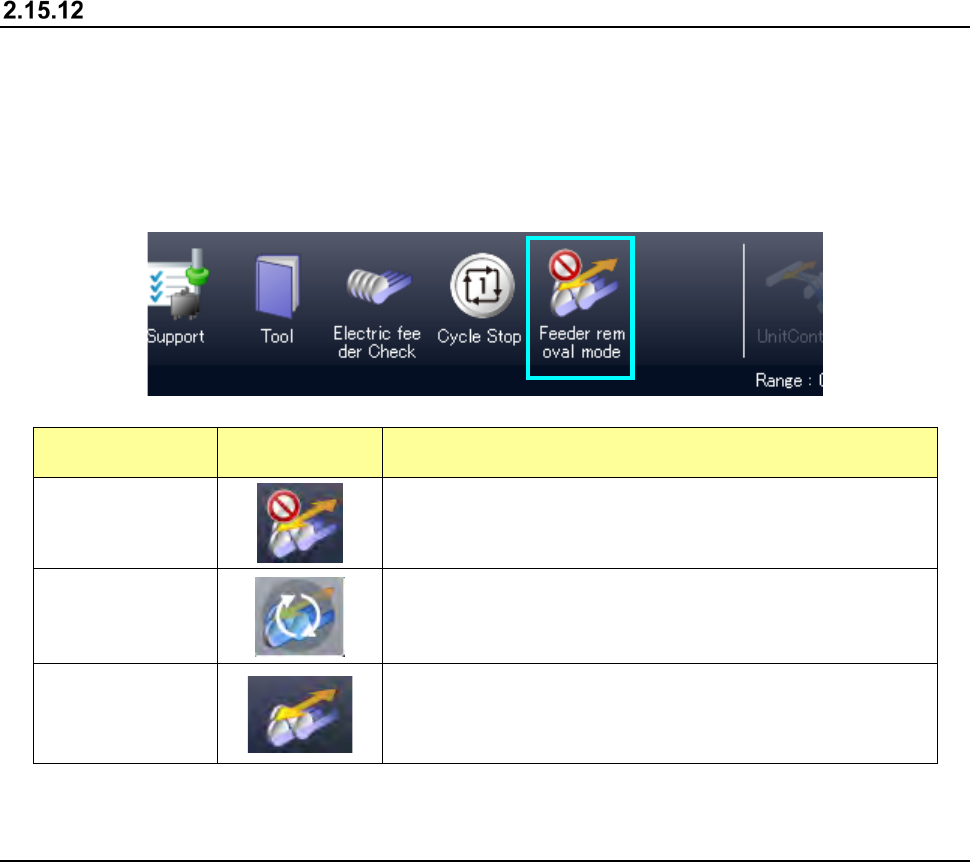
Feeder insertion/removal mode
Every time you press the <Feeder insertion/removal mode> button on the main menu during PWB
production, the operation mode is switched between Normal mode and Feeder insertion/removal
mode.
When you remove a feeder in Normal mode during PWB production, the system pauses. When
you remove an RF feeder in Feeder insertion/removal mode during PWB production, the system
does not pause.
State
Displayed
button
Description
Normal mode
Insertion/removal of a feeder during PWB production is
prohibited, and production is paused when a feeder is
removed.
During mode
transition
The system is entering Feeder insertion/removal mode.
While this icon is displayed, the system operates in the
previous state.
Feeder
insertion/removal
mode
An RF feeder can be removed during PWB production.
In Feeder insertion/removal mode, the ZA-axis height is
adjusted under the category 12 or higher.
The feeder float sensors 2 and 3 are ignored.
2.16 FCS
When you select the “Maintenance” button on the main menu, and then the [FCS] command, the
“FCS Setup” screen appears.
The system can automatically measure the total placement offset value to maintain the component
placement accuracy that is ensured at delivery of the machine.
For details, refer to the “RS-1/RS-1XL/RS-1R FCS (Flexible Calibration System) Instruction
Manual”.
Part 1 Basic Operation Chapter 2 Production
2-168
2.17 Non-stop Operation (Option)
This is a mechanism for improving the operation rate of the machine by continuing PWB production
without stopping the machine when components run out.
To perform the Non-stop operation, prepare the same set of feeders both on the front feeder bank
and on the rear feeder bank.
This allows the machine to pick up a component from the feeder installed on the rear feeder bank
even though components run out at the feeder installed on the front feeder bank, and then to
continue to produce a PWB without stopping.
You can remove the cause of the error of the feeder installed on the front feeder bank at which
components run out while the machine is producing a PWB by picking up components from the
feeder on the rear feeder bank, and then allow the machine to pick up components from the feeder
on the front feeder bank again also.
In addition, if you prepare the set of feeders for the next PWB production, you can shorten the time
required for changeover of feeders.
When you install an MTS (TR-5S or TR-5D) on the machine, any feeder cannot be installed on
the rear side. Therefore, you cannot execute the non-stop operation function by using a
feeder to supply the machine with components.
Procedure for creating data
(1) Create data.
Follow the normal data creation procedure to create a production program for feeders installed
on the front side.
(2) Create a non-operation feeder layout with the [Feeder Layout] command.
Use the “Line symmetry” copy or the “Point symmetry” copy of the Feeder Layout function to
assign Pick data to the rear bank.
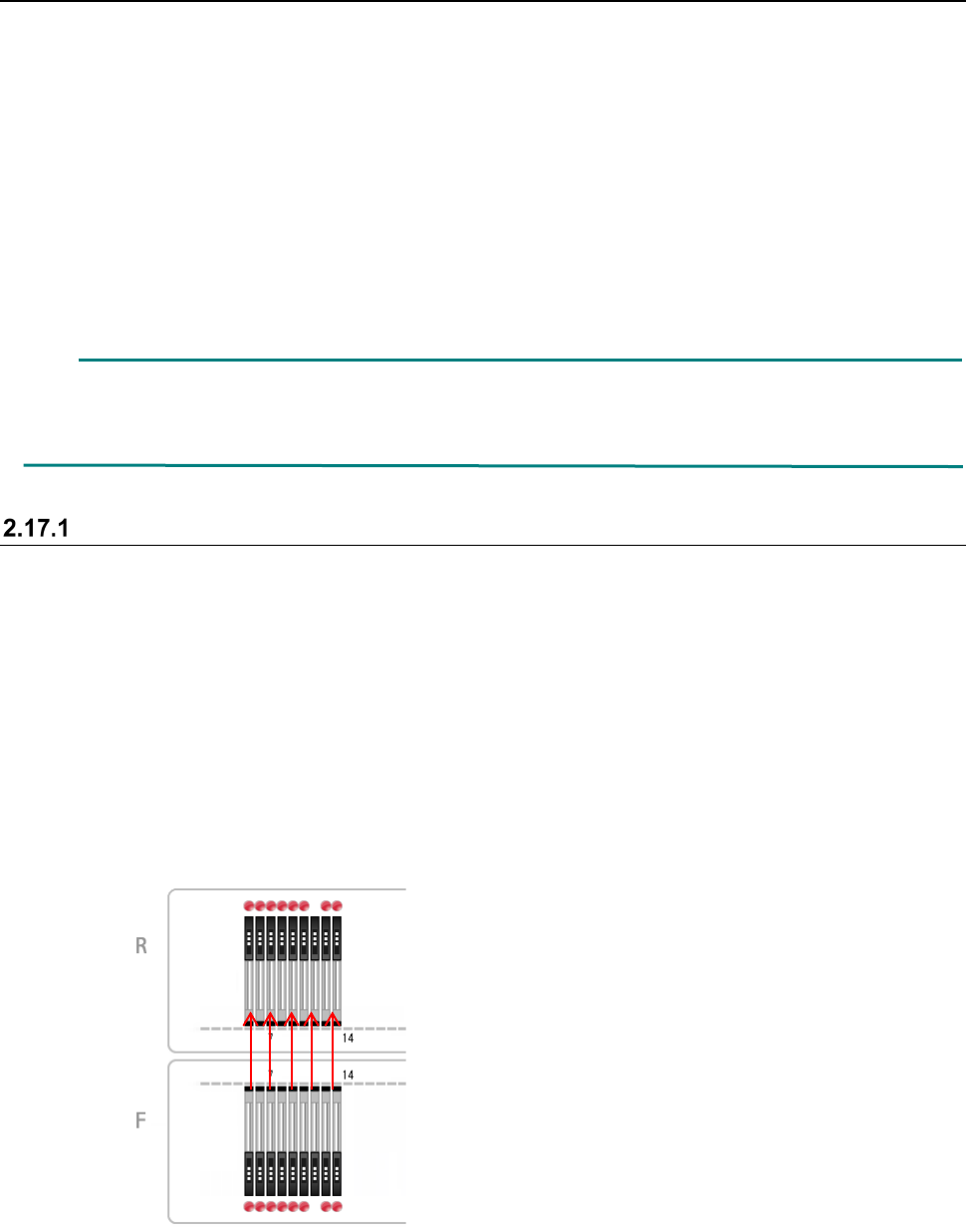
- Line symmetry copy
When you assign Pick data with selecting the “Line symmetry,” priority is given to the “cycle
time.”
Each feeder is copied to the opposite side so that the hole number of a feeder on the front
side will face the hole number of a feeder on the rear side, and the coordinates of a
component pick position on both sides become the same ones.
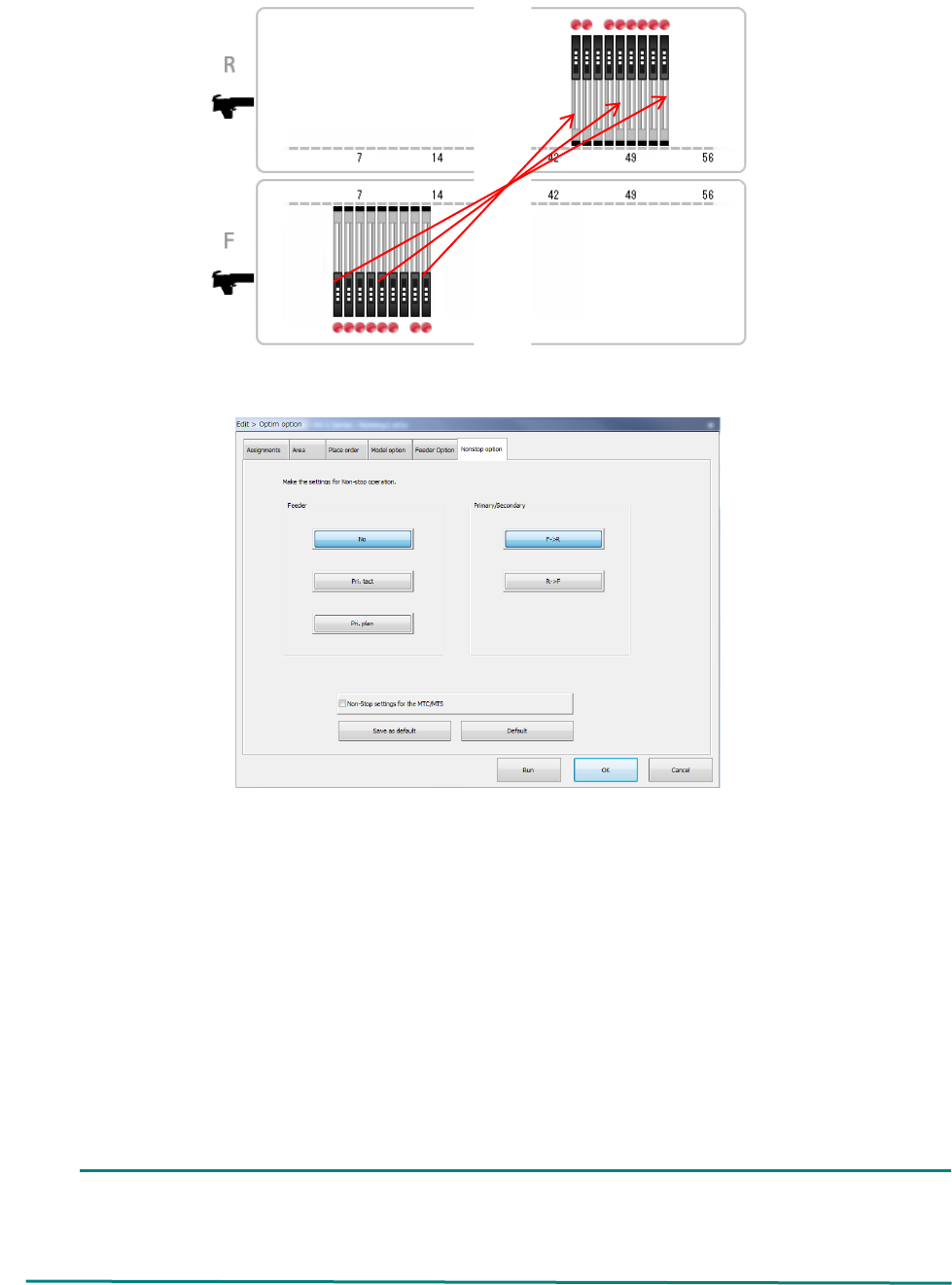
- Point symmetry
When you assign Pick data with selecting the “Point symmetry,” priority is given to the
“planning” (setup)
Each feeder is copied to the hole position symmetrical with respect that of a feeder on the
opposite side, and the feeder layouts of the rear and the front become the same as each
other when the feeder banks are viewed from the front.
Part 1 Basic Operation Chapter 2 Production
2-169
(3) Create a feeder layout for non-stop operation with the Optimization function.
Specify the optimization requirements, and then perform the optimization function.
Feeder: Specify how to assign feeders during Non-stop operation.
- No : The system does not perform Non-stop operation.
- Pri. tact : The system creates the feeder layout by giving priority to the cycle time (line
symmetry).
- Pri. plan : The system creates the feeder layout by giving priority to the planning (setup)
(point symmetry).
Primary/Secondary: Specify which side is to be used mainly during Non-stop operation, the
front or the rear.
Select the <F ->R> button when the reference side is set to the front or
the <R -> F> button when it is set to the rear side.
Non-Stop settings for the MTC/MTS: Specify whether an MTC/MTS is to be used for Non-stop
operation or not.
When the RF/EF bank is specified for the front side, an EF type feeder is used on this side,
and the RF bank is specified for the rear side, any EF type feeder cannot be assigned to the
RF bank. Therefore, the system cannot perform PWB production in optimized order.
In such a case, produce a PWB in input order.