RS-1_instruction manual.pdf - 第204页
Part 1 B asic O peration Chapter 2 Pr oduction 2- 93 Operation step Wha t to prepar e Detailed operation Description 7 Data chec k Laser chec k Checks to see if the l aser height for a compon ent is appropriat e or not. …
Part 1 Basic Operation Chapter 2 Production
2-92
2.12 Support
This command performs various types of checking operations before the system starts PWB
production.
Plan support
Overview
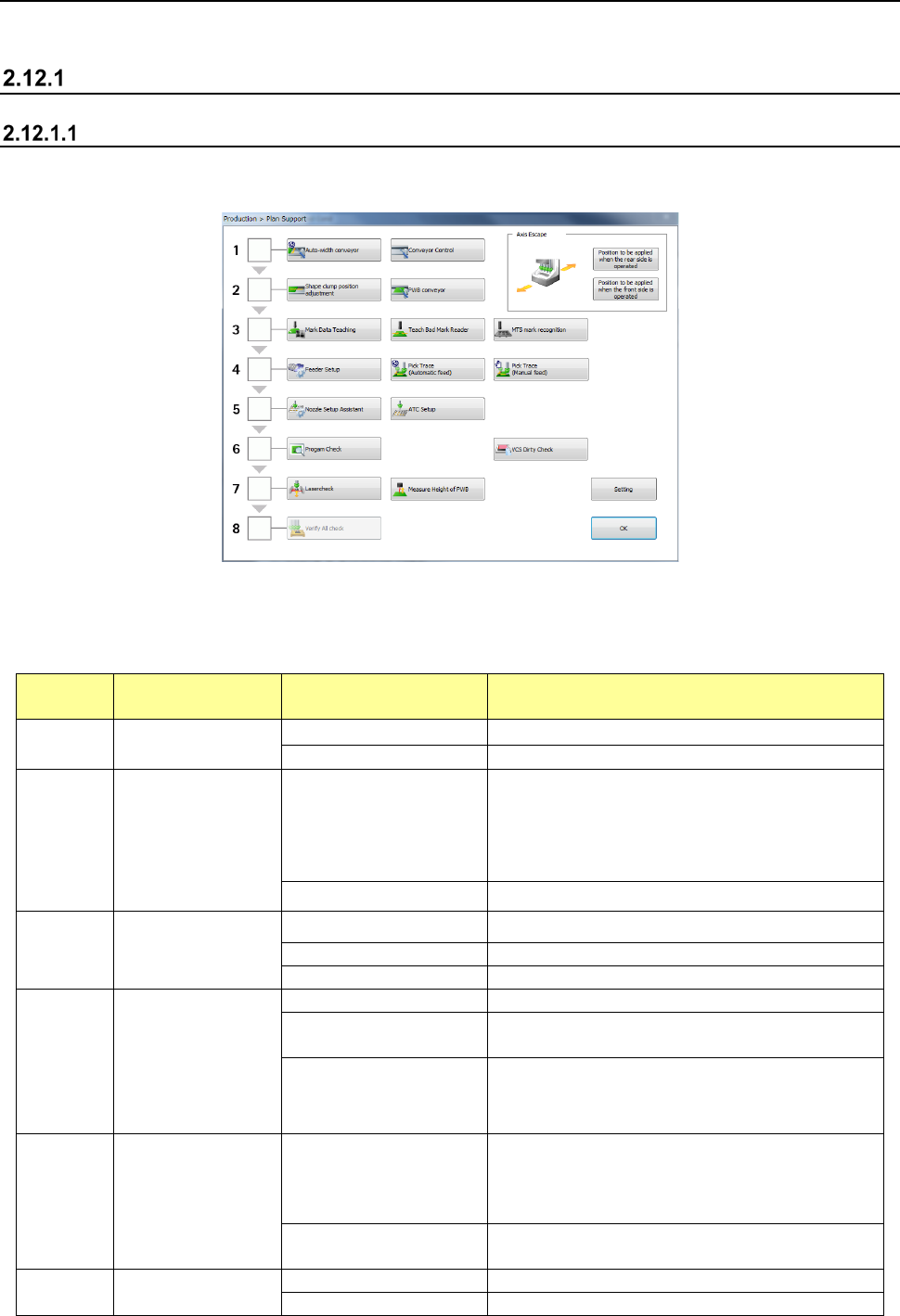
When you select the [Support] command from the “Product” menu, and then the [Plan support]
command, the “Plan Support” screen appears.
(1) Planning
When you perform the operation steps shown below from “1. Adjustment of the conveyor
width” to “8. Check of component supply” sequentially to finish all preparations, the system
gets ready for PWB production completely.
Operation
step
What to prepare Detailed operation Description
1
Adjustment of the
conveyor width
Auto-width conveyor
Adjusts the conveyor width.
Conveyor Control
Controls board transport operation.
2 Board transport
Shape clamp position
Teaches the board stop position.
When the machine transports a board without any
stopper, it adjusts the board stop position. When
the machine transports a board with the stopper, it
adjusts the shape clamp reference position.
PWB conveyor
Transports a board.
3 Teaching of a mark
Mark Data Teaching Sets a BOC mark and an area fiducial mark.
Teach Bad Mark Reader
Teaches a bad mark.
MTS mark recognition
Recognizes an MTS mark.
4 Feeder Setup
Feeder Setup
Teaches a feeder attached on each bank.
Pick Trace
(Automatic feed)
Tracks a component pick-up position (with feeding
automatically).
Pick Trace (Manual feed)
Tracks a component pick-up position (with feeding
manually).
5 Nozzle setup
Nozzle Setup Assistant
Compares the nozzle assignment of the ATC
specified in a production program with the actual
assignment, and if there is any difference between
them, displays it.
ATC Setup
Automatically assigns a nozzle from the ATC to the
selected hole number.
6
Check before start
of PWB production
Program Check
Performs a production program check.
VCS Dirty Check
Perform VCS dirt check and display the result.
Part 1 Basic Operation Chapter 2 Production
2-93
Operation
step
What to prepare Detailed operation Description
7 Data check
Laser check
Checks to see if the laser height for a component is
appropriate or not.
Measure Height of PWB
Measure the placement position height of the PWB
surface with HMS.
8
Check of
component supply
GNRL. Vision All Check
Makes a general-purpose vision component
direction continuous inspection.
(2) Axis Escape
These buttons allow you to move the head to the position appropriate for preparation.
Menu item
Button
Description
Axis Escape
Position to be applied when the rear side
is operated
Axially moves the head unit to the position set at
“Position to be applied when the rear side is operated”.
For the setting of “Position to be applied when the rear
side is operated”, see Section 8.3.4.3 “Head Wait
Position” in Chapter 8 “Machine Setup”.
Position to be applied when the front side
is operated
Axially moves the head unit to the position set at
“Position to be applied when the front side is operated”.
For the setting of “Position to be applied when the front
side is operated”, see Section 8.3.4.3 “Head Wait
Position” in Chapter 8 “Machine Setup”.
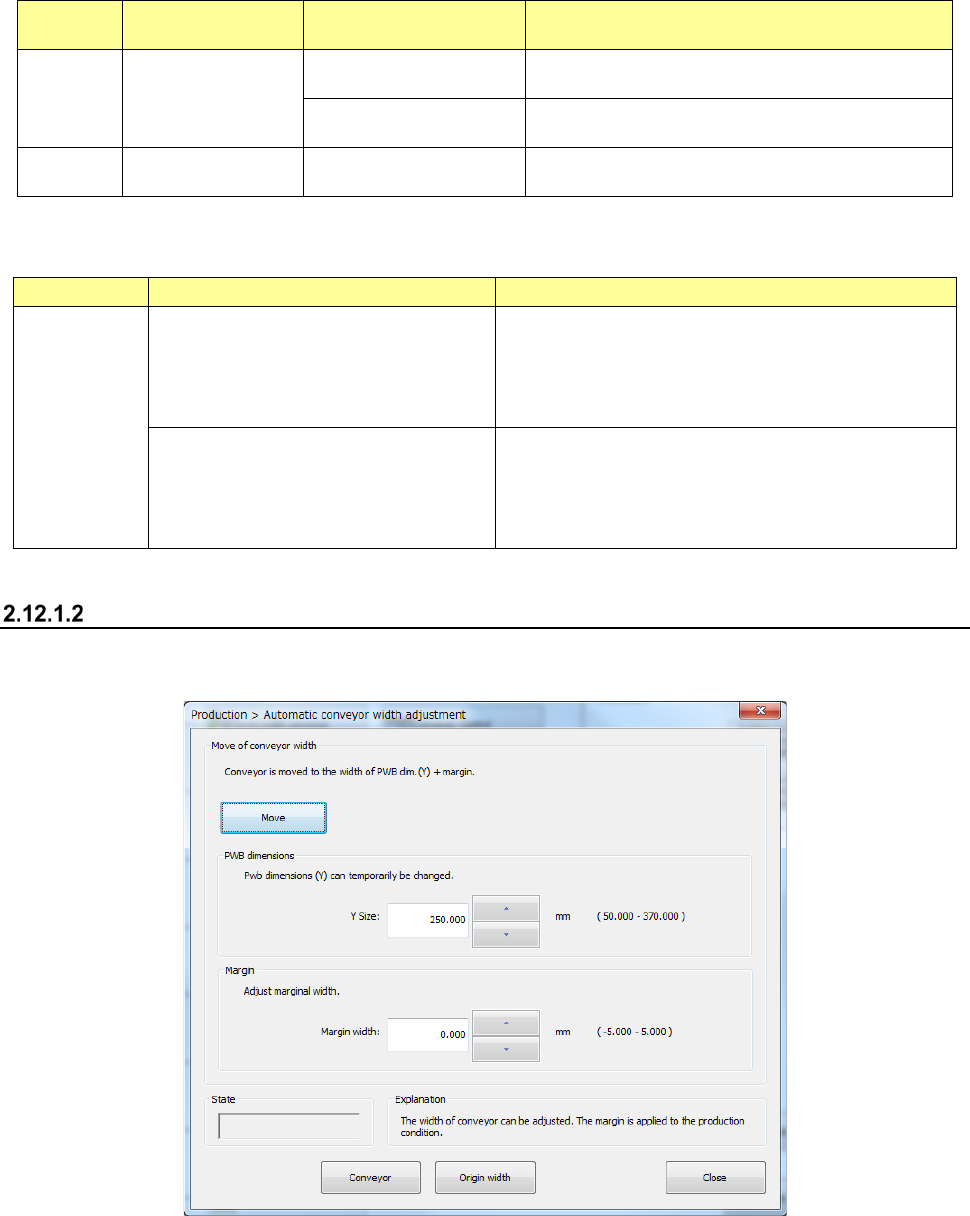
Automatic PWB width adjustment
The system allows you to adjust the PWB transport width.
- Automatic PWB width adjustment
See Section 4.5.2.6 “Automatic board width adjustment” of Chapter 4 “Creating a Production
Program” for details.
Part 1 Basic Operation Chapter 2 Production
2-94
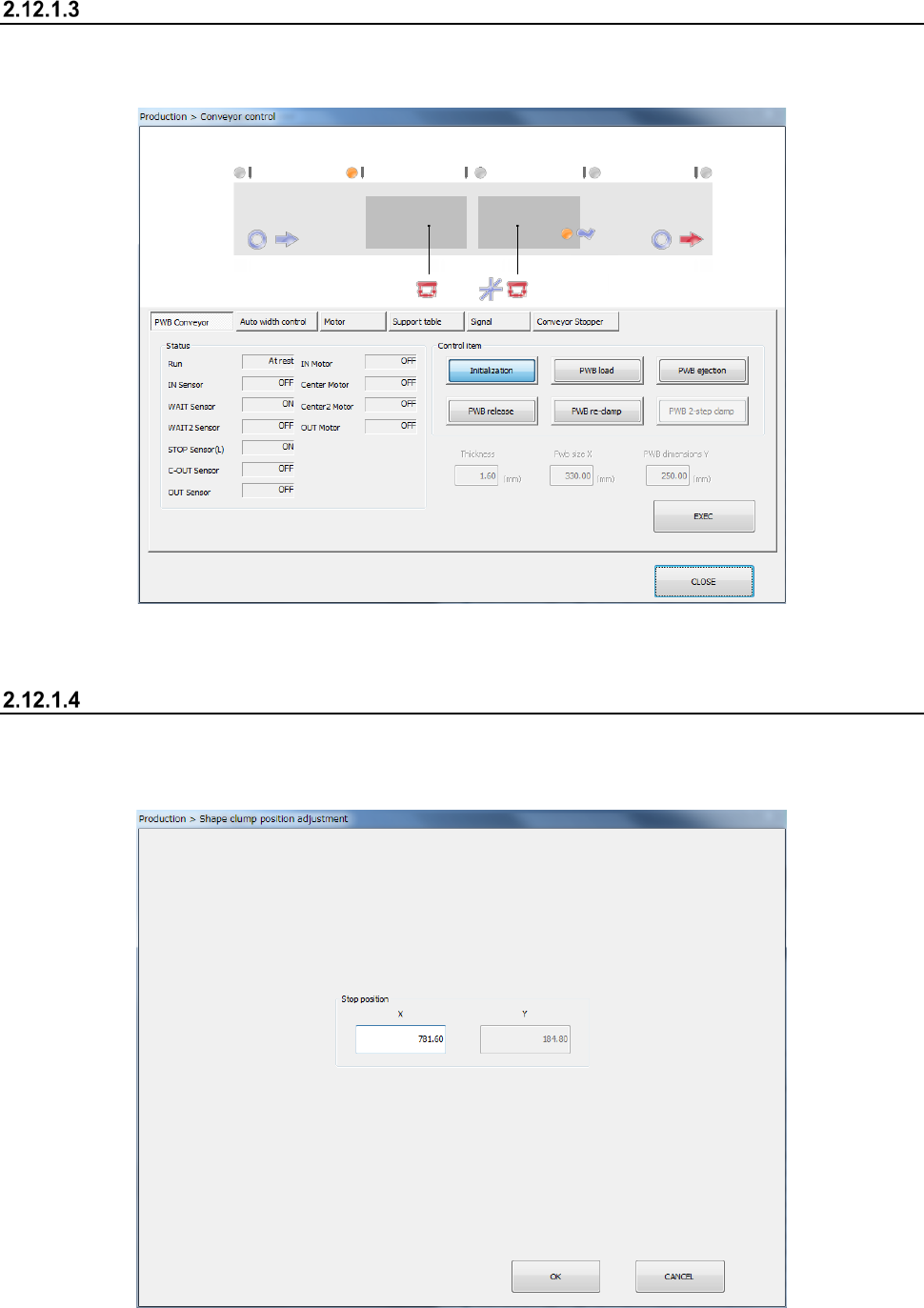
Conveyor Control
When you press the < Conveyor Control> button, the system displays the condition of the conveyor
path. Operate the conveyor and control the motor and the support table.
See the descriptions of Section 9.4.1 “PWB conveyor” of Chapter 9 “Manual Control.”
Shape clamp position adjustment
Adjust the shape clamp reference position.
- Shape clamp position adjustment