RS-1_instruction manual.pdf - 第838页
Pa r t 2 Det ai l ed Des c r i pti on o f Ea c h Fu nc ti on Chapter 10 M ach i ne Manage m e nt Infor m ation 10 - 25 10.3.9 A T C oper a tion infor mation W hen you sel ect [M achi ne] – [ AT C operat ion i nf orm atio…
Part 2 Detailed Description of Each Function Chapter 10 Machine Management Information
10-24
(1) Vacuum Pump/Ejector operation information
No
Item
Contents
1 Operating hours Total number of hours in which the vacuum pump/Ejector was
used
(2) <Reset> button
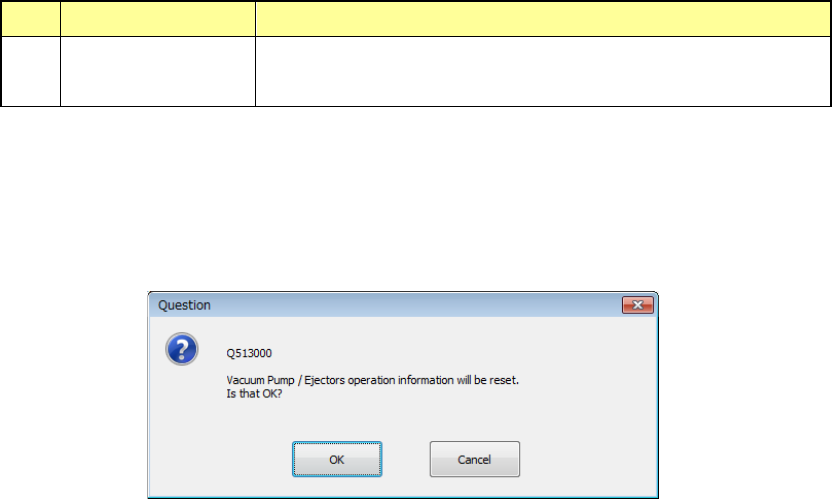
When you press the <Reset> button or press [Initialize] – [Reset] in the main menu, the
following question message is displayed.
- Press <OK> in the question message to reset designated items and close the screen.
- When you press the <CANCEL> button, the system does not reset any data and the
current data is still displayed.
Part 2 Detailed Description of Each Function Chapter 10 Machine Management Information
10-25
10.3.9 ATC operation information
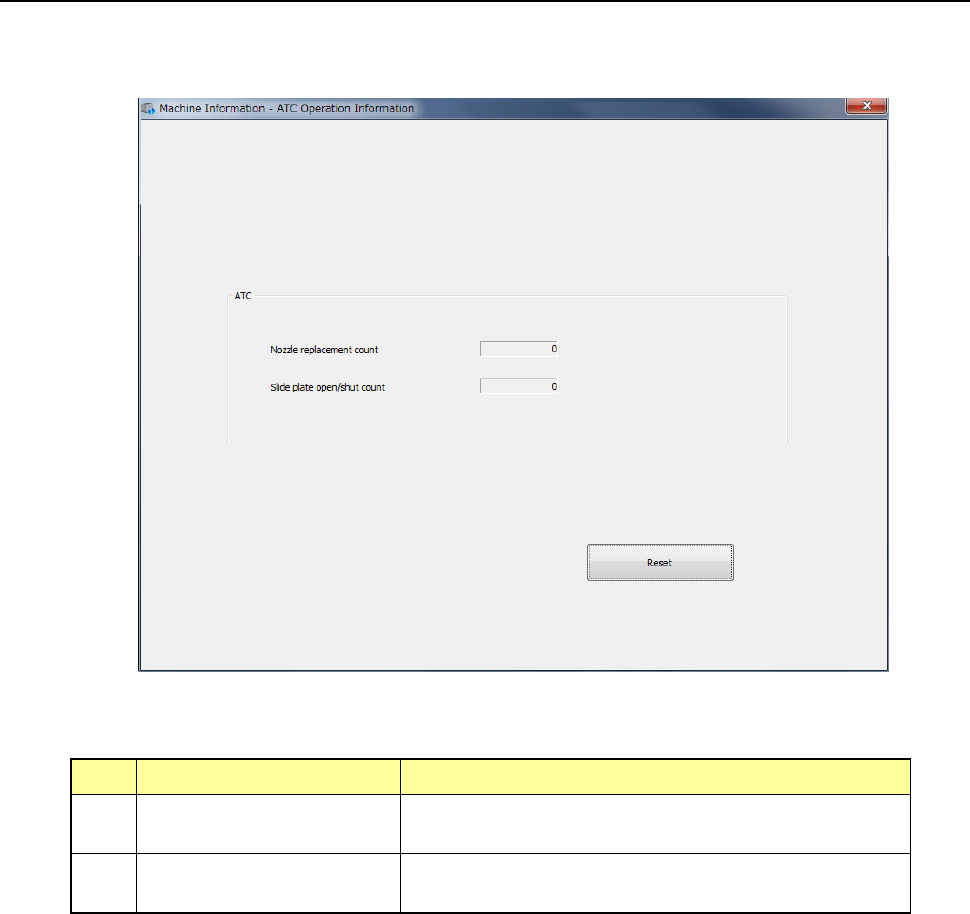
When you select [Machine] – [ATC operation information] in the main menu, the ATC operation
information screen appears.
(1) ATC
No. Item Description
1 Nozzle replacement count Displays how many times a nozzle was replaced with
another one per cylinder.
2 Side plate open/shut
count
Displays how many times the slide plate opened/shut
totally.
Part 2 Detailed Description of Each Function Chapter 10 Machine Management Information
10-26
(2) <Reset> button
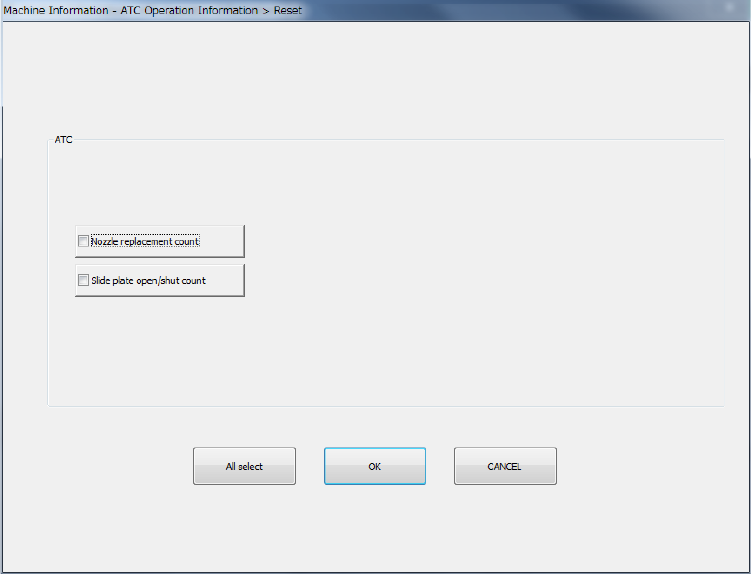
When you press the <Reset> button or press [Initialize] – [Reset] in the main menu, the
following screen appears.
This operation allows you to clear the certain data or all data displayed in the list.
- The <All select> button allows you to select all check boxes displayed on the screen.
- When you press the check box of the item whose data you want to reset, and press the
<OK> button, the “Question” dialog box for asking you whether to reset data appears on
the screen. When you press the <OK> button on this “Question” message, the system
resets the checked items of data, and closes the screen.
- When you press the <CANCEL> button, the system does not reset any data and the
current data is still displayed.