RS-1_instruction manual.pdf - 第799页
Part 2 D etaile d Descript ion of E ach Functi on Chapter 9 M anual Control 9- 27 <El ectr ic st ick fee de r>
Part 2 Detailed Description of Each Function Chapter 9 Manual Control
9-26
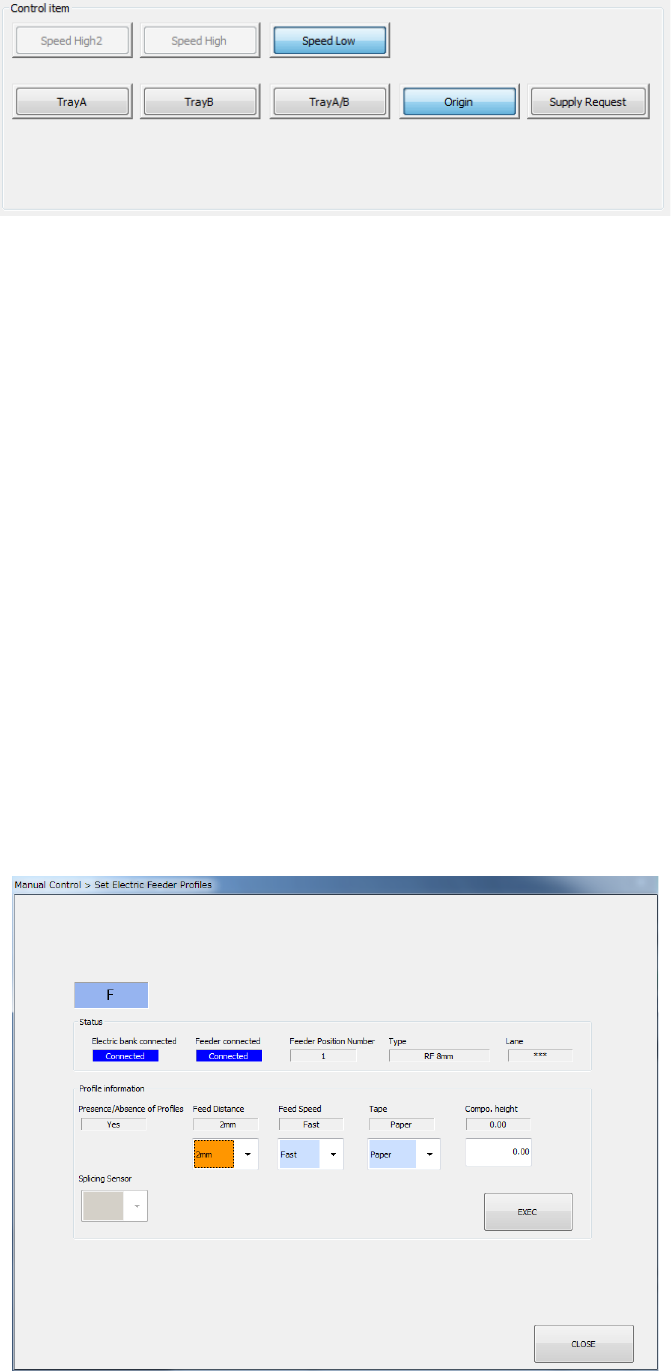
<Electric DTS>
1) Origin
When you press the <EXEC> button, the DTS returns to the origin.
2) Supply Request
This button puts the DTS in the state for supplying the machine with components (you can
open the cover).
When the DTS can supply the machine with components, you cannot return the DTS to the
origin, or pull a tray from the DTS.
3) Speed High 2/Speed High/Speed Low
Select the speed at which a tray is pulled out from the DTS with one of these buttons.
4) Tray A/Tray B/Tray A/B
When you select the <EXEC> button, the DTS starts pulling out a tray at the selected speed.
If the selected tray has been pulled out already when you execute the <Tray A> or the <Tray
B> button, the DTS does not pull out the corresponding tray.
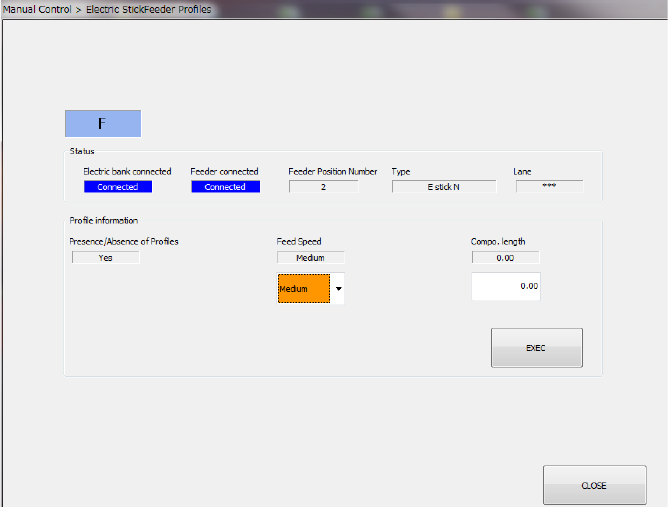
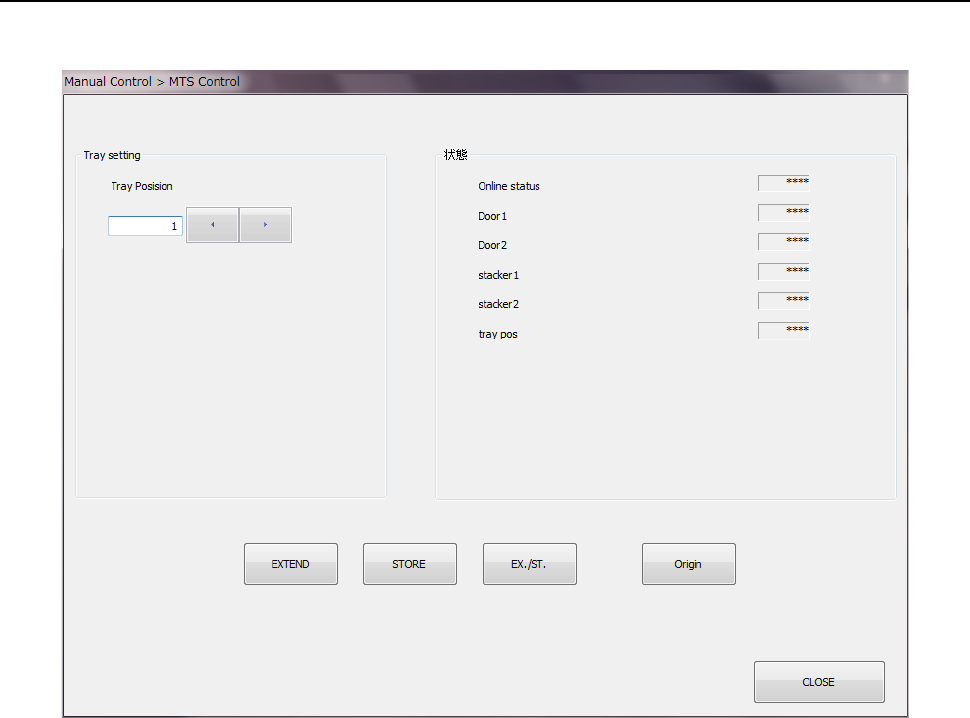
(3) Setting
When the electric feeder or electric stick feeder is connected, the <Set> button is enabled.
When you press the <Set> button, the profile setting dialog of the selected feeder is
displayed. After selecting a feed speed or tape type by the combo box, press the <EXEC>
button. When “Electric bank connected” or “Feeder connected” is set to “Not connected,”
the <EXEC> button cannot be operated.
<Electric feeder>
Part 2 Detailed Description of Each Function Chapter 9 Manual Control
9-27
<Electric stick feeder>
Part 2 Detailed Description of Each Function Chapter 9 Manual Control
9-28
9.5.2 MTS control
When you select [Feeder] – [MTS control] in the menu, the MTS control dialog appears.
(1) Tray setting
Set the tray position to be controlled. Control the tray position by the <EXTEND> button,
<STORE> button, <EX/ST> button, and <Origin> button.
(2) Status
The unit status is displayed at completion of control.
The online status and door open/close status are displayed continuously.