RS-1_instruction manual.pdf - 第861页
Pa r t 2 Det ai l ed Des c r i pti on o f Ea c h Fu nc ti on Chapte r 1 1 S el f - diagnosis Func ti on 11 -3 Detailed display of self - dia gnosis info rmat ion The det ai led di sp lay of sel f - diagnos is inf orm ati…
Part 2 Detailed Description of Each Function Chapter 11 Self-diagnosis Function
11-2
Display Function
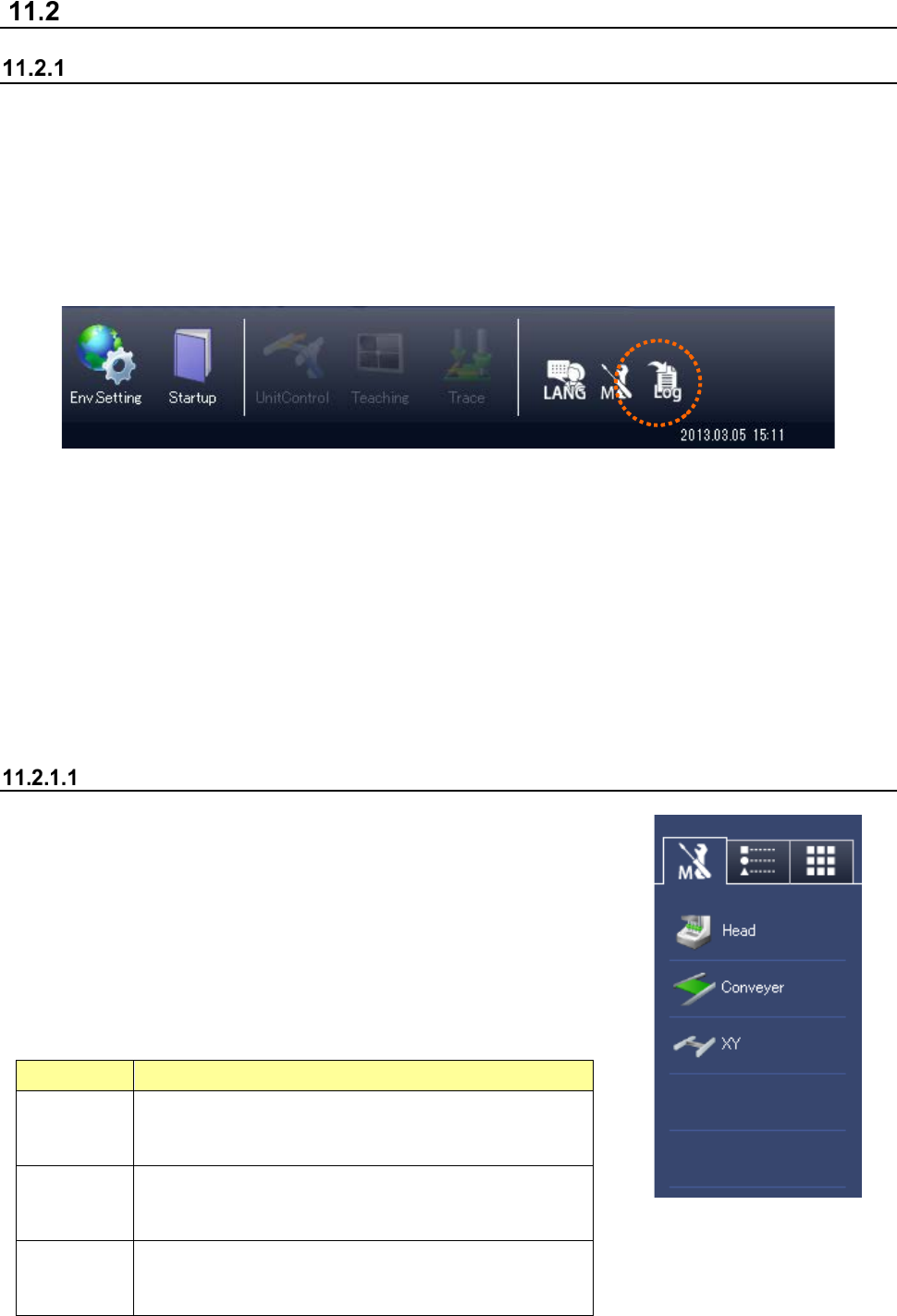
Regular display
When there are some replacement components in the whole system for which a routine check is
not yet executed as self-diagnosis information, the maintenance button of the desktop changes
into a red display so that the user can check at all times whether self-diagnosis information exists
or not.
When you press this button, a detailed list of self-diagnosis information in the whole system is
displayed.
The category in which there is self-diagnosis information is displayed with priority.
Even if this button is pressed during production, a detailed list is not displayed.
Furthermore, while an error message is displayed, a return-to-origin is made, or the teaching
screen is displayed, this list is not displayed.
The screens for which this button is effective are shown below.
- Desktop screen (application management)
- Production (production conditions and temporary stop)
- Manual control (main screen)
- Setup (main screen)
Outline display
If there is replacement component information for each unit, the
button for each unit is displayed in red. If there is any periodic
check item that is not yet executed, the periodic check button is
displayed in red.
When you press the button for each unit, the detailed list of
replacement component information for each unit is displayed.
When you press the periodic check button, the periodic check list is
displayed.
Button
Operation
Head
Displays the replacement component information
related
to the head unit (Z, theta motor, filter, etc.).
Conveyor
Displays the replacement component information
related
to the conveyor unit (conveyor motor, belt, etc.)
XY
Displays the replacement component information
related
to XY unit (XY motor, robot cable, etc.).
Part 2 Detailed Description of Each Function Chapter 11 Self-diagnosis Function
11-3
Detailed display of self-diagnosis information
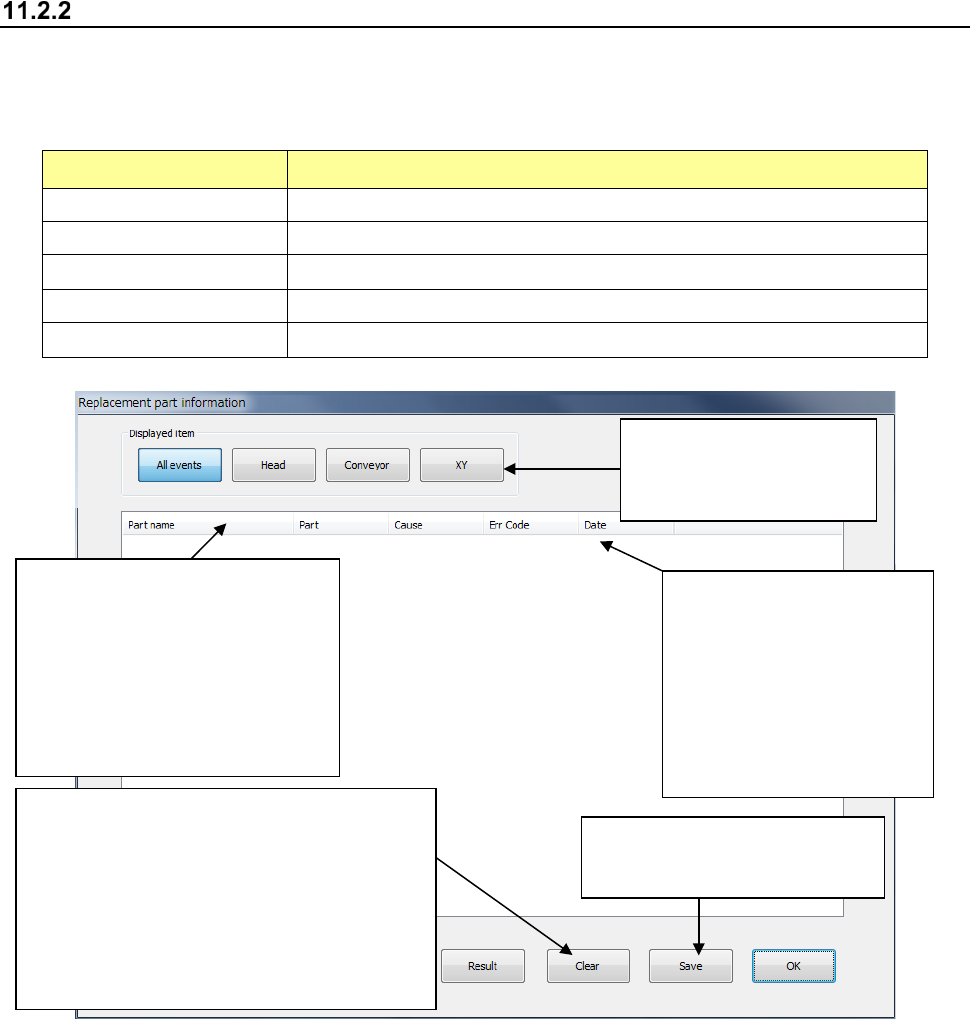
The detailed display of self-diagnosis information is a screen that displays a list of replacement
component information. Regarding the replacement component information, the following
contents are displayed.
Display item Contents
Part name Name of the component to be replaced (formal name on the drawing)
Portion Portions when there are multiple positions
Reason for replacement Reason for required replacement (time, etc.)
Error code Error code resulting in required replacement
Date of occurrence Date of required replacement
A display item is further
specified by each button
of “Display item.”
(Sorting function)
When an item line is selected,
part name sorting is executed.
(Ascending order)
If you select once again in the
ascending order sorting, it is
returned to the original status.
Reasons for occurrence of
replacement
(Time) Replacement is
now required by time
monitoring.
(Error) Replacement is
judged by error code.
The replacement component
information is saved in a file.
Item clear button A line of replacement
component is selected and cleared.
(When this clearing operation is performed,
the data is saved into the replacement
record file.)
User level: Valid at the manager’s authority
or higher
Part 2 Detailed Description of Each Function Chapter 11 Self-diagnosis Function
11-4
Check Function
Consumable component replacement notifying function
On the basis of the using status of consumable components, this function notifies the replacement
time according to each replacement standard.
The replacement time is judged by the standard (time, operation count, moving distance, etc.) set
for each component.
For judgment of the replacement time, the self-diagnosis information to be newly installed is used.
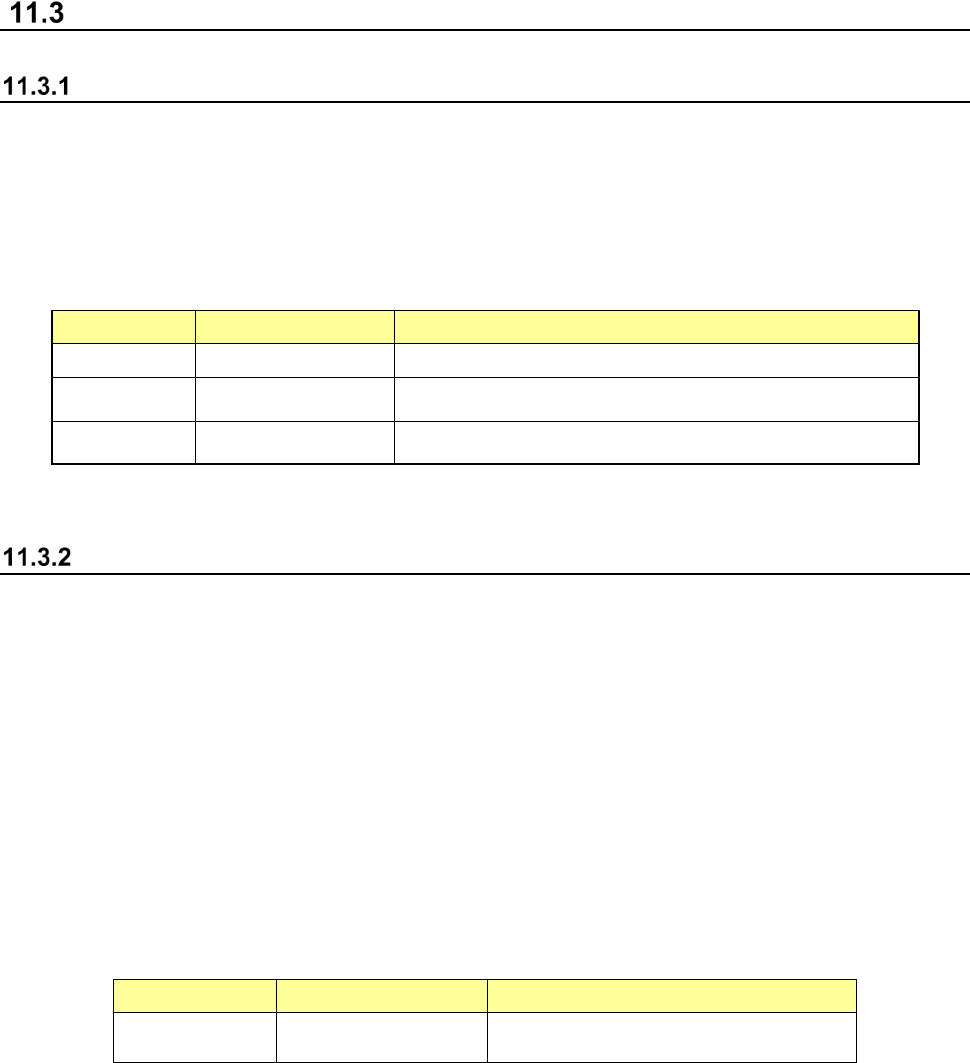
The intended consumable components and check items are shown below.
Unit Component Check item
Head Filter Time
Conveyor Conveyor belt Count (conveyor)
XY XY robot cable (*1) Signal
(*1) This is checked at a return-to-origin and a flag is put in the self-diagnosis data.
Error occurrence monitoring function
The error occurrence monitoring function monitors the frequency of error occurrence in relation to
errors that may result from a device failure.
The error occurrence monitoring function is realized by the following functions.
(1) When an error occurs, it is checked whether the error occurred in the same unit within one
month (30 days).
(2) When the same error occurs more frequently than the specified level in (1), the maintenance
of the corresponding unit is judged to be necessary.
(3) This function is managed by the data table in which the corresponding unit is associated with
the error number.
The objects to be monitored in relation to the frequency of error occurrence are as follows.
Unit Portion Contents
Head LNC120-8 LNC120 connection failure