RS-1_instruction manual.pdf - 第120页
Part 1 B asic O peration Chapter 2 Pr oduction 2-9 Recovery operation after power failure (Turning on the machine) If you find any fi l e at start up of the system by check ing to see if t here is any file t hat was save…
Part 1 Basic Operation Chapter 2 Production
2-8
What to do at power failure
UPS power supply
This machine is equipped with back-up power supply with a battery to prevent any computer data
from being damaged or lost due to a power failure. Therefore, this unit helps you securely shut
down the system even at power failure without damaging or losing any data.
Corrective action at power failure
If power cannot be supplied to the main unit normally, the power supply monitoring function of the
UPS power supply is activated.
To recover the system from this problem, you have to turn on the machine.
Save the production program, production management information, information necessary to restart
production and machine management information, shut down the system, and turn off the machine.
If you do not operate the machine for a certain period of time, the data at that time is saved and the
shutdown process of the system is executed.
Step 1. Preparation for automatic shutdown
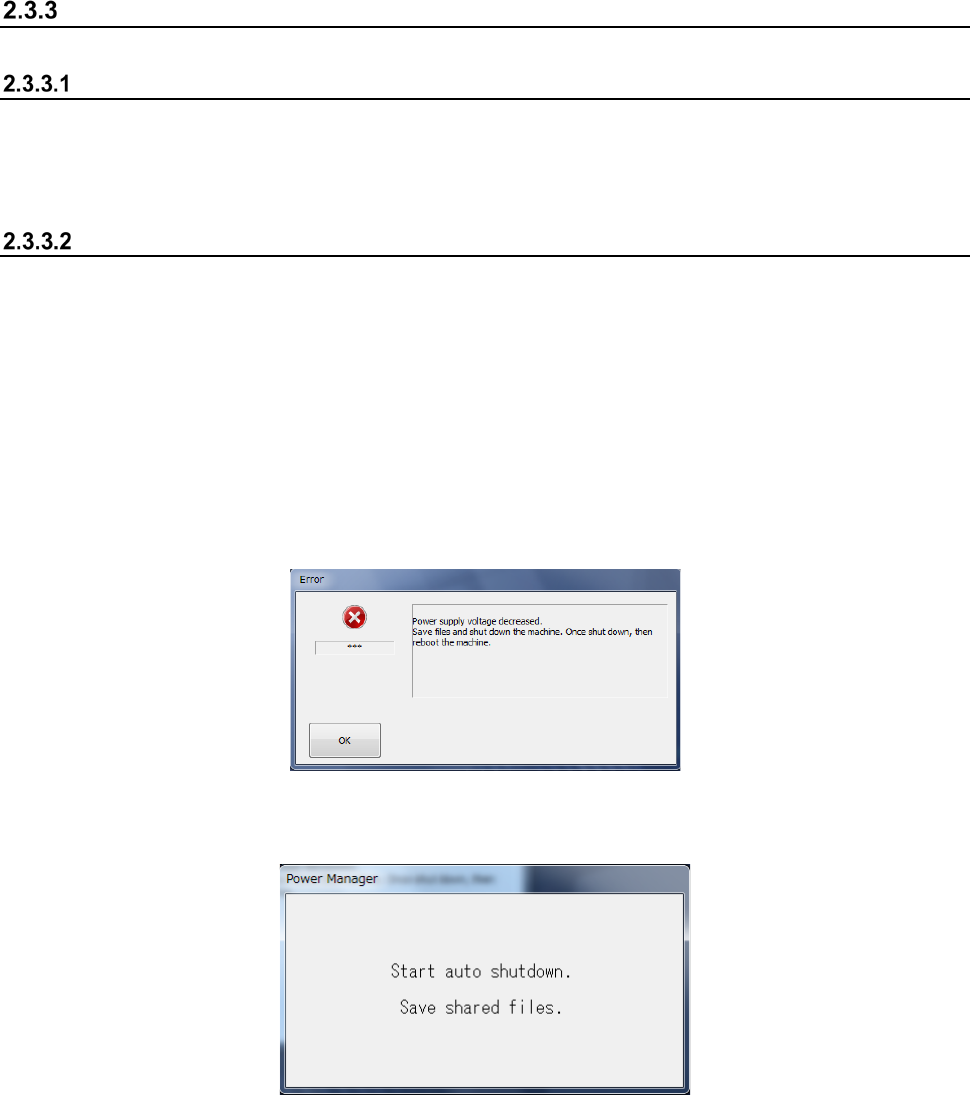
If the system detects a power failure, the following screen appears.
The UPS power supply also detects the power failure, and displays the automatic shut-down
screen.
Step 2. Shutdown process
① Preparation for power-off
After quitting the application software, you can start the Windows 7 shutdown process to turn
off the machine. Anything does not appear on the screen.
② Turning off the main power
Manually turn off the main power of the main unit.
Part 1 Basic Operation Chapter 2 Production
2-9
Recovery operation after power failure (Turning on the machine)
If you find any file at start up of the system by checking to see if there is any file that was saved at
power failure, the inquiry dialog box appears on the screen.
(1) Confirmation dialog box displayed when the system finds a file that was saved at power failure
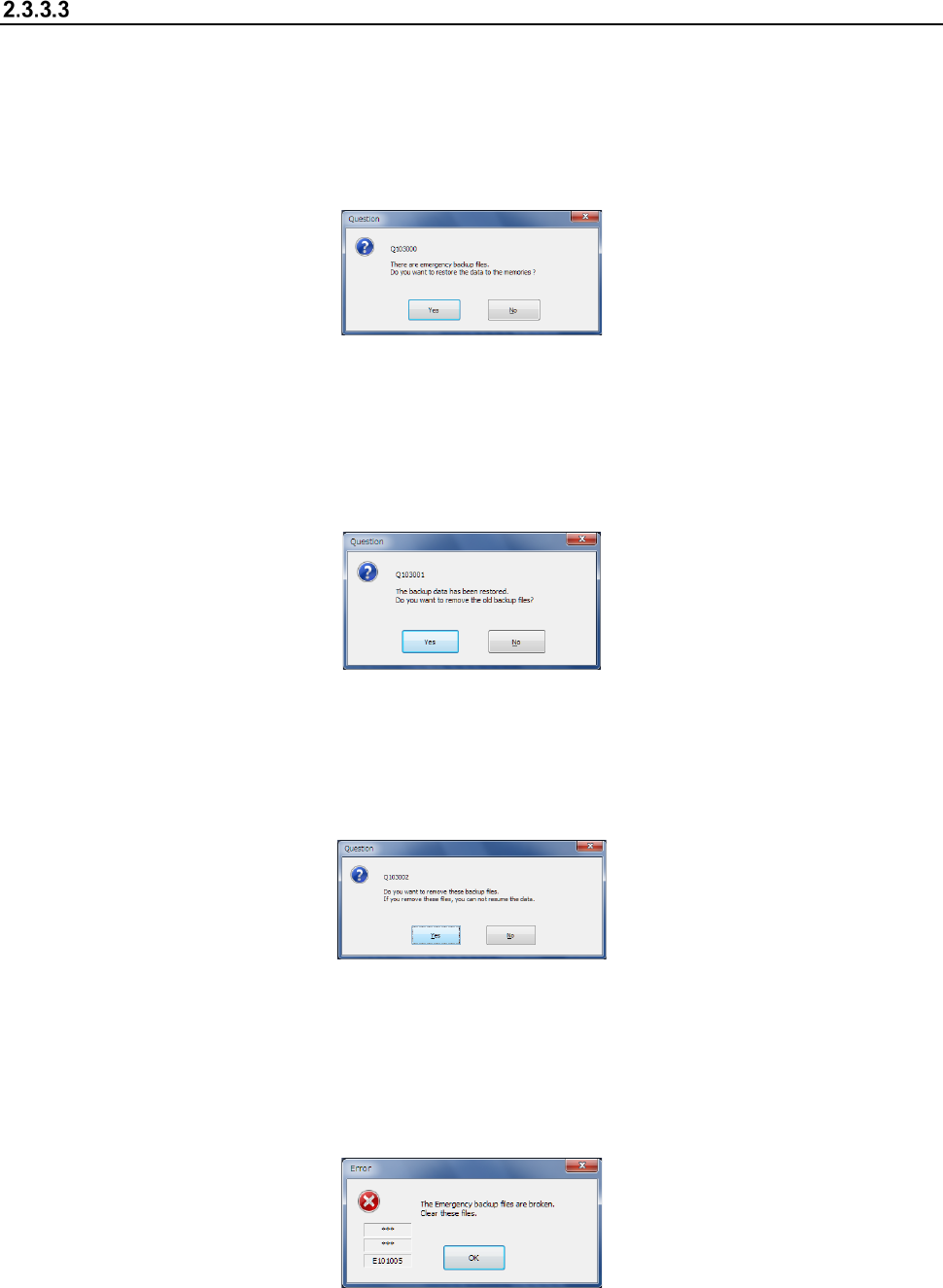
1) If the system finds saved data at start-up, the following confirmation dialog box appears on
the screen.
Yes: Recovers a production program, production management information and any other
necessary information, and recovers the system as it was when a power failure
occurred.
No: Any recovery process is not executed.
2) When the recovery process is executed completely, the following inquiry dialog box appears
on the screen.
Yes: Deletes the saved data.
No: Does not delete the saved data. (The inquiry dialog box for the recovery process
appears again at start-up the next time.)
3) When you click the <No> button on the recovery inquiry dialog box, the following inquiry
dialog box appears on the screen.
Yes: Deletes the saved data.
No: Does not delete the saved data. (The inquiry dialog box for the recovery process
appears again at start-up the next time.)
4) If the system detects an error of the saved file at start-up, the following dialog box appears
on the screen. The system does not execute any recovery process and the saved data
that may be damaged is deleted.
Part 1 Basic Operation Chapter 2 Production
2-10
Nozzle attachment error at power-on
If a nozzle is attached on a head at power-on or if an error occurs when a nozzle is being replaced
with another one, the nozzle attachment information of the head (information internally stored in the
main unit) may be inconsistent with data on a nozzle that is actually attached on the head. In such
a case, perform the procedure below.
(1) Checking a nozzle
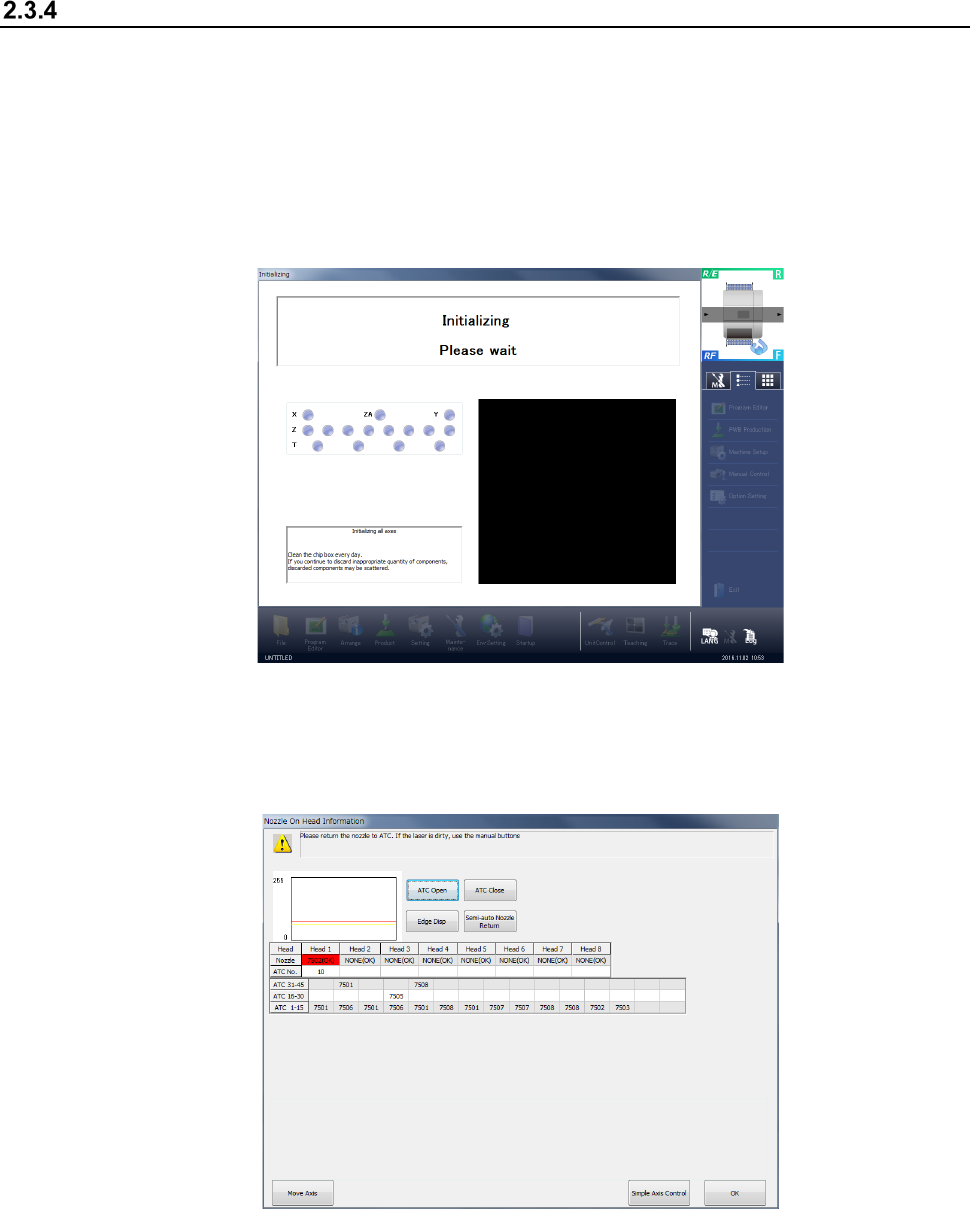
Press the <START> switch on the operation panel. After all axes finish being initialized, the
message “Checking Nozzle on Head” appears at the bottom line of the “initializing” screen.
(2) Detecting whether a nozzle is attached on a head
If the check operation described above is performed to find that “information controlled with the
machine internally indicating whether a nozzle is attached on each head” is inconsistent with
“information whether a nozzle is attached on each head actually,” the following screen appears.
The machine returns a nozzle that is attached on each head shown on the screen above to the
ATC.