RS-1_instruction manual.pdf - 第981页
Part 2 D etaile d Descript ion of E ach Functi on Chapter 12 Handling th e Optional Device s 12 - 97 12.14.5 Operation option Select the “ Machi ne Se tup ” icon from the menu, an d then the [O peration opti on] command …
Part 2 Detailed Description of Each Function Chapter 12 Handling the Optional Devices
12-96
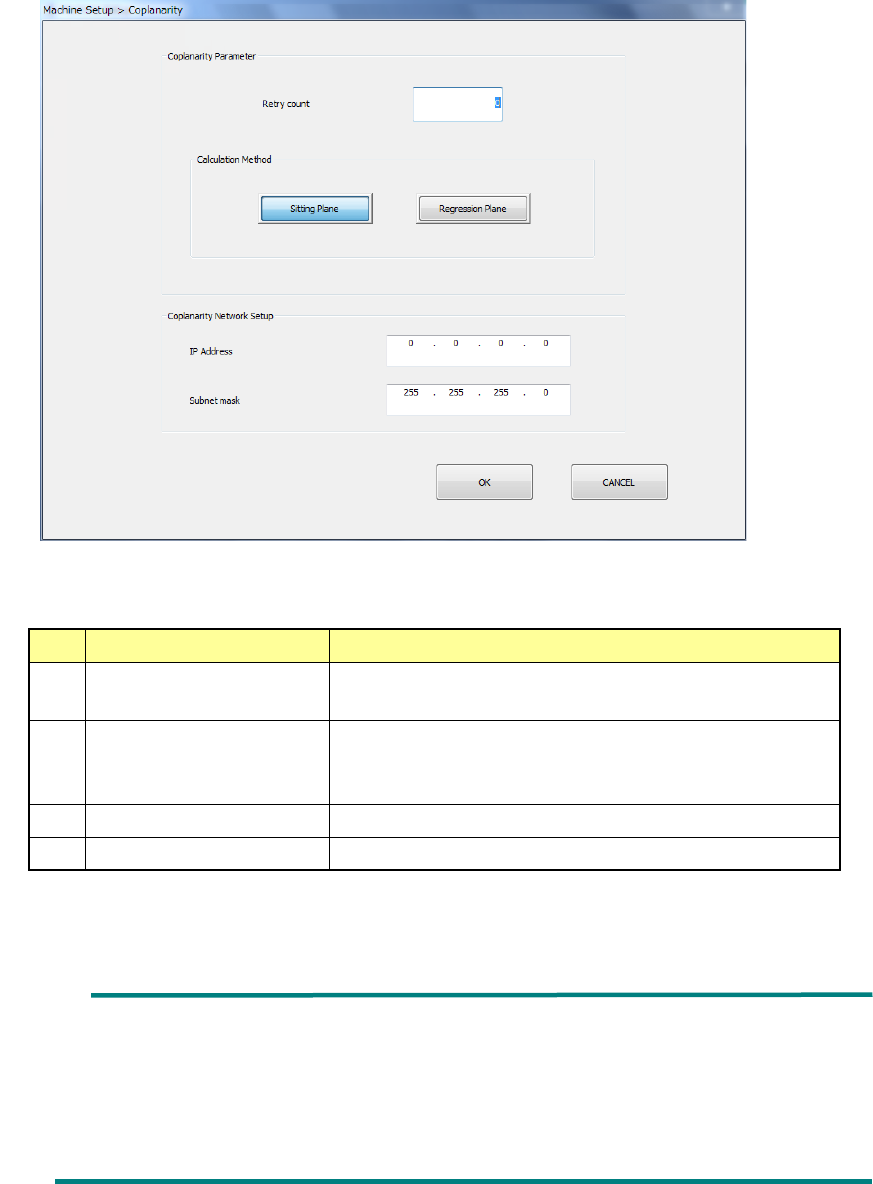
2) Select the “Unit setting” icon from the “Machine Setup” screen menu, and then the
“Coplanarity.”
Specify the menu items “Retry count” and the “Calculation Method.”
No.
Item
Description
1 Retry count Specify how many times to repeat the operation to
obtain coplanarity parameters.
2
Calculation Method
Select the method for calculating the reference plane,
“Sitting Plane” (three-point method) or “Regression
Plane” (least-square method).
3
IP Address
Set the IP address assigned to the coplanarity unit.
4
Subnet mask
Set the subnet mask assigned to the coplanarity unit.
* See Section 8.3.6.8 “Coplanarity” for details
Ball component: Coplanarity is calculated with the least-square
method regardless of the setting of the reference
plane in the “Calculation Method” column.
Unidirectional connector: Only colinearity is calculated with the least-square
method regardless of the setting of the reference
plane in the “Calculation Method” column.
Part 2 Detailed Description of Each Function Chapter 12 Handling the Optional Devices
12-97
12.14.5 Operation option
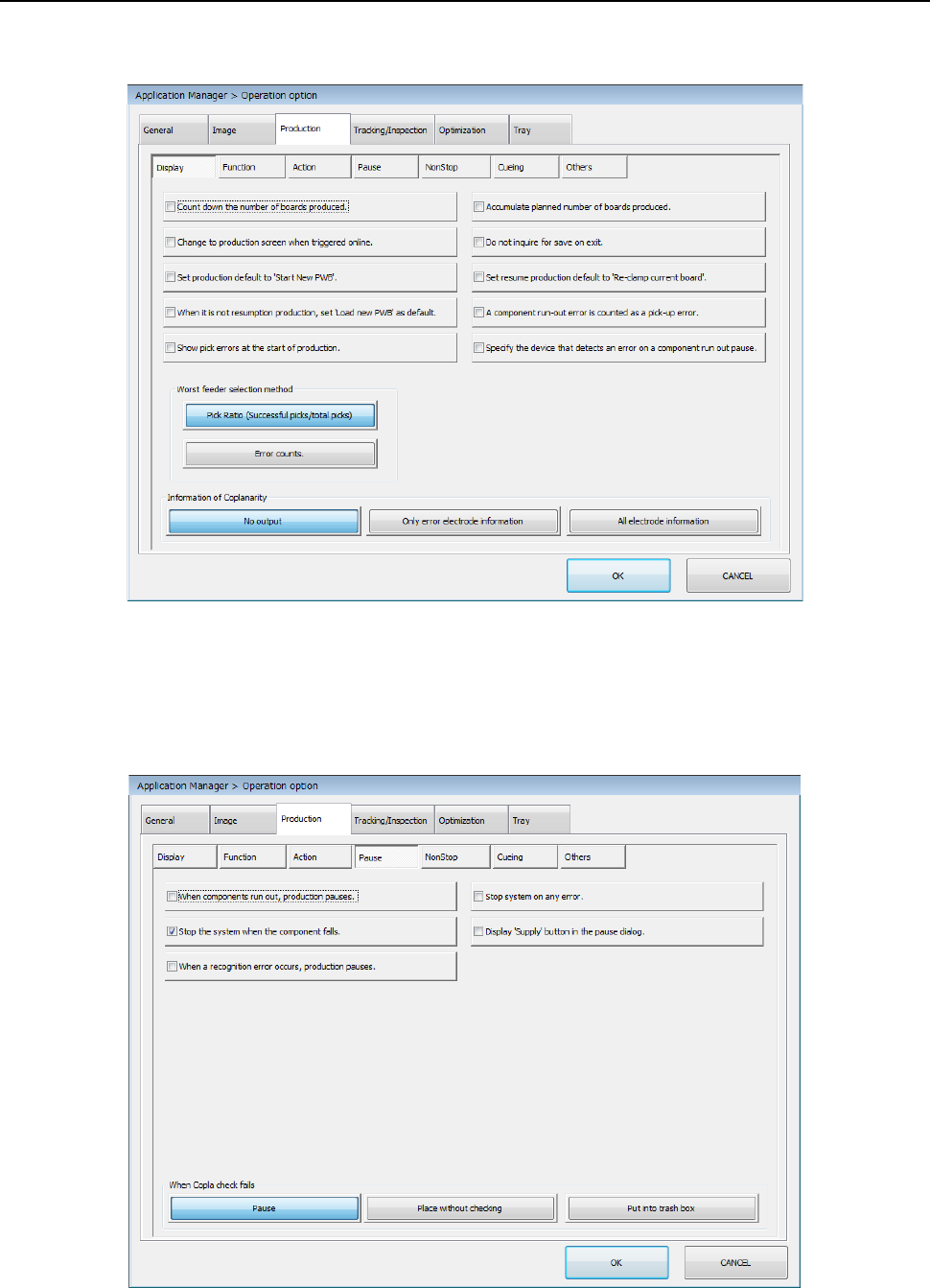
Select the “Machine Setup” icon from the menu, and then the [Operation option] command to open
the “Operation option” screen. Next, select the “Production” tab, and then the “Display” tab.
Make a setting of each item.
* See Section 7.4.1 “Display” for details.
Select the “Machine Setup” icon from the menu, and then the [Operation option] command to open
the “Operation option” screen. Next, select the “Production” tab, and then the “Pause” tab.
Make a setting of each item.
* See Section 7.4.4 “Pause” for details.
Part 2 Detailed Description of Each Function Chapter 12 Handling the Optional Devices
12-98
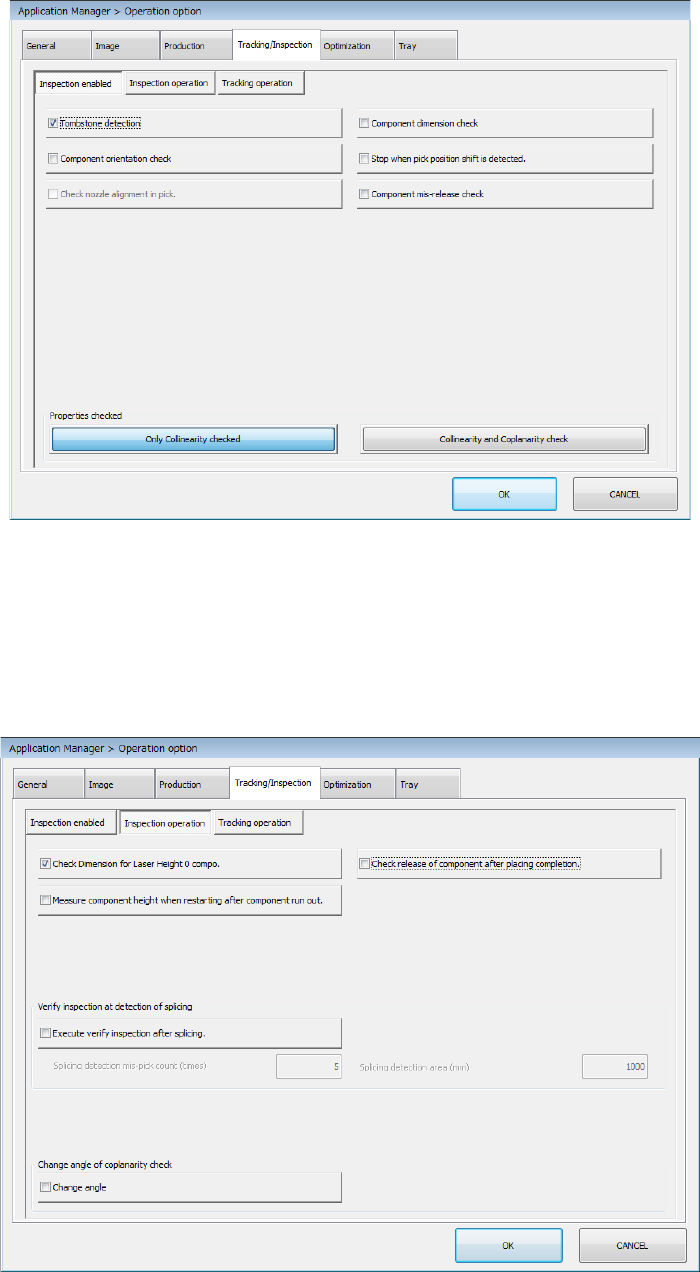
Select the “Machine Setup” icon from the menu, and then the [Operation option] command to open
the “Operation option” screen. Next, select the “Tracking/Inspection” tab, and then the “Inspection
enabled” tab.
Make a setting of each item.
* See Section 7.5.1 “Inspection enabled” for details.
Select the “Machine Setup” icon from the menu, and then the [Operation option] command to open
the “Operation option” screen. Next, select the “Tracking/Inspection” tab, and then the “Inspection
operation” tab.
Make a setting of each item.
* See Section 7.5.2 “Inspection operation” for details.