RS-1_instruction manual.pdf - 第943页
Part 2 D etaile d Descript ion of E ach Functi on Chapter 12 Handling th e Optional Device s 12 - 59 12.11.5 Manual Control Selec t [Head] – [Head device co ntrol] in manual cont rol to open th e head devic e control di …
Part 2 Detailed Description of Each Function Chapter 12 Handling the Optional Devices
12-58
12.11.4 Operation option
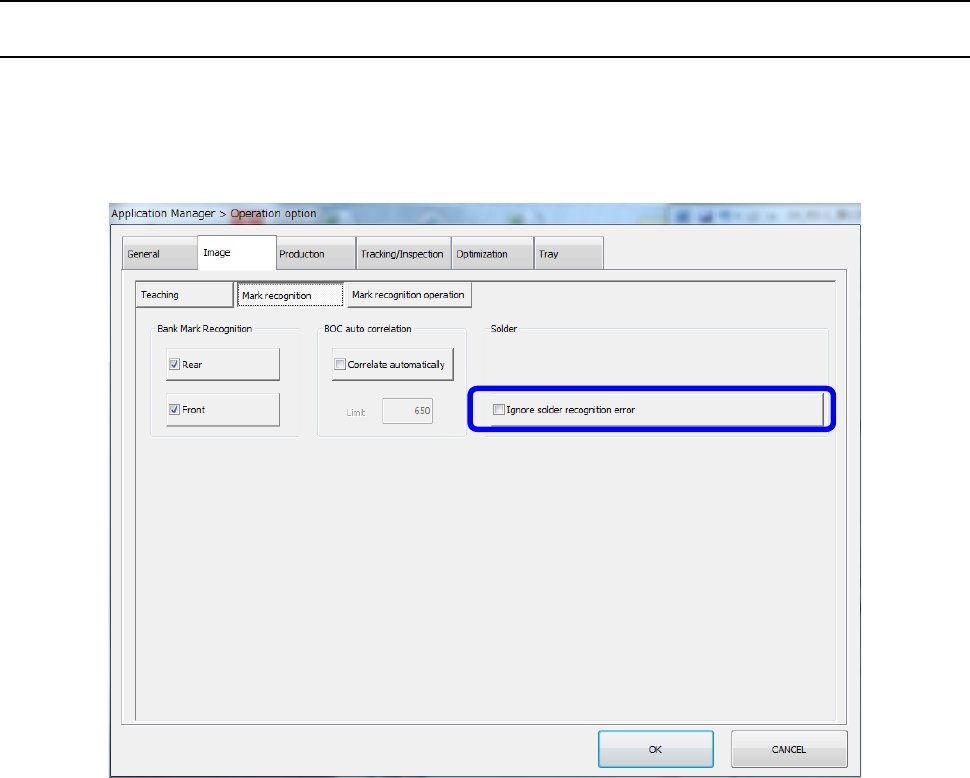
12.11.4.1 Ignore solder recognition error
Select [Setting] – [Option setting] to open the “Operation option” screen, and select the “Image”
tab and the “Mark recognition” tab. Check off or uncheck the “Ignore solder recognition error”
check box to specify whether to ignore a recognition error and place a component at the
placement coordinates.
If a solder mark recognition error occurs at even one position as a result of recognition of a set of
solder marks when the “Ignore solder recognition error” check box is enabled, the system places a
component at the normal position (without stopping temporarily) without correcting the placement
position related with the solder mark according to the solder mark.
* This “Ignore solder recognition error” function works during production only.
It does not work while a component placement position is being tracked with the camera as
specified with the Program Editor.
Part 2 Detailed Description of Each Function Chapter 12 Handling the Optional Devices
12-59
12.11.5 Manual Control
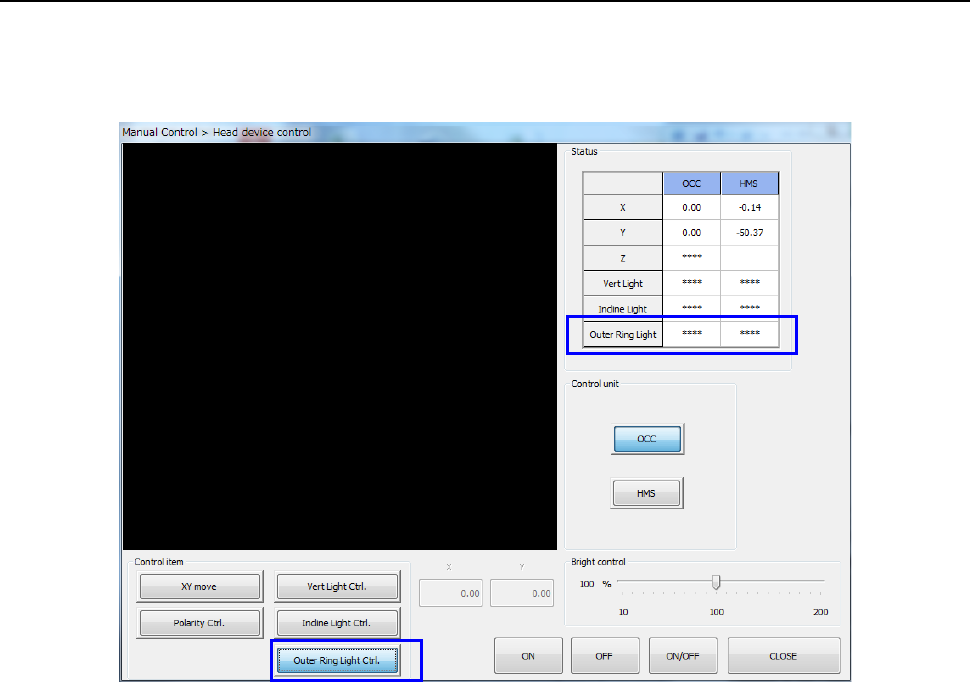
Select [Head] – [Head device control] in manual control to open the head device control dialog.
Then, select [Outer Device Control] of [Control item]. You can turn on and off each light by the
[ON], [OFF], and [ON/OFF] buttons.
Part 2 Detailed Description of Each Function Chapter 12 Handling the Optional Devices
12-60
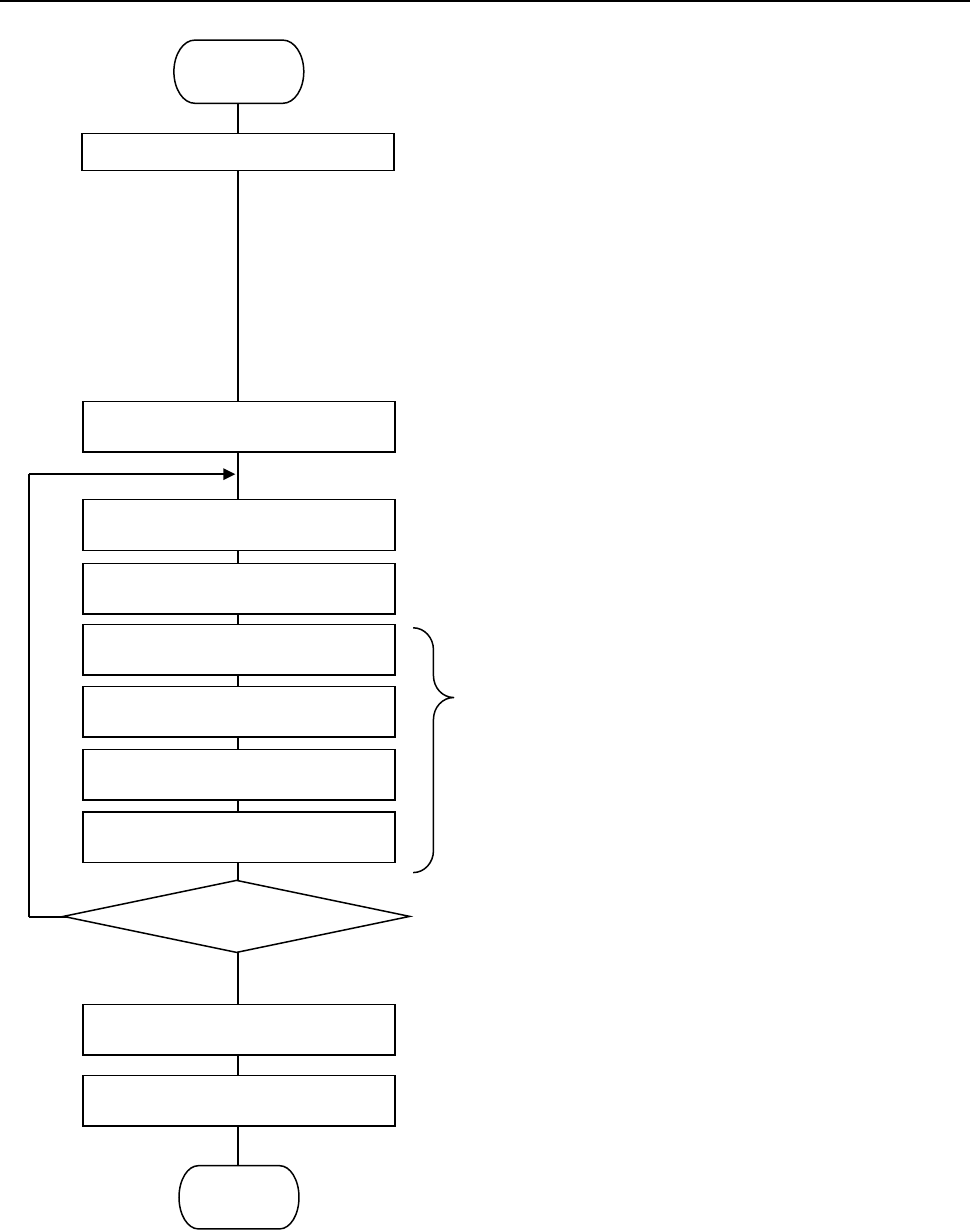
12.11.6 Flowchart for Setting a Solder Mark for Correction
① Select two or three points at which solder is to be
recognized among the component placement
coordinates specified in a production program.
* Select a position so that it can enclose the area in
which components are to be placed. If you select
three points, they should not be in the same
straight line.
* Any substance whose brightness is similar with
that of solder such as one printed in legend ink
should not be located near a position for
recognizing solder.
* It is recommended that a component placement
position to be recognized be on the bottom layer.
② Change the mark type of the area fiducial mark to
be used to recognize solder to “Solder.”
③ Enter the component placement coordinates
selected at Step ① as the mark coordinates.
④ Teach each mark.
⑤ If recognition is unstable even after using the
adjustment function, set another coordinate to
register a position that can be recognized stably.
⑥ Set the system to use an area fiducial mark to
correct a component placement point whose
solder misalignment is to be corrected.
Start
Teach a binary threshold value.
Enter the coordinates of a point to
be recognized.
Set the mark type to “Solder.”
Teach the lights.
Set the mark correction function for a
component placement point.
Teach the solder shape.
Set a misalignment check threshold
value.
Select a point to be recognized.
OK
NO
Register a mark.
Press the teaching button.
End
Recognition result?