RS-1_instruction manual.pdf - 第864页
Pa r t 2 Det ai l ed Des c r i pti on o f Ea c h Fu nc ti on Chapte r 1 1 S el f - diagnosis Func ti on 11 -6 CA L block m ark s tai n ch eck W hen you sel ect [C AL b loc k m ar k s tain] in the s elf - diag nosi s m en…
Part 2 Detailed Description of Each Function Chapter 11 Self-diagnosis Function
11-5
Individual check function
The individual check function checks the device for each operation item,
The items to be checked by the individual check function are shown in the following table.
No.
Individual check function group
Description
1 CAL block mark stain check
Checks whether the CAL block mark is covered with a jig or
component so that an error may not be caused to the coordinate
system at a return-to-origin.
2 Filter stain check
Checks whether a failure occurs due to anchoring of the ejector by
turning on/off the vacuum of the head several times.
3 Set VCS cleanliness Check Runs a VCS cleanliness check, and then determines the result.
4 Head Offset
Assembling position of each head for the OCC
Assembling angle between the laser alignment unit and the main
unit
5 Laser/sensor height Height of the laser/sensor viewed from the topside of a board
6 Vacuum calibration Executes a vacuum measurement.
7 VCS offset
Assembling position/assembling angle of a standard/high-resolution
VCS
8
VCS multi-recognition offset
Assembling position of each nozzle center against the VCS (54mm)
9
ATC Slide Plate Open/ Close
Check
Checks the open/close time of the ATC slide plate to find a nozzle
replacement fault.
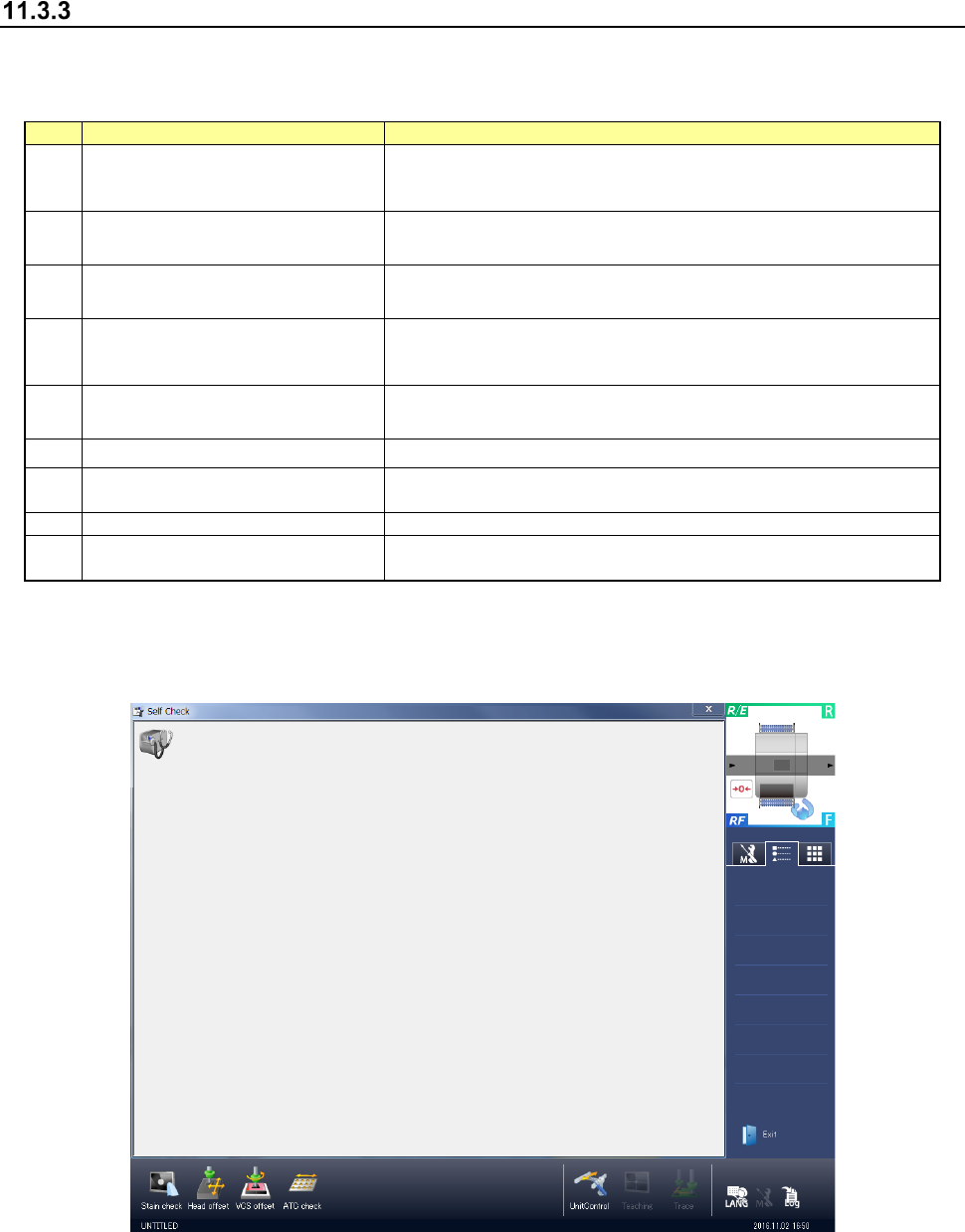
(1) Immediately after a start
When you sleet [Maintenance] → [Self-diagnosis function] in the desktop screen menu, the
initial screen of self-diagnosis appears.
(2) End of self-diagnosis
When you select “Exit” of the information area or the Exit button at the right of the title bar, the
application is terminated.
Part 2 Detailed Description of Each Function Chapter 11 Self-diagnosis Function
11-6
CAL block mark stain check
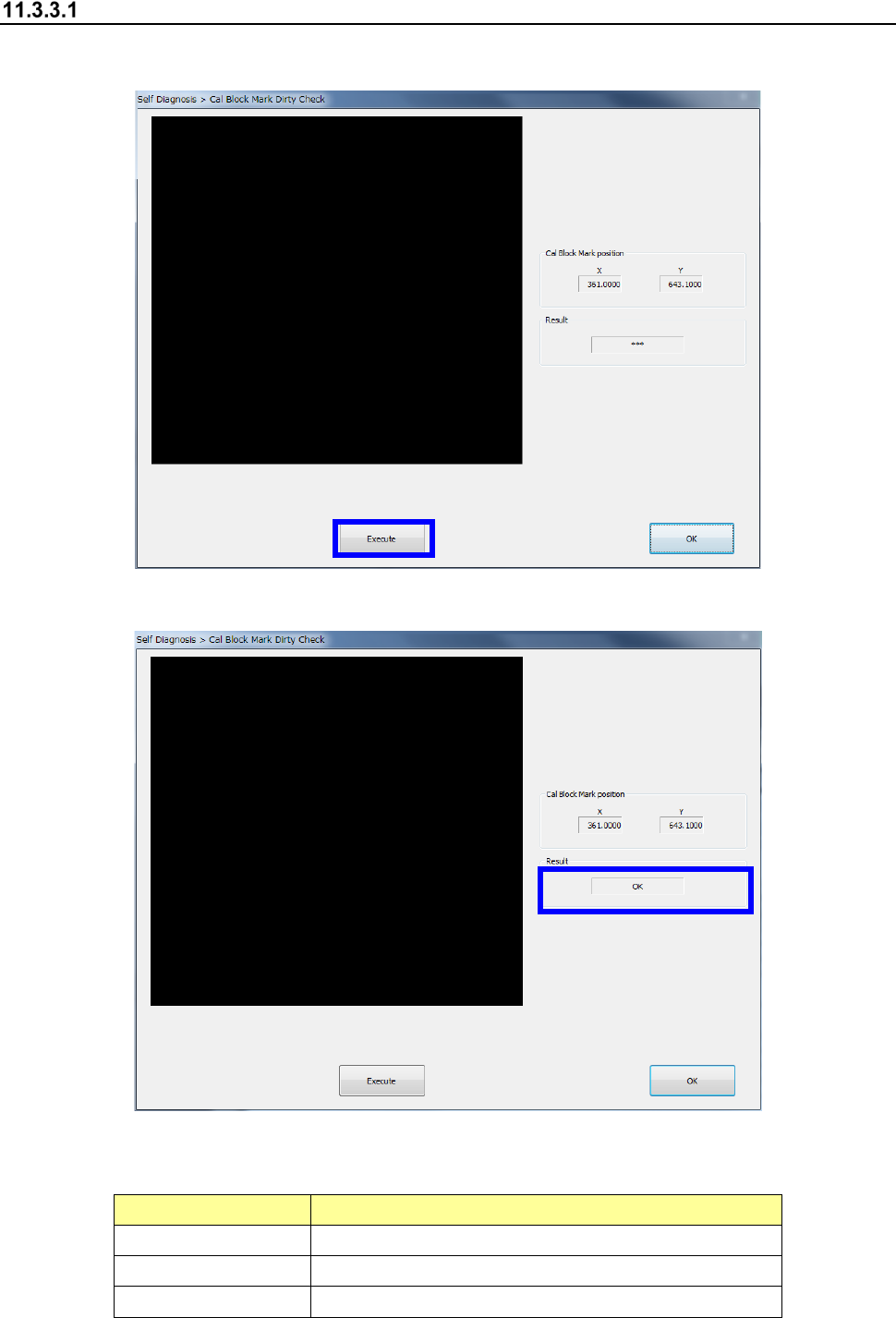
When you select [CAL block mark stain] in the self-diagnosis menu, the CAL block mark stain
check dialog appears. Press the <Exec> button to execute a CAL block mark stain check.
The check result is displayed in “Result.”
The details of recognition result are as follows.
Recognition result Outline
OK The CAL block mark recognition was successful.
Recognition error An error occurred in CAL block mark recognition.
Stain error The CAL block mark is stained.
Part 2 Detailed Description of Each Function Chapter 11 Self-diagnosis Function
11-7
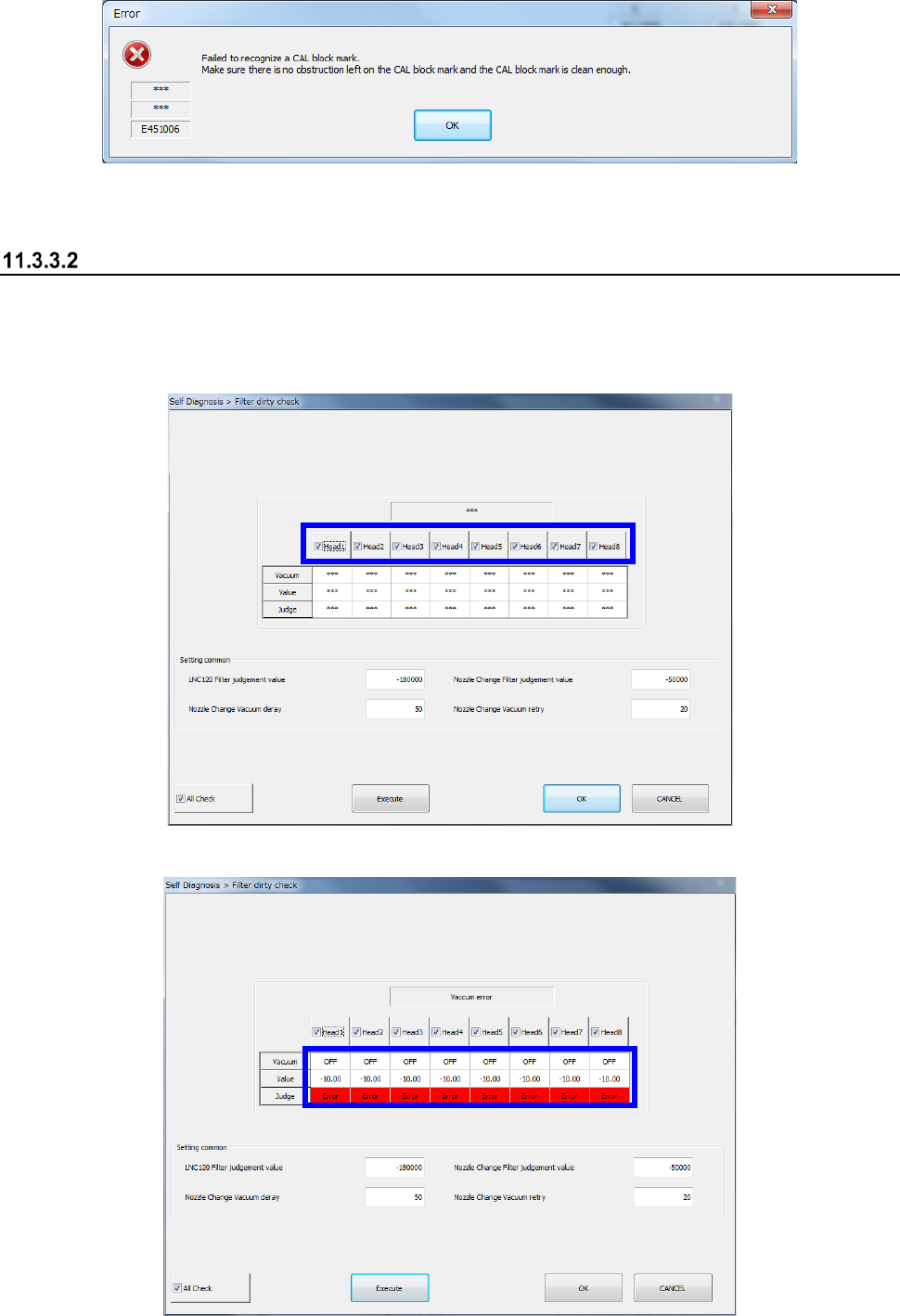
When a CAL block mark recognition error occurs, the following message is output.
Check whether any article is put on the CAL block mark or the CAL block mark is not stained.
Filter stain check
When you select [Filter stain] in the self-diagnosis menu, the filter stain check dialog appears.
Specify a bank or head to be checked and press the <Exec> button to execute a filter stain check.
When you select <All Check>, the selection/no-selection status of all the heads can be changed
collectively.
The check result is displayed in a table.