RS-1_instruction manual.pdf - 第707页
Part 2 D etaile d Descript ion of E ach Functi on Chapter 7 Operation Option 7- 32 7.7 Tr ay Specify op eration opti ons for the tray .
Part 2 Detailed Description of Each Function Chapter 7 Operation Option
7-31
7.6 Optimization
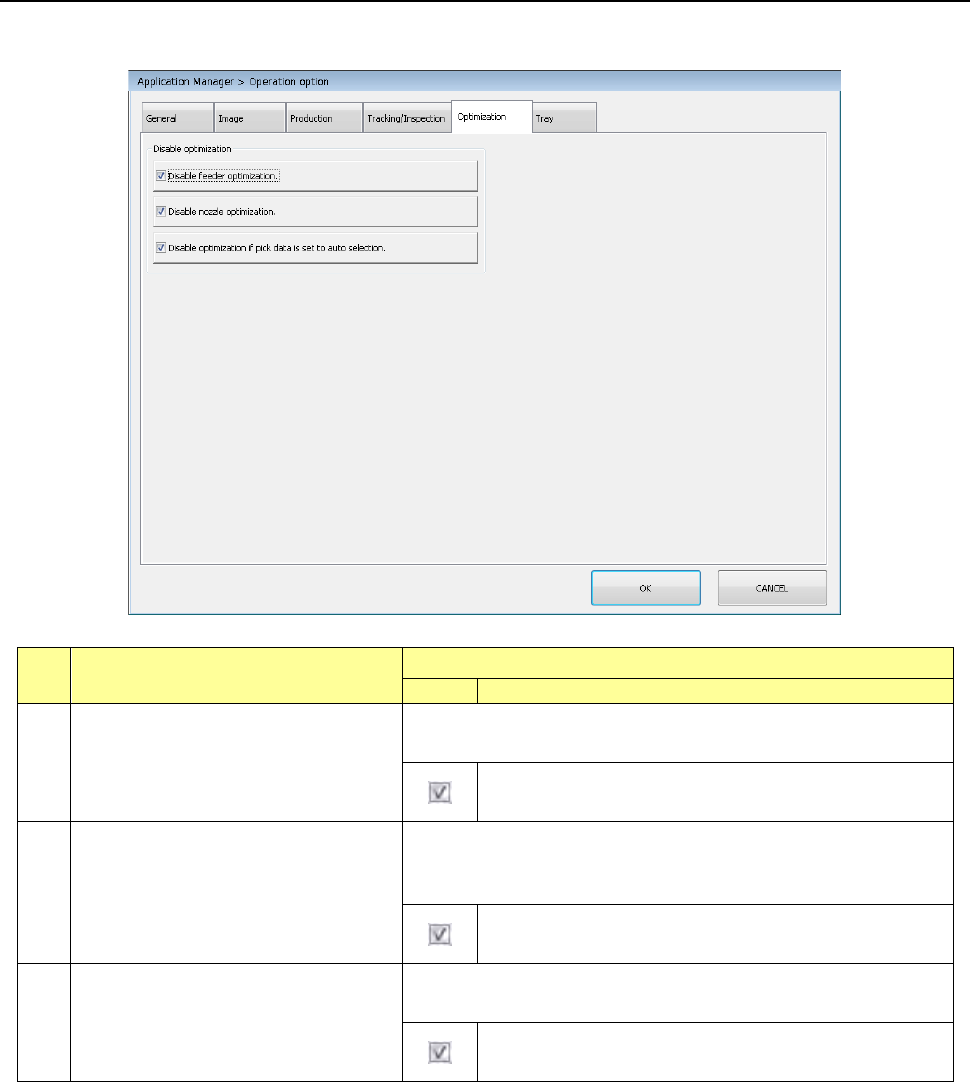
Specify operation options to be optimized.
No.
Menu item
Description
Status
Operation and detailed explanation
1
Disable feeder optimization.
(Optimization disabled)
When this item is checked off, “Pick data” of “Split option” is fixed to
“Distribute automatic selection.”
At optimization, “Pick data” of “Split option” is fixed to
“Distribute automatic selection.”
2
Disable nozzle optimization.
(Optimization disabled)
When this item is checked off, the “Nozzle to be used” of “Split
option” is fixed to “Use the ordinarily equipped nozzle” at
optimization.
At optimization, the “nozzle to be used” of “Split option” is
fixed to “Use the ordinarily equipped nozzle.”
3
Disable optimization if pick data is set
to auto selection. (Optimization
disabled)
Specify a function to disable optimization when the pick data is set
to “Automatic selection.”
When the pick data is set to “Automatic selection”,
optimization is disabled.
Part 2 Detailed Description of Each Function Chapter 7 Operation Option
7-32
7.7 Tray
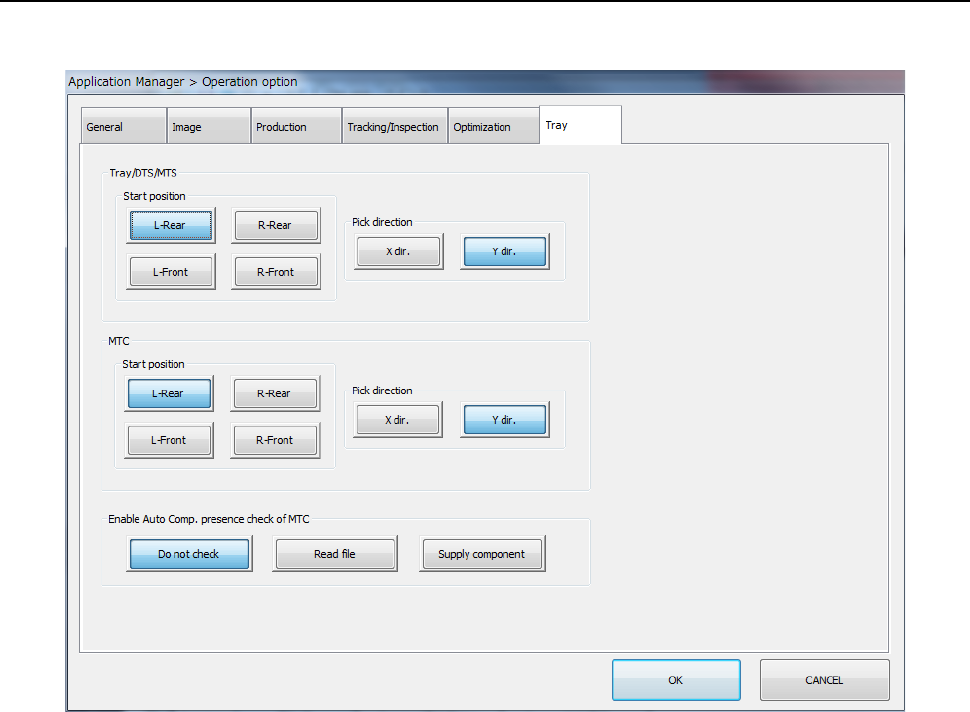
Specify operation options for the tray.

Part 2 Detailed Description of Each Function Chapter 7 Operation Option
7-33
No.
Menu item
Description
Status
Operation and detailed explanation
1
Pick start position
Specify the tray component pick start position.
Start position
Select the left rear, left front, right rear, and
right front.
2 Pick direction
Specify the tray component pick direction.
Pick direction Select the Y-direction and X-direction.
3
Enable Auto Compo. presence check
of MTC
Specify a component check to be run when a component is picked
up from an MTC.
You can set this item only when “TR6D” is selected for the menu
item “MTC” on the “Machine Setup” screen.
Do not check
The system does not detect any
component.
When you refill the MTC with components,
the machine always starts picking up
components from the first component
position of a tray.
Read file
The system detects a component when a
production program is changed.
Supply component
The system detects a component when the
MTC finishes being refilled with
components in response to pressing of the
SUPPLY switch of the MTC.
If you select the <Read file> button or the <Supply component>
button, the HMS inside of the MTC detects whether there is a
component on a tray, and the system starts picking up an existing
component when it is to pick up a component from a tray of the MTC
refilled with components.