RS-1_instruction manual.pdf - 第958页
Part 2 D etaile d Descript ion of E ach Functi on Chapter 12 Handling th e Optional Device s 12 - 74 (2) P erform ing compon ent verification when the syst em rest arts aft er component s r un out Make sure th at [Perfor…
Part 2 Detailed Description of Each Function Chapter 12 Handling the Optional Devices
12-73
12.12.2 Operations
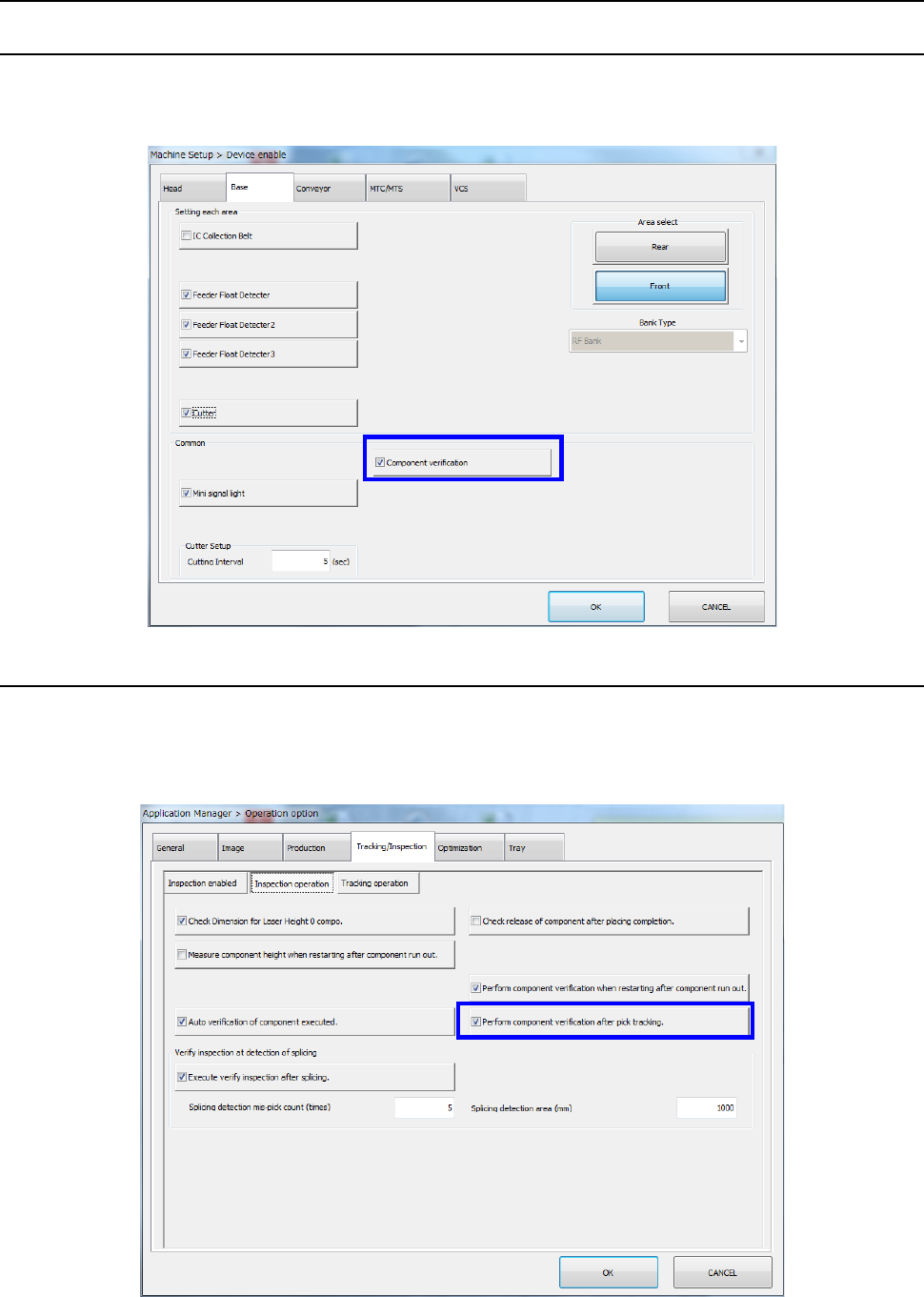
12.12.2.1 Machine Setup
Select [Device enable] – [Option device enable] on the machine setup screen and make sure that
[Component verification] is checked off by the [Option device enable] tab.
For the setting method, refer to the Section 8.3.1.2 "Option Device Enable"
12.12.2.2 Setting the Operation options
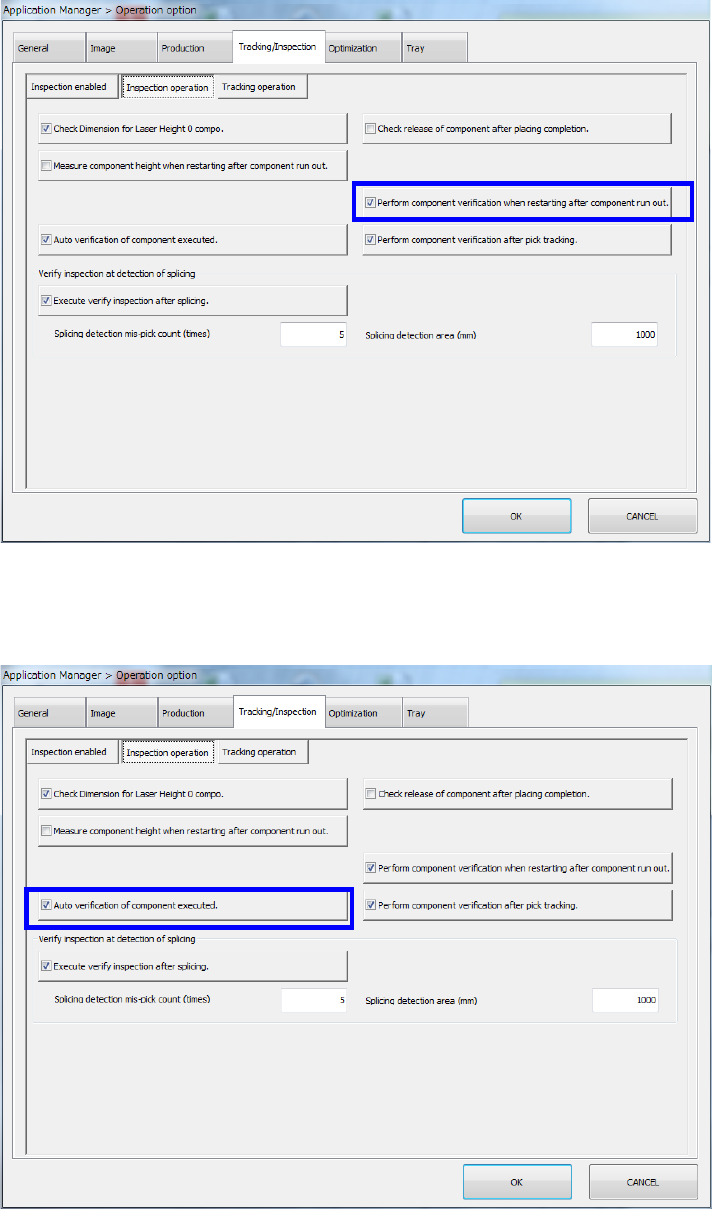
(1) Performing component verification after tracking a component pick-up operation
Select [Machine setting] – [Operation option] in the menu and select [Inspection operation]
from the “Tracking/inspection” tab. Then, make sure that [Verify inspection after pick
tracking] is checked off.
Part 2 Detailed Description of Each Function Chapter 12 Handling the Optional Devices
12-74
(2) Performing component verification when the system restarts after components run out
Make sure that [Perform component verification when restarting after component run out] is
checked off in the same way as (1).
(3) Auto verification of component executed
Make sure that [Auto verification of component executed] is checked off in the same away as
(1) and (2).
Part 2 Detailed Description of Each Function Chapter 12 Handling the Optional Devices
12-75
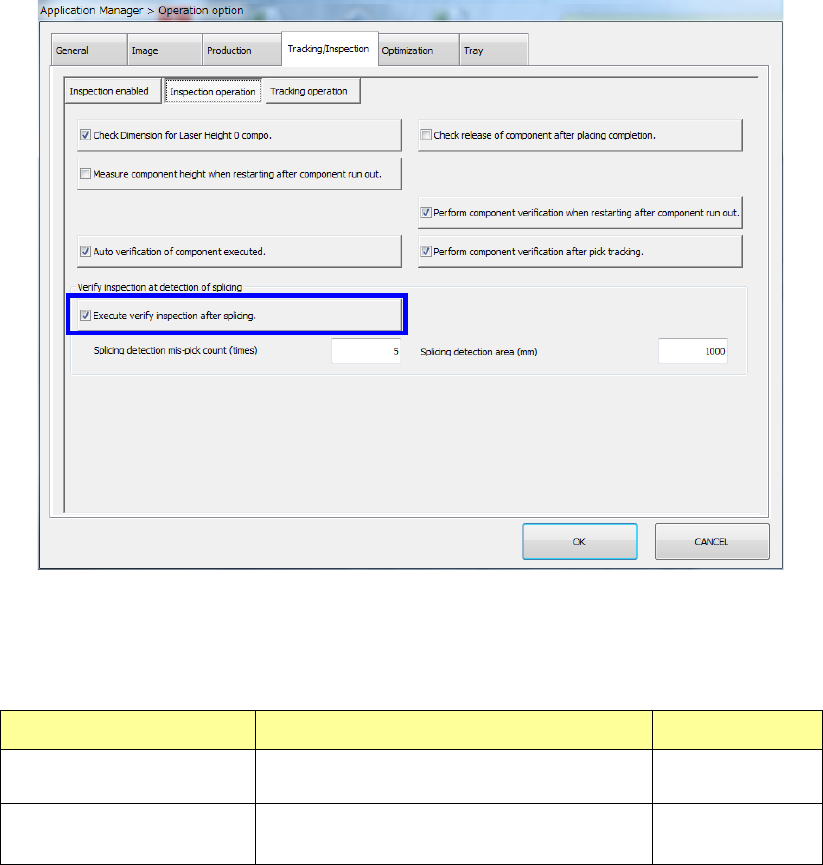
(4) Execute verify inspection after splicing.
Check to see if the “Execute verify inspection after splicing.” check box is checked off in the
same manner as (1), (2) and (3).
When you select the “Execute verify inspection after splicing.” check box, you can make
settings of the “Splicing detection mis-pick count (times)” field and the “Splicing detection area
(mm)” field.
Setting item Description Input range
Splicing detection mis-pick
count
Specify the number of mis-picks for
detecting a spliced positon.
1 – 100
Splicing detection area
Specify the detection area for detecting a
spliced position.
500 – 10000